Out of stock
This item is currently out of stock and it may or may not be restocked.
Sold by Newegg

Shipped by Newegg

Shop it at NeweggBusiness.

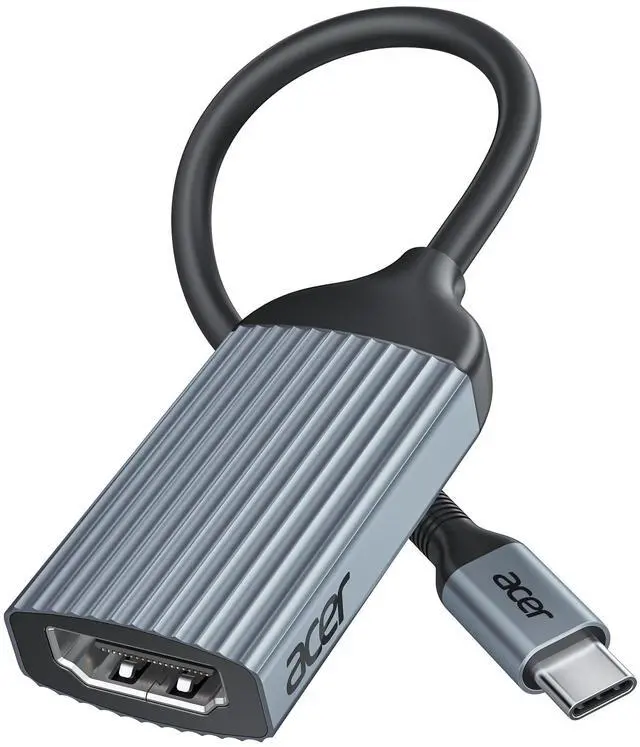
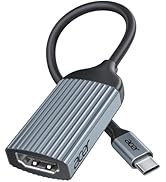
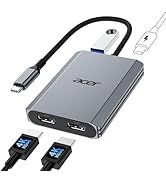
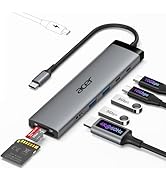
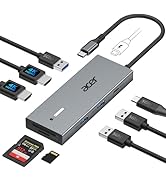
acer USB-C to HDMI Adapter 4K@60Hz, (High Speed, Thunderbolt 3/4) Type C to HDMI Converter Compatible with MacBook Pro/Air, iPhone 17 16 15 Pro/Max, iPad Pro/Air, Surface, Dell XPS, Chromebook, etc

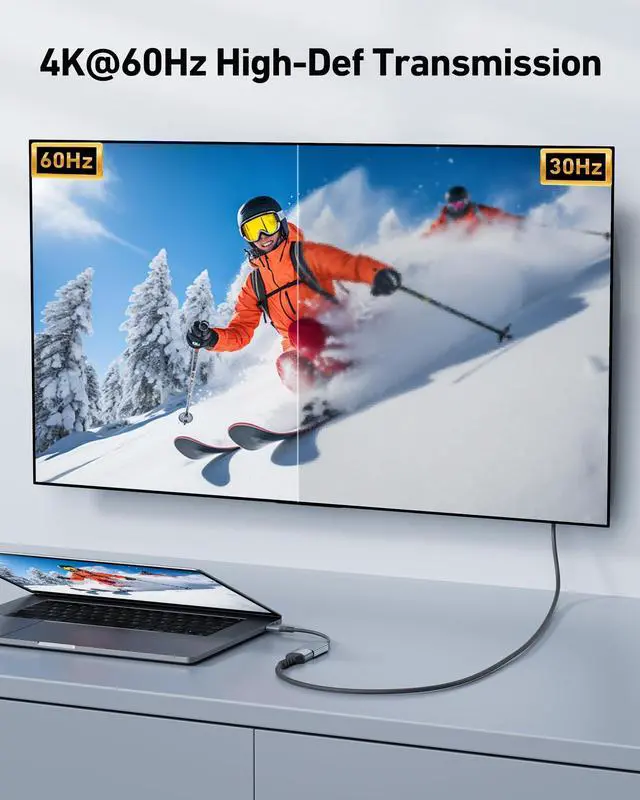
  • [ULTRA HD 4K@60Hz] Acer USB C to HDMI adapter supports resolutions up to 4K@60Hz and is backward compatible with 2K@144 Hz/60 Hz, which can away from visual fatigue caused by a low refresh rate. : - - ;
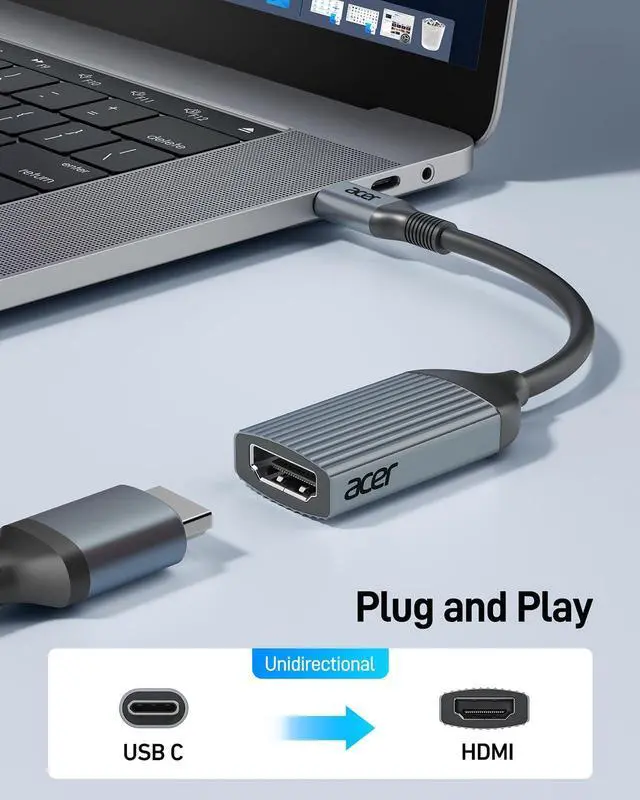
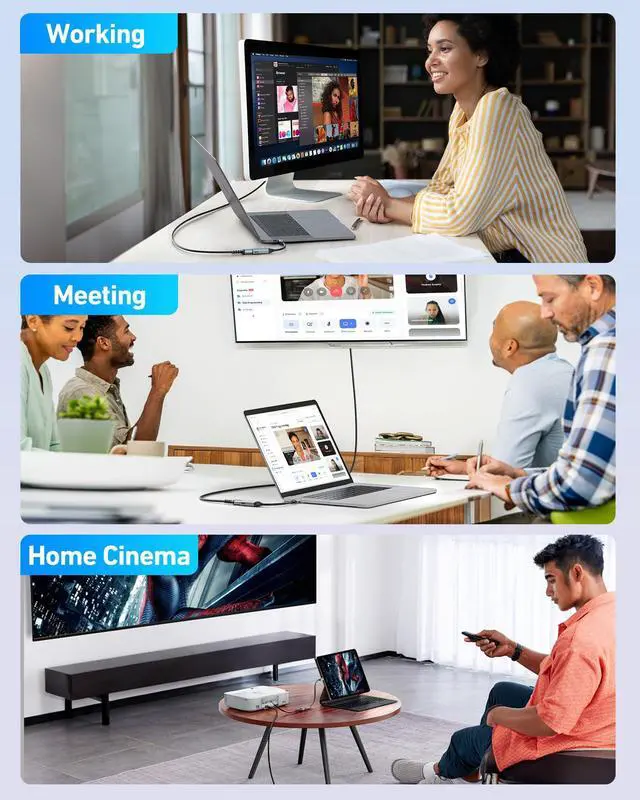
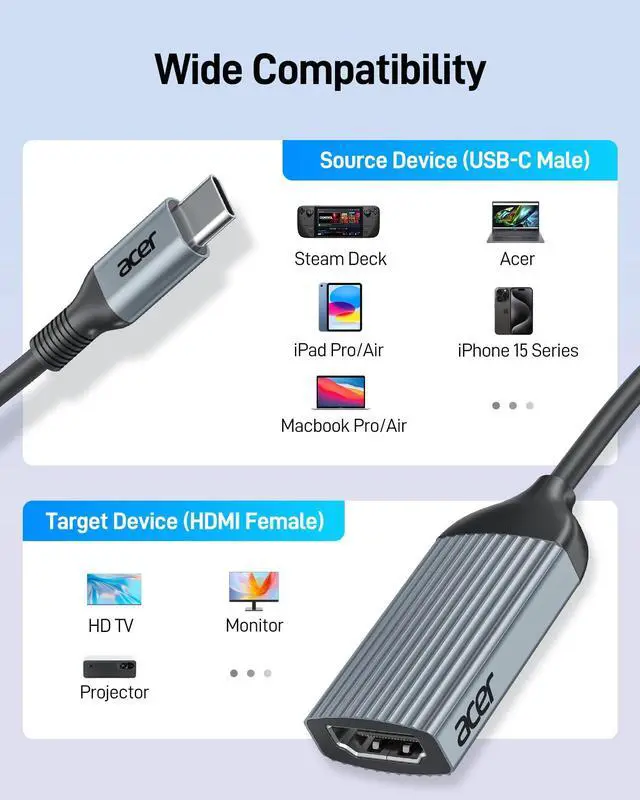
  • [Plug & Play] No additional driver or software is required, this USBC to HDMI Female adapter will make it effortless to connect your USB-C devices to monitors, TVs, and projectors with ease. : - - ( )
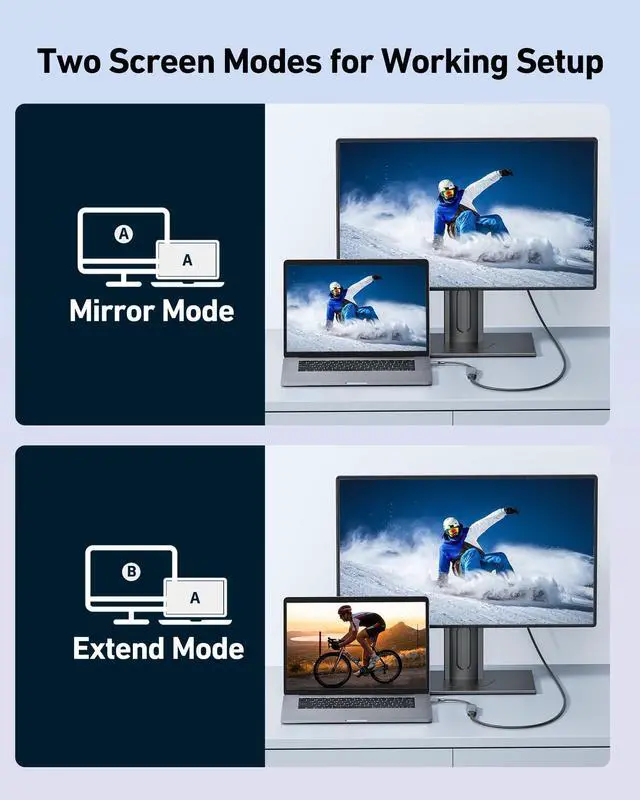
  • [Improve Work Efficiency] Mirror or Extend your desktop to boost productivity. Connect to a 4K LED monitor or UHD TV. Meet all the needs from daily office use to professional video & photo editing. Note: The transmission is Uni-directional, only from the USB-C host device to HDMI displays.
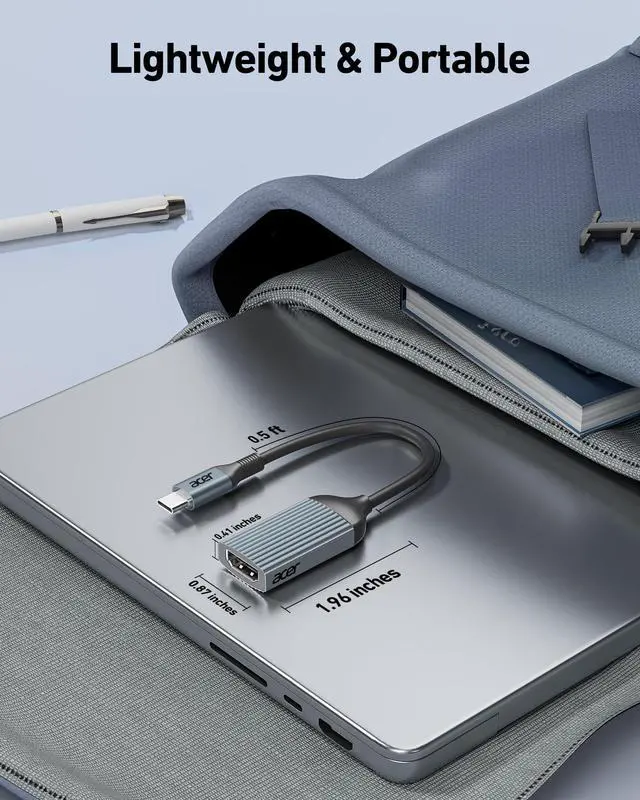
  • [Compact & Durable Design] The usb c to hdmi adapter for monitor is compact and lightweight. Its 0.64-ft space-saving size lets you put it in your laptop bag. Its aluminum case has excellent heat dissipation and wear resistance. It is versatile for business trips and different devices.
Overview
Specs
Reviews
avatar

Any questions? Our AI beta will help you find out quickly.

hdmi to usb
USB-C adapters in various colors and sizes. Includes compact white, slim pink, and larger gray models with ribbed exteriors. Arranged on a background with pastel-colored wavy lines.

Usage Tips

1 Not compatible with devices that don't support the protocol of DP Alt Mode.
2 Ask us if you're not sure about the port and your devices' compatibility.
3 Does not support charging.
4 To avoid signal degradation, it is recommended to use a cable of up to 10 feet.
5 If the sound is not transmitted to the TV, please try to choose your TV as the audio output device.
- For Mac: Settings ? System Preferences ? Sound ? Output ? Select your TV;If it's still not work, please mail for technical assistance.
6 Does not support video signal output from HDMI port to USB C port!!!
- Only support USB-C to HDMI uni-directional transmission
7 Why is there no image output from HDMl after connecting?
- (1)Make sure the USB-C port of the laptop supports the video function
- (2)Check the port is firmly plugged in; Adjust the resolution setting of the laptop
- (3)Select the correct input signal source (some require manual selection of the signal source.
8 How to set the mirror mode or extended mode?
- For Win laptops: Click Graphics Settings or Win+P to select Mirror or Extend mode. For MacBook laptops: Apple logo-System Preferences-Display-Mirror Displays (Yes or No).
9 Why is my USB-C to HDMI adapter not working or disconnecting?
- ?? Test another cable ? Rule out cable damage ?? Try another device ? Confirm Compatibility ?? Clean ports ? Remove dust or debris ?? Adjust resolution and refresh rate ? Please Try 1080p @ 60Hz ?? Update drivers ? Ensure latest graphics and system drivers ??Check power supply ? Please connect an external power supply to your laptop to ensure sufficient power for the adapter and video output.

COMPATIBLE LIST (not a full list)

??Supports video output (?) ???????????????????? ???????? ??????-?? ??.?? ???? ?????????????????????? ??/?? ???????? ???????????????????? ?????????? ?????????????? "?????????????????????? ?????????????????? ????????".
??Apple iPhone 15 Pro / Pro Max, MacBook Pro (Late 2016~2023), MacBook Air (Late 2018~2023), MacBook (Early 2015~2017), iMac (Mid 2017 and newer), iMac Pro, Mac mini (2023 / 2020 / 2018), iPad Pro (2022 / 2021 / 2020 / 2018), iPad mini 6, iPad Air 5 / 4
??Microsoft Surface Book 2 / 3, Surface Laptop 3 / 4, Surface 8 / 7, Surface Go / Go 2 / Go 3, Surface Pro 7 / 7+ / 8 / X, Surface Studio 2
??Laptop Acer, Dell Latitude 7373/7280/7480/5570/5490/5400 (2019), XPS 13 / 15 / 17, Insiron 5570, Inspiron 13 7000 2-in-1; HP: Envy 13 x360 2019/2018, Spectre 13/x360
??Phones Samsung Galaxy S24 Ultra/S24/S23 Ultra/S23/S22 Ultra/S21/S20/S20/S20 Ultra/S10e/S10/S10+/Note 20/Note 9, S8/S8+/ S9/S9+; HTC 10/U Ultra/U11/U11+/U12+, Asus ZenFone/ ROG Phone and more
??Chromebook Google Chromebook Pixel (2015), Pixelbook, Pixel Slate, Asus Chromebook
??Dell Dell Latitude 7373 / 5570 / 5490 / 5400 (2019), XPS 13 / 15 / 17
??HDMI cable length To avoid signal degradation, it is recommended to use a cable of up to 10 feet.
??Other (?) ???????????? ( ?????????????????? ), ???????? ( ?????????????????? ), ?? ??????, ??????/??????, ???????? ????,??????, ??????????
??Samsung (?) Galaxy Xcover Pro, Samsung Galaxy Flip series, Samsung A series phone/J6/J7/M20/M30s, Galaxy Tab A series, Galaxy Tab3/S3
??Samsung A series (?) Not compatible with Galaxy A/ Tab A series. Galaxy A01/ A02/ A02S / A03 / A03S / A5 / A7 / A8 / A9 / A10/ A10e / A12 / A13 / A14 / A20 / A20E / A21 / A21s / A22 / A23 / A24 / A30 / A31 / A32 / A40 / A50 / A51 / A53 / A54 / A70 / A71, Samsung S6 / S7 / J6 / J7 / M20 / M30, Galaxy Tab S3 / Tab A / 10.1 / 10.5
?? Phones (?) Huawei Series; Xiaomi Series; One Plus Series, LG Stylo 3/4/5; Pixel phones; OnePlus Series, etc
?? Motorola series (?) ALL Motorola series, such as Moto 6, Moto 8, etc.
!!Note!! Apple M1 & M2 based devices only support ONE external display.
!!Note!! Not compatible with devices that don't support the protocol of DP Alt Mode.
!!Note!! **????????: ???? ?????? ?????? ?????? ????????, ???????????? ???????? ???????? ???? ?????? ???? ????????, ???? ?????? ???????? ???????? ???? ??????????.
hdmi to usb
usbc to hdmi

Usage Tips

1 Not compatible with devices that don't support the protocol of DP Alt Mode.
2 Ask us if you're not sure about the port and your devices' compatibility.
3 Does not support charging.
4 To avoid signal degradation, it is recommended to use a cable of up to 10 feet.
5 If the sound is not transmitted to the TV, please try to choose your TV as the audio output device.
- For Mac: Settings ? System Preferences ? Sound ? Output ? Select your TV;If it's still not work, please mail for technical assistance.
6 Does not support video signal output from HDMI port to USB C port!!!
- Only support USB-C to HDMI uni-directional transmission
7 Why is there no image output from HDMl after connecting?
- (1)Make sure the USB-C port of the laptop supports the video function
- (2)Check the port is firmly plugged in; Adjust the resolution setting of the laptop
- (3)Select the correct input signal source (some require manual selection of the signal source.
8 How to set the mirror mode or extended mode?
- For Win laptops: Click Graphics Settings or Win+P to select Mirror or Extend mode. For MacBook laptops: Apple logo-System Preferences-Display-Mirror Displays (Yes or No).
9 Why is my USB-C to HDMI adapter not working or disconnecting?
- ?? Test another cable ? Rule out cable damage ?? Try another device ? Confirm Compatibility ?? Clean ports ? Remove dust or debris ?? Adjust resolution and refresh rate ? Please Try 1080p @ 60Hz ?? Update drivers ? Ensure latest graphics and system drivers ??Check power supply ? Please connect an external power supply to your laptop to ensure sufficient power for the adapter and video output.

COMPATIBLE LIST (not a full list)

??Supports video output (?) ???????????????????? ???????? ??????-?? ??.?? ???? ?????????????????????? ??/?? ???????? ???????????????????? ?????????? ?????????????? "?????????????????????? ?????????????????? ????????".
??Apple iPhone 15 Pro / Pro Max, MacBook Pro (Late 2016~2023), MacBook Air (Late 2018~2023), MacBook (Early 2015~2017), iMac (Mid 2017 and newer), iMac Pro, Mac mini (2023 / 2020 / 2018), iPad Pro (2022 / 2021 / 2020 / 2018), iPad mini 6, iPad Air 5 / 4
??Microsoft Surface Book 2 / 3, Surface Laptop 3 / 4, Surface 8 / 7, Surface Go / Go 2 / Go 3, Surface Pro 7 / 7+ / 8 / X, Surface Studio 2
??Laptop Acer, Dell Latitude 7373/7280/7480/5570/5490/5400 (2019), XPS 13 / 15 / 17, Insiron 5570, Inspiron 13 7000 2-in-1; HP: Envy 13 x360 2019/2018, Spectre 13/x360
??Phones Samsung Galaxy S24 Ultra/S24/S23 Ultra/S23/S22 Ultra/S21/S20/S20/S20 Ultra/S10e/S10/S10+/Note 20/Note 9, S8/S8+/ S9/S9+; HTC 10/U Ultra/U11/U11+/U12+, Asus ZenFone/ ROG Phone and more
??Chromebook Google Chromebook Pixel (2015), Pixelbook, Pixel Slate, Asus Chromebook
??Dell Dell Latitude 7373 / 5570 / 5490 / 5400 (2019), XPS 13 / 15 / 17
??HDMI cable length To avoid signal degradation, it is recommended to use a cable of up to 10 feet.
??Other (?) ???????????? ( ?????????????????? ), ???????? ( ?????????????????? ), ?? ??????, ??????/??????, ???????? ????,??????, ??????????
??Samsung (?) Galaxy Xcover Pro, Samsung Galaxy Flip series, Samsung A series phone/J6/J7/M20/M30s, Galaxy Tab A series, Galaxy Tab3/S3
??Samsung A series (?) Not compatible with Galaxy A/ Tab A series. Galaxy A01/ A02/ A02S / A03 / A03S / A5 / A7 / A8 / A9 / A10/ A10e / A12 / A13 / A14 / A20 / A20E / A21 / A21s / A22 / A23 / A24 / A30 / A31 / A32 / A40 / A50 / A51 / A53 / A54 / A70 / A71, Samsung S6 / S7 / J6 / J7 / M20 / M30, Galaxy Tab S3 / Tab A / 10.1 / 10.5
?? Phones (?) Huawei Series; Xiaomi Series; One Plus Series, LG Stylo 3/4/5; Pixel phones; OnePlus Series, etc
?? Motorola series (?) ALL Motorola series, such as Moto 6, Moto 8, etc.
!!Note!! Apple M1 & M2 based devices only support ONE external display.
!!Note!! Not compatible with devices that don't support the protocol of DP Alt Mode.
!!Note!! **????????: ???? ?????? ?????? ?????? ????????, ???????????? ???????? ???????? ???? ?????? ???? ????????, ???? ?????? ???????? ???????? ???? ??????????.
acer USB-C to HDMI Adapter 4K@60Hz, (High Speed, Thunderbolt 3/4) Type C to HDMI Converter Compatible with MacBook Pro/Air, iPhone 17 16 15 Pro/Max, iPad Pro/Air, Surface, Dell XPS, Chromebook, etc

Warranty & Returns

Warranty, Returns, And Additional Information

Return Policies

LOADING...