


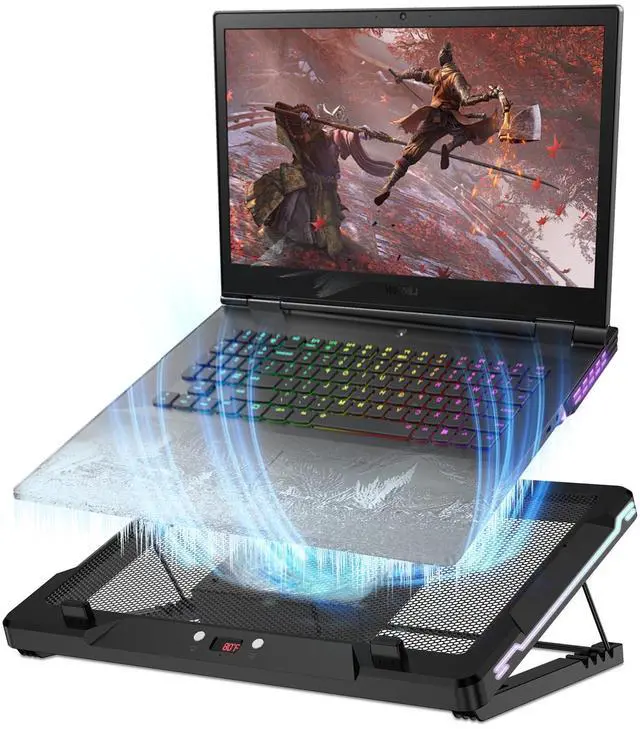
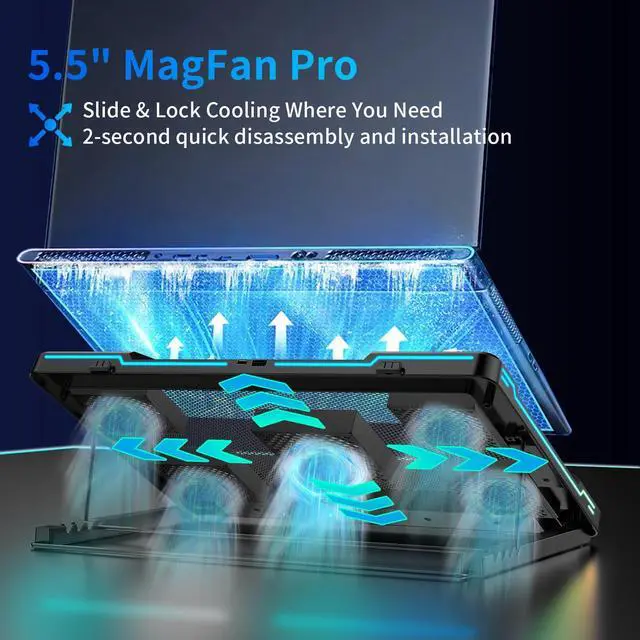
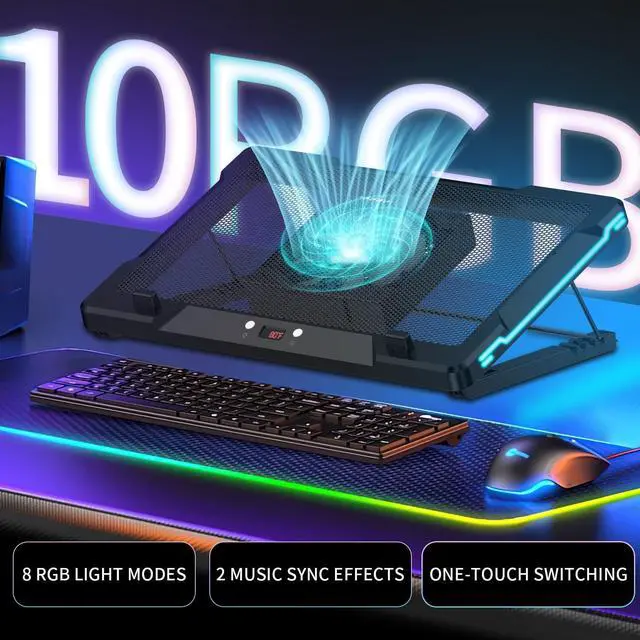


Immersive Lighting: Total Control & Sound Sync

Left Button: Easy Light Modes
Short Press: ON ? Cycle Levels ? OFF.
Long Press: Toggles Sound (R1) / Manual (LEd) modes.
Sound Mode: L1 (normal), L2 (high sensitivity).
Manual Mode: 8 settings: C1-4 solid, C5-8 dynamic effects.

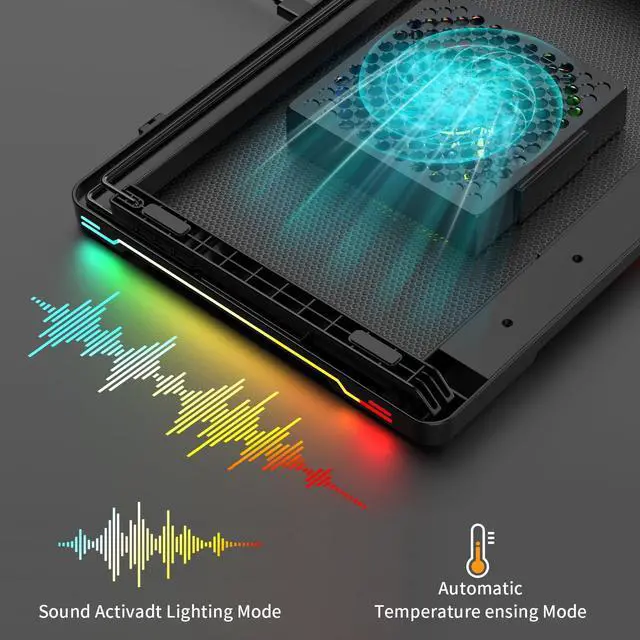
Sound Mode: Lights Dance
Sound Mode (R1): Lights change with ambient sound.
L1 Sensitivity: Responds to louder sounds.
L2 Sensitivity: Responds to even soft sounds.
Atmosphere: Vibrant audio-visuals synced to music/environment
Intelligent Fan Control for Personalized Comfort

Right Button: Smart Fan Control
Short Press (Manual): ON ? Speeds ? OFF.
Long Press: Switches Auto (AU) / Manual (AA) modes.
Auto (AU): Speed by temp (27-29, 30-32, 33°C+).
Manual (AA): 3 speeds: A1 (low) ? A2 (med) ? A3 (high)

Smart Cooling: Auto & Manual
Auto (AU): Hands-free cooling! Speed auto-adjusts by temp.
Indicator: AU. Temp Tiers: 79–84°F, 86–90°F, 91°F+.
Manual (AA): Between your control! Set A1-A3 speeds for comfort.

My Laptop Cooling Pad isn't spinning when plugged in. Is it faulty?
Not at all! The fans on your Laptop Cooling Pad automatically activate only when the temperature reaches the starting threshold of 79°F (26°C). You can long press the Right Button to switch to Manual Fan Mode for immediate control.
How does Sound Mode work on this Laptop Cooler Stand? Sensitivity levels?
In Sound Mode (R1), lights react to ambient sound. L1 responds to louder sounds, while L2 is highly sensitive, reacting even to soft sounds. This creates a dynamic audio-visual atmosphere synced with your music or environment.
How do I operate the fan on this Laptop Cooling Pad & switch modes?
In Manual Mode, short press the Right Button for ON, to cycle speeds, or OFF. Long press it to switch between Auto Temp Mode (AU indicator), where speed adjusts to temperature, and Manual Mode (AA indicator) for direct speed control.
What is Auto Temp Mode for the Laptop Cooler Stand's fan? How does it adjust?
Auto Temp Mode (AU indicator) offers hands-free cooling. The fan speed automatically adjusts based on real-time temperature across pre-set tiers (e.g., 79-84°F, 86-90°F, 91°F+), ensuring optimal comfort without manual intervention.
Can I manually set light effects & fan speeds on my Laptop Cooling Pad?
Yes. For lights, Manual Mode (LEd) provides 8 settings: C1-C4 for solid colors and C5-C8 for mixed dynamic effects. For the fan, Manual Mode (AA) offers 3 speed levels: A1 (low), A2 (medium), and A3 (high).

Beyond All Boundaries
DEPGI empowers you to work, play, and explore anywhere with our innovative, high-performance tech and portable gear.
The DEPGI Spirit
Our mission is to engineer multi-dimensional gear that breaks boundaries. From stacked dual screens that redefine multitasking, to professional cooling systems for gamers, and powerful underwater scooters for adventurers, we blend pro-grade specs with extreme portability. At DEPGI, we empower creators and explorers to push past limits, ensuring every mission is met with efficiency and every adventure remains boundless.
How did we get our start?
DEPGI was born to break limits. We started by creating gear that frees tech from desks, empowering users on land and underwater.
What makes our products unique?
We blend pro-grade specs with portability. Whether it’s dual-screen multitasking or deep-sea power, DEPGI ensures peak performance
Why do we love what we do?
We love seeing our gear fuel your passion. Helping you work, play, and explore without boundaries is what drives us forward.


Immersive Lighting: Total Control & Sound Sync
Left Button: Easy Light Modes
Short Press: ON ? Cycle Levels ? OFF.
Long Press: Toggles Sound (R1) / Manual (LEd) modes.
Sound Mode: L1 (normal), L2 (high sensitivity).
Manual Mode: 8 settings: C1-4 solid, C5-8 dynamic effects.
Sound Mode: Lights Dance
Sound Mode (R1): Lights change with ambient sound.
L1 Sensitivity: Responds to louder sounds.
L2 Sensitivity: Responds to even soft sounds.
Atmosphere: Vibrant audio-visuals synced to music/environment
Intelligent Fan Control for Personalized Comfort
Right Button: Smart Fan Control
Short Press (Manual): ON ? Speeds ? OFF.
Long Press: Switches Auto (AU) / Manual (AA) modes.
Auto (AU): Speed by temp (27-29, 30-32, 33°C+).
Manual (AA): 3 speeds: A1 (low) ? A2 (med) ? A3 (high)
Smart Cooling: Auto & Manual
Auto (AU): Hands-free cooling! Speed auto-adjusts by temp.
Indicator: AU. Temp Tiers: 79–84°F, 86–90°F, 91°F+.
Manual (AA): Between your control! Set A1-A3 speeds for comfort.

My Laptop Cooling Pad isn't spinning when plugged in. Is it faulty?
Not at all! The fans on your Laptop Cooling Pad automatically activate only when the temperature reaches the starting threshold of 79°F (26°C). You can long press the Right Button to switch to Manual Fan Mode for immediate control.
How does Sound Mode work on this Laptop Cooler Stand? Sensitivity levels?
In Sound Mode (R1), lights react to ambient sound. L1 responds to louder sounds, while L2 is highly sensitive, reacting even to soft sounds. This creates a dynamic audio-visual atmosphere synced with your music or environment.
How do I operate the fan on this Laptop Cooling Pad & switch modes?
In Manual Mode, short press the Right Button for ON, to cycle speeds, or OFF. Long press it to switch between Auto Temp Mode (AU indicator), where speed adjusts to temperature, and Manual Mode (AA indicator) for direct speed control.
What is Auto Temp Mode for the Laptop Cooler Stand's fan? How does it adjust?
Auto Temp Mode (AU indicator) offers hands-free cooling. The fan speed automatically adjusts based on real-time temperature across pre-set tiers (e.g., 79-84°F, 86-90°F, 91°F+), ensuring optimal comfort without manual intervention.
Can I manually set light effects & fan speeds on my Laptop Cooling Pad?
Yes. For lights, Manual Mode (LEd) provides 8 settings: C1-C4 for solid colors and C5-C8 for mixed dynamic effects. For the fan, Manual Mode (AA) offers 3 speed levels: A1 (low), A2 (medium), and A3 (high).
Beyond All Boundaries
DEPGI empowers you to work, play, and explore anywhere with our innovative, high-performance tech and portable gear.
The DEPGI Spirit
Our mission is to engineer multi-dimensional gear that breaks boundaries. From stacked dual screens that redefine multitasking, to professional cooling systems for gamers, and powerful underwater scooters for adventurers, we blend pro-grade specs with extreme portability. At DEPGI, we empower creators and explorers to push past limits, ensuring every mission is met with efficiency and every adventure remains boundless.
How did we get our start?
DEPGI was born to break limits. We started by creating gear that frees tech from desks, empowering users on land and underwater.
What makes our products unique?
We blend pro-grade specs with portability. Whether it’s dual-screen multitasking or deep-sea power, DEPGI ensures peak performance
Why do we love what we do?
We love seeing our gear fuel your passion. Helping you work, play, and explore without boundaries is what drives us forward.