





SIZE CHART

Small Size
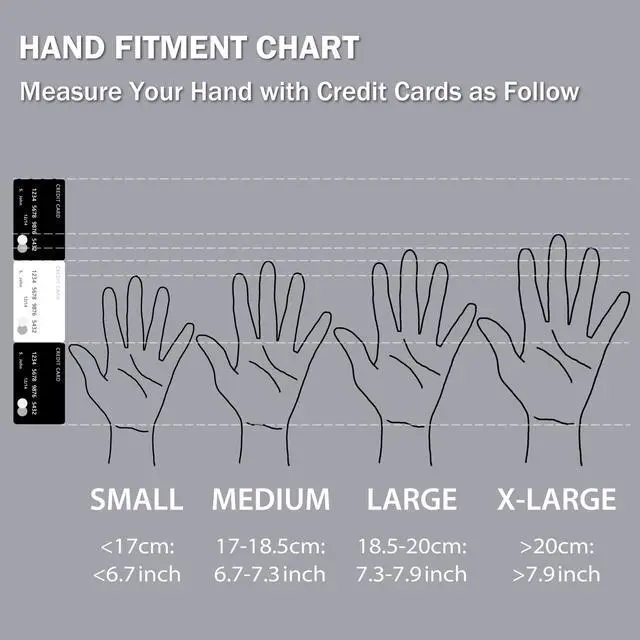
The length from the tip of the middle finger to the bottom of the palm fits perfectly for those with a length of 6.5inch or less.

Medium Size
Fits perfectly for those with a length of 6.5-7.1inch from the tip of the middle finger to the bottom of the palm.

Large Size
Fits perfectly for those with a length of 7.1-7.7inch from the tip of the middle finger to the bottom of the palm.

X-Large Size
The length from the tip of the middle finger to the bottom of the palm fits perfectly for those with a length of 7.7inch or longer.
 EX-G Right hand |  EX-G Right hand |  EX-G Right hand |  EX-G PRO Right hand | |
|---|---|---|---|---|
| Customer Reviews | — | — | — | — |
| Price | — no data | — | — | — |
| Connection | Wired | 2.4 GHz Wireless | Bluetooth | Wireless 2.4GHz + Bluetooh |
| Button | 5 Buttons | 5 Buttons | 5 Buttons | 8 Buttons |
| Size | S / M/ L / XL | S / M/ L / XL | S / M/ L / XL | S / M/ L / XL |
 EX-G Left hand |  EX-G Left hand |  EX-G Left hand | |
|---|---|---|---|
| Customer Reviews | — | — | — |
| Price | — | — | — |
| Connection | Wired | 2.4 GHz Wireless | Bluetooth |
| Button | 5 Buttons | 5 Buttons | 5 Buttons |
| Size | S / M/ L / XL | S / M/ L / XL | S / M/ L / XL |
Mouse Assistant

STEP1
1. Go to the "ELECOMUSA " website. (Not ELECOMUS website)Click "Mouse Assistant" in the middle of the top.
2. Select "WINDOWS" or "MAC" for installation. (When installing on a PC running security software, it is recommended to temporarily deactivate it before installation.)
3. Click "MOUSE ASSISTANT MANUAL" if you want detail about it.

STEP2
1. Save to your computer. (If you have any problem or question, please contact ELECOM on this website.)
2. Installation is now complete. If successfully installed, the Mouse Assistant icon is visible in the indicator as shown in the image. Let's open it.

STEP3
1. Select your language. Click "OK". Then the window is closed automatically. Please open it again. (Setup required each time it is opened)
2&3. Button Function Assignments
4. Scroll speed adjustment
5. Arrow: Manual & Help

Background of EX-G Series Development
"EX-G" is Exactly-Grip Ergonomic.
ELECOM aimed to develop a long-selling model representing what can be used by all users. Users have different preferences for eccentric models that use special functions, ultra-high-performance sensors, and other features. We have considered what is necessary for a mouse in PC work and, as a result of going back to the basics, we have reached the ultimate in comfort of grip.
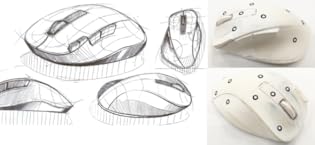
Mouse was promoted as an ergonomically designed mouse even before the birth of the EX-G, However, none of these models specifically explained what points they were designed with particular focus on. We focused on the skeletal structure and muscles of the fingers, which are the key to operating a mouse, in our search for the ultimate in grip comfort. After dozens of trials and studies, we have finally achieved a shape that is satisfactory.
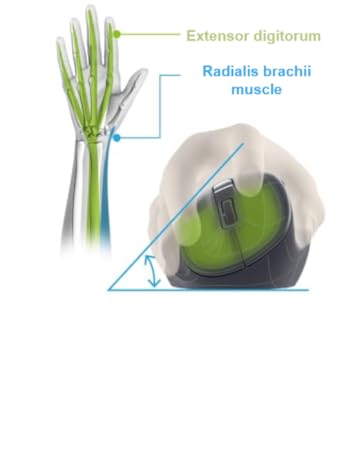
Easy on the Hand Shape
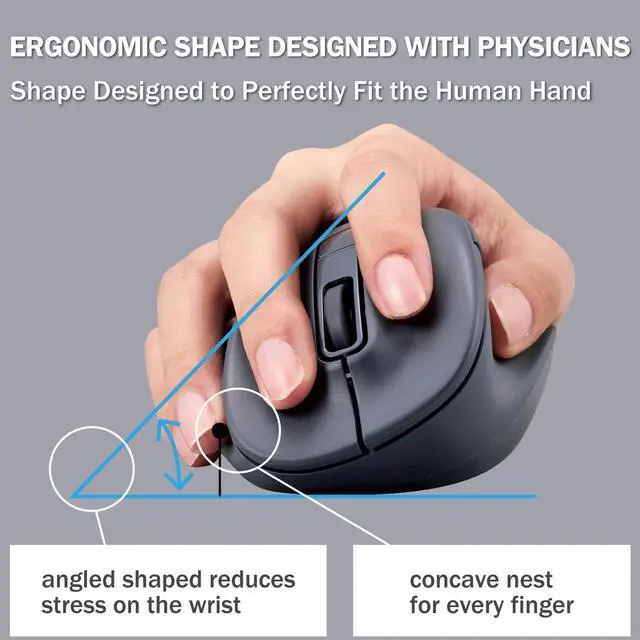
Focused on Radialis brachii and Extensor digitorum muscle and investigated optimal angle and shape of the mouse for the hand muscles.
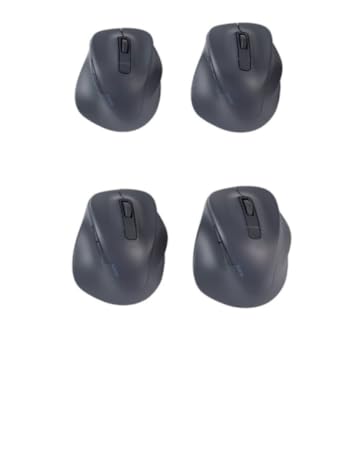
4 Size Variations
With 4 sizes available S, M, L, XL. We are able to provide just the right fit and comfort to customers around the world.
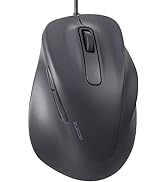
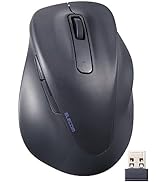
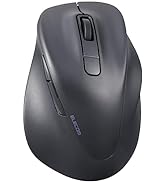
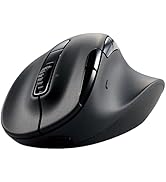
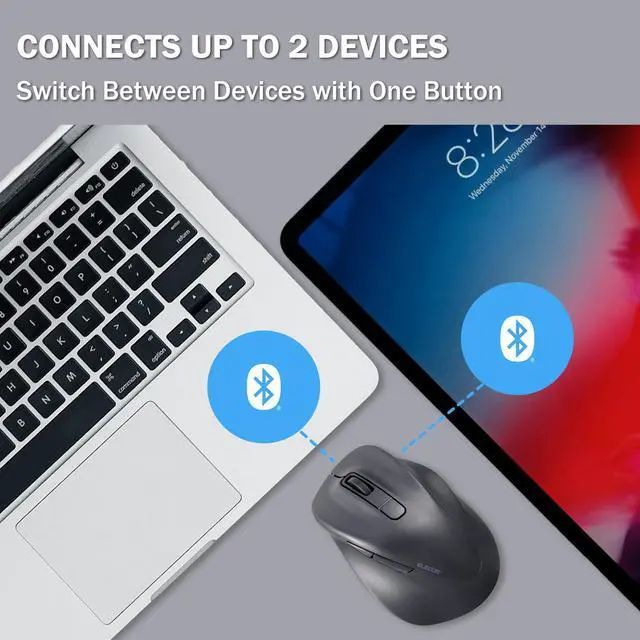
4 Type Connections
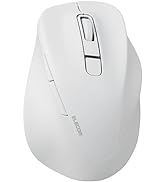
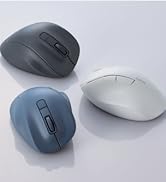
3 Color Variations

ELECOM is a Japanese consumer goods company with a simple mission: create quality products that deliver the most comfort and convenience for its customers. With a track record boasting some of the most innovative yet accessible products ever created, ELECOM has consistently raised the standards of excellence for technology products while taking care of its customers and employees.
SIZE CHART
Small Size
The length from the tip of the middle finger to the bottom of the palm fits perfectly for those with a length of 6.5inch or less.
Medium Size
Fits perfectly for those with a length of 6.5-7.1inch from the tip of the middle finger to the bottom of the palm.
Large Size
Fits perfectly for those with a length of 7.1-7.7inch from the tip of the middle finger to the bottom of the palm.
X-Large Size
The length from the tip of the middle finger to the bottom of the palm fits perfectly for those with a length of 7.7inch or longer.
EX-G Right hand | EX-G Right hand | EX-G Right hand | EX-G PRO Right hand | |
|---|---|---|---|---|
| Customer Reviews | — | — | — | — |
| Price | — no data | — | — | — |
| Connection | Wired | 2.4 GHz Wireless | Bluetooth | Wireless 2.4GHz + Bluetooh |
| Button | 5 Buttons | 5 Buttons | 5 Buttons | 8 Buttons |
| Size | S / M/ L / XL | S / M/ L / XL | S / M/ L / XL | S / M/ L / XL |
EX-G Left hand | EX-G Left hand | EX-G Left hand | |
|---|---|---|---|
| Customer Reviews | — | — | — |
| Price | — | — | — |
| Connection | Wired | 2.4 GHz Wireless | Bluetooth |
| Button | 5 Buttons | 5 Buttons | 5 Buttons |
| Size | S / M/ L / XL | S / M/ L / XL | S / M/ L / XL |
Mouse Assistant
STEP1
1. Go to the "ELECOMUSA " website. (Not ELECOMUS website)Click "Mouse Assistant" in the middle of the top.
2. Select "WINDOWS" or "MAC" for installation. (When installing on a PC running security software, it is recommended to temporarily deactivate it before installation.)
3. Click "MOUSE ASSISTANT MANUAL" if you want detail about it.
STEP2
1. Save to your computer. (If you have any problem or question, please contact ELECOM on this website.)
2. Installation is now complete. If successfully installed, the Mouse Assistant icon is visible in the indicator as shown in the image. Let's open it.
STEP3
1. Select your language. Click "OK". Then the window is closed automatically. Please open it again. (Setup required each time it is opened)
2&3. Button Function Assignments
4. Scroll speed adjustment
5. Arrow: Manual & Help
Background of EX-G Series Development
"EX-G" is Exactly-Grip Ergonomic.
ELECOM aimed to develop a long-selling model representing what can be used by all users. Users have different preferences for eccentric models that use special functions, ultra-high-performance sensors, and other features. We have considered what is necessary for a mouse in PC work and, as a result of going back to the basics, we have reached the ultimate in comfort of grip.
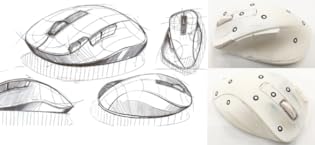
Mouse was promoted as an ergonomically designed mouse even before the birth of the EX-G, However, none of these models specifically explained what points they were designed with particular focus on. We focused on the skeletal structure and muscles of the fingers, which are the key to operating a mouse, in our search for the ultimate in grip comfort. After dozens of trials and studies, we have finally achieved a shape that is satisfactory.
Easy on the Hand Shape
Focused on Radialis brachii and Extensor digitorum muscle and investigated optimal angle and shape of the mouse for the hand muscles.
4 Size Variations
With 4 sizes available S, M, L, XL. We are able to provide just the right fit and comfort to customers around the world.
4 Type Connections

3 Color Variations
ELECOM is a Japanese consumer goods company with a simple mission: create quality products that deliver the most comfort and convenience for its customers. With a track record boasting some of the most innovative yet accessible products ever created, ELECOM has consistently raised the standards of excellence for technology products while taking care of its customers and employees.
