




G9 Streaming Mixer
tenlamp – Boost Your Voice, You Share, Shine and Inspire The World.
The tenlamp Series Audio Mixer and Console are designed to serve Streamer, Podcaster, Gamer, and more Content Creator Customers.
We at tenlamp believe that every voice is unique and valuable, and our tenet is to provide all-in-one audio solutions and tools for the world’s beginners running their content creations, share their stories to global audience.
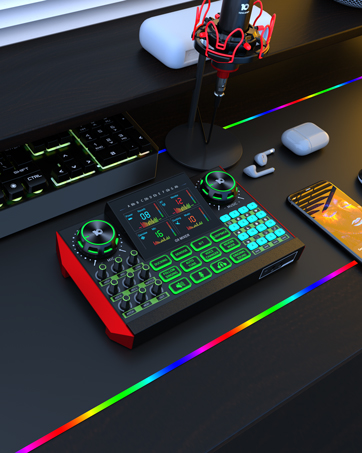
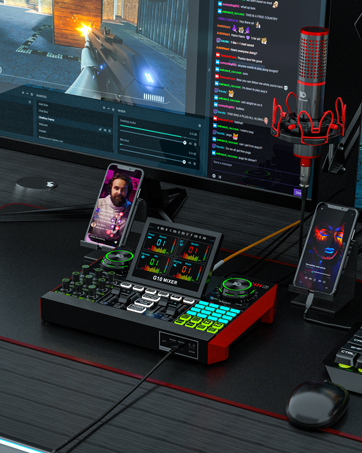
Multi Channel Interface Audio Sound Mixer Studio Equipment Live Recording

Question:What is the best Audio Mixer to use for home studio?
Answer:Unleashing the Secret of Quality Sound Production
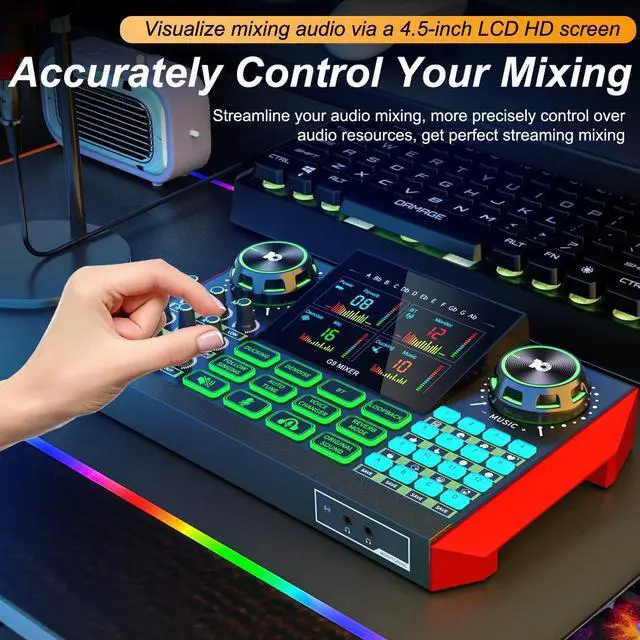
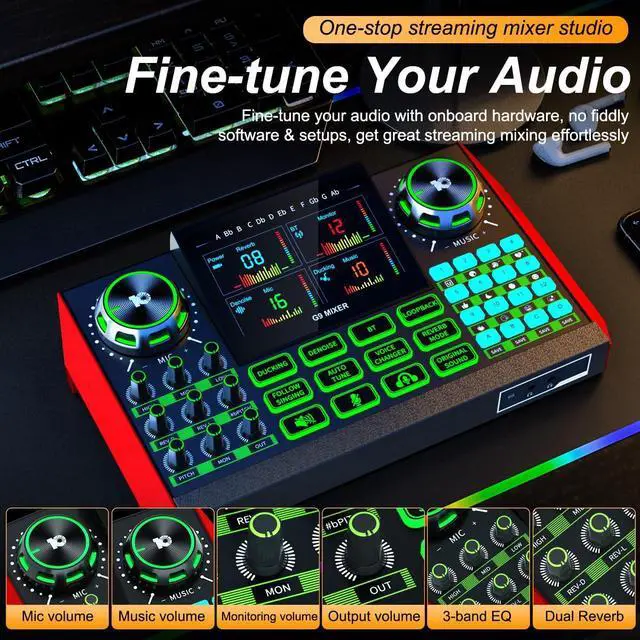
This audio mixer is tailored to meet all your home studio needs. It's uniquely designed with an intuitive layout, perfect for both beginners and professionals.


What type of microphone can be connected to this streaming audio mixer?
This G9 audio mixer supports ¼" dynamic microphone, ?" 5V condenser microphone and ?" TRRS headset microphone. Tips: It DOES NOT support USB microphone.
How should the multi-line OTG cable be connected?
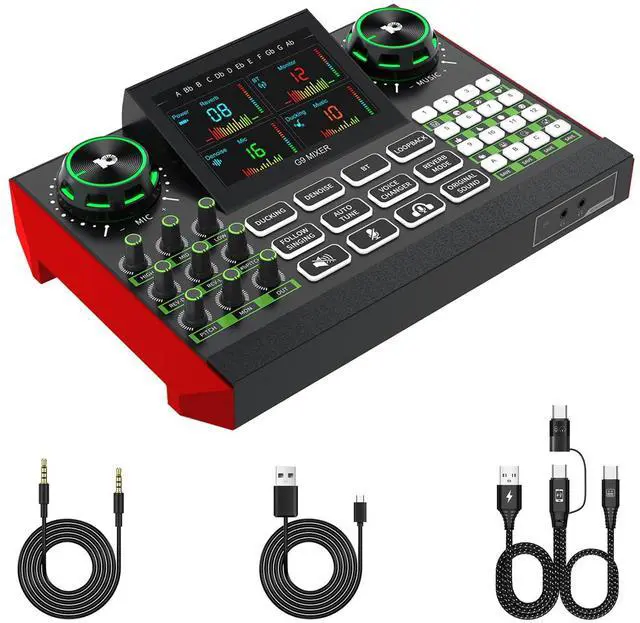
The USB-A end should be inserted into power supply, not for data transmission, the USB-C end with mixer icon should be inserted into the G9 USB-C OTG port, the USB-C end with phone icon should be connected to your recording mobile devices or laptop.
Which devices can I live stream to through the streaming audio mixer?
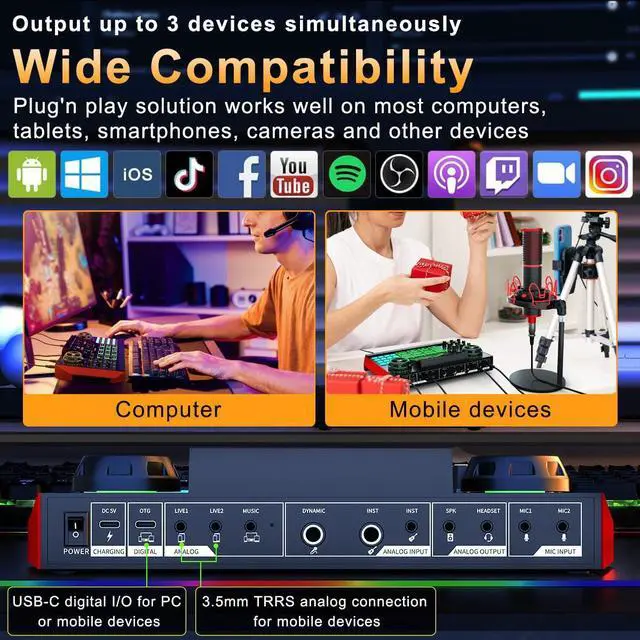
The audio mixer for streaming provides an USB-C OTG digital port and two 3.5mm TRRS analog ports for you to output your mixing to your computers, tablets, smartphones, cameras, and others, and it also allows you stream to 3 devices simultaneously.
Is this audio interface compatible with iOS phones or macOS computers?
Yes, you can use the equiped USB-C OTG cable to connect our mixer to your iPhone or Mac, or device with USB-C jack. Note: The USB-A end of the OTG cable is only for charging and cannot transfer data with your computer.
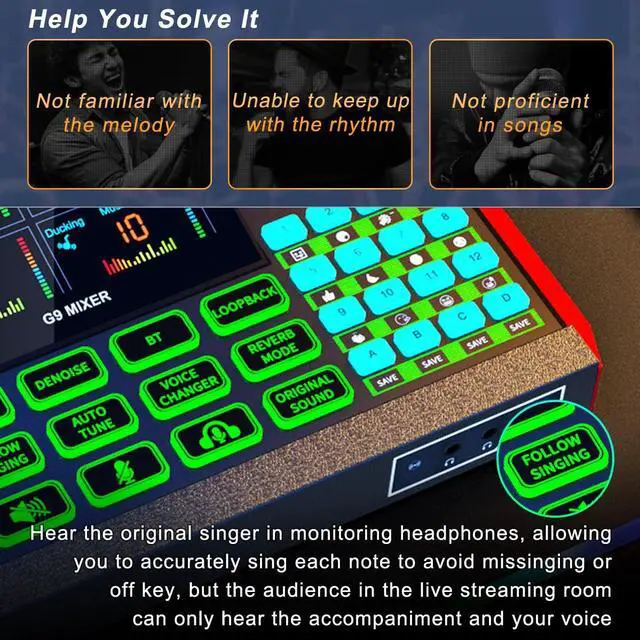
How should I save my voice modes through this sound effect board?
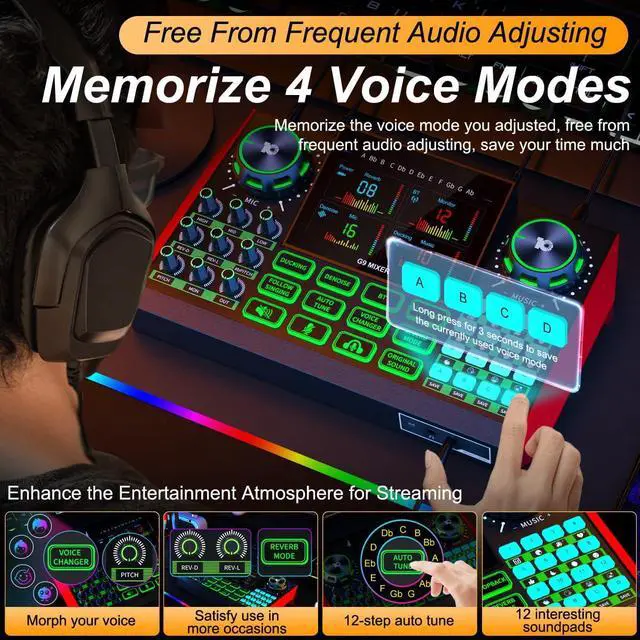
You can press and hold the SAVE button for 3 seconds to save your current tuned voice mode, if need update voice mode, just do the above operation again.
Multi Channel Interface Audio Sound Mixer Studio Equipment Live Recording

Question:What is the best Audio Mixer to use for home studio?
Answer:Unleashing the Secret of Quality Sound Production
This audio mixer is tailored to meet all your home studio needs. It's uniquely designed with an intuitive layout, perfect for both beginners and professionals.


What type of microphone can be connected to this streaming audio mixer?
This G9 audio mixer supports ¼" dynamic microphone, ?" 5V condenser microphone and ?" TRRS headset microphone. Tips: It DOES NOT support USB microphone.
How should the multi-line OTG cable be connected?
The USB-A end should be inserted into power supply, not for data transmission, the USB-C end with mixer icon should be inserted into the G9 USB-C OTG port, the USB-C end with phone icon should be connected to your recording mobile devices or laptop.
Which devices can I live stream to through the streaming audio mixer?
The audio mixer for streaming provides an USB-C OTG digital port and two 3.5mm TRRS analog ports for you to output your mixing to your computers, tablets, smartphones, cameras, and others, and it also allows you stream to 3 devices simultaneously.
Is this audio interface compatible with iOS phones or macOS computers?
Yes, you can use the equiped USB-C OTG cable to connect our mixer to your iPhone or Mac, or device with USB-C jack. Note: The USB-A end of the OTG cable is only for charging and cannot transfer data with your computer.
How should I save my voice modes through this sound effect board?
You can press and hold the SAVE button for 3 seconds to save your current tuned voice mode, if need update voice mode, just do the above operation again.
G9 Streaming Mixer
tenlamp – Boost Your Voice, You Share, Shine and Inspire The World.
The tenlamp Series Audio Mixer and Console are designed to serve Streamer, Podcaster, Gamer, and more Content Creator Customers.
We at tenlamp believe that every voice is unique and valuable, and our tenet is to provide all-in-one audio solutions and tools for the world’s beginners running their content creations, share their stories to global audience.