


















Frequently Asked Questions:
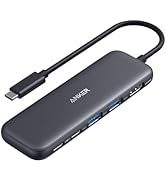
Q1: Will this dock work with any laptop? How do I make sure my laptop works with this dock?
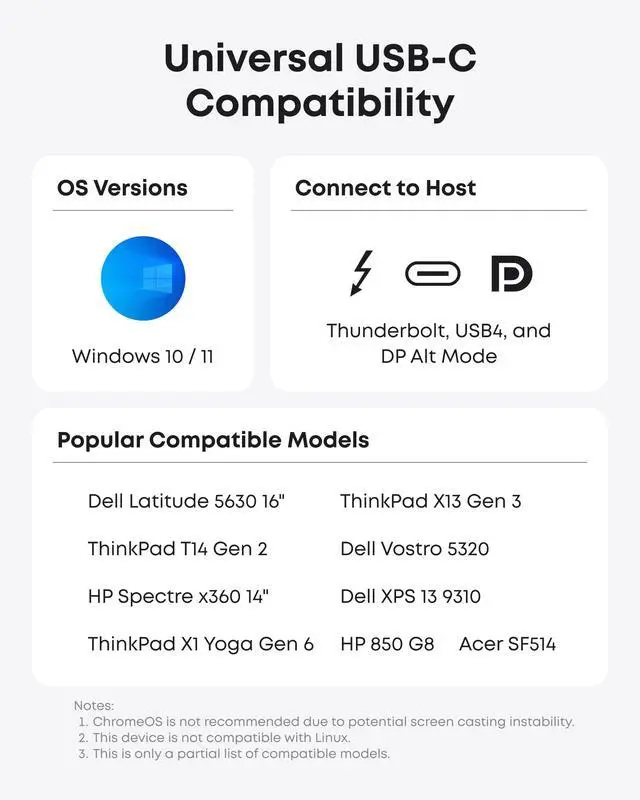
A: This dock works with laptops with a USB-C port that supports DisplayPort Alt Mode and Power Delivery. To confirm the USB-C port function of your laptop, consult your user manual or contact your laptop’s manufacturer. If your USB-C port doesn’t support DisplayPort Alt Mode, you won’t receive video output. If your USB-C port doesn’t support Power Delivery, the dock will work correctly with video and data (including audio and Ethernet), but would not be able to supply charging to your laptop.
Q2: Can I use my own USB-C cable to connect the dock to my laptop?
A: It’s recommended that you use the included 3 ft USB-C cable. If you need to use a different cable (due to loss etc.), then any other USB-C cable with support for USB 3.1 Gen 2 and 85W Power Delivery would also be compatible.
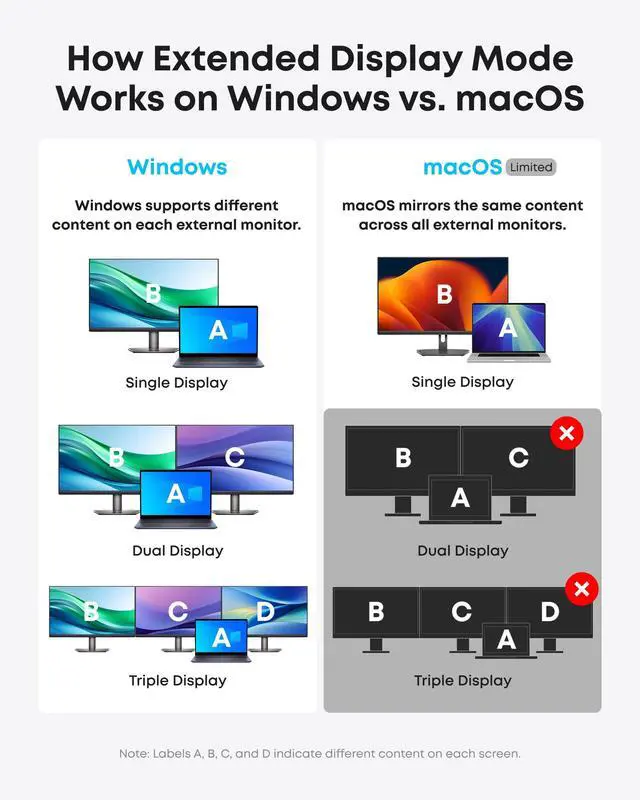
Q3: When using this dock, can I connect a MacBook to external monitors and have different content on each screen?
A: No, due to limitations within the MacOS system, all monitors connected through this dock will mirror the same content rather than displaying separately extended desktops. In contrast, Windows devices support both Single Stream Transport (SST) and Multi Stream Transport (MST) modes, allowing you to extend your display across multiple monitors and show different content on each.
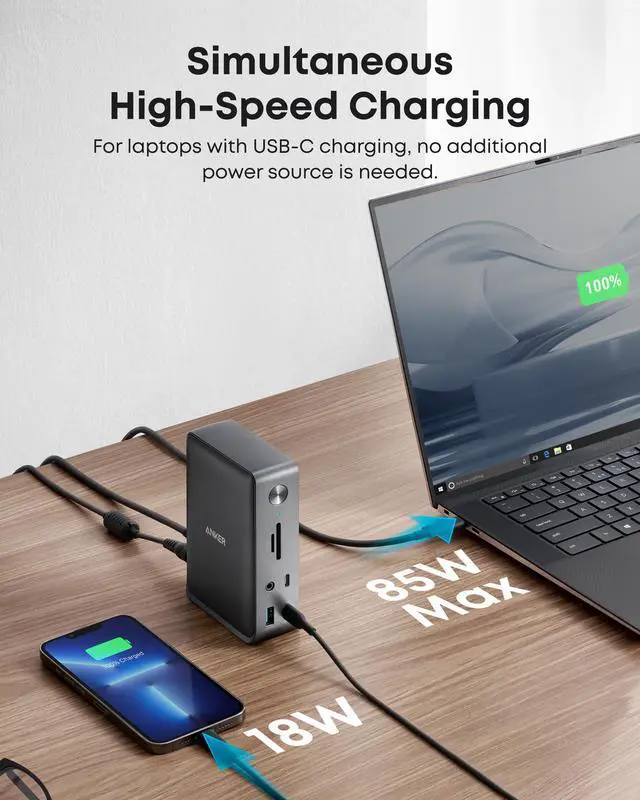
Q4: Why does my Dell laptop show a slow charging warning even though my power requirement is less than 85W when plugged into this dock?
A: Please note that Dell laptops use a proprietary charging protocol, which can trigger a slow charging warning when using non-Dell echargers. Although maximum power cannot be achieved, it remains sufficient for routine charging needs.
Q5: Sometimes the dock doesn’t automatically reconnect after I wake up or restart my laptop. What should I do?
A: This situation doesn’t happen very often, but if you are having this problem, try disconnecting and reconnecting the USB-C cable or restarting the dock.
Comparison
 13-in-1 USB-C Dock |  13-in-1 USB-C Dock |  9-in-1 USB-C PD Dock |  13-in-1 Thunderbolt 3Dock | |
|---|---|---|---|---|
Customer Reviews | — | — | — | — |
Price | — | — | — | — |
Power Input | DC-IN (20V/6.5A) | DC-IN (140W max) | DC-IN (100W) | DC-IN (20V/9A) |
Charging for Laptop | 85W | Max 100W | 60W | 85W |
Data Transfer Speed | 10Gbps | 10Gbps | 5Gbps | Up to 40Gbps |
Video Output | 4K@60Hz (Max) | 4K@60Hz | 4K@60Hz | 5K@60Hz |
Gigabit Ethernet | ? | ? | ? | ? |
Audio In & Out | Y | Y | Y | Y |
SD / TF Slots | SD / TF Slots | SD / TF 3.0 Card Slots | N | SD / TF Slots |
Dimensions and Weight | 4.9 * 3.5 * 1.6 in / 13.1 oz | 3.74*1.57*5.51 in / 14.4 oz | 5.7 * 2.5 * 1.0 in / 6.64 oz | 4.9 * 3.5 * 1.6 in / 17.3 oz |


Frequently Asked Questions:
Q1: Will this dock work with any laptop? How do I make sure my laptop works with this dock?
A: This dock works with laptops with a USB-C port that supports DisplayPort Alt Mode and Power Delivery. To confirm the USB-C port function of your laptop, consult your user manual or contact your laptop’s manufacturer. If your USB-C port doesn’t support DisplayPort Alt Mode, you won’t receive video output. If your USB-C port doesn’t support Power Delivery, the dock will work correctly with video and data (including audio and Ethernet), but would not be able to supply charging to your laptop.
Q2: Can I use my own USB-C cable to connect the dock to my laptop?
A: It’s recommended that you use the included 3 ft USB-C cable. If you need to use a different cable (due to loss etc.), then any other USB-C cable with support for USB 3.1 Gen 2 and 85W Power Delivery would also be compatible.
Q3: When using this dock, can I connect a MacBook to external monitors and have different content on each screen?
A: No, due to limitations within the MacOS system, all monitors connected through this dock will mirror the same content rather than displaying separately extended desktops. In contrast, Windows devices support both Single Stream Transport (SST) and Multi Stream Transport (MST) modes, allowing you to extend your display across multiple monitors and show different content on each.
Q4: Why does my Dell laptop show a slow charging warning even though my power requirement is less than 85W when plugged into this dock?
A: Please note that Dell laptops use a proprietary charging protocol, which can trigger a slow charging warning when using non-Dell echargers. Although maximum power cannot be achieved, it remains sufficient for routine charging needs.
Q5: Sometimes the dock doesn’t automatically reconnect after I wake up or restart my laptop. What should I do?
A: This situation doesn’t happen very often, but if you are having this problem, try disconnecting and reconnecting the USB-C cable or restarting the dock.
Comparison
13-in-1 USB-C Dock | 13-in-1 USB-C Dock | 9-in-1 USB-C PD Dock | 13-in-1 Thunderbolt 3Dock |
|---|---|---|---|
| Customer Reviews | |||
| — | — | — | — |
| Price | |||
| — | — | — | — |
| Power Input | |||
| DC-IN (20V/6.5A) | DC-IN (140W max) | DC-IN (100W) | DC-IN (20V/9A) |
| Charging for Laptop | |||
| 85W | Max 100W | 60W | 85W |
| Data Transfer Speed | |||
| 10Gbps | 10Gbps | 5Gbps | Up to 40Gbps |
| Video Output | |||
| 4K@60Hz (Max) | 4K@60Hz | 4K@60Hz | 5K@60Hz |
| Gigabit Ethernet | |||
| ? | ? | ? | ? |
| Audio In & Out | |||
| Y | Y | Y | Y |
| SD / TF Slots | |||
| SD / TF Slots | SD / TF 3.0 Card Slots | N | SD / TF Slots |
| Dimensions and Weight | |||
| 4.9 * 3.5 * 1.6 in / 13.1 oz | 3.74*1.57*5.51 in / 14.4 oz | 5.7 * 2.5 * 1.0 in / 6.64 oz | 4.9 * 3.5 * 1.6 in / 17.3 oz |
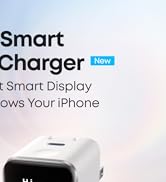
Anker Smart Display Charger
Liberty 5 Pro Series
Power to Drive Your Prime
Pro Fast Charging in a Nano
Get Powered Up Now
Best Sellers
Highly Rated
