


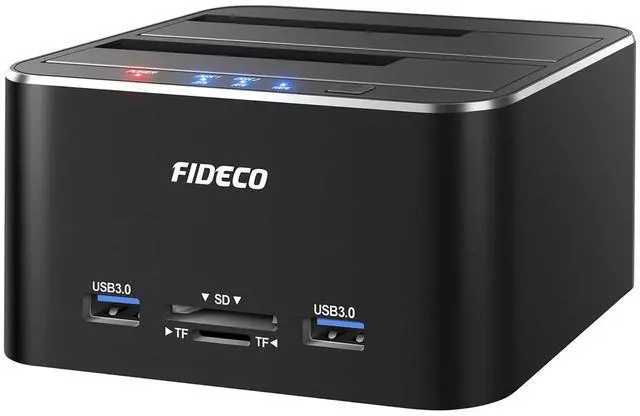


FIDECO hard drive docking station can help you get easy access to your SATA HDD or SSD by connecting it to your computer. It can be also used as an external storage device to add more storage space for your desktops or laptops.
Exquisite Design:
- FIDECO hard drive dock is made of aluminum and ABS and the whole unit looks stylish in matt black. It is an ideal modern alternative to old disk caddies.
Supported HDD/SSD:
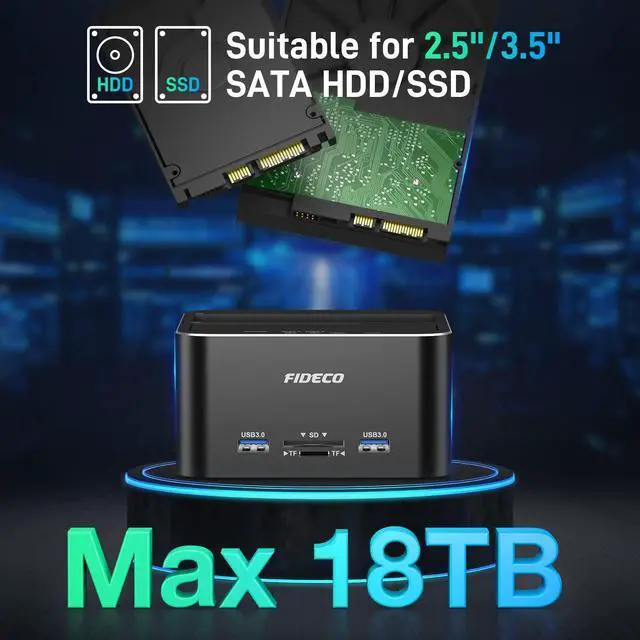
- FIDECO hard disk docking station can support all 2.5/3.5 inch SATA I/II/III HDD/SSD.
- The maximum supported HDD capacity can reach 18TB. Please note that it cannot support any IDE hard drive.
Compatible System:
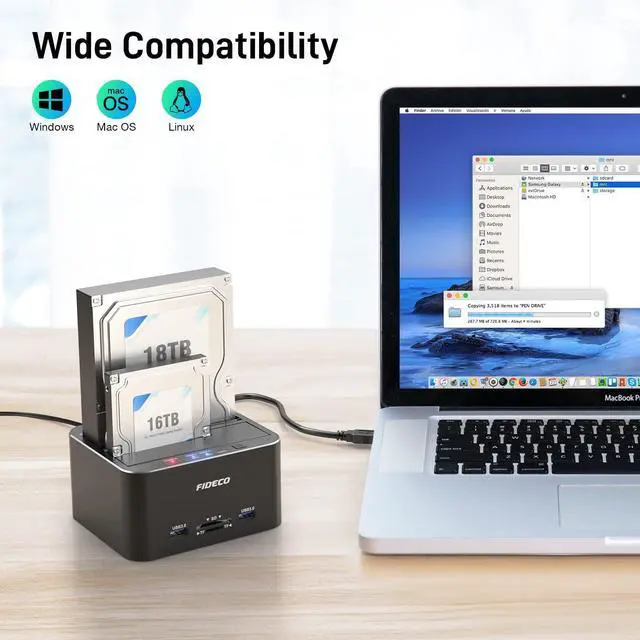
- FIDECO hard drive docking station is widely compatible with Windows, Mac OS and Linux. Just plug and play without any driver!
Easy Operation:
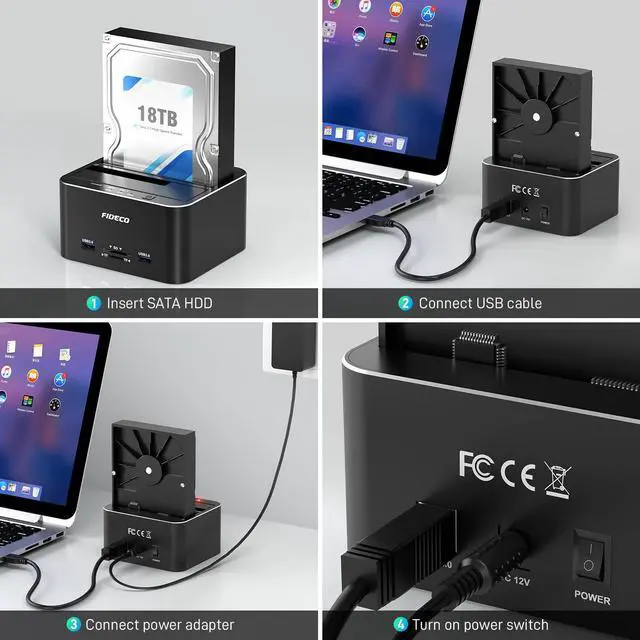
- Absolutely no complex operation steps! Just insert your SATA HDD/SSD, connect the USB cable and power adapter respectively, and then turn on the power switch.


Maximum UASP 5Gbps Super Speed:
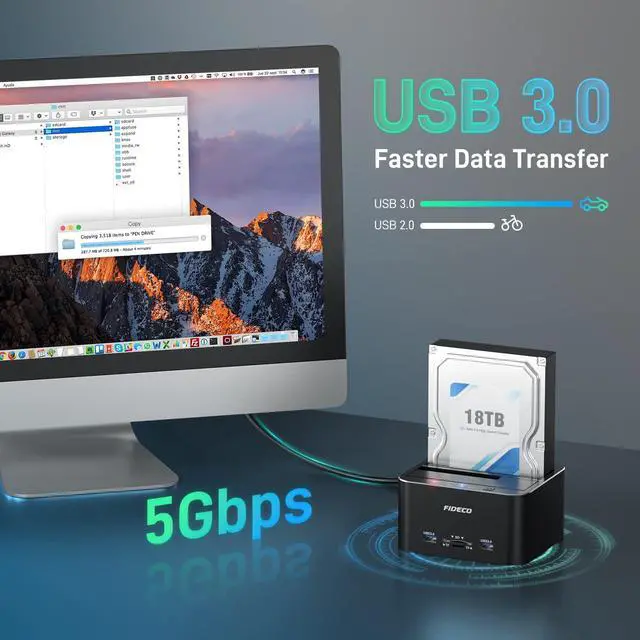
- Thanks to the USB 3.0 and UASP, the maximum data transfer speed can reach 5Gbps. Transfer 1G files in just seconds!
- Our hard drive docking station can be also backward compatible with USB 2.0 to meet your potential needs.
Multifunctional Docking Station:
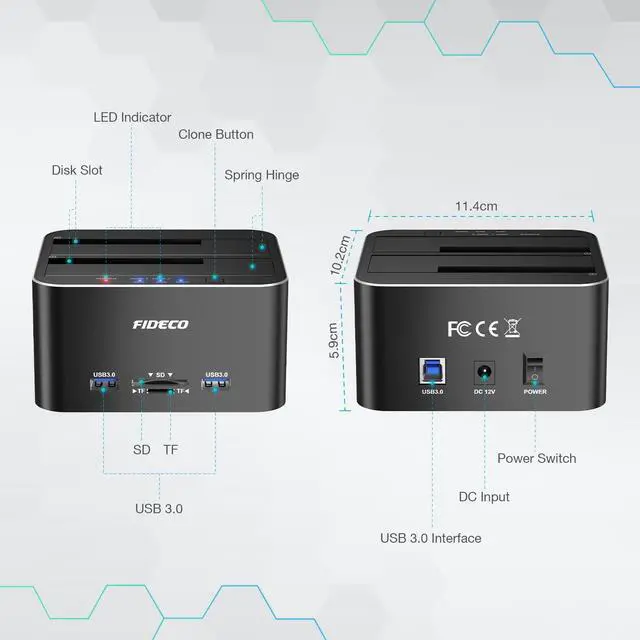
- Our docking station is engineered with 2 USB 3.0 ports and TF & SD Card slots for you, so data transfer has never been so much easier by using it. You can also use it to connect your mouse, keyboard, and flash drive, etc.

Useful LED Light
When the power switch is turned on, the red power light will be on. The blue lights will be on when the hard drive is recognized and they will flash during data reading or writing.

Compatible Hard Drive
FIDECO hard drive dock is widely compatible with 2.5 & 3.5 inch SATA HDD/SSD. Please note that it cannot support IDE hard drive.

Supported Devices
FIDECO hard drive docking station can support most electronic devices, such as desktop, laptop, smart TV, PS5, etc.

Tips for Offline Clone:
- Please back up all the data from your source HDD before offline clone.
- Please confirm there are no bad sectors from both HDDs, or the clone may fail.
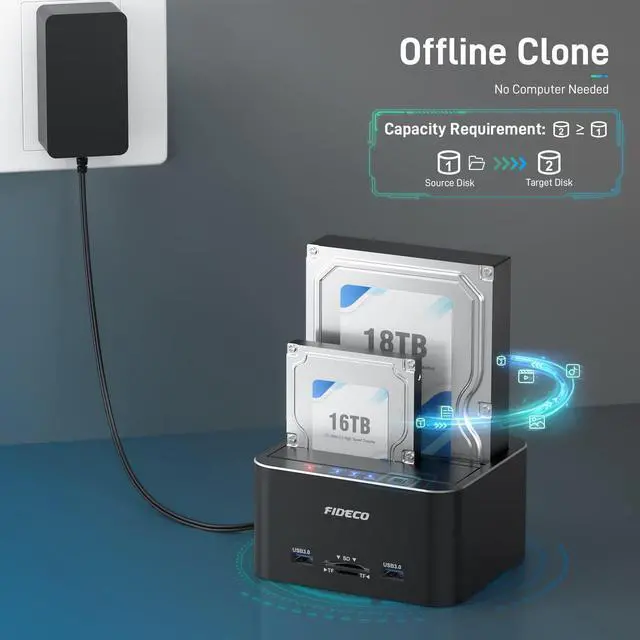
- Please make sure that the capacity of the target HDD needs to be equal to or larger than that of the source HDD.
- When clone is finished successfully, all 3 blue lights (25%, 50%, 100%) will be on. If all 3 blue lights flash simultaneously, it means the clone failed.
- For offline clone, there is no computer needed! Please do not connect the docking station to your computer until the clone is finished.

Warm Note:
- For new HDD/SSD, please go to "Disk Management" to initialize it first and then your HDD/SSD can be recognized.
- For partition, if the capacity of your HDD or SSD is over 2TB, please choose GPT partition.
- Please back up all your data before formatting your HDD. For Mac OS, the format needs to be set to exFat.
Package Included:
1* Hard Drive Docking Station
1* 12V Power Adapter
1* USB 3.0 Cable
1* User Manual
FIDECO hard drive docking station can help you get easy access to your SATA HDD or SSD by connecting it to your computer. It can be also used as an external storage device to add more storage space for your desktops or laptops.
Exquisite Design:
- FIDECO hard drive dock is made of aluminum and ABS and the whole unit looks stylish in matt black. It is an ideal modern alternative to old disk caddies.
Supported HDD/SSD:
- FIDECO hard disk docking station can support all 2.5/3.5 inch SATA I/II/III HDD/SSD.
- The maximum supported HDD capacity can reach 18TB. Please note that it cannot support any IDE hard drive.
Compatible System:
- FIDECO hard drive docking station is widely compatible with Windows, Mac OS and Linux. Just plug and play without any driver!
Easy Operation:
- Absolutely no complex operation steps! Just insert your SATA HDD/SSD, connect the USB cable and power adapter respectively, and then turn on the power switch.
Maximum UASP 5Gbps Super Speed:
- Thanks to the USB 3.0 and UASP, the maximum data transfer speed can reach 5Gbps. Transfer 1G files in just seconds!
- Our hard drive docking station can be also backward compatible with USB 2.0 to meet your potential needs.
Multifunctional Docking Station:
- Our docking station is engineered with 2 USB 3.0 ports and TF & SD Card slots for you, so data transfer has never been so much easier by using it. You can also use it to connect your mouse, keyboard, and flash drive, etc.
Useful LED Light
When the power switch is turned on, the red power light will be on. The blue lights will be on when the hard drive is recognized and they will flash during data reading or writing.
Compatible Hard Drive
FIDECO hard drive dock is widely compatible with 2.5 & 3.5 inch SATA HDD/SSD. Please note that it cannot support IDE hard drive.
Supported Devices
FIDECO hard drive docking station can support most electronic devices, such as desktop, laptop, smart TV, PS5, etc.
Tips for Offline Clone:
- Please back up all the data from your source HDD before offline clone.
- Please confirm there are no bad sectors from both HDDs, or the clone may fail.
- Please make sure that the capacity of the target HDD needs to be equal to or larger than that of the source HDD.
- When clone is finished successfully, all 3 blue lights (25%, 50%, 100%) will be on. If all 3 blue lights flash simultaneously, it means the clone failed.
- For offline clone, there is no computer needed! Please do not connect the docking station to your computer until the clone is finished.
Warm Note:
- For new HDD/SSD, please go to "Disk Management" to initialize it first and then your HDD/SSD can be recognized.
- For partition, if the capacity of your HDD or SSD is over 2TB, please choose GPT partition.
- Please back up all your data before formatting your HDD. For Mac OS, the format needs to be set to exFat.
Package Included:
1* Hard Drive Docking Station
1* 12V Power Adapter
1* USB 3.0 Cable
1* User Manual