







Founded in 2011, BrosTrend dedicates itself to premium network products which deliver fast and reliable connections.
With more than 10 years of experience in the networking industry, BrosTrend never stops innovating and is ready to bring a smoother online experience for everyone.
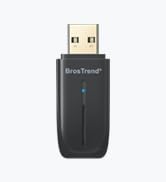
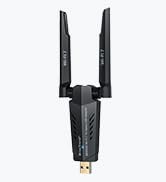
New Release
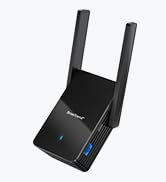
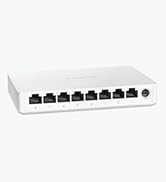
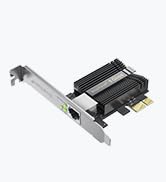
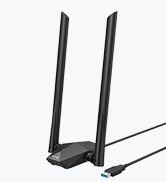
Our Recommendations


BrosTrend Professional Linux WiFi Adaper for PC / Raspberry Pi 2+ / Odroid / Virtual Box

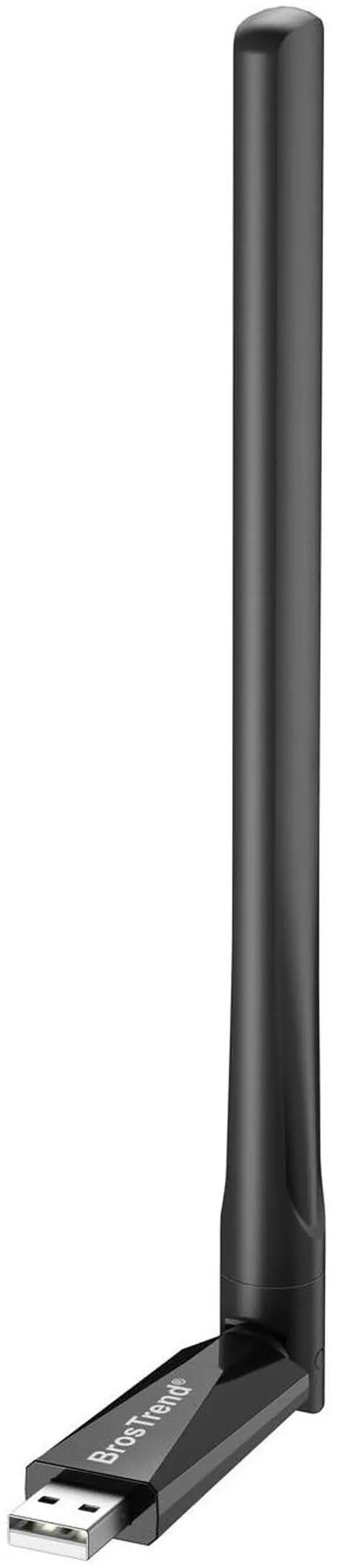
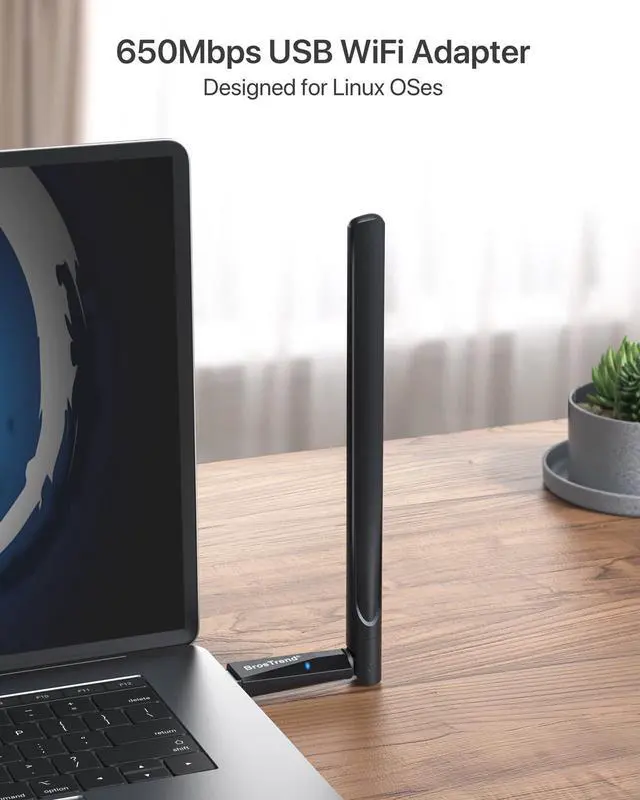
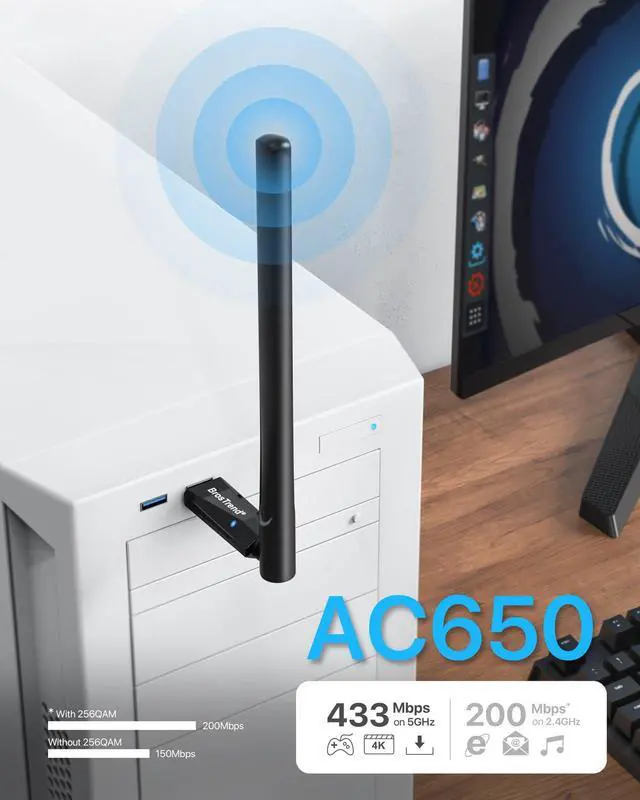
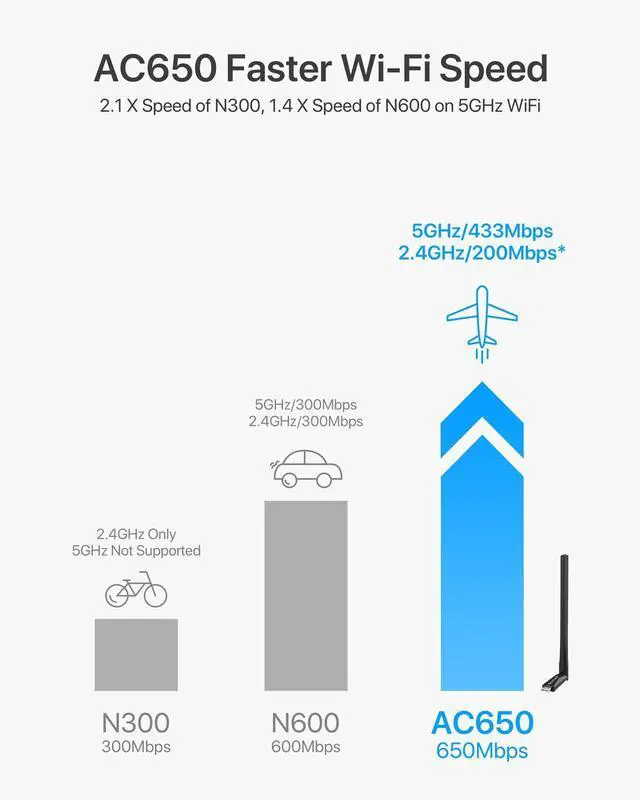
By plugging this BrosTrend AC5L Linux Wireless Adapter for PC to any USB ports of your Linux desktop or laptop PC, you can get Wi-Fi speed of 433Mbps on 5GHz WiFi band or 200Mbps on 2.4GHz. You can use the 5GHz Wireless band for smooth gaming and HD streaming, and the 2.4GHz band for video calls and shopping online. Taking advantage of the latest 802.11 ac Wi-Fi technology, this Ubuntu WiFi adapter works with the latest 802.11ax WiFi 6 routers, it also backward compatible with the previous 802.11ac/a/b/g/n routers.
*Note:
- To get full 200Mbps WiFi speed on 2.4GHz Wi-Fi, you have to make sure your existing WiFi router / gateway supports 256QAM modulation, and setup the 256QAM modulation on it.
- This Linux WiFi adapter works on desktop computers, laptops, single-board computers like Raspberry Pi, Odroid, RockPro64, and even virtual machines like VirtualBox, KVM, QEMU, VMWare.
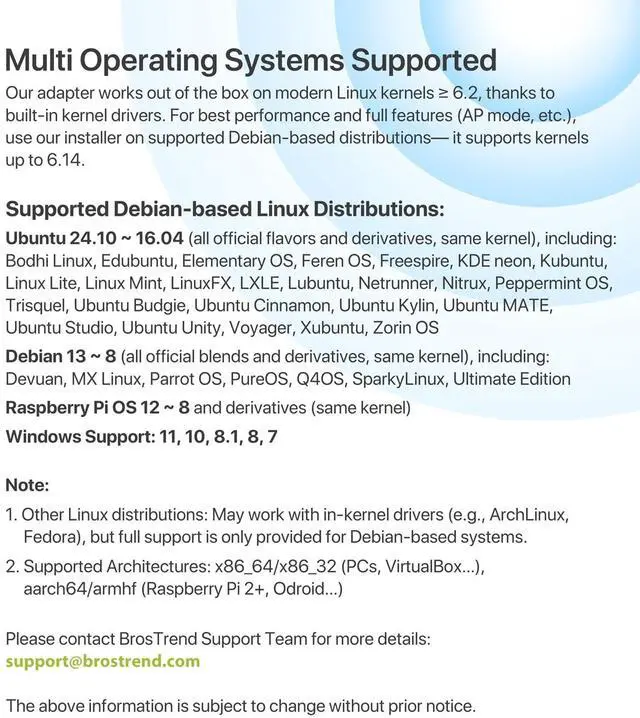
- Supported Architectures: x86_64/ x86_32(PCs, VirtualBox...), aarch64/armhf (Raspberry Pi 2+, Odroid...)
- Supported Modes: IBSS, Managed, AP, P2P-client, P2P-GO
- To install the driver on Linux OSes, an Internet connection is required at the time of installation, so as to be able to download the driver and its dependencies. That means that you might have to use a wired connection, i.e. a LAN cable.

Works with Linux and Comes with Professional Linux Support
Compatible with all distributions that have Linux kernel 6.2 or newer (after February 2023) Ubuntu 24.10~16.04 (all flavors: Kubuntu, Lubuntu, Xubuntu, Edubuntu, GNOME, Budgie, Cinnamon, Kylin, MATE, Studio, Unity), Raspberry Pi OS 12~8, Debian 13~8, Linux Mint 22~18, Kali, Bodhi Linux, elementary OS, Feren OS, Freespire, KDE neon, Linux Lite, LinuxFX, LXLE, Netrunner, Nitrux, Peppermint OS, Trisquel, Voyager, Zorin OS; Windows 11/10/8.1/8/7
Currently NOT compatible with some distributions with old Linux kernels such as RHEL, CentOS, openSUSE Leap.
BrosTrend AC5L 650Mbps Linux WiFi Adapter for PC Desktop Laptop

High Performance AC650 WiFi Chip
Latest 802.11ac WiFi chip brings wireless network speed of 1.5 times faster than that of Wireless-N 2.4GHz WiFi.
**Note:The chipset model number is Realtek RTL8811CU

Adjustable High Gain WiFi Antenna
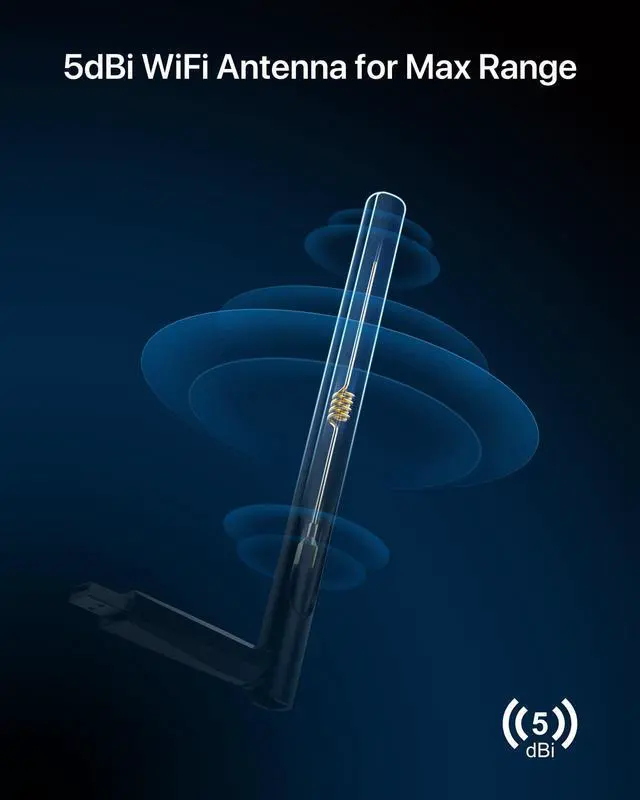
5GHz WiFi Antenna is 180 degrees horizontally or 90 degrees vertically rotate-able so that you can get optimal wireless signal connection in your spot by using this 5ghz WiFi adapter linux.

Long Range WiFi Antenna for Best WiFi Range
High Gain 5 ghz Linux WiFi antenna which comes with 5dBi external high gain WiFi antenna, it is able to receive better WiFi signal strength than other one only comes with 3dBi external WiFi antenna or only comes with internal WiFi antenna.
AC650 Dual Band USB WiFi Adapter for Linux PC

Advanced WiFi Security
BrosTrend Linux Ubuntu WiFi adapter secures your devices and network privacy by supporting the wireless encryption: WPA3-SAE/WPA2/WPA/WEP, AES/PSK/TKIP, 802.1x
*Note: this Linux WiFi usb does NOT support WPS function.

Works with Any WiFi Routers / Gateways
UNIVERSAL COMPATIBILITY, works with latest 802.11AX WiFi Routers and previous 802.11AC/Wireless-N WiFi Routers, our BrosTrend long range 5GHz Linux USB WiFi adapter is the good option for your whole-home WiFi.

Universal Compatibility for Windows
This Linux USB WiFi adapter also works with Windows including:
Windows 11/10/8.1/8/7, 32 Bit or 64 Bit OS
Users can access BrosTrend official website to download the latest Driver for this BrosTrend Linux wireless USB adapter.
Save your investment and you can have one 5GHz USB WiFi adapter working with various OSes.
 AC650 USB WiFi Adapter for Linux (Model # AC5L) |  AC1200 USB WiFi Adapter for Linux (Model # AC1L) |  AX900 USB WiFi 6 Adapter for Linux (Model # AX7L) |  AXE3000 USB WiFi 6E Adapter for Linux (Model # AX9L) |  AX1800 Long Range USB WiFi 6 Adapter for Linux (Model # AX4L) |  AC1200 Long Range USB WiFi Adapter for Linux (Model # AC3L) | |
|---|---|---|---|---|---|---|
| Customer Reviews | — | — | — | — | — | — |
| Price | — | — | — | — | — | — |
| WiFi Standard | WiFi 5, Dual Band 802.11ac | WiFi 5, Dual Band 802.11ac | WiFi 6, Dual Band 802.11ax | WiFi 6E, Tri-Band 802.11ax | WiFi 6, Dual Band 802.11ax | WiFi 5, Dual Band 802.11ac |
| 6GHz Speed | - no data | - no data | - no data | 6GHz 1201Mbps (Available on Recent Linux Distros and Win 11) | - no data | - no data |
| 5GHz Speed | 5GHz 433Mbps | 5GHz 867Mbps | 5GHz 600Mbps | 5GHz 1201Mbps | 5GHz 1201Mbps | 5GHz 867Mbps |
| 2.4GHz Speed | 2.4GHz 200Mbps | 2.4GHz 300Mbps | 2.4GHz 286Mbps | 2.4GHz 574Mbps | 2.4GHz 574Mbps | 2.4GHz 300Mbps |
| Long Range Performance | Good | Better | Good, with Beamforming | Best, with Beamforming | Very Best, with Beamforming | Best |
| Antenna Quantity and Type | 1 X External High Gain Antenna of 5dBi | 2 X Internal On-Board Antennas | 1 X Internal On-Board Antenna | 2 X External Antennas of 3dBi | 2 X External High Gain Antennas of 5dBi | 2 X External High Gain Antennas of 5dBi, Detachable, SMA Connector |
| USB Type and Extension | USB 2.0 | USB 3.0 | USB 2.0 | USB 3.0 | USB 3.0, with USB extension cable of 3.3 feet | USB 3.0, with USB extension cable of 5 feet |
| Windows Compatibility | Win 11/10/8.1/8/7; Plug-and-play on Win 10 | Win 11/10/8.1/8/7; Plug-and-play on Win 10 | Win 11/10/7 | Win 11/10 | Win 11/10 | Win 11/10/8.1/8/7; Plug-and-play on Win 10 |
| Linux Compatibility | Plug-and-play on Linux (kernel 6.2 or newer); full features on Debian-based OSes (kernel up to 6.14) via driver installation | Plug-and-play on Linux (kernel 6.2 or newer); full features on Debian-based OSes (kernel up to 6.14) via driver installation | Supports Debian-based OSes (kernel up to 6.17, driver provided, installation required) | Plug-and-play on all Linux distributions with kernel 5.18 or newer (older kernels are not supported) | Supports Debian-based OSes (kernel up to 6.17, driver provided, installation required) | Plug-and-play on Linux (kernel 6.2 or newer); full features on Debian-based OSes (kernel up to 6.14) via driver installation |
BrosTrend Professional Linux WiFi Adaper for PC / Raspberry Pi 2+ / Odroid / Virtual Box
By plugging this BrosTrend AC5L Linux Wireless Adapter for PC to any USB ports of your Linux desktop or laptop PC, you can get Wi-Fi speed of 433Mbps on 5GHz WiFi band or 200Mbps on 2.4GHz. You can use the 5GHz Wireless band for smooth gaming and HD streaming, and the 2.4GHz band for video calls and shopping online. Taking advantage of the latest 802.11 ac Wi-Fi technology, this Ubuntu WiFi adapter works with the latest 802.11ax WiFi 6 routers, it also backward compatible with the previous 802.11ac/a/b/g/n routers.
*Note:
- To get full 200Mbps WiFi speed on 2.4GHz Wi-Fi, you have to make sure your existing WiFi router / gateway supports 256QAM modulation, and setup the 256QAM modulation on it.
- This Linux WiFi adapter works on desktop computers, laptops, single-board computers like Raspberry Pi, Odroid, RockPro64, and even virtual machines like VirtualBox, KVM, QEMU, VMWare.
- Supported Architectures: x86_64/ x86_32(PCs, VirtualBox...), aarch64/armhf (Raspberry Pi 2+, Odroid...)
- Supported Modes: IBSS, Managed, AP, P2P-client, P2P-GO
- To install the driver on Linux OSes, an Internet connection is required at the time of installation, so as to be able to download the driver and its dependencies. That means that you might have to use a wired connection, i.e. a LAN cable.
Works with Linux and Comes with Professional Linux Support
Compatible with all distributions that have Linux kernel 6.2 or newer (after February 2023) Ubuntu 24.10~16.04 (all flavors: Kubuntu, Lubuntu, Xubuntu, Edubuntu, GNOME, Budgie, Cinnamon, Kylin, MATE, Studio, Unity), Raspberry Pi OS 12~8, Debian 13~8, Linux Mint 22~18, Kali, Bodhi Linux, elementary OS, Feren OS, Freespire, KDE neon, Linux Lite, LinuxFX, LXLE, Netrunner, Nitrux, Peppermint OS, Trisquel, Voyager, Zorin OS; Windows 11/10/8.1/8/7
Currently NOT compatible with some distributions with old Linux kernels such as RHEL, CentOS, openSUSE Leap.
BrosTrend AC5L 650Mbps Linux WiFi Adapter for PC Desktop Laptop
High Performance AC650 WiFi Chip
Latest 802.11ac WiFi chip brings wireless network speed of 1.5 times faster than that of Wireless-N 2.4GHz WiFi.
**Note:The chipset model number is Realtek RTL8811CU
Adjustable High Gain WiFi Antenna
5GHz WiFi Antenna is 180 degrees horizontally or 90 degrees vertically rotate-able so that you can get optimal wireless signal connection in your spot by using this 5ghz WiFi adapter linux.
Long Range WiFi Antenna for Best WiFi Range
High Gain 5 ghz Linux WiFi antenna which comes with 5dBi external high gain WiFi antenna, it is able to receive better WiFi signal strength than other one only comes with 3dBi external WiFi antenna or only comes with internal WiFi antenna.
AC650 Dual Band USB WiFi Adapter for Linux PC
Advanced WiFi Security
BrosTrend Linux Ubuntu WiFi adapter secures your devices and network privacy by supporting the wireless encryption: WPA3-SAE/WPA2/WPA/WEP, AES/PSK/TKIP, 802.1x
*Note: this Linux WiFi usb does NOT support WPS function.
Works with Any WiFi Routers / Gateways
UNIVERSAL COMPATIBILITY, works with latest 802.11AX WiFi Routers and previous 802.11AC/Wireless-N WiFi Routers, our BrosTrend long range 5GHz Linux USB WiFi adapter is the good option for your whole-home WiFi.
Universal Compatibility for Windows
This Linux USB WiFi adapter also works with Windows including:
Windows 11/10/8.1/8/7, 32 Bit or 64 Bit OS
Users can access BrosTrend official website to download the latest Driver for this BrosTrend Linux wireless USB adapter.
Save your investment and you can have one 5GHz USB WiFi adapter working with various OSes.
AC650 USB WiFi Adapter for Linux (Model # AC5L) | AC1200 USB WiFi Adapter for Linux (Model # AC1L) | AX900 USB WiFi 6 Adapter for Linux (Model # AX7L) | AXE3000 USB WiFi 6E Adapter for Linux (Model # AX9L) | AX1800 Long Range USB WiFi 6 Adapter for Linux (Model # AX4L) | AC1200 Long Range USB WiFi Adapter for Linux (Model # AC3L) | |
|---|---|---|---|---|---|---|
| Customer Reviews | — | — | — | — | — | — |
| Price | — | — | — | — | — | — |
| WiFi Standard | WiFi 5, Dual Band 802.11ac | WiFi 5, Dual Band 802.11ac | WiFi 6, Dual Band 802.11ax | WiFi 6E, Tri-Band 802.11ax | WiFi 6, Dual Band 802.11ax | WiFi 5, Dual Band 802.11ac |
| 6GHz Speed | - no data | - no data | - no data | 6GHz 1201Mbps (Available on Recent Linux Distros and Win 11) | - no data | - no data |
| 5GHz Speed | 5GHz 433Mbps | 5GHz 867Mbps | 5GHz 600Mbps | 5GHz 1201Mbps | 5GHz 1201Mbps | 5GHz 867Mbps |
| 2.4GHz Speed | 2.4GHz 200Mbps | 2.4GHz 300Mbps | 2.4GHz 286Mbps | 2.4GHz 574Mbps | 2.4GHz 574Mbps | 2.4GHz 300Mbps |
| Long Range Performance | Good | Better | Good, with Beamforming | Best, with Beamforming | Very Best, with Beamforming | Best |
| Antenna Quantity and Type | 1 X External High Gain Antenna of 5dBi | 2 X Internal On-Board Antennas | 1 X Internal On-Board Antenna | 2 X External Antennas of 3dBi | 2 X External High Gain Antennas of 5dBi | 2 X External High Gain Antennas of 5dBi, Detachable, SMA Connector |
| USB Type and Extension | USB 2.0 | USB 3.0 | USB 2.0 | USB 3.0 | USB 3.0, with USB extension cable of 3.3 feet | USB 3.0, with USB extension cable of 5 feet |
| Windows Compatibility | Win 11/10/8.1/8/7; Plug-and-play on Win 10 | Win 11/10/8.1/8/7; Plug-and-play on Win 10 | Win 11/10/7 | Win 11/10 | Win 11/10 | Win 11/10/8.1/8/7; Plug-and-play on Win 10 |
| Linux Compatibility | Plug-and-play on Linux (kernel 6.2 or newer); full features on Debian-based OSes (kernel up to 6.14) via driver installation | Plug-and-play on Linux (kernel 6.2 or newer); full features on Debian-based OSes (kernel up to 6.14) via driver installation | Supports Debian-based OSes (kernel up to 6.17, driver provided, installation required) | Plug-and-play on all Linux distributions with kernel 5.18 or newer (older kernels are not supported) | Supports Debian-based OSes (kernel up to 6.17, driver provided, installation required) | Plug-and-play on Linux (kernel 6.2 or newer); full features on Debian-based OSes (kernel up to 6.14) via driver installation |
Founded in 2011, BrosTrend dedicates itself to premium network products which deliver fast and reliable connections.
With more than 10 years of experience in the networking industry, BrosTrend never stops innovating and is ready to bring a smoother online experience for everyone.
New Release
Our Recommendations