

Your Browsing History
BEST SELLERS


BEST SELLERS
In Computer Monitor
Our most popular products, based on sales and updated frequently.Shop Department
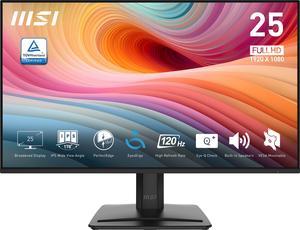
MSI 25" (24.5" viewable) Full HD 120Hz IPS 1ms Less Blue Light Anti-Flicker Anti-Glare Built-In Speakers Computer Monitor with phone accessory stand PRO MP251 E2
- Screen Size: 25"(24.5" viewable)
- Refresh Rate: 120Hz
- Resolution: 1920 x 1080
- Response Time: 1ms (MPRT) / 4ms (GTG)
- Model #: PRO MP251 E2
- Item #: N82E16824475408
- Return Policy: 15-Day Return Policy
$109.99
Free Shipping
- Looks good - Pixel response time is good
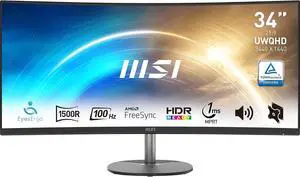
MSI 34 inch Ultrawide QHD 2K 1440P 100Hz AMD FreeSync 1ms Anti-Flicker & Low Blue Light 1500R Curved LCD Computer Monitor with Built-in Speakers Pro MP341CQ
- Resolution: 3440 x 1440 (2K)
- Refresh Rate: 100Hz
- Monitor Pixel Density: 0.23175(H) X 0.23175(V)
- Display Colors: 10 bits (8 bits + FRC)
- Model #: Pro MP341CQ
- Item #: N82E16824475291
- Return Policy: 15-Day Return Policy
$199.99
$279.99
Free Shipping
Budget freindly 100Mhz. Free Sync. Cap your FPS at 100 and leave it alone. ( you can not tell the difference between 100Mhz and 180 Mhz (FPS) "In my day" they said anything over 30 FPS and you're good. Don't buy into all the hype and max FPS sales mumbo jumbo. This monitor is all you need.
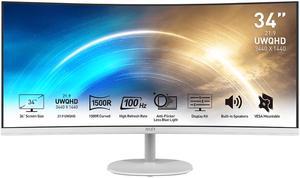
MSI 34 inch Ultrawide QHD 2K 1440P 100Hz AMD FreeSync 1ms Anti-Flicker & Low Blue Light 1500R Curved White LCD Computer Monitor with Built-in Speakers Pro MP341CQW
- Resolution: 3440 x 1440 (2K)
- Refresh Rate: 100Hz
- Monitor Pixel Density: 0.2317mm
- Display Colors: 16.7 Million
- Model #: Pro MP341CQW
- Item #: N82E16824475280
- Return Policy: 15-Day Return Policy
$209.99
$289.99
Free Shipping
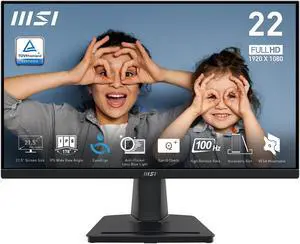
MSI 22" (21.5" Viewable) Full HD 100Hz IPS with Adaptive-Sync 1ms Low Blue Light Flicker Free with Accessory phone slot on the stand LCD Computer Monitor for both Work and Casual Gaming Pro MP225
- Resolution: 1920 x 1080
- Refresh Rate: 100Hz
- Monitor Pixel Density: 0.2479mm
- Display Colors: 16.7 Million
- Model #: Pro MP225
- Item #: N82E16824475468
- Return Policy: 15-Day Return Policy
$69.99
$79.99
Free Shipping
The monitor maybe weighs a couple pounds Only a few pieces for the stand that comes with it
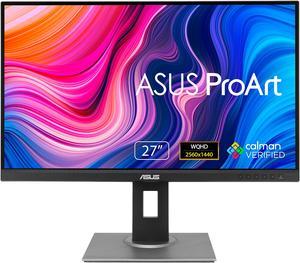
ASUS ProArt 27" WQHD 2K 1440P 75Hz IPS Computer Monitor with Height Adjustable, Tilt, Pivot & Swivel Stand Ideal for Graphics Works and Editing Professions PA278QV
- Resolution: 2560 x 1440 (2K)
- Refresh Rate: 75Hz
- Monitor Pixel Density: 0.2331mm
- Display Colors: 16.7 Million
- Model #: 90LM05L1-B013B0
- Item #: N82E16824281062
- Return Policy: 15-Day Return Policy
$189.00
$269.99
Free Shipping
High resolution, easy to adjust image parameters.
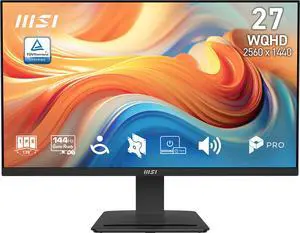
MSI 27 inch QHD 2K 1440P 144Hz IPS 1ms Computer Monitor with Built-in Speakers for both Work & Gaming PRO MP273Q E14
- Resolution: 2560 x 1440 (2K)
- Refresh Rate: 144Hz
- Monitor Pixel Density: 0.2331mm x 0.2331 mm
- Display Colors: 16.7 Million
- Model #: PRO MP273Q E14
- Item #: N82E16824475538
- Return Policy: 15-Day Return Policy
$139.99
$179.99
Free Shipping
Great monitor
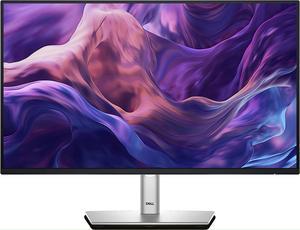
Dell Pro 24 Plus Monitor - P2425H, FHD, 100 Hz, USB-C, IPS
- Display Colors: Black
- Brand: Dell
- Cabinet Color: Black
- Screen Size: 23.8
- Model #: DELL-P2425H
- Item #: 9SIAF9SKY57341
- Return Policy: View Return Policy
$149.99
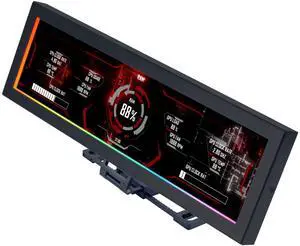
Lian Li 8.8" Universal Screen for PC - Adjustable Mounting for Any Computer Setup - Customizable ARGB Frame - PC Temperature Display Panel - LCD Screen Display- Mini Monitor - SM088X (US88v1 Black)
- Model #: SM088X
- Item #: 9SIAFSTKJN0933
- Return Policy: View Return Policy
$84.99
Free Shipping
Works great, Mounts just about anywhere, Cost is under $100
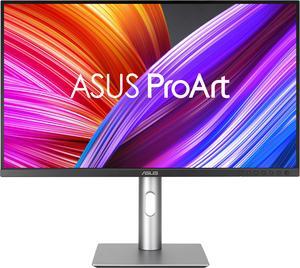
ASUS ProArt 27" UHD 4K 60Hz IPS 99% DCI-P3/Adobe RGB, Delta E < 2, Calman Verified, USB-C Computer Monitor with Height Adjustable, Swivel, Pivot & Tilt Stand ideal for editing PA279CRV
- Resolution: 3840 x 2160 (4K)
- Refresh Rate: 60Hz
- Monitor Pixel Density: 0.155mm x 0.155mm
- Display Colors: 1.07 Billion
- Model #: 90LM08E0-B01KB0
- Item #: N82E16824281253
- Return Policy: 15-Day Return Policy
$399.00
$429.00
Free Shipping
I use this monitor for photos editing, colors are good, super résolution, I am using it for two weeks now and it is very good
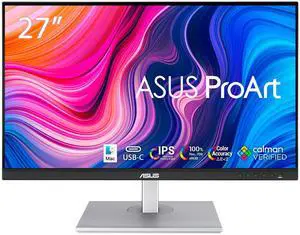
ASUS ProArt 27" QHD 2K 1440P 75Hz IPS with Exceptional Color Accuracy 100% sRGB 100% Rec.709 Computer Monitor idea for Video Editing, Photography, and Design work PA278CV
- Resolution: 2560 x 1440 (2K)
- Refresh Rate: 75Hz
- Monitor Pixel Density: 0.233mm
- Display Colors: 16.7 Million
- Model #: PA278CV
- Item #: N82E16824281112
- Return Policy: 15-Day Return Policy
$279.00
$299.00
Free Shipping
Great resolution and color for Photo editing. Good size for a smaller desk Works with MacBook Air but only with included USB-C cable.
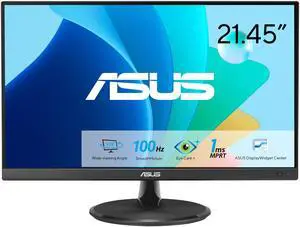
ASUS 2 inch" (21.45" viewable) Full HD 100hz with Adaptive-Sync 1ms Low Blue Light, Flicker-Free LCD Computer Monitor for both work and causal gaming with HDMI & VGA ports VP227HF
- Resolution: 1920 x 1080
- Refresh Rate: 100Hz
- Monitor Pixel Density: 0.249mm x 0.241mm
- Display Colors: 1.073 Billion
- Model #: VP227HF
- Item #: N82E16824281382
- Return Policy: 15-Day Return Policy
$89.00
$119.99
Free Shipping
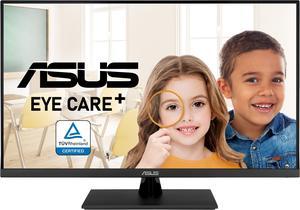
ASUS 32" (31.5" viewable) UHD 4K 60Hz Adaptive-Sync 99% sRGB HDR10 Built-in Speakers Flicker Free, Blue Light Filter Computer Monitor VP327Q
- Resolution: 3840 x 2160 (4K)
- Refresh Rate: 60Hz
- Monitor Pixel Density: 0.182mm
- Display Colors: 16.7 Million
- Model #: VP327Q
- Item #: N82E16824281278
- Return Policy: 15-Day Return Policy
$294.50
Free Shipping
This monitor was sold as "Used, Open Box, Refurbished" and when it arrived I unpacked it and whoever had packed the device had worn, perhaps thin cotton gloves, because there was no evidence of fingerprints. The monitor looked to be packaged in its original packaging. All the accessories were present such as the HDMI cable with the protective plastic caps in place. I attached the monitor using an HDMI cable to a Hewlett-Packard Zbook x2 G4. The screen resolution of this laptop is 3840 x 2160. The monitor worked absolutely perfectly. I did not note any failed pixels. I will be using the monitor for Microsoft Excel, Word, browsing the web, Mathematica, watching YouTube videos, perhaps a little amusing stuff from time to time. ASUS is one of my favorite companies. I have used many of their monitors and motherboards over the years. Later I will be attaching this monitor to a far more advanced system running Windows 10 Professional Workstation x64. I will be watching with the passage of time for more of this exact model of monitor so that I can accumulate 3 or 4 of the exact same model.
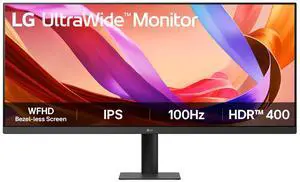
LG UltraWide 34" Full HD 100Hz IPS HDR400 Computer Monitor for both work and casual gaming 34U511A-B
- Resolution: 2560 x 1080
- Refresh Rate: 100Hz
- Monitor Pixel Density: 0.312mm x 0.310mm
- Display Colors: 16.7 Million
- Model #: 34U511A-B
- Item #: N82E16824026503
- Return Policy: 15-Day Return Policy
$229.99
$299.99
Free Shipping
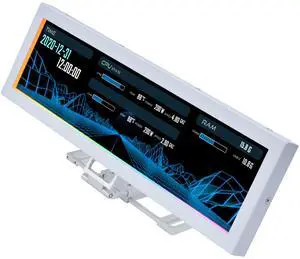
Lian Li 8.8" Universal Screen for PC - Adjustable Mounting for Any Computer Setup - Customizable ARGB Frame - PC Temperature Display Panel - LCD Screen Display - Mini Monitor - SM088W (US88 v1 White)
- Model #: SM088W
- Item #: 9SIAFSTKJN0934
- Return Policy: View Return Policy
$84.99
Free Shipping
Totally customizable. Can be used in portrait or landscape. Comes in black or white. Powered by usb. 1 cable less mess. Solid support bracket. Clean clear screen. Pre-made templates. Runs off L-Connect. The rgb led ring around outside of screen can be customized.
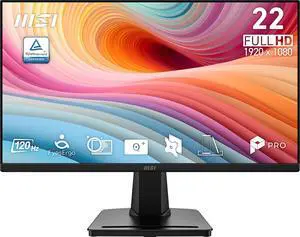
MSI 22 inch (21.45" viewable) Full HD 120Hz Adaptive Sync Anti Glare 1ms Computer Monitor with VGA D-Sub port for both work and causal gaming PRO MP225 E12VL
- Resolution: 1920 x 1080
- Refresh Rate: 120Hz
- Monitor Pixel Density: 0.2493mm x 0.241mm
- Display Colors: 16.7 Million
- Model #: PRO MP225 E12VL
- Item #: N82E16824475559
- Return Policy: 15-Day Return Policy
$69.99
Free Shipping
Price was great. HDMI connection. Small footprint fits inside wife's curio perfectly.
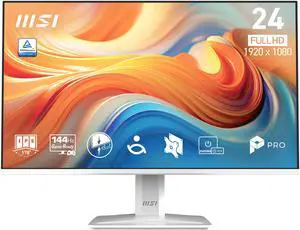
MSI 24" Full HD 144Hz IPS with Adaptive-Sync 1ms HDR Ready Built-in Speakers white computer monitor for both work and gaming MP243W E14
- Resolution: 1920 x 1080
- Refresh Rate: 144Hz
- Monitor Pixel Density: 0.2745mm
- Display Colors: 16.7 Million
- Model #: PRO MP243W E14
- Item #: N82E16824475520
- Return Policy: 15-Day Return Policy
$84.99
$119.99
Free Shipping
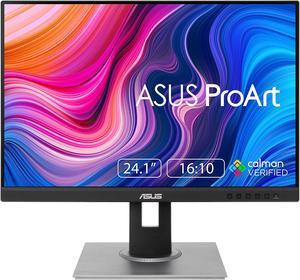
ASUS ProArt 24" WUXGA 75Hz 16:10 IPS with FreeSync (Adaptive-Sync) Computer Monitor ideal for Graphics & Editing with Height Adjustable, Pivot, Swivel & Tilt Stand PA248QV
- Resolution: 1920 x 1200
- Refresh Rate: 75Hz
- Monitor Pixel Density: 0.27mm
- Display Colors: 16.7 Million
- Model #: PA248QV
- Item #: N82E16824281061
- Return Policy: 15-Day Return Policy
$199.95
Free Shipping
Seems like you could knock these monitors off of the desk and they’d be ok. Being able to rotate the screen vertical is awesome as well. But the best part is the USB3.0 hub built in
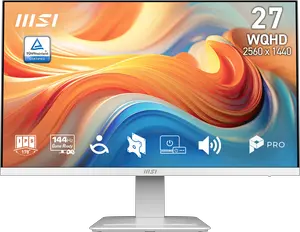
MSI 27" WQHD 2K 1440P 144Hz AMD FreeSync IPS 1ms White Computer Monitor with Built-in Speakers for both Work & Gaming PRO MP273QW E14
- Resolution: 2560 x 1440 (2K)
- Refresh Rate: 144Hz
- Monitor Pixel Density: 0.2331mm x 0.2331 mm
- Display Colors: 16.7 Million
- Model #: PRO MP273QW E14
- Item #: N82E16824475539
- Return Policy: 15-Day Return Policy
$149.99
$189.99
Free Shipping
We have this white MSI PRO MP273QW E14 for our front desk to match with our white setup and the color perfectly matches. Main reason to pick this monitor is that it offers more than other brands on eye care, which is really crucial. It has TÜV-certified low blue light, anti-flicker tech, and MSIs Eye-Q Check to help reduce eye strain during long sessions.
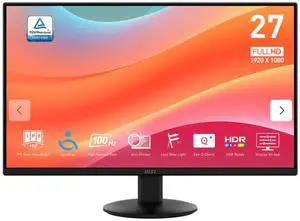
MSI 27 inch Full HD 100Hz IPS Adaptive Sync 1ms Computer Monitor for both work & casual gaming PRO MP272LE
- Resolution: 1920 x 1080
- Refresh Rate: 100Hz
- Monitor Pixel Density: 0.3114mm
- Display Colors: 16.7 Million
- Model #: PROMP272LE
- Item #: N82E16824475563
- Return Policy: 15-Day Return Policy
$84.99
$119.99
Free Shipping
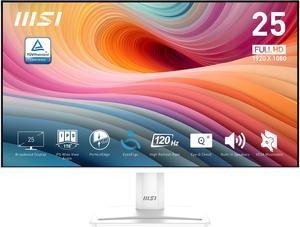
MSI 24" (24.5" viewable) Full HD 120Hz IPS with Adaptive Sync 1ms HDR Ready Built-in Speakers White Computer Monitor with phone accessory slot on stand PRO MP251W E2
- Screen Size: 25"(24.5" viewable)
- Refresh Rate: 120Hz
- Resolution: 1920 x 1080
- Response Time: 1ms (MPRT) / 4ms (GTG)
- Model #: PRO MP251W E2
- Item #: N82E16824475436
- Return Policy: 15-Day Return Policy
$99.99
$119.99
Free Shipping
Sleek design and doesn't take up much space since it's not so bulky or heavy. Making changes on the monitor's screen once setup is fairly simple and easy to understand. Able to be tilted up for those who need a really up close view, and a nice little spot in the back to keep the wires nice and orderly. Setup is fairly easy and simple, simply attach the included parts together.