

Your Browsing History
BEST SELLERS


BEST SELLERS
In Laptop Memory
Our most popular products, based on sales and updated frequently.Shop Department
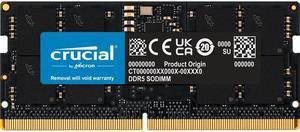
Crucial 16GB 262-Pin DDR5 SO-DIMM DDR5 5600 Laptop Memory Model CT16G56C46S5
- CAS Latency: CL46
- Timing: 46-45-45
- Voltage: 1.10V
- Buffered/Registered: Unbuffered / Unregistered
- Model #: CT16G56C46S5
- Item #: 9SIA2W0K572676
- Return Policy: View Return Policy
$209.99
Free Shipping
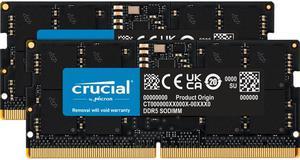
Crucial 32GB (2 x 16GB) 262-Pin DDR5 SO-DIMM DDR5 5600 Laptop Memory Model CT2K16G56C46S5
- CAS Latency: CL46
- Timing: 46-45-45
- Voltage: 1.10V
- Buffered/Registered: Unbuffered / Unregistered
- Model #: CT2K16G56C46S5
- Item #: 9SIAE9AKNU9069
- Return Policy: View Return Policy
$399.00
Free Shipping
- it's ram. it works - my computer still turns on but now it has 32 gb instead of 16 - the pcb is black which looks cooler than the oem green pcb my laptop had
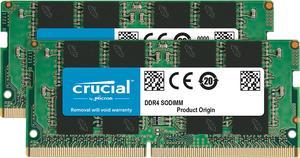
Crucial 32GB (2 x 16GB) 260-Pin DDR4 SO-DIMM DDR4 3200 (PC4 25600) Laptop Memory Model CT2K16G4SFRA32A
- CAS Latency: CL22
- Timing: 22-22-22
- Voltage: 1.20V
- Buffered/Registered: Unbuffered
- Model #: CT2K16G4SFRA32A
- Item #: 9SIB3T1KSA7835
- Return Policy: View Return Policy
$228.00
$246.39
Free Shipping
Worked perfectly in my new Acer Nitro 5 AN515-44-R99Q ran at 1,600 like DDR should. Newegg got it to me just in the nick of time, day before my son took his laptop to college.
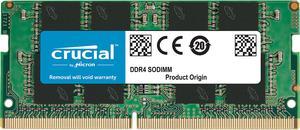
Crucial 16GB 260-Pin DDR4 SO-DIMM DDR4 3200 (PC4 25600) Laptop Memory Model CT16G4SFRA32A
- CAS Latency: CL22
- Timing: 22-22-22
- Voltage: 1.20V
- Buffered/Registered: Unbuffered
- Model #: CT16G4SFRA32A
- Item #: 9SIB3T1KSA7827
- Return Policy: View Return Policy
$116.09
$125.78
Free Shipping
Installation was very easy. Performance has been great. Very affordable.
Crucial 32GB 262-Pin DDR5 SO-DIMM DDR5 5600 Laptop Memory Model CT32G56C46S5
- CAS Latency: CL46
- Voltage: 1.10V
- Buffered/Registered: Unbuffered
- Part Number: CT32G56C46S5
- Model #: CT32G56C46S5
- Item #: 9SIAKXTKXV2874
- Return Policy: View Return Policy
$372.00
Free Shipping
Crucial 64GB (2 x 32GB) 262-Pin DDR5 SO-DIMM DDR5 5600 Laptop Memory Model CT2K32G56C46S5
- CAS Latency: CL46
- Voltage: 1.10V
- Buffered/Registered: Unbuffered
- Part Number: CT2K32G56C46S5
- Model #: CT2K32G56C46S5
- Item #: 9SIAWKTK8Y2035
- Return Policy: View Return Policy
$833.10
Free Shipping
Worked in my MSI Alpha 17 w/ 7945hx. Runs at intended speed, nothing needed to be done. Micron memory.
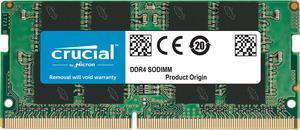
Crucial 8GB 260-Pin DDR4 SO-DIMM DDR4 3200 (PC4 25600) Laptop Memory Model CT8G4SFRA32A
- CAS Latency: CL22
- Timing: 22-22-22
- Voltage: 1.20V
- Buffered/Registered: Unbuffered
- Model #: CT8G4SFRA32A
- Item #: 9SIAWKTK8Y1792
- Return Policy: View Return Policy
$69.09
$72.24
Free Shipping
Packaged well Easy to install System updated immediately
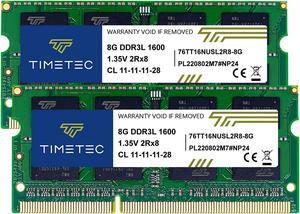
Timetec 16GB KIT(2x8GB) DDR3L/DDR3 1600MHz(DDR3L-1600) PC3L-12800 Non-ECC Unbuffered 1.35V/1.5V CL11 2Rx8 Dual Rank 204 Pin SODIMM Laptop Notebook RAM
- CAS Latency: CL11
- Voltage: 1.35V
- Buffered/Registered: Unbuffered
- Recommend Use: Non-Apple System
- Model #: MR-H8GD316S7D-NA
- Item #: 9SIA56XA870243
- Return Policy: View Return Policy
$36.99
$39.99
Free Shipping
Great value.
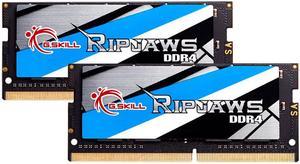
G.SKILL Ripjaws Series 32GB (2 x 16GB) 260-Pin DDR4 SO-DIMM DDR4 3200 (PC4 25600) Laptop Memory Model F4-3200C22D-32GRS
- CAS Latency: CL22
- Timing: 22-22-22-52
- Voltage: 1.20V
- Multi-channel Kit: Dual Channel Kit
- Model #: F4-3200C22D-32GRS
- Item #: N82E16820374024
- Return Policy: 30-Day Return Policy
OUT OF STOCK
Crucial 32GB Single DDR4 3200 MT/s CL22 SODIMM 260-Pin Memory - CT32G4SFD832A
- CAS Latency: CL22
- Timing: 22-22-22
- Voltage: 1.20V
- Buffered/Registered: Unbuffered
- Model #: CT32G4SFD832A
- Item #: 9SIAWKTK470066
- Return Policy: View Return Policy
$204.59
$220.89
Free Shipping
pretty standard ram. Exceptional price and build quality.
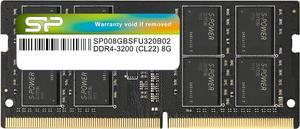
Silicon Power DDR4 8GB 3200MHz (PC4-25600) CL22 SODIMM 260-Pin 1.2V Non-ECC Laptop RAM Notebook Computer Memory
- CAS Latency: CL22
- Voltage: 1.20V
- Features: Complies with JEDEC standards Low voltage of 1.2V for less power consumption 100% tested for stability, durability, and reliability 100% verified for compatibility on mainstream DDR4 motherboards
- Model #: SU008GBSFU320B02SN
- Item #: 9SIBDGPKBE8120
- Return Policy: View Return Policy
$49.79
Free Shipping
Price, name brand, worked great right out of package
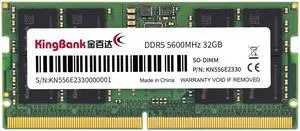
Kingbank 32GB 262-Pin DDR5 SO-DIMM DDR5 5600 (PC5 44800) Laptop Memory Model KBN32G5600
- Brand: Kingbank
- Capacity: 32GB
- Type: 262-Pin DDR5 SO-DIMM
- Speed: DDR5 5600 (PC5 44800)
- Model #: KBN32G5600
- Item #: N82E16820973003
- Return Policy: 30-Day Return Policy
$319.99
$339.99
Free Shipping
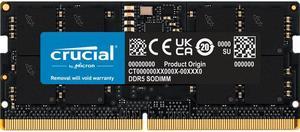
Crucial 16GB 262-Pin DDR5 SO-DIMM DDR5 4800 Laptop Memory Model CT16G48C40S5
- CAS Latency: CL40
- Timing: 40-39-39
- Voltage: 1.10V
- Buffered/Registered: Unbuffered
- Model #: CT16G48C40S5
- Item #: 9SIAWKTJU32485
- Return Policy: View Return Policy
$192.97
$199.49
Free Shipping
Easy to install. Recognized first try. Programs run so much faster.
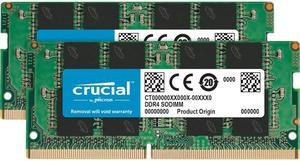
Crucial 64GB Kit (32GBx2) DDR4 3200 MT/s CL22 SODIMM 260-Pin Memory - CT2K32G4SFD832A
- CAS Latency: CL22
- Timing: 22-22-22
- Voltage: 1.20V
- Buffered/Registered: Unbuffered
- Model #: CT2K32G4SFD832A
- Item #: 9SIAWKTK470068
- Return Policy: View Return Policy
$426.39
$434.60
Free Shipping
Works. Hello VMs!
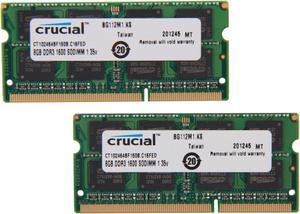
Crucial 16GB (2 x 8GB) 204-Pin DDR3 SO-DIMM DDR3L 1600 (PC3L 12800) Laptop Memory Model CT2KIT102464BF160B
- CAS Latency: CL11
- Timing: 11-11-11
- Voltage: 1.35V
- Buffered/Registered: Unbuffered
- Model #: CT2KIT102464BF160B
- Item #: 9SIB3T1JHE4524
- Return Policy: View Return Policy
$49.49
Free Shipping
The product arrived well packaged and on time. I already installed. It is very good, I recommend.
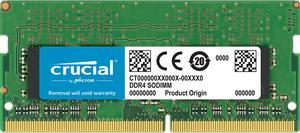
Crucial 16GB 260-Pin DDR4 2666 (PC4-21300) SDRAM SODIMM Memory Module, CL19, Unbuffered, Dual Ranked x8, 2048M x 64, Non-ECC, 1.2V (CT16G4SFD8266)
- CAS Latency: CL19
- Timing: 19-19-19
- Voltage: 1.20V
- Buffered/Registered: Unbuffered
- Model #: CT-16G4SFD8266
- Item #: 9SIB3T1KT86621
- Return Policy: View Return Policy
$101.24
$109.59
Free Shipping
-As described
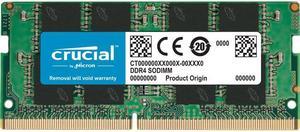
Crucial 8GB 260-Pin DDR4 SO-DIMM DDR4 2666 (PC4 21300) Laptop Memory Model CT8G4SFRA266
- CAS Latency: CL19
- Timing: 19-19-19
- Voltage: 1.20V
- Buffered/Registered: Unbuffered
- Model #: CT8G4SFRA266
- Item #: 9SIAWKTJYG4687
- Return Policy: View Return Policy
$57.70
$62.00
Free Shipping
Worked great in my HP Envy laptop (2018 version). Like a whole new computer.
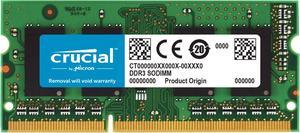
Crucial 8GB 204-Pin DDR3 SO-DIMM DDR3L 1600 (PC3L 12800) Laptop Memory Model CT102464BF160B
- CAS Latency: CL11
- Timing: 11-11-11
- Voltage: 1.35V
- Buffered/Registered: Unbuffered
- Model #: CT102464BF160B
- Item #: 9SIB3T1KSA7732
- Return Policy: View Return Policy
$26.25
Free Shipping
It is an awesome upgrade from 6GB(4GB integrated and 2GB so-DIMM) to 12GB. There were no issues installing and hopefully my laptop will last a few years longer with the upgrade.
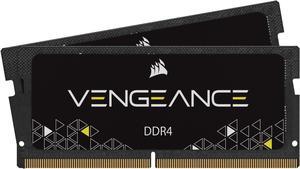
CORSAIR Vengeance 32GB (2 x 16GB) 260-Pin DDR4 SO-DIMM DDR4 3200 (PC4 25600) Laptop Memory Model CMSX32GX4M2A3200C22
- CAS Latency: CL22
- Timing: 22-22-22-53
- Voltage: 1.20V
- Features: 32GB (2x16GB) DDR4 SODIMM kit for 8th Generation or newer Intel Core i7, and AMD Ryzen 4000 Seires notebooks 3200MHz 22-22-22-53 latency 1.2V Auto-overclocking with compatible notebooks (no BIOS configuration required)
- Model #: CMSX32GX4M2A3200C22
- Item #: 9SIA2W0KT79696
- Return Policy: View Return Policy
$229.99
Free Shipping
Shipped fast. Works.
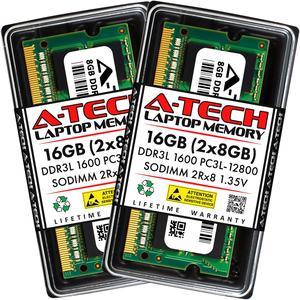
A-Tech 16GB (2x8GB) DDR3 / DDR3L 1600MHz SODIMM PC3L-12800 2Rx8 1.35V CL11 Non-ECC Unbuffered 204-Pin SO-DIMM Notebook Laptop RAM Memory Upgrade Kit
- CAS Latency: CL11
- Voltage: 1.35V
- Recommend Use: AMD & Intel Compatible
- Model #: AT8G2D3S1600ND8N135V
- Item #: 9SIAMBVEZZ8600
- Return Policy: View Return Policy
$49.71
Free Shipping
Brought life back to this old Laptop, It runs stuff pretty good now. Can play some really basic Games, and everything works