






Product information


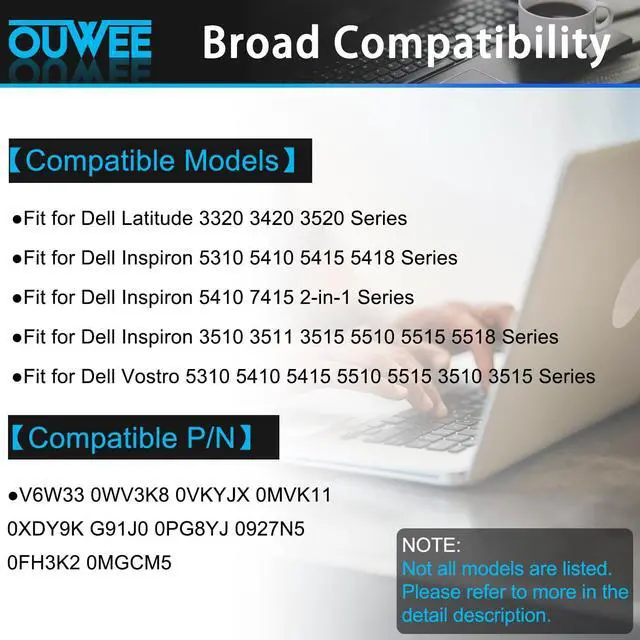
Compatible Models (use "Ctrl+F to find your model quickly")
- Fit for Dell Inspiron 15 3510 3511 3515 3520 3525 3530 3535 Series;
- Fit for Dell Inspiron 13 5310 5320 5330 Series;
- Fit for Dell Inspiron 14 5410 5415 5418 5420 5425 5430 5435 Series;
- Fit for Dell Inspiron 14 Plus 7420 Series;
- Fit for Dell Inspiron 15 5510 5515 5518 Series;
- Fit for Dell Inspiron 16 5625 5630 5635 Series;
- Fit for Dell Inspiron 14 5410 2-in-1 Series;
- Fit for Dell Inspiron 14 7415 2-in-1 Series;
- Fit for Dell Inspiron 14 7420 2-in-1 Series;
- Fit for Dell Inspiron 14 7425 2-in-1 Series;
- Fit for Dell Inspiron 14 7430 2-in-1 Series;
- Fit for Dell Inspiron 14 7435 2-in-1 Series;
- Fit for Dell Inspiron 16 7620 2-in-1 Series;
- Fit for Dell Latitude 3320 3330 3420 3520 Series;
- Fit for Dell Vostro 15 3510 3511 3515 3520 3525 Series;
- Fit for Dell Vostro 13 5310 5320 Series;
- Fit for Dell Vostro 14 3420 3425 5410 5415 Series;
- Fit for Dell Vostro 15 5510 5515 Series;
- Fit for Dell Vostro 5620 5625 Series.
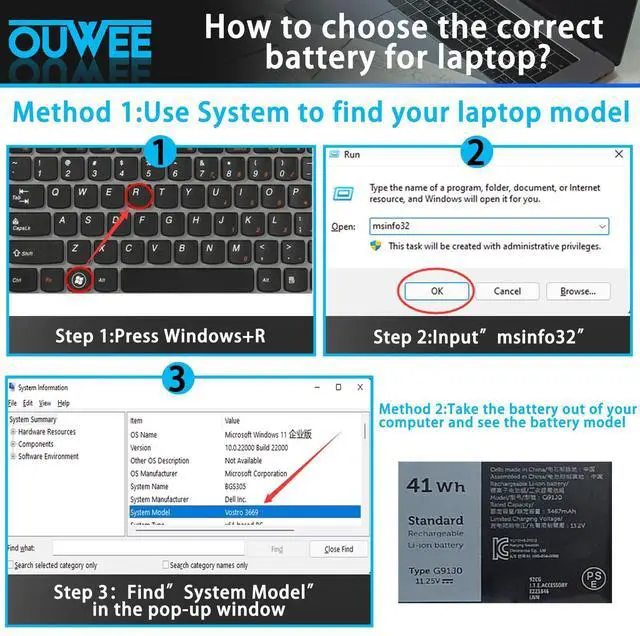
Purchasing Note: There are 2 batteries (41Wh-G91J0 and 54Wh-V6W33) of the above laptops, Please choose the which one you are going to replace and according to your laptop's original battery.
Replacement for Part Number:
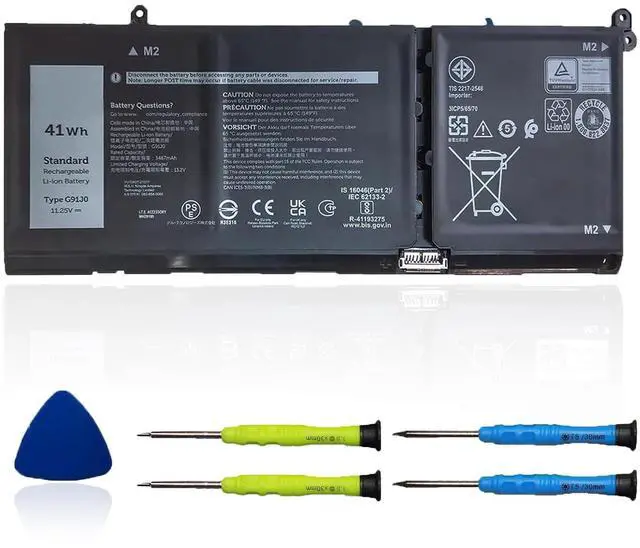
G91J0 / V6W33 / TN70C / 927N5 / 0927N5 / 0VKYJX / 0WV3K8 / 0MVK11 / 0XDY9K / 0MGCM5 / PG8YJ / 0PG8YJ / FH3K2 / 0FH3K2 / MGCM5 / JGCCT / N9XX (Important Note:There are 2 battery models may fit for the laptop: G91J0 41Wh and V6W33 54Wh. Please open your laptop to confirm that your battery model is G91J0 41Wh.)


Common Troubleshooting Methods
Why your laptop can't detect the battery or display the battery level properly after installing the battery? It may be caused by a loose battery. Please check if the battery cable is installed correctly. It may be due to the damage of the conductive material caused by the laptop motherboard and the battery positive contact position, you can try to use the original battery to confirm. Check if the battery driver is normal, if not, please download the appropriate driver software to update.

Battery maintenance methods for optimal use
When you receive a new battery, discharge the battery to 5% (not 0%), then charge it to 95% and cycle 3-4 times to wake up the new battery. It is important to fully discharge and recharge every other month to extend battery life. Do not leave the adapter connected for long periods of time when using the battery. It may damage the battery. Avoid human impact, disassembly, crushing or puncturing. Do not put it in fire or water.

Why should you choose OUWEE Batteries?
100% True Capacity No falsely labeled capacity battery The internal integrated chip is designed to take your laptop to Over-Charge,Over-Current,Over-Voltage,Short-Circuit, Temperature Protection High Quality, fast charge and Long Lasting time. Top Batteries at Great value.
Product information
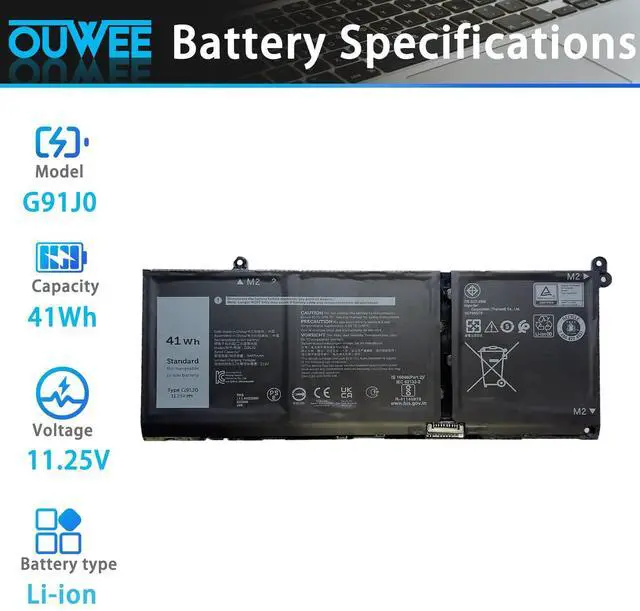
| Model | G91J0 |
| Capacity | 41Wh |
| Voltage | 11.25V |
| Type | Li-ion |
| Color | Black |
| Condition | Brand New |
Compatible Models (use "Ctrl+F to find your model quickly")
- Fit for Dell Inspiron 15 3510 3511 3515 3520 3525 3530 3535 Series;
- Fit for Dell Inspiron 13 5310 5320 5330 Series;
- Fit for Dell Inspiron 14 5410 5415 5418 5420 5425 5430 5435 Series;
- Fit for Dell Inspiron 14 Plus 7420 Series;
- Fit for Dell Inspiron 15 5510 5515 5518 Series;
- Fit for Dell Inspiron 16 5625 5630 5635 Series;
- Fit for Dell Inspiron 14 5410 2-in-1 Series;
- Fit for Dell Inspiron 14 7415 2-in-1 Series;
- Fit for Dell Inspiron 14 7420 2-in-1 Series;
- Fit for Dell Inspiron 14 7425 2-in-1 Series;
- Fit for Dell Inspiron 14 7430 2-in-1 Series;
- Fit for Dell Inspiron 14 7435 2-in-1 Series;
- Fit for Dell Inspiron 16 7620 2-in-1 Series;
- Fit for Dell Latitude 3320 3330 3420 3520 Series;
- Fit for Dell Vostro 15 3510 3511 3515 3520 3525 Series;
- Fit for Dell Vostro 13 5310 5320 Series;
- Fit for Dell Vostro 14 3420 3425 5410 5415 Series;
- Fit for Dell Vostro 15 5510 5515 Series;
- Fit for Dell Vostro 5620 5625 Series.
Purchasing Note: There are 2 batteries (41Wh-G91J0 and 54Wh-V6W33) of the above laptops, Please choose the which one you are going to replace and according to your laptop's original battery.
Replacement for Part Number:
G91J0 / V6W33 / TN70C / 927N5 / 0927N5 / 0VKYJX / 0WV3K8 / 0MVK11 / 0XDY9K / 0MGCM5 / PG8YJ / 0PG8YJ / FH3K2 / 0FH3K2 / MGCM5 / JGCCT / N9XX (Important Note:There are 2 battery models may fit for the laptop: G91J0 41Wh and V6W33 54Wh. Please open your laptop to confirm that your battery model is G91J0 41Wh.)
Common Troubleshooting Methods
Why your laptop can't detect the battery or display the battery level properly after installing the battery? It may be caused by a loose battery. Please check if the battery cable is installed correctly. It may be due to the damage of the conductive material caused by the laptop motherboard and the battery positive contact position, you can try to use the original battery to confirm. Check if the battery driver is normal, if not, please download the appropriate driver software to update.
Battery maintenance methods for optimal use
When you receive a new battery, discharge the battery to 5% (not 0%), then charge it to 95% and cycle 3-4 times to wake up the new battery. It is important to fully discharge and recharge every other month to extend battery life. Do not leave the adapter connected for long periods of time when using the battery. It may damage the battery. Avoid human impact, disassembly, crushing or puncturing. Do not put it in fire or water.

Why should you choose OUWEE Batteries?
100% True Capacity No falsely labeled capacity battery The internal integrated chip is designed to take your laptop to Over-Charge,Over-Current,Over-Voltage,Short-Circuit, Temperature Protection High Quality, fast charge and Long Lasting time. Top Batteries at Great value.