


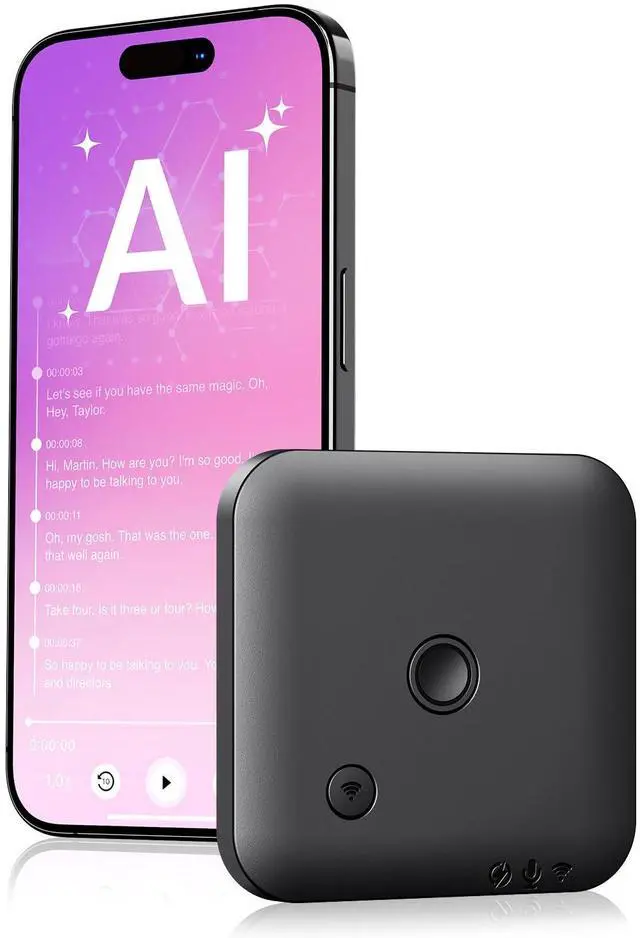
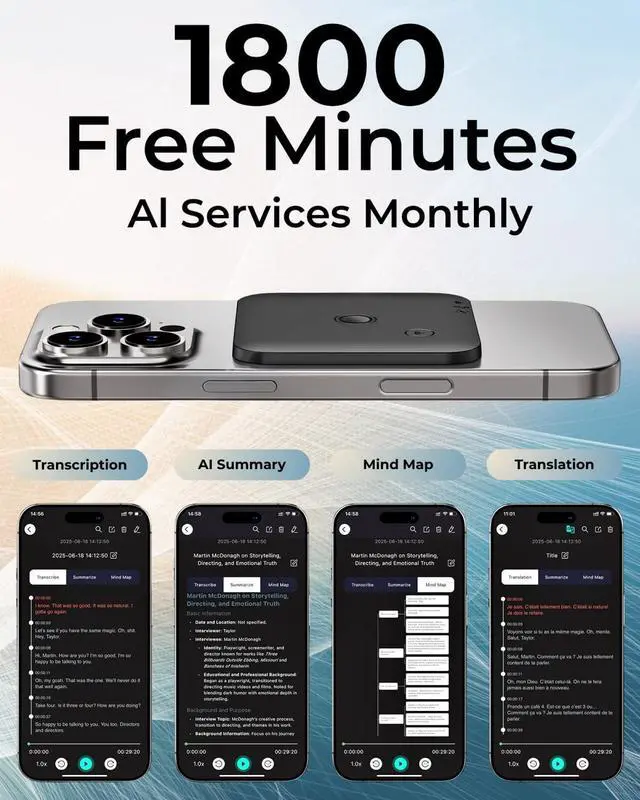
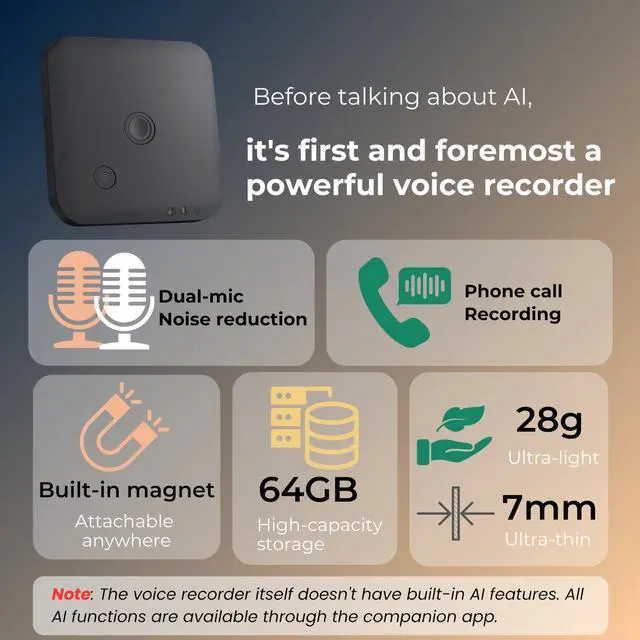


This is a versatile voice recorder that can be used with an app. Not only can it function as a regular voice recorder for meetings, interviews, and classes, but it can also attach to the back of your phone to record phone calls. Once the recordings are uploaded to the app, you can use AI features such as transcription, summarization, and even generate mind maps, greatly enhancing your efficiency in work and study.
Multiple recording scenarios

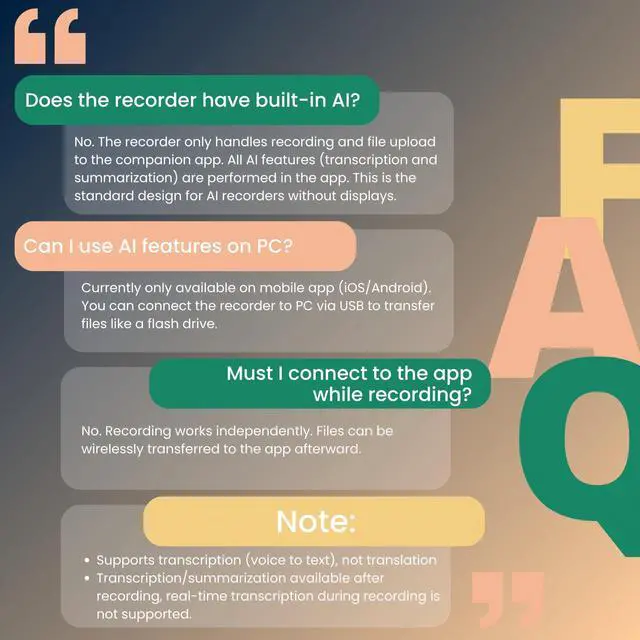
The voice recorder is designed to work independently while recording, meaning it does not require a connection to the companion app during the recording process. Once the recording is complete, simply turn on the wireless switch on the recorder to connect it with the app and transfer the audio files from the recorder to the app.

You can retrieve your recorded audio files in two ways:
- Using a USB Cable: Connect the voice recorder directly to your PC via a USB cable to transfer the recording files to your computer. Please note, however, that we do not provide AI transcription services on the PC. This method is solely for transferring audio files from the recorder to the PC.
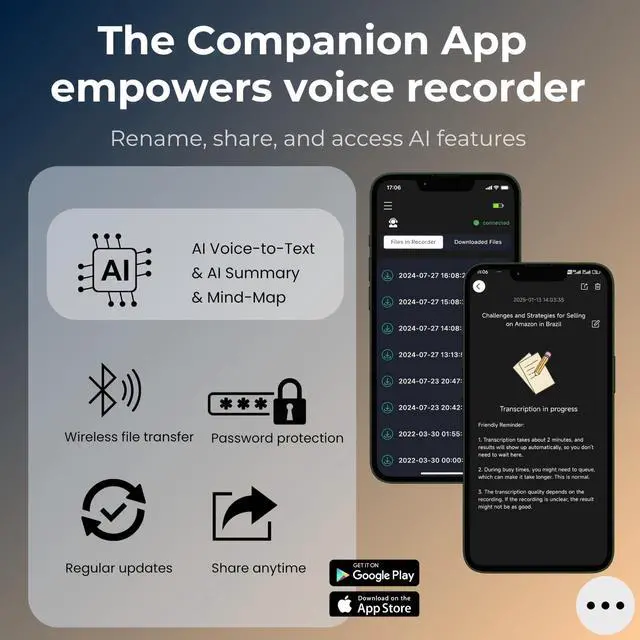
- Using the Companion App: Download the FoCase Rec app from the App Store or Google Play. After recording, turn on the wireless switch on the recorder and connect it to the app. Through the app, you can wirelessly transfer the audio files from the recorder to your phone. Once the files are in the app, you can use features such as voice-to-text transcription, AI-generated summaries, Mind Map creation, file sharing, renaming, and more.
Key Points About the App

- The voice recorder itself does not have AI capabilities. AI features such as voice-to-text transcription and summaries are only available when using the app.
- The app is available for download on both the App Store and Google Play under the name FoCase Rec.
AI Features Overview

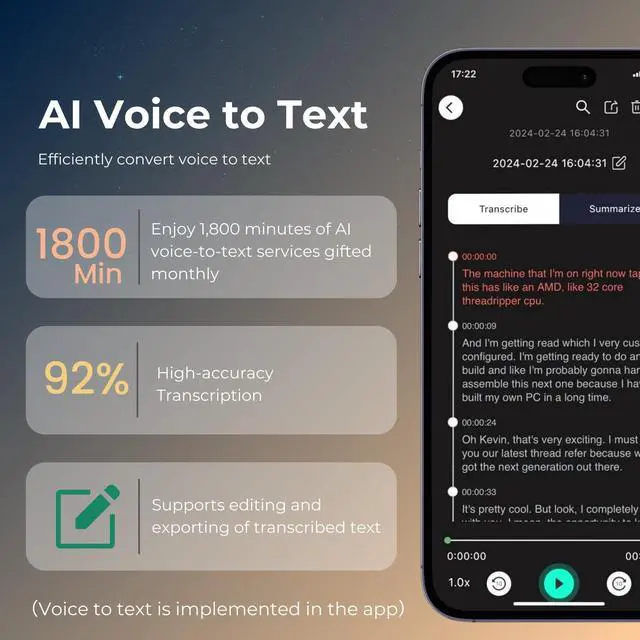
- Voice-to-Text Transcription:
- We offer 1,800 minutes of transcription each month. If you exceed this limit, you can purchase additional time at an affordable price.
- The quality of transcription depends heavily on the clarity of the recorded audio. Please ensure you record in a quiet environment for the best results.
- During peak times, transcription may require a short wait, but most files are processed within 2 minutes.
- We support transcription for all major languages.
2. AI Summaries and Mind Maps:
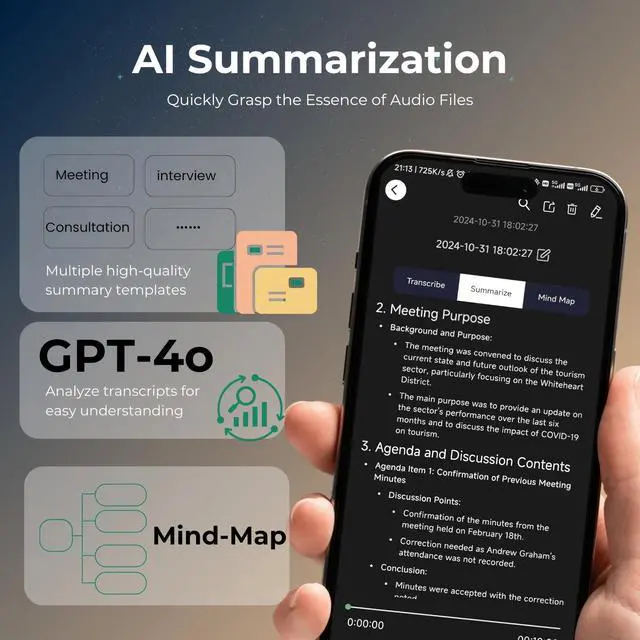
- AI summaries come with various templates tailored to different recording scenarios.
- After generating a summary, the app will automatically create a descriptive title to help you quickly locate the desired file.
- The AI summary feature is included with your voice recorder purchase, no additional payment required.

We prioritize user privacy and have implemented numerous measures to ensure data security. For example:
- User data is not stored in the cloud. All your data remains on the voice recorder and your mobile device.
- We aim to eliminate unnecessary concerns or misunderstandings about data usage.
Additional Usage Reminders:
- Please comply with local laws and regulations when using this product.

This is a versatile voice recorder that can be used with an app. Not only can it function as a regular voice recorder for meetings, interviews, and classes, but it can also attach to the back of your phone to record phone calls. Once the recordings are uploaded to the app, you can use AI features such as transcription, summarization, and even generate mind maps, greatly enhancing your efficiency in work and study.
Multiple recording scenarios
The voice recorder is designed to work independently while recording, meaning it does not require a connection to the companion app during the recording process. Once the recording is complete, simply turn on the wireless switch on the recorder to connect it with the app and transfer the audio files from the recorder to the app.
You can retrieve your recorded audio files in two ways:
- Using a USB Cable: Connect the voice recorder directly to your PC via a USB cable to transfer the recording files to your computer. Please note, however, that we do not provide AI transcription services on the PC. This method is solely for transferring audio files from the recorder to the PC.
- Using the Companion App: Download the FoCase Rec app from the App Store or Google Play. After recording, turn on the wireless switch on the recorder and connect it to the app. Through the app, you can wirelessly transfer the audio files from the recorder to your phone. Once the files are in the app, you can use features such as voice-to-text transcription, AI-generated summaries, Mind Map creation, file sharing, renaming, and more.
Key Points About the App
- The voice recorder itself does not have AI capabilities. AI features such as voice-to-text transcription and summaries are only available when using the app.
- The app is available for download on both the App Store and Google Play under the name FoCase Rec.
AI Features Overview
- Voice-to-Text Transcription:
- We offer 1,800 minutes of transcription each month. If you exceed this limit, you can purchase additional time at an affordable price.
- The quality of transcription depends heavily on the clarity of the recorded audio. Please ensure you record in a quiet environment for the best results.
- During peak times, transcription may require a short wait, but most files are processed within 2 minutes.
- We support transcription for all major languages.
2. AI Summaries and Mind Maps:
- AI summaries come with various templates tailored to different recording scenarios.
- After generating a summary, the app will automatically create a descriptive title to help you quickly locate the desired file.
- The AI summary feature is included with your voice recorder purchase, no additional payment required.
We prioritize user privacy and have implemented numerous measures to ensure data security. For example:
- User data is not stored in the cloud. All your data remains on the voice recorder and your mobile device.
- We aim to eliminate unnecessary concerns or misunderstandings about data usage.
Additional Usage Reminders:
- Please comply with local laws and regulations when using this product.