


Out of stock
This item is currently out of stock and it may or may not be restocked.
Sold by Newegg

Shipped by Newegg

Shop it at NeweggBusiness.

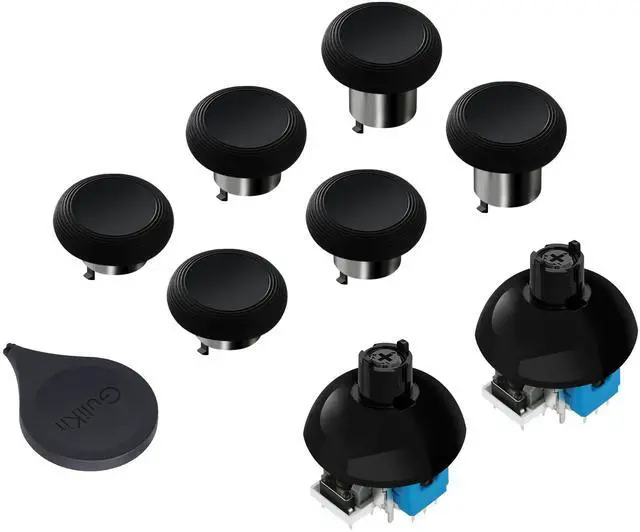
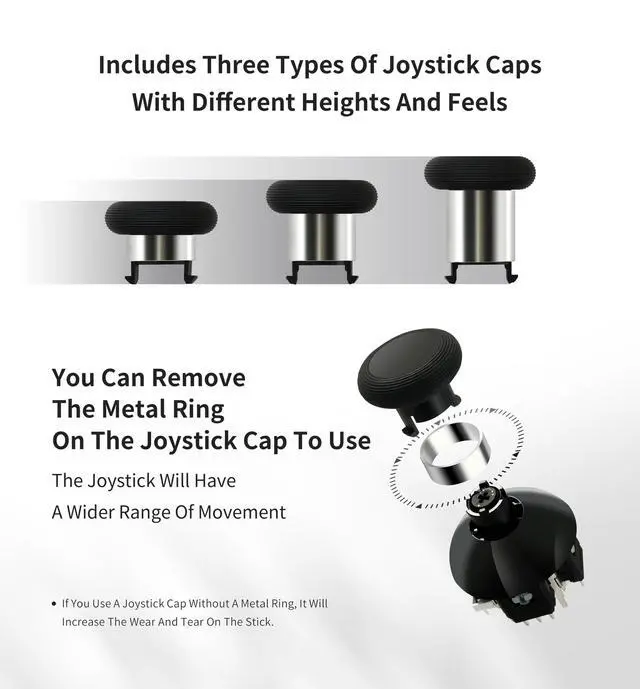
720° Adjustable Tension TMR Magnetic Joystick Replacement Kit, for PS4 DualShock Controller, Anti-drift Stick Repair Module with 3 Pairs Thumbstick Caps, Soldering Required

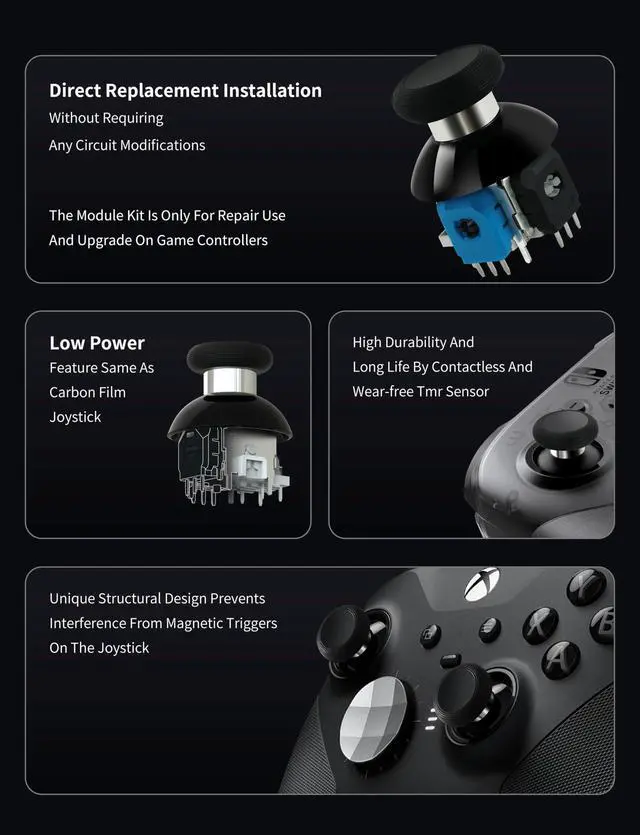
  • UPGRADED ANTI-DRIFT TMR JOYSTICK TECHNOLOGY Evolved from GuliKit's patented Hall Effect joystick, the more advanced TMR (Tunnel Magnetoresistance) thumb stick same works with contact-less magnetic field sensing mechanism to eliminate stick drift cause,while offers ultra-low power consumption, enhanced stability, drift-free long lasting durability, high-precision and silk-like smoothness.
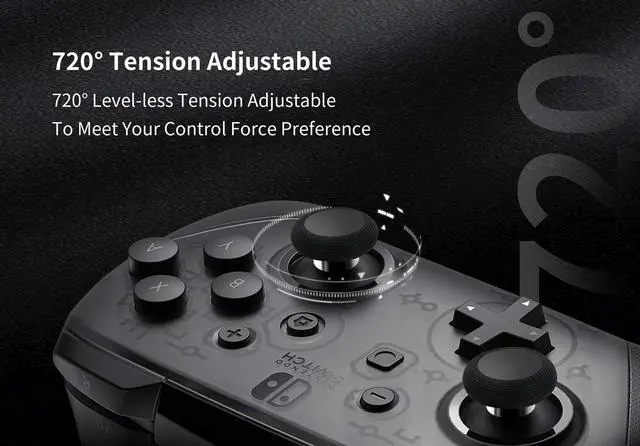
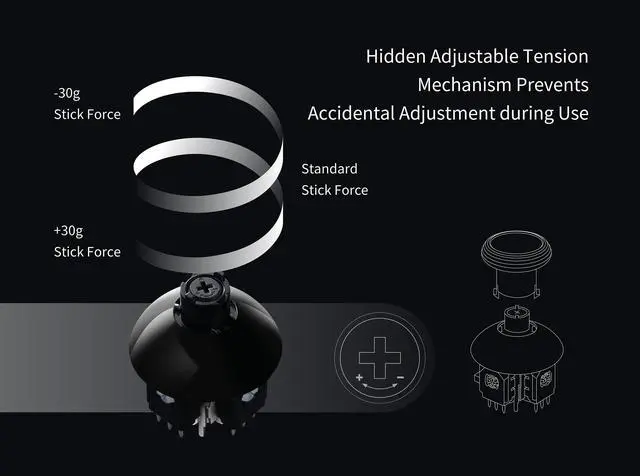
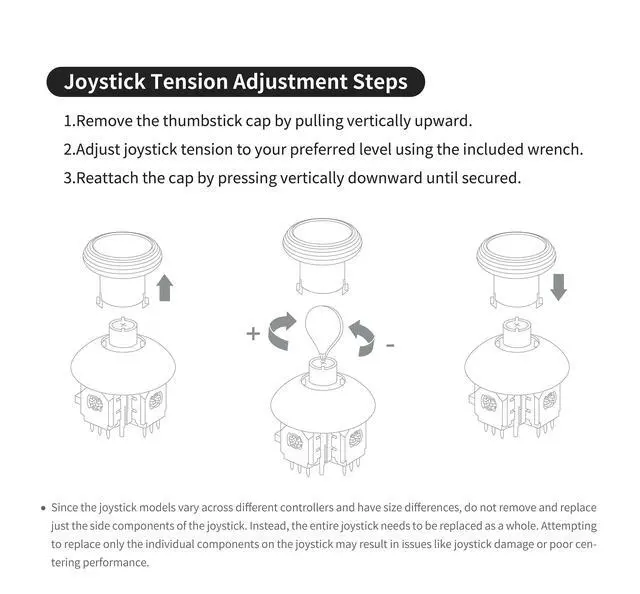
  • 720° LEVEL-LESS ADJUSTABLE TENSION WITH TOOL:Our joysticks feature 720° (two full rotations)level-less tension adjustment, allowing you to customize the control force with ease. To set your preferred tension, simply remove the cap(pull vertically) and use the included wrench to adjust the tension by turning the screw marked with the + and - signs. The hidden tension mechanism under the cap can prevent accidental adjustments.
  • FOR PS4 JOYSTICK REPAIR & UPGRADE KIT:The joysticks module is a direct replacement for PS4 DualShock Controllers, addressing drift and precision issues. It installs easily without requiring any circuit modifications, ensuring a seamless upgrade experience. Note that the entire joystick must be replaced as a unit(joystick & cap). Partial replacement may result in issues such as joystick damage or poor centering performance.
Overview
Specs
Reviews
avatar

Any questions? Our AI beta will help you find out quickly.

JOYSTICKS
1
JOYSTICKS
joysticks
joysticks

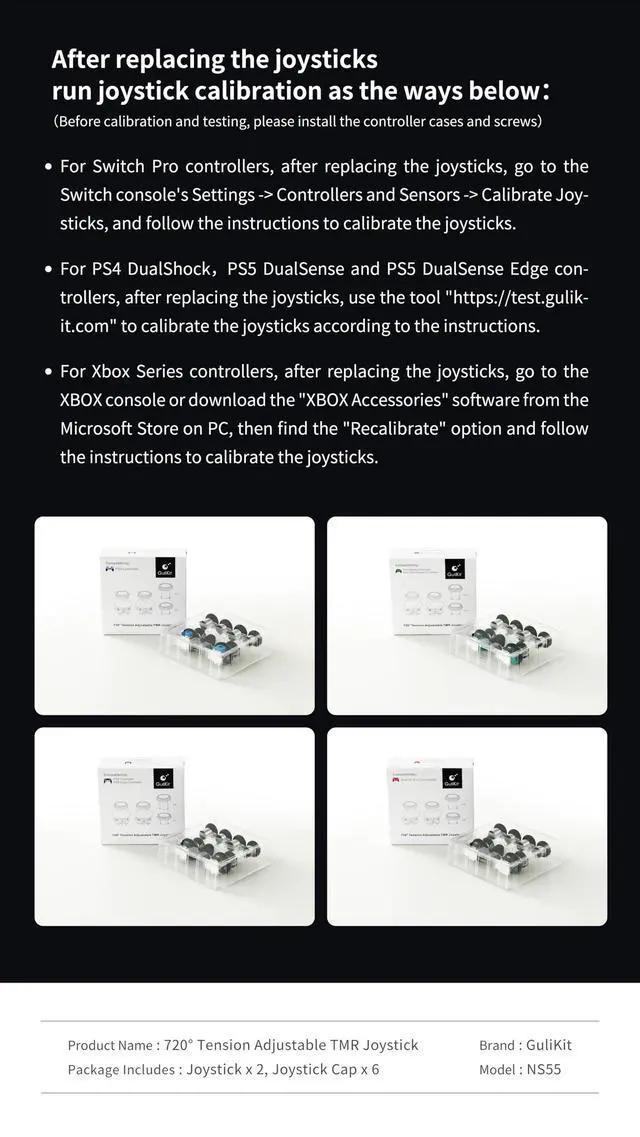
After replacing the joysticks run joystick calibration as the ways below:

(Before calibration and testing, please install the controller cases and screws)

1.For Switch Pro controllers, after replacing the joysticks, go to the Switch console's Settings -> Controllers and Sensors -> Calibrate Joysticks, and follow the instructions to calibrate the joysticks.

2.For PS4 DualShock, PS5 DualSense and PS5 DualSense Edge controllers, after replacing the joysticks, use the tool on our website to calibrate the joysticks according to the instructions.

3.For Xbox Series controllers, after replacing the joysticks, go to the XBOX console or download the "XBOX Accessories" software from the Microsoft Store on PC, then find the "Recalibrate" option and follow the instructions to calibrate the joysticks.

joysticks
JOYSTICKS
1
JOYSTICKS
joysticks
joysticks

After replacing the joysticks run joystick calibration as the ways below:

(Before calibration and testing, please install the controller cases and screws)

1.For Switch Pro controllers, after replacing the joysticks, go to the Switch console's Settings -> Controllers and Sensors -> Calibrate Joysticks, and follow the instructions to calibrate the joysticks.

2.For PS4 DualShock, PS5 DualSense and PS5 DualSense Edge controllers, after replacing the joysticks, use the tool on our website to calibrate the joysticks according to the instructions.

3.For Xbox Series controllers, after replacing the joysticks, go to the XBOX console or download the "XBOX Accessories" software from the Microsoft Store on PC, then find the "Recalibrate" option and follow the instructions to calibrate the joysticks.

joysticks
720° Adjustable Tension TMR Magnetic Joystick Replacement Kit, for PS4 DualShock Controller, Anti-drift Stick Repair Module with 3 Pairs Thumbstick Caps, Soldering Required

Warranty & Returns

Warranty, Returns, And Additional Information

Return Policies

LOADING...