


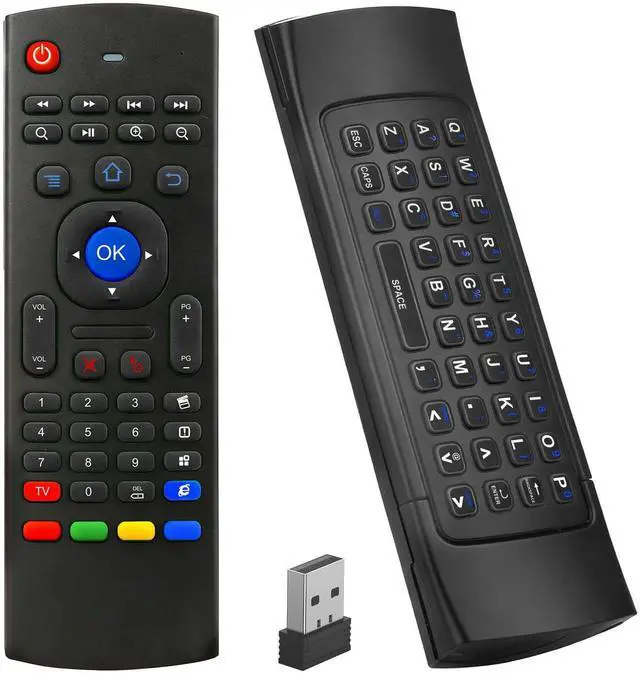
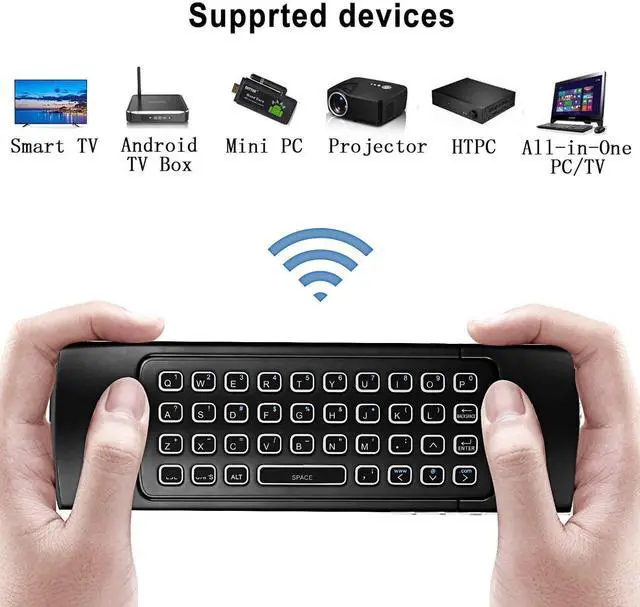
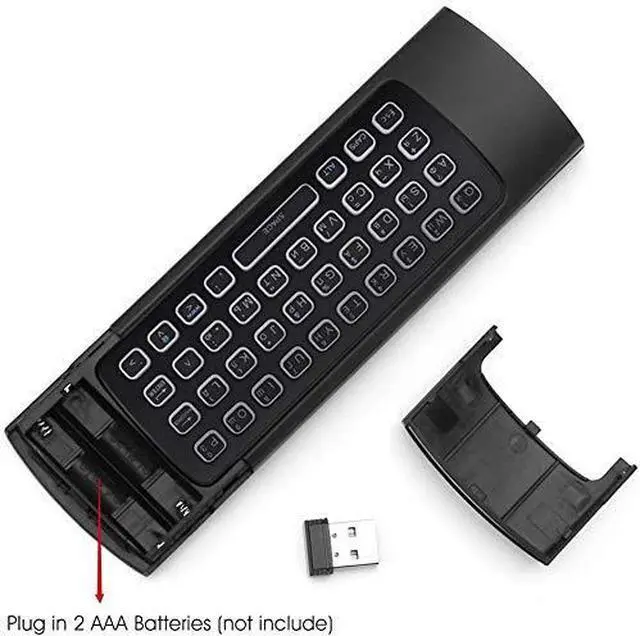
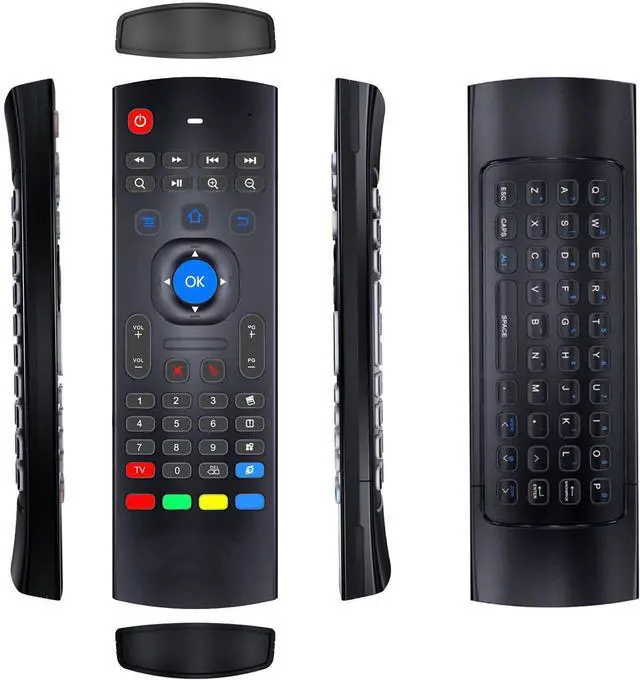


MX3 air mouse remote is designed to work as air mouse, remote control and wireless keyboard. It is widely compatible with all kinds of Android TV Box,Smart TV, Projector,HTPC, PC Pad,Xbox, PS3, Raspberry Pi.
Technical Specification:
1) Transmission and control: 2.4 G RF wireless radio-frequency.
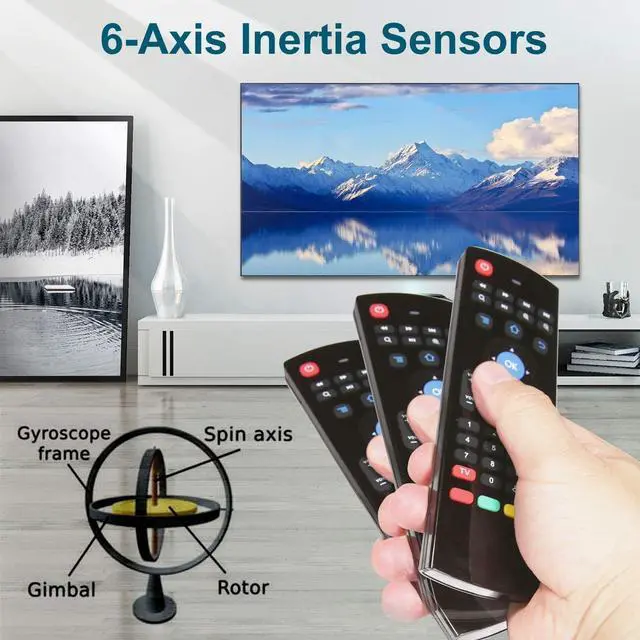
2) Sensor: 3-Gyro + 3-Gsensor.
3) The key number:81 keys.
4) Control distance: 10m.
5) Battery Type: AAA*2 (Not included in the product package).
6) Size: 172*52*19mm.
7) Weight: About 100g
8)Support Android/Windows/iOS/Linux system devices.

IR Learning Instructions:
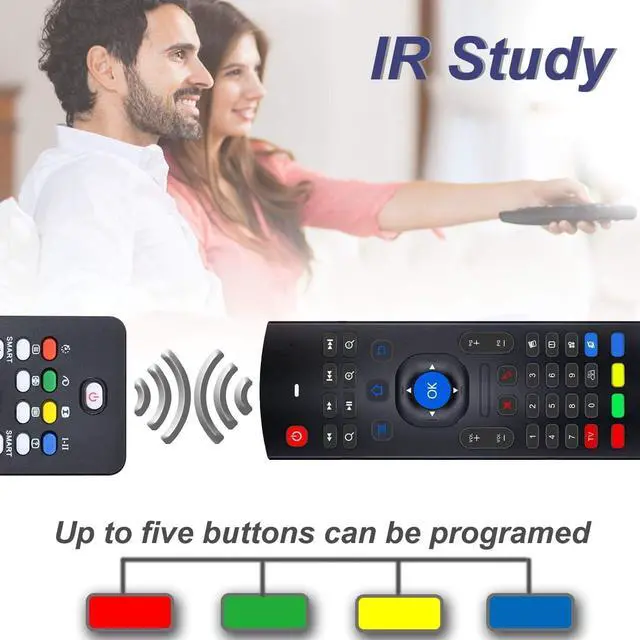
MX3 remote has 5 keys that can be programmed to learn from TV IR remote, which are the POWER and 4 color buttons at the bottom of MX3 air mouse.
Step 1-Point air mouse remote MX3 and TV remote head to head, make sure the distance between them is less than 0.1 feet.
Step 2- Press and hold the red TV button on the MX3 air mouse remote for 3-5 seconds, red LED indicator will flash very fast, then release the red TV button, red LED indicator will become to flash slowly. It means air mouse remote enters into IR learning mode.
Step 3-Press the key from TV remote which you want the air mouse MX3 to learn until the red LED indicator on the air mouse remote MX3 keeps lighting on.
Step 4-Press the POWER or one of the 4 color buttons on the air mouse remote MX3. Red LED indicator will be flashing slowly again, which means learning succeed.
Step 5-Press red TV button on the air mouse remote MX3 to exit IR learning mode.And you can continue start from step 1 to revise or start a new key learning.

2.4G wireless remote control has 10M working distance ,plug and play.

6-Axis inertia sensor, support motion sensor function.

Mini Keyboard offer convenient typing when searching anything on your TV.

MX3 air mouse remote is designed to work as air mouse, remote control and wireless keyboard. It is widely compatible with all kinds of Android TV Box,Smart TV, Projector,HTPC, PC Pad,Xbox, PS3, Raspberry Pi.
Technical Specification:
1) Transmission and control: 2.4 G RF wireless radio-frequency.
2) Sensor: 3-Gyro + 3-Gsensor.
3) The key number:81 keys.
4) Control distance: 10m.
5) Battery Type: AAA*2 (Not included in the product package).
6) Size: 172*52*19mm.
7) Weight: About 100g
8)Support Android/Windows/iOS/Linux system devices.
IR Learning Instructions:
MX3 remote has 5 keys that can be programmed to learn from TV IR remote, which are the POWER and 4 color buttons at the bottom of MX3 air mouse.
Step 1-Point air mouse remote MX3 and TV remote head to head, make sure the distance between them is less than 0.1 feet.
Step 2- Press and hold the red TV button on the MX3 air mouse remote for 3-5 seconds, red LED indicator will flash very fast, then release the red TV button, red LED indicator will become to flash slowly. It means air mouse remote enters into IR learning mode.
Step 3-Press the key from TV remote which you want the air mouse MX3 to learn until the red LED indicator on the air mouse remote MX3 keeps lighting on.
Step 4-Press the POWER or one of the 4 color buttons on the air mouse remote MX3. Red LED indicator will be flashing slowly again, which means learning succeed.
Step 5-Press red TV button on the air mouse remote MX3 to exit IR learning mode.And you can continue start from step 1 to revise or start a new key learning.
2.4G wireless remote control has 10M working distance ,plug and play.
6-Axis inertia sensor, support motion sensor function.
Mini Keyboard offer convenient typing when searching anything on your TV.