


• $34.99
  • Free 30-day Returns
  • Sold by Deryiuervo

    Shipped by Deryiuervo

    Price alert
    Shop it at NeweggBusiness.

    Meet Your Seller

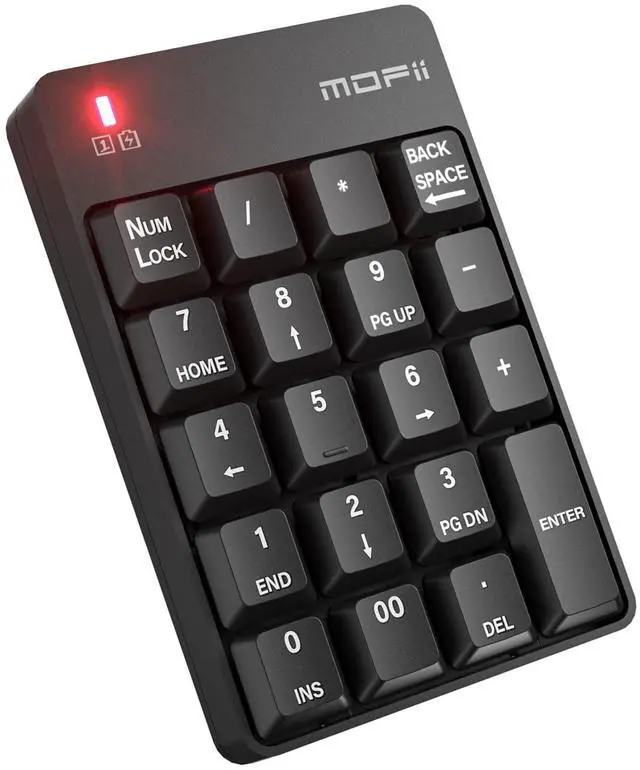
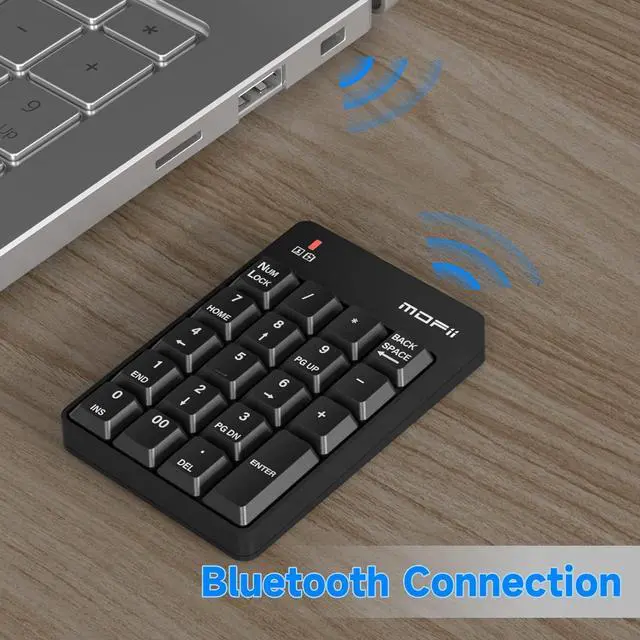
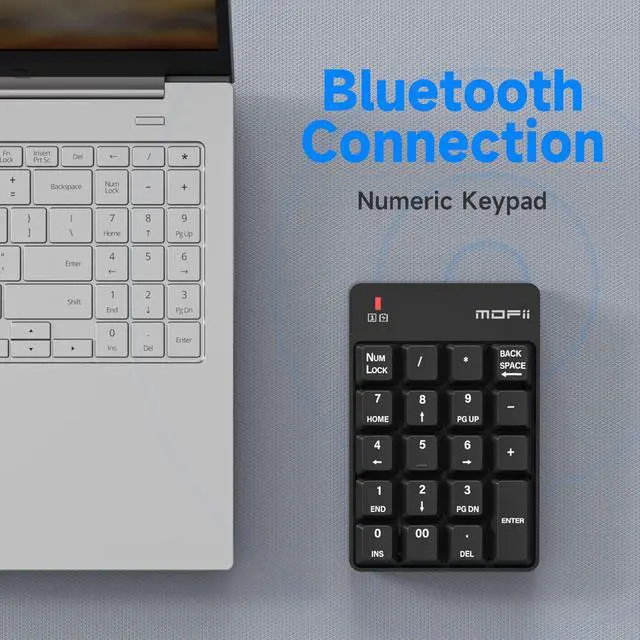
    Number Pad - Black Wireless Bluetooth 5.1 Numeric Keypad Silent 19 Keys USB Keypads, Portable Financial Accounting Numpad 10 Key for Laptop/Notebook/Surface Pro/PC

    • The Bluetooth numeric keypad, which connects to your computer, requires no driver and only 1 AAA battery, giving you the most stable data connection.
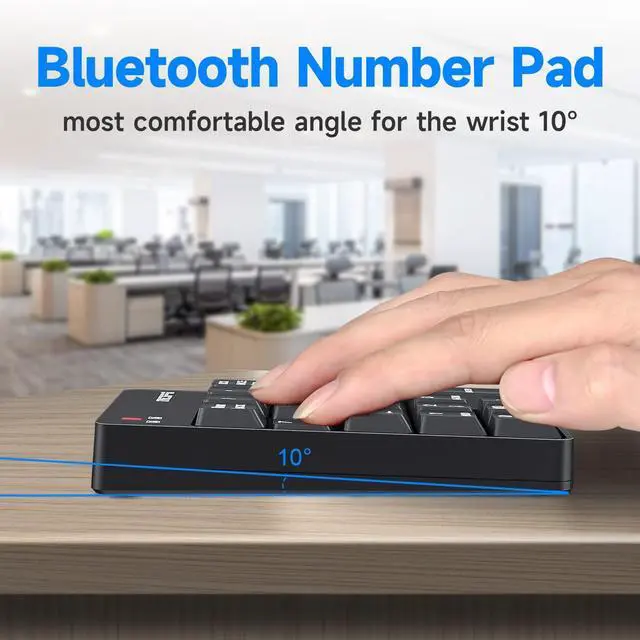
    • Soft pressing touch: Provide you with the most comfortable angle of inclination and help reduce pressure on your wrist. The 19 key Numeric Keypad has minimal noise and is the best choice for processing spreadsheets, accounting documents, or financial applications.
    • High key accuracy stable rubber sheet at the bottom: The key name is clear, the key is raised, and the comfortable pressing feeling improves your work efficiency. The stable rubber sheet at the bottom never falls off, and it always fixes your Bluetooth number pad.
    • The Bluetooth Numeric Keypad works with a variety of laptops and desktops with Windows 2000, Windows XP, Windows ME, Vista or Windows 7/8 and above.
    • The portable, light-weight design and the classic black numeric keypads are perfect for business trips or daily use, providing you with a more comfortable and convenient experience.
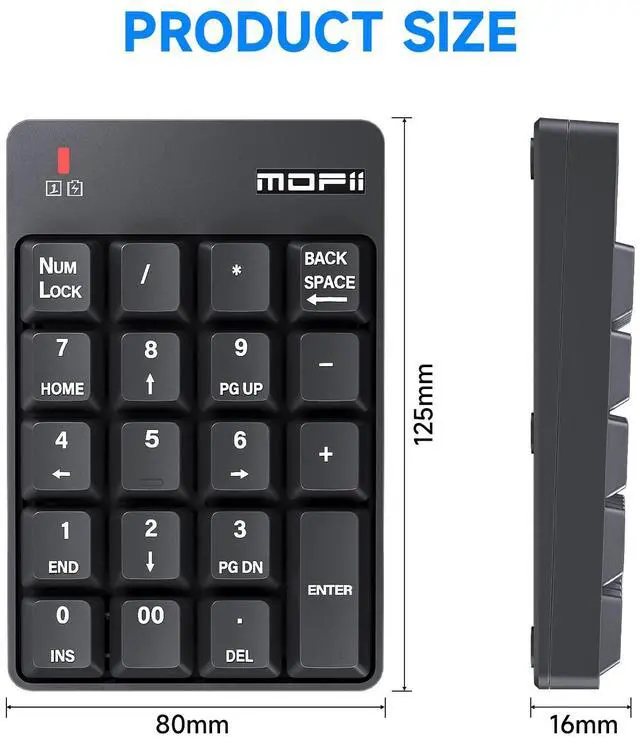
    • Numeric keypad size: 5.31 inches long, 3.34 inches wide, 1.57 inches high. Weight: 80±5g.
    • After sales service quality assurance: If you have any questions or keyboard quality problems during the use of the numeric keyboard, please contact our after-sales service specialist as soon as possible, and we will provide you with a satisfactory solution immediately.
    +
    +
    Overview
    Specs
    Reviews
    avatar

    Any questions? Our AI beta will help you find out quickly.

    numeric keypad for laptop

    MOFII Bluetooth Numpad

    Brand story

    As the leader of the keyboard industry, Research and development and manufacturing of keyboards for 22 years, We have successfully produced many kinds of keyboards which are recognized by customers all over the world, we carefully drill the design of numeric keyboard appearance, use top materials and humanized functions to meet all keyboard needs, you Encourage, always the driving force we advance.

    Mofii is always committed to quality design, High-performance product is our core, Mofii invites you to enjoy the new keyboard experience!

    numberpad
    keypad

    Bluetooth Numeric Keypad to use:

    1. Pay attention to the battery is on the cathode,

    2. Press the Numlock+enter key and the indicator light in the upper left comer of the keyboard flashes and enter into pairing mode.

    3. Open the bluetooth search switch on bluetooth devices, search the bluetooth keyboard.

    4. Double-click the MOFII BT keyboard icon on the bluetooth device.

    5. After successful connection, you can use it normally

    Bluetooth Wireless 10 Key USB Keypad

    number pad for laptop

    When you find this wireless keyboard does t work, do not worry, you can make the keyboard in working condition by

    Restoring back to factory default settings.

    1. Check the battery volume is normal; if the battery is used out, please replace new batteries.

    2. Insert the USB receiver onto the USB port of the PC or notebook

    3. At the same time the battery into the keyboard, and the keyboard LED lights flash quickly saying, restore factory Settings successfully.

    Bluetooth Wireless Connections

    numeric keypads
    number pad for laptop
    numeric keypads
    numeric keypad for laptop

    MOFII Bluetooth Numpad

    Brand story

    As the leader of the keyboard industry, Research and development and manufacturing of keyboards for 22 years, We have successfully produced many kinds of keyboards which are recognized by customers all over the world, we carefully drill the design of numeric keyboard appearance, use top materials and humanized functions to meet all keyboard needs, you Encourage, always the driving force we advance.

    Mofii is always committed to quality design, High-performance product is our core, Mofii invites you to enjoy the new keyboard experience!

    numberpad
    keypad

    Bluetooth Numeric Keypad to use:

    1. Pay attention to the battery is on the cathode,

    2. Press the Numlock+enter key and the indicator light in the upper left comer of the keyboard flashes and enter into pairing mode.

    3. Open the bluetooth search switch on bluetooth devices, search the bluetooth keyboard.

    4. Double-click the MOFII BT keyboard icon on the bluetooth device.

    5. After successful connection, you can use it normally

    Bluetooth Wireless 10 Key USB Keypad

    number pad for laptop

    When you find this wireless keyboard does t work, do not worry, you can make the keyboard in working condition by

    Restoring back to factory default settings.

    1. Check the battery volume is normal; if the battery is used out, please replace new batteries.

    2. Insert the USB receiver onto the USB port of the PC or notebook

    3. At the same time the battery into the keyboard, and the keyboard LED lights flash quickly saying, restore factory Settings successfully.

    Bluetooth Wireless Connections

    numeric keypads
    number pad for laptop
    numeric keypads

    Bluetooth Numeric Keypad 19 Keys - The most stable data connection

    Simple black classic appearance - light pressing feel

    Number Pad brings you

    Ergonomic design provides the most comfortable angle for your wrist.

    Improve form production, digital entry, optimize your office efficiency.

    No driver required, need AAA*1 battery installed.

    Clear button names and raised buttons allow you to press precisely when you need it.

    Mute click, effectively reduces Numpad Pad noise.

    Ultra-thin and portable design, you can put the easy-to-carry Bluetooth Numeric Keypad in a smaller compartment.

    numeric keyboard for your PC/laptop, and enter data comfortably.

    Bluetooth Numeric Keypad to use:

    Bluetooth Numeric keyboard operation is extremely simple!

    1. Pay attention to the battery is on the cathode,

    2. Press the Numlock+enter key and the indicator light in the upper left comer of the keyboard flashes and enter into pairing mode.

    3. Open the bluetooth search switch on bluetooth devices, search the bluetooth keyboard.

    4. Double-click the MOFII BT keyboard icon on the bluetooth device

    5. After successful connection, you can use it normally.

    Package Included:

    19-key Bluetooth Numeric Keyboard x 1

    Number Keypad specifications

    Size: 125*93*22 (h) ± 2mm

    Warranty & Returns

    Warranty, Returns, And Additional Information

    Warranty

    • Please contact the Seller directly for warranty information. Warranty information may also be found on the Manufacturer's website.
    • CONTACT

    Return Policies

    • Return for refund within: 30 days
    • Return for replacement within: 30 days
    • This item is covered by Deryiuervo Return Policy

    Manufacturer Contact Info

    LOADING...