


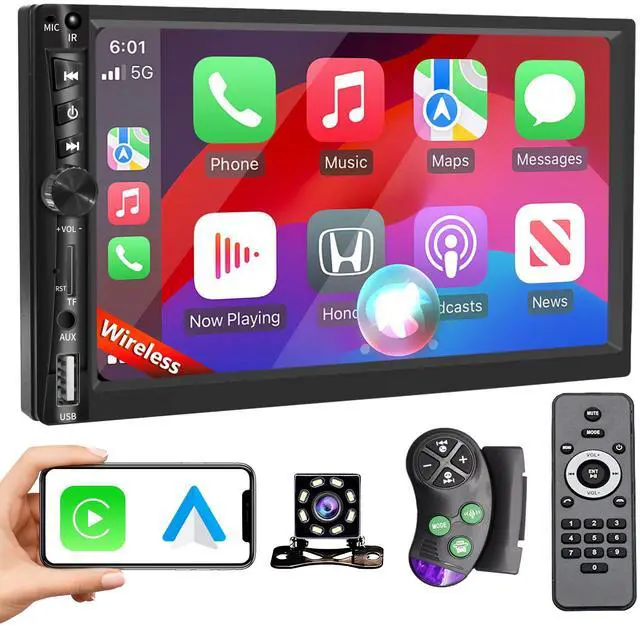
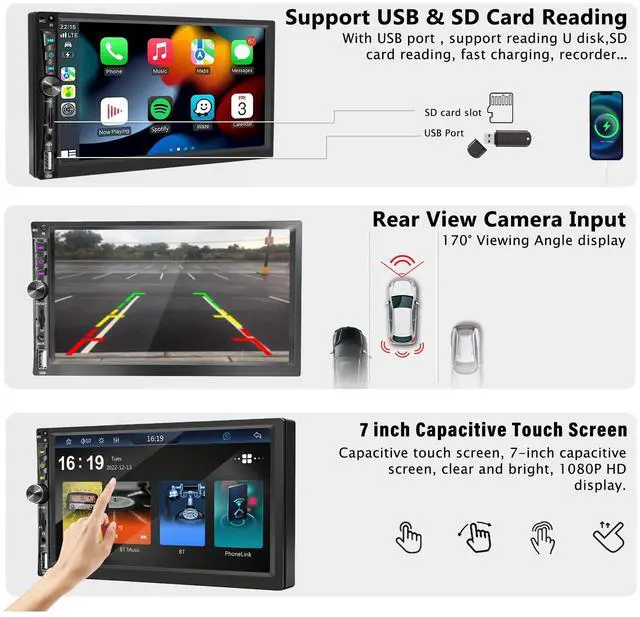


DOUBLE DIN WIRELESS CARPLAY|BT 5.2|SD CARD SUPPORT|AUX|BACKUP CAMERA|FM AM RADIO

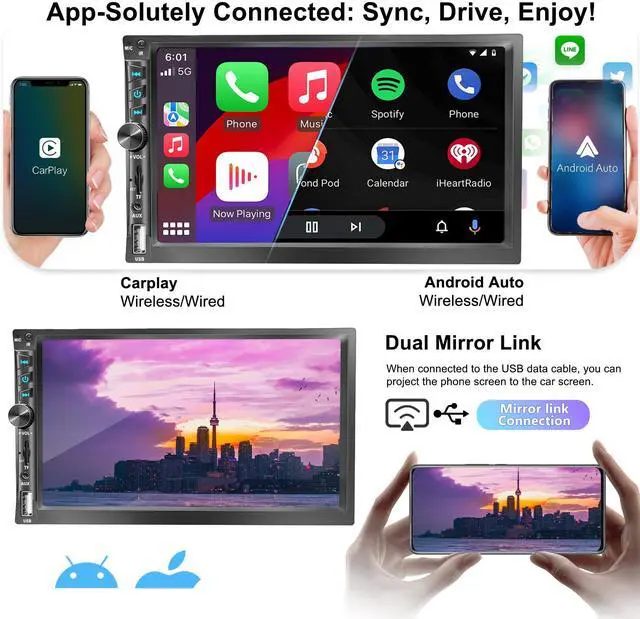
Built-in Apple Carplay and Android Auto system. It can via wired USB cable or wireless bluetooth connection. Android Auto needs to download Android Auto APP first. The car stereo will quickly get the APP on your phone supported by the current system, such as message, music, map navigation etc.
Wireless Carplay 7 inch Double Din Car Stereo
Merchant Video


More Different Options For Wireless Carplay Stereo
 7inch Wireless Double Din |  7inch Wireless Double Din |  6.5in Wireless Single Din |  6.9in Wireless Single Din |  6.9in Wireless Single Din | |
|---|---|---|---|---|---|
Customer Reviews | — | — | — | — | — |
Price | — | — | — | — | — |
Din size | Double Din | Double Din | Single Din | Single Din | Single Din |
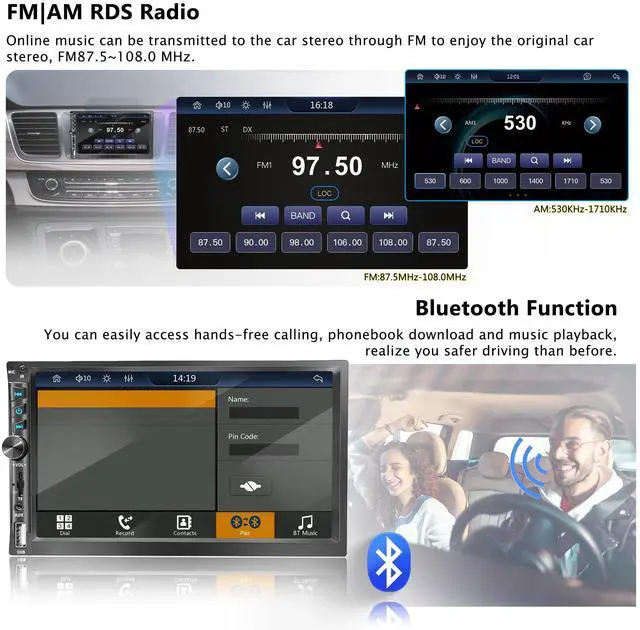
Radio Station | FM/AM | FM/AM | FM/AM | FM | FM |
TF Card Slot | ? | ? | ? | ? | ? |
USB | ? | ? | ? | ? | ? |
AUX | Included | Included(Extra Mic) | Included(Extra Mic) | Included(Extra Mic) | Included(Extra Mic) |
Extra Microphone | ? | ? | ? | ? | ? |
Wireless Carplay | ? | ? | ? | ? | ? |
Type-C Fast Charge | ? | ? | ? | ? | ? |
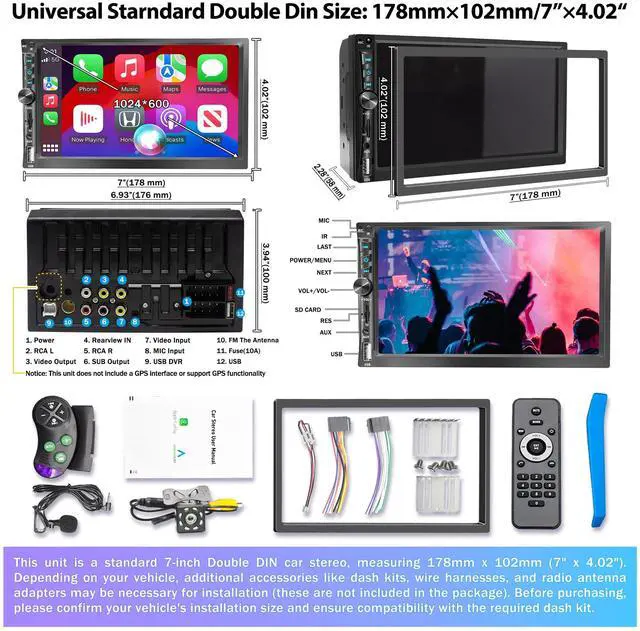
Screen Resolution | 1024×600 | 1024×600 | 1280*452 | 1248*480 | 1248*480 |
Knob Color | Metal Black | Sliver+Black | Metal Black | Gun-Grey | Sliver |
Bluetooth | Bluetooth5.2 | Bluetooth5.2 | Bluetooth5.2 | Bluetooth5.0 | Bluetooth5.0 |


Why won’t my car stereo turn on even though it’s plugged in?
Ensure the yellow wire connects to the positive pole, red wire to the key control, and black wire to the negative pole.
Check the fuse on the yellow line; replace if broken.
Verify your car’s wiring is compatible with the stereo.
My stereo shuts down automatically. What could be the cause?
Automatic shutdown usually occurs if the blue cable (automatic antenna power supply) is incorrectly connected, or if the voltage supply is unstable. Ensure a stable 12V-5A power supply and correct wiring to avoid automatic shutdown.
The USB flash drive or SD card is not recognized by the stereo. What should I do?
For USB drives, ensure it is formatted as FAT32 and contains one or two songs for testing. If the problem persists, try another USB drive. For SD cards, check that the card is fully inserted and the slot is not damaged.
My backup camera shows no image. How should I troubleshoot?
Check the camera wiring: connect the stereo’s control line to the camera’s positive, ensure red, yellow, and black wires are correct, the camera is powered, and the video cable is properly inserted into the CAME input.
How can I ensure my stereo will fit before purchasing?
Measure your dashboard and compare to the stereo (178×102×60?mm / 7×4.02×2.36?in). Most double-DIN openings fit; if unsure, find a compatible frame by vehicle brand, model, and year.

Emeito Car Stereo

About Emeito
- Welcome to Emeito, where innovation meets legacy. Since 2015, we’ve crafted high-performance wireless Apple Carplay and Android Auto car stereos to modernize vehicles from the late 1990s to mid-2010s—models with single-DIN or double-DIN slots.
- We bridge classic design with today’s connected driving, preserving your car’s character while elevating its tech.
Emeito
Reimagining Connectivity, Respecting Legacy.
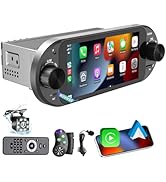
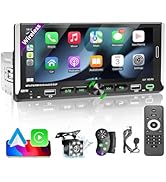
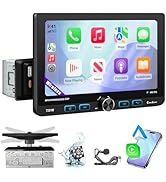
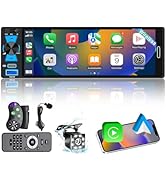
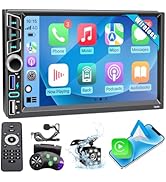
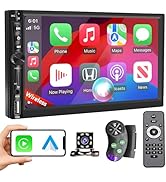
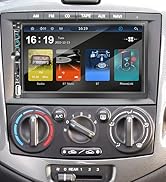
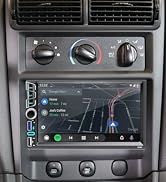
Emeito Wireless Carplay Stereo
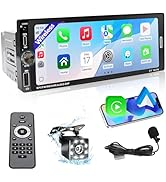
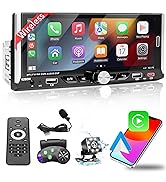
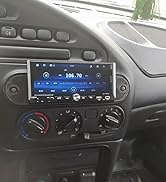
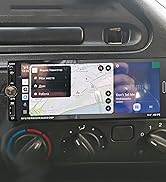
Emeito Wireless Carplay Stereo
Our Mission
Empower drivers to upgrade in-car tech without compromising vehicle integrity. Our wire-free systems blend futuristic functionality with timeless aesthetics.
Engineered for Compatibility
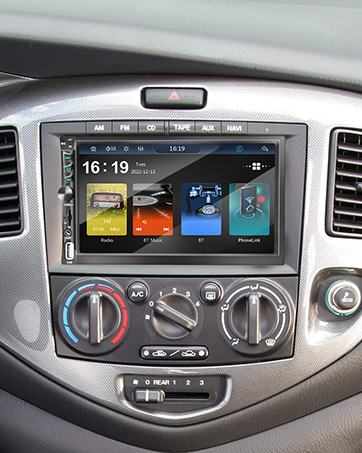
Precision-fit single/double-DIN stereos for standardized dash slots. 6.9”-7” HD anti-glare touchscreens with ultra-responsive controls maintain OEM styling through slim profiles.
Wireless Connectivity, Uncompromised Performance
Seamless Apple CarPlay/Android Auto mirroring. Quad-core processors + 45Wx4 amplifiers deliver distortion-free audio for music/navigation.

Lifelong Support, Every Step
Our U.S.-based team provides end-to-end assistance:
- Installation guides: DIY tutorials and compatibility tools.
- Firmware updates: Over-the-air enhancements.
- 24/7 troubleshooting: Software/hardware support.
DOUBLE DIN WIRELESS CARPLAY|BT 5.2|SD CARD SUPPORT|AUX|BACKUP CAMERA|FM AM RADIO

Built-in Apple Carplay and Android Auto system. It can via wired USB cable or wireless bluetooth connection. Android Auto needs to download Android Auto APP first. The car stereo will quickly get the APP on your phone supported by the current system, such as message, music, map navigation etc.
Wireless Carplay 7 inch Double Din Car Stereo
Merchant Video


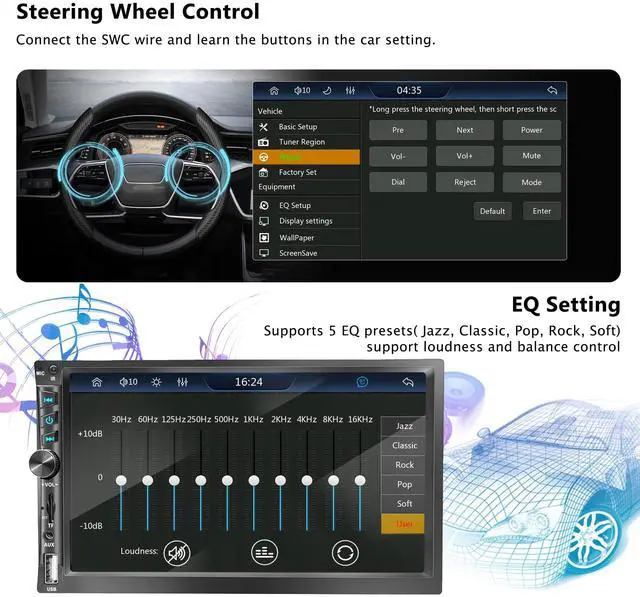
Wireless/Wired Apple Carplay & Android Auto|FM/AM RDS| SWC|Backup Camera Input(Slide to view)


7-Color Backlight | Physical Knob | AUX&USB | TF Card Slot | Bluetooth 5.2 Handsfree (Slide to view)
More Different Options For Wireless Carplay Stereo
7inch Wireless Double Din | 7inch Wireless Double Din | 6.5in Wireless Single Din | 6.9in Wireless Single Din | 6.9in Wireless Single Din |
|---|---|---|---|---|
| Customer Reviews | ||||
| — | — | — | — | — |
| Price | ||||
| — | — | — | — | — |
| Din size | ||||
| Double Din | Double Din | Single Din | Single Din | Single Din |
| Radio Station | ||||
| FM/AM | FM/AM | FM/AM | FM | FM |
| TF Card Slot | ||||
| ? | ? | ? | ? | ? |
| USB | ||||
| ? | ? | ? | ? | ? |
| AUX | ||||
| Included | Included(Extra Mic) | Included(Extra Mic) | Included(Extra Mic) | Included(Extra Mic) |
| Extra Microphone | ||||
| ? | ? | ? | ? | ? |
| Wireless Carplay | ||||
| ? | ? | ? | ? | ? |
| Type-C Fast Charge | ||||
| ? | ? | ? | ? | ? |
| Screen Resolution | ||||
| 1024×600 | 1024×600 | 1280*452 | 1248*480 | 1248*480 |
| Knob Color | ||||
| Metal Black | Sliver+Black | Metal Black | Gun-Grey | Sliver |
| Bluetooth | ||||
| Bluetooth5.2 | Bluetooth5.2 | Bluetooth5.2 | Bluetooth5.0 | Bluetooth5.0 |


Product Detail (Slide to view)
CAMERA INSTALLATION
If the reversing camera is not installed, please leave the cable unconnected
Why won’t my car stereo turn on even though it’s plugged in?
Ensure the yellow wire connects to the positive pole, red wire to the key control, and black wire to the negative pole.
Check the fuse on the yellow line; replace if broken.
Verify your car’s wiring is compatible with the stereo.
My stereo shuts down automatically. What could be the cause?
Automatic shutdown usually occurs if the blue cable (automatic antenna power supply) is incorrectly connected, or if the voltage supply is unstable. Ensure a stable 12V-5A power supply and correct wiring to avoid automatic shutdown.
The USB flash drive or SD card is not recognized by the stereo. What should I do?
For USB drives, ensure it is formatted as FAT32 and contains one or two songs for testing. If the problem persists, try another USB drive. For SD cards, check that the card is fully inserted and the slot is not damaged.
My backup camera shows no image. How should I troubleshoot?
Check the camera wiring: connect the stereo’s control line to the camera’s positive, ensure red, yellow, and black wires are correct, the camera is powered, and the video cable is properly inserted into the CAME input.
How can I ensure my stereo will fit before purchasing?
Measure your dashboard and compare to the stereo (178×102×60?mm / 7×4.02×2.36?in). Most double-DIN openings fit; if unsure, find a compatible frame by vehicle brand, model, and year.
Emeito Car Stereo
About Emeito
- Welcome to Emeito, where innovation meets legacy. Since 2015, we’ve crafted high-performance wireless Apple Carplay and Android Auto car stereos to modernize vehicles from the late 1990s to mid-2010s—models with single-DIN or double-DIN slots.
- We bridge classic design with today’s connected driving, preserving your car’s character while elevating its tech.
Emeito
Reimagining Connectivity, Respecting Legacy.
Emeito Wireless Carplay Stereo
Emeito Wireless Carplay Stereo
Our Mission
Empower drivers to upgrade in-car tech without compromising vehicle integrity. Our wire-free systems blend futuristic functionality with timeless aesthetics.
Engineered for Compatibility
Precision-fit single/double-DIN stereos for standardized dash slots. 6.9”-7” HD anti-glare touchscreens with ultra-responsive controls maintain OEM styling through slim profiles.
Wireless Connectivity, Uncompromised Performance
Seamless Apple CarPlay/Android Auto mirroring. Quad-core processors + 45Wx4 amplifiers deliver distortion-free audio for music/navigation.
Lifelong Support, Every Step
Our U.S.-based team provides end-to-end assistance:
- Installation guides: DIY tutorials and compatibility tools.
- Firmware updates: Over-the-air enhancements.
- 24/7 troubleshooting: Software/hardware support.