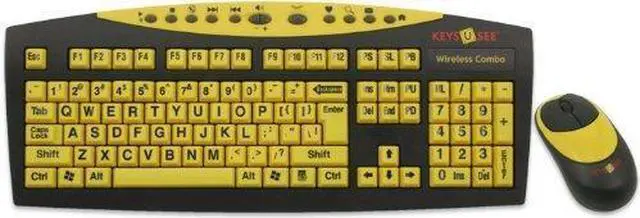
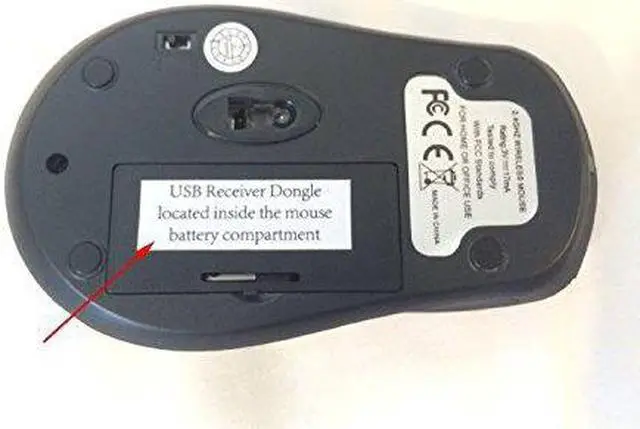
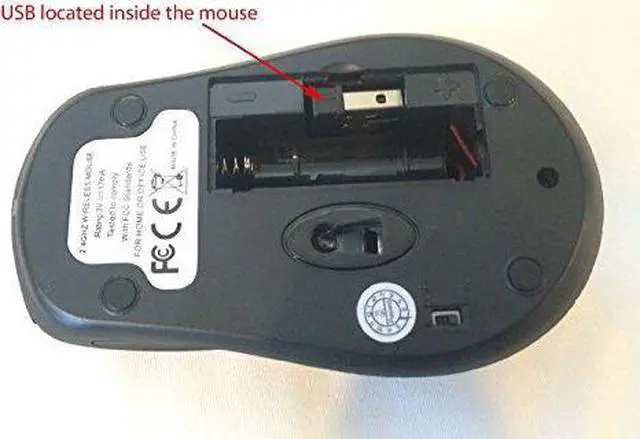
Brand: Keys-U-SeeColor: Black Keyboard with Yellow Keys & Black Letters & CharactersFeatures: Wireless keyboard and optical mouseEasy to see print even in low lightYellow keys with bold 41-point typefaceRequires 4 AA batteries (not included)90-day limited warrantyHardware Platform: PC WindowsLegal Disclaimer: Find Nano USB Receiver Located Inside Mouse Battery Compartment. - Amazon Standard Warranty 30 Day Return or Exchange. Manufacturer's 1 year Repair and Exchange Warranty.Operating System: All WindowsPublisher: Keys-U-SeeWarranty: One Year Manufacturer's Warranty.Details: The Keys-U-See YKB-LPW2-YUSB is a full-size enhanced 104-key keyboard in US English. Character layout is printed in easy-to-read big bold sans serif type on high-contrast black keys with white type.Included with the keyboard is a matching wireless 800 DPI optical wireless mouse and 2.4GHz USB dongle. Two (2) AA batteries are required for both the keyboard and mouse (not included).The Keys-U-See® USB large print computer keyboard is custom designed for those who have a hard time seeing the existing commands on the standard keyboard. Particularly for those with conditions that cause visual impairment or low vision including macular degeneration glaucoma diabetic retinopathy cataracts or age. This user-friendly large print keyboard also has 12 "hot keys" providing easy access to common functions.Technical Specifications:Power Rating: 5 VoltsMouse Radio Frequency: 2.4GHzMouse Optical Resolution: 800DPIDimensions: Height 1.25 in. (3.18 cm); Width 18.5 in. (46.99 cm); Depth 7.5 in. (19.05 cm)System Requirements: Windows Vista XP 2000: USB PortWarranty: 90 day limitedAgency Approvals: FCC CE RoHS Warning : The Power code on this product contains chemicals including lead known to the state of California to cause birth defects or other reproductive harm Wash hands after handling. . Establishing RF Communication MANUALLYimages of connect button locations for wireless Keys-U-See keyboard and mouse 1. Press the CONNECT button located on the receiver. 2. Then press the CONNECT button located on the bottom of the mouse. 3. Press the receiver CONNECT button again. 4. Finally press the CONNECT button located on the bottom of the keyboard. 5. Repeat Steps 1-4 if necessary.UPC: 065465010469EAN: 0065465010469