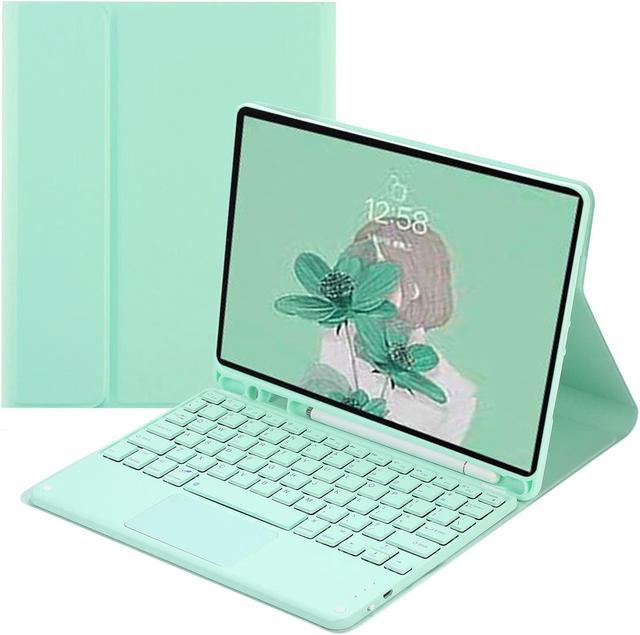
We have Japanese/Korean/Italian/Spanish/
Portuguese/Swedish/Turkish/Hebrew/
Greek/Hungarian/Norwegian/Icelandic/
Russian/Armenian/Arabic/Thai/Sinhalese/
Cambodiakeyboard, if you need it, please
choose the right layout.
Compatible Models: for ipad 10th 2022
for iPad 10th 10.9 inch 2022 (A2696/A2757/A2777)
Keyboard is easy to use, please charge it when Power indicator flashing Red. Charge indicator will be red when charging and will Turn Off after full charged (not turn green).
Auto Sleep & Wake & Heat dissipation
Precise cutouts allow full access to all features (buttons speakers cameras). Moreover the case is honeycomb grid pattern design which is better for thermal dissipation.
Case can offer more viewing angles for daily use
Support multi-system compatibility
Fn + Q Fn + W Fn + E quick swith
Ultra-thin design and convenient travel, new office experience, switch office /entertainment needs anything, anywhere.
Rechargeable Bluetooth Keyboard and Mouse or Battery Mouse
Fast Bluetooth Connection
Keyboard Bluetooth connects to ipad,
4 steps to open a new era of office.
1. Push the button to on power light is on
2. press the connect button, the bluetooth light is on
3. ipad select keyboard bluetooth
4. After the first connection, the next time you start using the keyboard, it will automatically connect
Multi-function Shortcut Keys
Let you operate iPad more conveniently
Basic key combination
Switch apple system: FN+E
Chinese and English input method switching: FN+Space
Show physical keyboard: FN+Control
Switch software: Conmmand+Tab
Case switching: Capslock (If the iPad cannot be set first: Set one +
general + keyboard + physical keyboard + turn off the caps lock key
to switch the Latin keyboard)
Note: If you need to use various countries (Korean, Japanese, etc. ), please set the system to
add a keyboard (IPAD Settings-General-Keyboard-Add Keyboard)
note:
1. If you use Bluetooth mouse and touch keyboard, the ipad system must be upgraded to OS13 or above
2. After the upgrade, open and set up an auxiliary function. You can use the mouse as soon as you open the auxiliary touch
3. Bluetooth mouse and keyboard can be connected to ipad at the same time
Package Contents:
-1 x case with pencil holder ( Pencil is not included )
-1 x Bluetooth keyboard
-1x mouse ( if you choose the case with mouse )