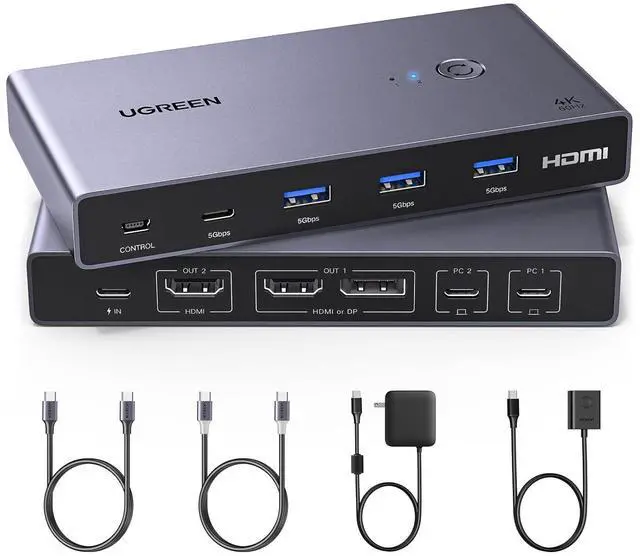
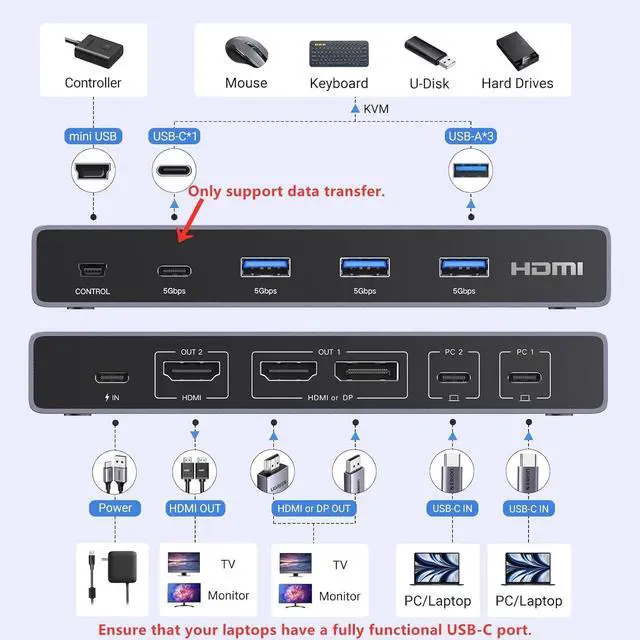
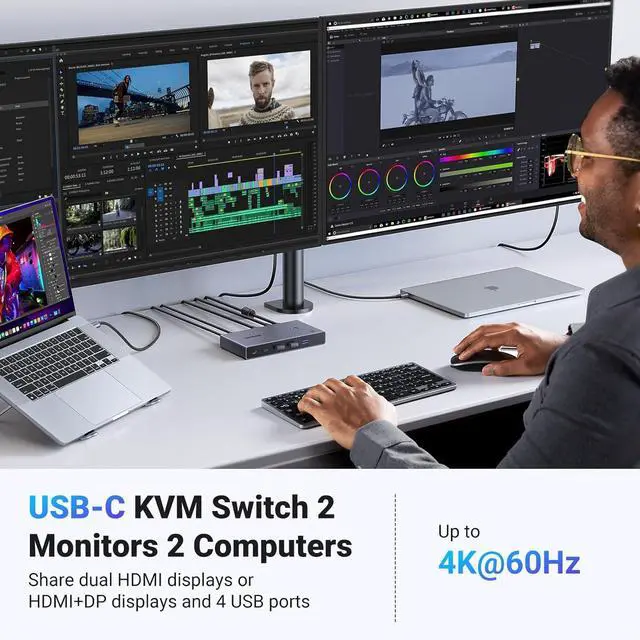
USB C KVM Switch 2 Laptops 2 Monitors: This USB C KVM switch dual monitor allows 2 USB-C laptops to share dual monitors and 4 USB 3.0 devices such as a set of keyboard, mouse, hard drives, U disk, and printer. Supports dual monitors (HDMI+DP or HDMI+HDMI) to display the same or different images. You can easily switch between two laptops, improving your work efficiency greatly. NOTE: The HDMI or DP ports in Out1 CANNOT output at the same time, and you can only choose one of them as output
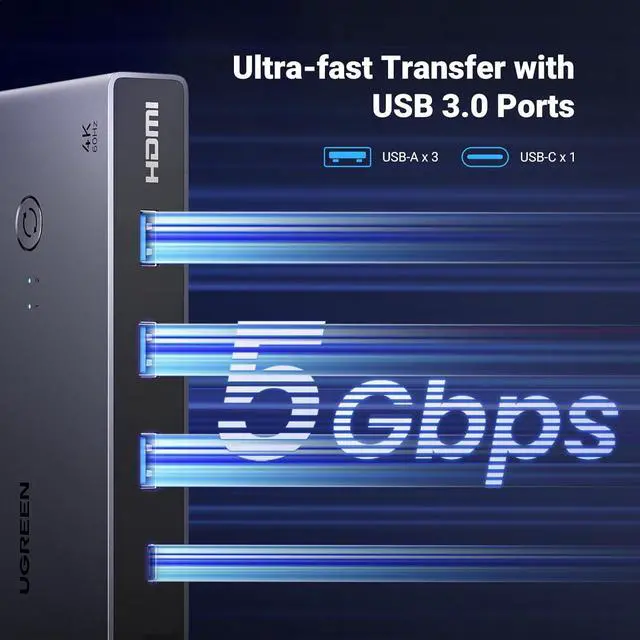
PD 100W Fast Charging & USB 3.0: This USB C KVM switch 2 computers 2 monitors comes with a USB-C PD 100W power adapter, reverse charges the laptop which is using, outputs up to 73W, and completely solves the problem of the laptop USB-C charging port being occupied when using the dual monitor KVM switch. UGREEN KVM switches have 4 USB 3.0 ports (3 USB-A Ports +1 USB-C Port) for 2 laptops to share USB devices, speed up to 5Gbps for data transfer
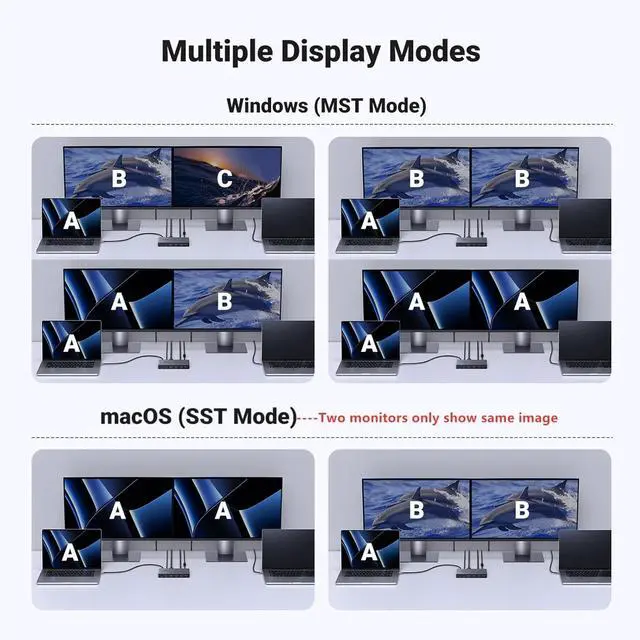
Support Different Display Modes: Windows system dual monitors support MST (multi-stream transport) mode so two monitors can display the same or different content simultaneously. While the macOS system ONLY supports SST mode, which means both monitors will show the same image. MacOS doesnt support MST. The resolution is up to 4K@60Hz and backward compatible 4K@30Hz, 2560*1440@60Hz, 1080P@120Hz. It also supports HDCP2.2/1.4, and HDR. (NOTE: MacOS system cannot support extended)
Two Switching Ways & Package List: By One-Botton switch or desktop controller, freely switch between 2 laptops, saving space on your desk and elevating your work efficiency. PACKAGE LIST: 1* KVM Switch, 2* USB-C Cables, 1* PD100W Power adapter, 1* Desktop Controller, 1* User Manual
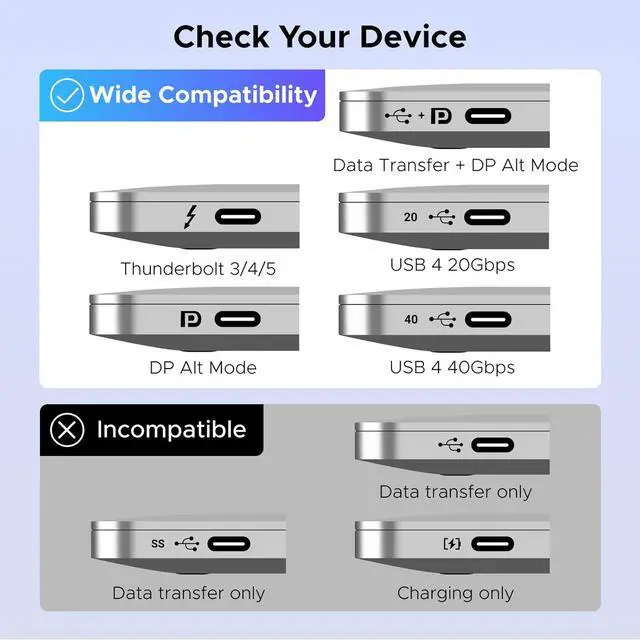
Driver-Free & Great Compatibility: This KVM switch USB C supports Windows, macOS, and Linux systems, without the hassle of additional software or drivers. It has wide compatibility, it is also compatible with Mac mini M4/M4 Pro
NOTE: 1, Please ENSURE it is connected to the power source for charging when using. 2, Please check the laptop is awakened from sleep mode before you switch. 3, Ensure that the connected laptop has a fully functional USB-C port. 4, It cannot charge two laptops at the same time, it only charges the laptop that is in use. 5, MacOS doesn't support MST, so it cannot support extended laptop