




Productivity Timer
No matter at home, school, the office, or the gym, the time management method helps users stay efficient.

- Established in 2021, Exlliy is a trusted brand specializing in desktop accessories. Our team of passionate experts is dedicated to enhancing your home and office with innovative and practical products, tailored to your needs.
- Our team of developers, designers, and engineers is committed to designing and delivering the highest quality accessories that suit your lifestyle.
More exciting
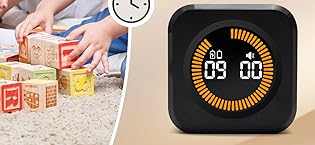
- Exlliy is a brand focusing on office learning.
- If you have any questions or concerns, please click on "Exlliy" on the product page or your order page to leave a message for the seller "Exlliy." Our Assistance team will respond you in 24 hours.
- How to follow our brand?
- Click on "Visit the Store" below the Exlliy product title, then click "Follow."
What products do we offer?
Committed to providing customers with innovative, high-quality and beautiful sealing wax products to meet different occasions and personal needs
Why choose us?
At Exlliy, we are committed to delivering an exceptional customer experience.
What problem are we trying to solve?
Exlliy provides high-quality office and school supplies, whether it is an office or a school, to comprehensively solve your needs.
Welcome to Exlliy flagship store
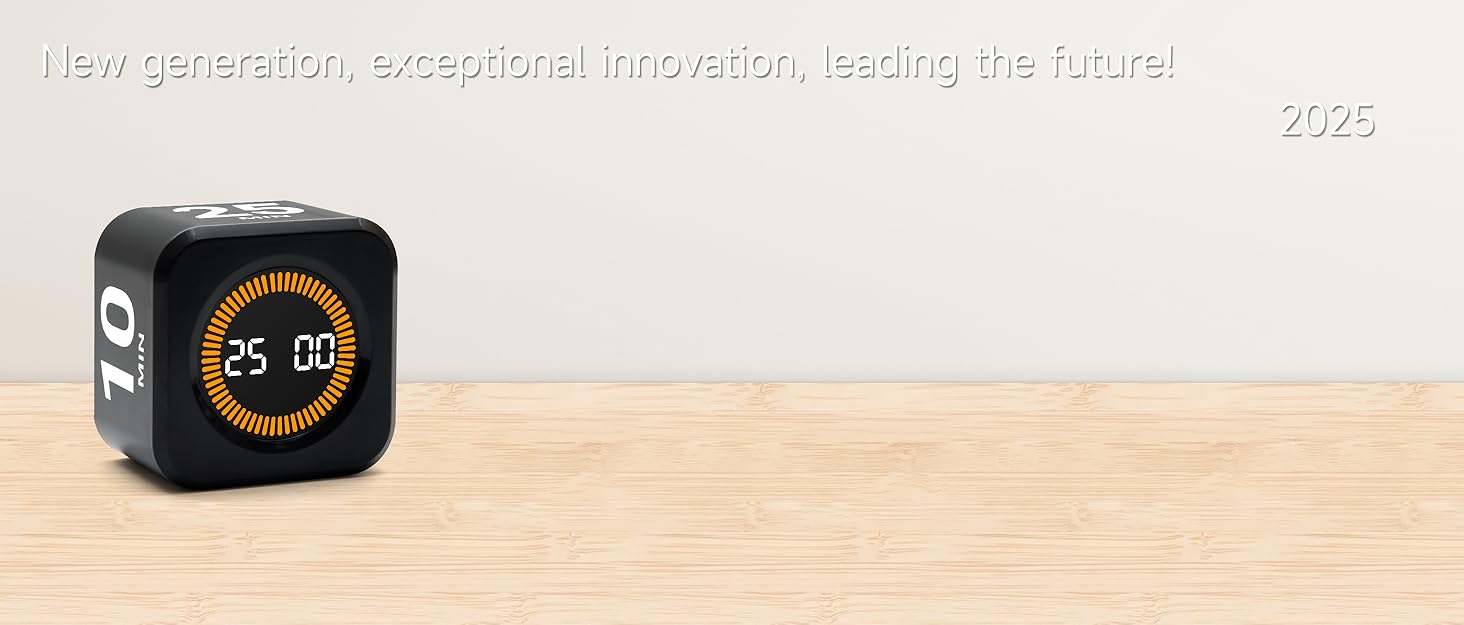
Rotating Timer for Focus & Productivity

Popular Work Method
After 25 minutes of focused (1 work intervals)
Take a 5-minute break; after every 4 work intervals, extend the break to 15-30 minutes.

Popular Work Method
The principle of indivisibility
Reduce time anxiety and enhance sense of accomplishment through small cycle tasks.
Promote Self-Challenge
Enhance Time Awareness
Regular use helps users develop efficient time habits and reinforce time awareness.
Maximize Your Productivity with a Smart Time Management Tool!
- Ever felt your work efficiency drop due to unclear time limits for tasks? Without set time frames, it's easy to lose focus and waste time.
- Time Management Can Be Tough, With constant distractions like emails, messages, and calls, staying on task becomes challenging. It can be hard to find the motivation to finish a task when you're constantly interrupted.
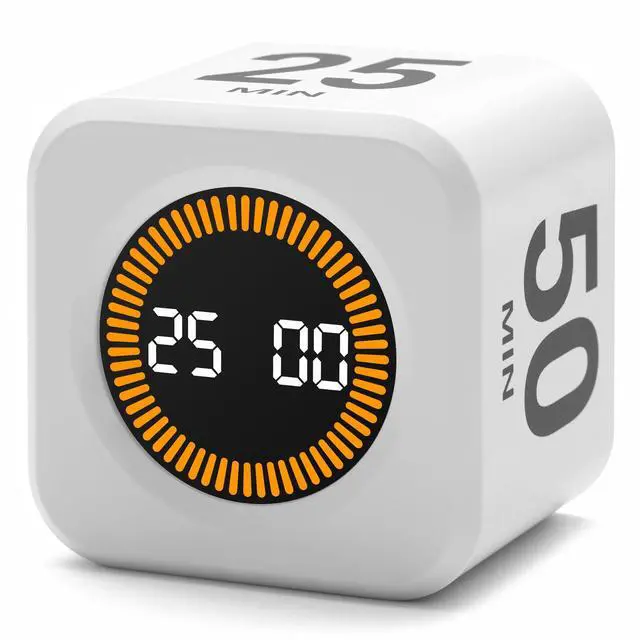
- The Exlliy cube timer offers a simple solution. Compact and versatile, it lets you set countdown or count-up times by flipping the device to start. Just select a preset time, and you’re good to go!
- Every moment counts, and Exlliy helps you stay focused on your tasks. As a powerful productivity tool, it’s an essential partner for better time management and a higher quality of life.

Ideal for family, friends, children, girls, women, students, classmates, and teachers, this makes a great choice for school, travel, home, or office use. Perfect for gifting on occasions like Christmas, Halloween, birthdays, Mother’s Day, Easter, Valentine’s Day, Thanksgiving
Product Specifications
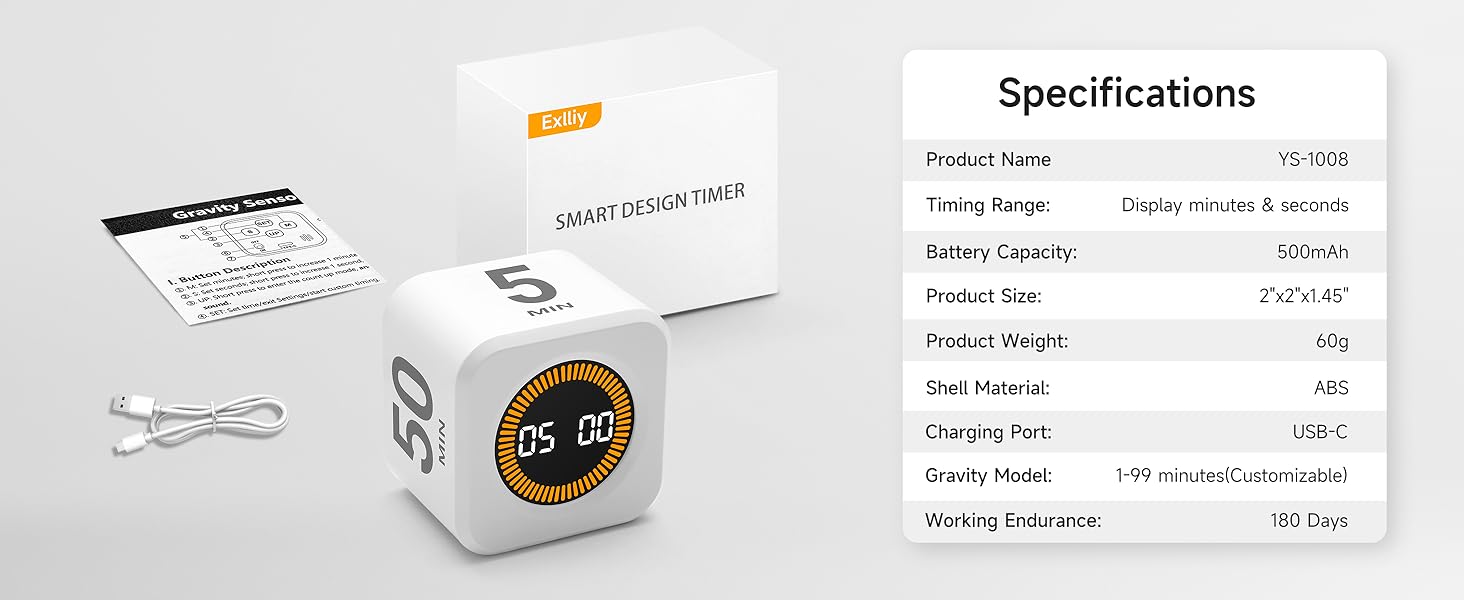
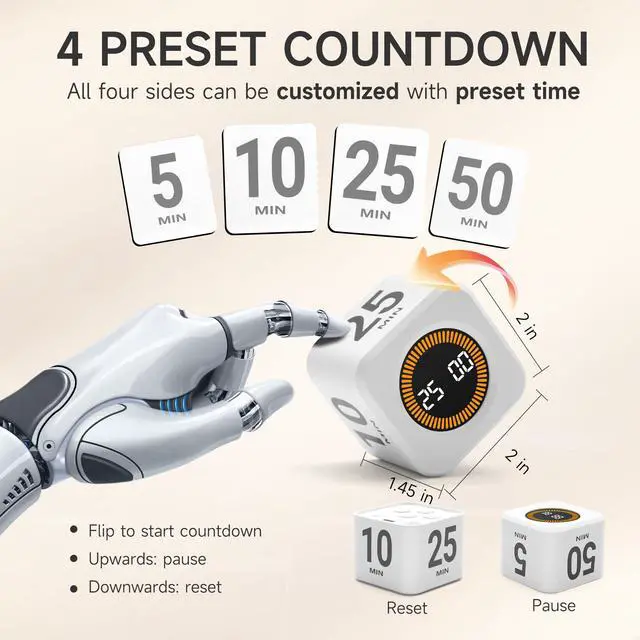
Rotate to any side to start the countdown, and the corresponding number will begin. It will beep with a "beep-beep-beep" sound when the countdown ends.
Screen facing up to pause / Screen facing down to reset to zero.
See more at Exlliy store.
Custom presets | Features | Wood Grain |
Rechargeable | Power supply | Rechargeable |
2”×2”×1.45” | Size | 2.1”×2.1”×1.9” |
Gravity sensor | ||
YS-1008 | Model | F6 |
Custom presets | Features | with Clock |
Rechargeable | Power supply | Rechargeable |
2”×2”×1.45” | Size | 2.4”×2.4”×1.1” |
Gravity sensor | ||
YS-1008 | Model | T22c |
Custom presets | Features | Visual energy bar |
Rechargeable | Power supply | Rechargeable |
2”×2”×1.45” | Size | 2.4”×2.4”×1.1” |
Gravity sensor | ||
YS-1008 | Model | T22va |
Custom presets | Features | Magnetic suction |
Rechargeable | Power supply | Battery (included) |
2”×2”×1.45” | Size | 3”×3”×1” |
Gravity sensor | ||
YS-1008 | Model | F5 |
Productivity Timer
No matter at home, school, the office, or the gym, the time management method helps users stay efficient.
- Established in 2021, Exlliy is a trusted brand specializing in desktop accessories. Our team of passionate experts is dedicated to enhancing your home and office with innovative and practical products, tailored to your needs.
- Our team of developers, designers, and engineers is committed to designing and delivering the highest quality accessories that suit your lifestyle.
More exciting
- Exlliy is a brand focusing on office learning.
- If you have any questions or concerns, please click on "Exlliy" on the product page or your order page to leave a message for the seller "Exlliy." Our Assistance team will respond you in 24 hours.
- How to follow our brand?
- Click on "Visit the Store" below the Exlliy product title, then click "Follow."
What products do we offer?
Committed to providing customers with innovative, high-quality and beautiful sealing wax products to meet different occasions and personal needs
Why choose us?
At Exlliy, we are committed to delivering an exceptional customer experience.
What problem are we trying to solve?
Exlliy provides high-quality office and school supplies, whether it is an office or a school, to comprehensively solve your needs.
Welcome to Exlliy flagship store
Rotating Timer for Focus & Productivity
Popular Work Method
After 25 minutes of focused (1 work intervals)
Take a 5-minute break; after every 4 work intervals, extend the break to 15-30 minutes.
Popular Work Method
The principle of indivisibility
Reduce time anxiety and enhance sense of accomplishment through small cycle tasks.
Promote Self-Challenge
Enhance Time Awareness
Regular use helps users develop efficient time habits and reinforce time awareness.


Maximize Your Productivity with a Smart Time Management Tool!
- Ever felt your work efficiency drop due to unclear time limits for tasks? Without set time frames, it's easy to lose focus and waste time.
- Time Management Can Be Tough, With constant distractions like emails, messages, and calls, staying on task becomes challenging. It can be hard to find the motivation to finish a task when you're constantly interrupted.
- The Exlliy cube timer offers a simple solution. Compact and versatile, it lets you set countdown or count-up times by flipping the device to start. Just select a preset time, and you’re good to go!
- Every moment counts, and Exlliy helps you stay focused on your tasks. As a powerful productivity tool, it’s an essential partner for better time management and a higher quality of life.

Ideal for family, friends, children, girls, women, students, classmates, and teachers, this makes a great choice for school, travel, home, or office use. Perfect for gifting on occasions like Christmas, Halloween, birthdays, Mother’s Day, Easter, Valentine’s Day, Thanksgiving
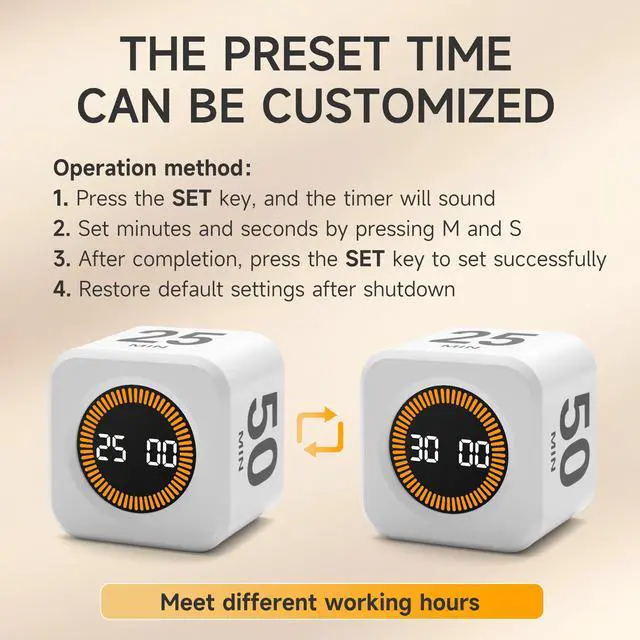
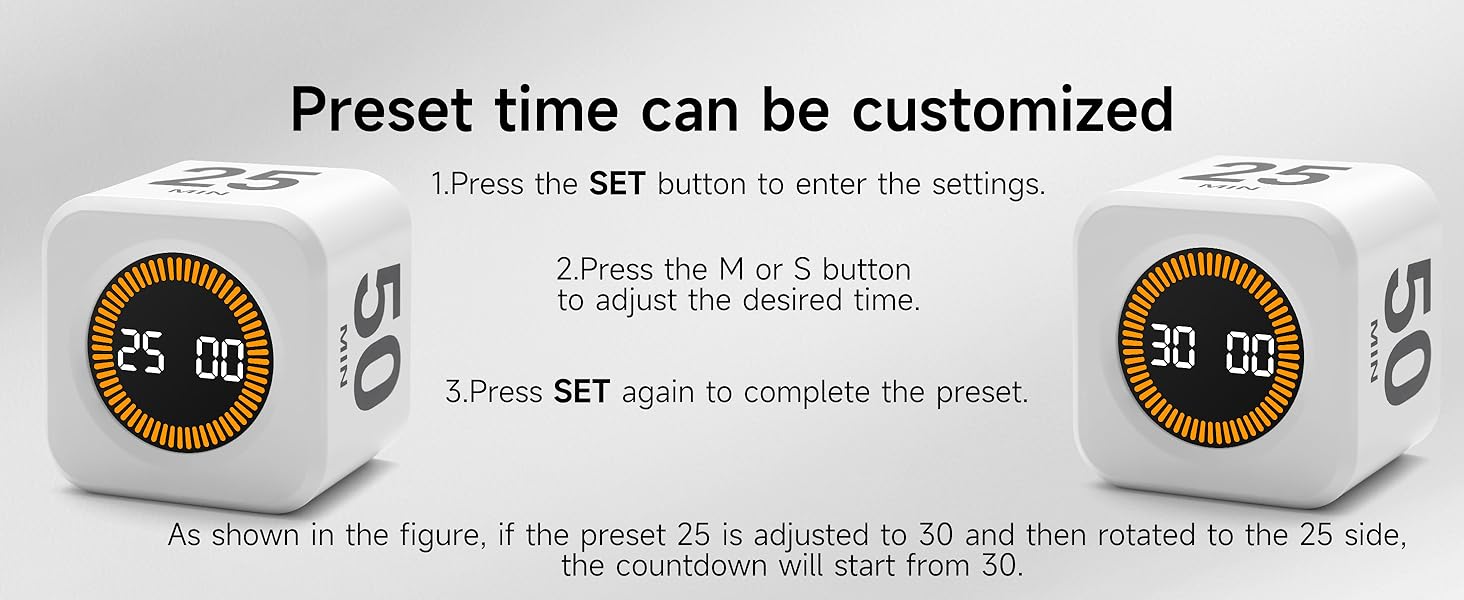
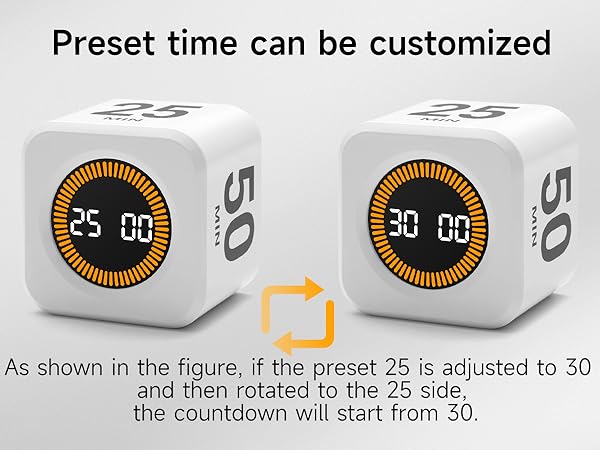
How to customize presets
Presets can be set on all four sides
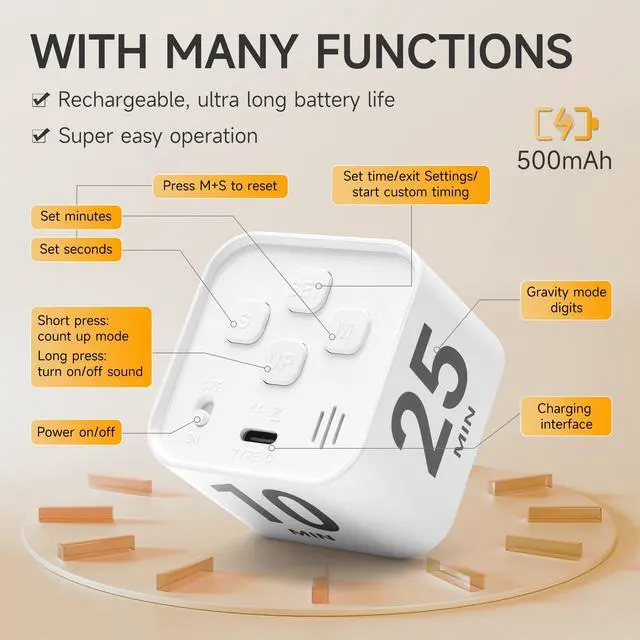
the SET button to enter setting mode. Press the M button to increase minutes and the S button to increase seconds. (Long-pressing M/S individually will increase the value quickly. Values cannot be decreased — they will cycle from 99 to 1 for minutes, and from 59 to 01 for seconds.) Press the SET button again to confirm and exit the setting mode.
Restarting restores the original presets. Due to the timer's power-saving standby mode, you rarely need to turn it off.
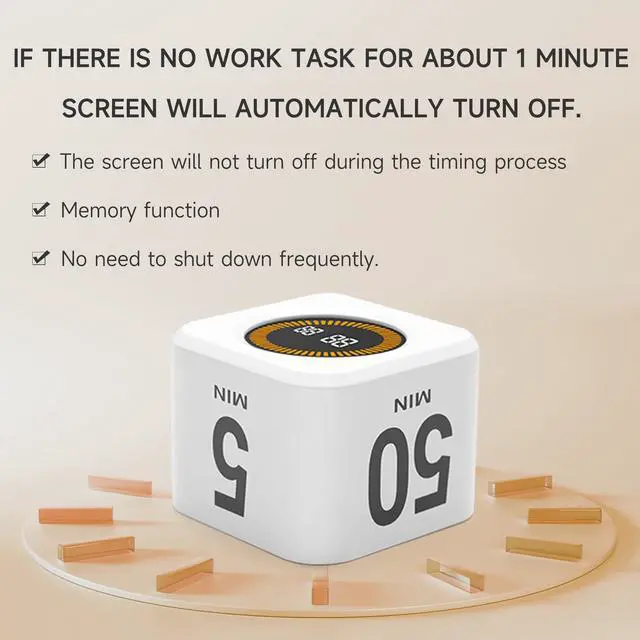
Auto standby mode
Automatically enters power-saving mode after 1 minute of inactivity.
Regardless of the side you're on, the device will automatically enter power-saving mode if there’s no active task, or if no action is taken after the task expires and the alarm rings 60 times.
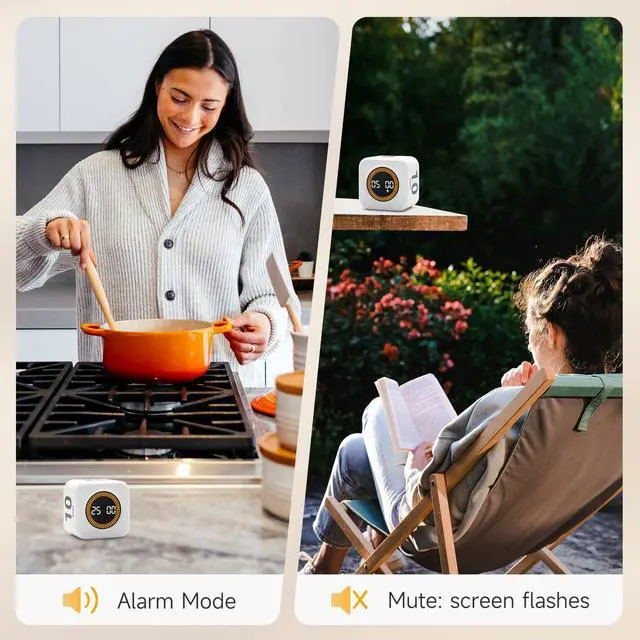
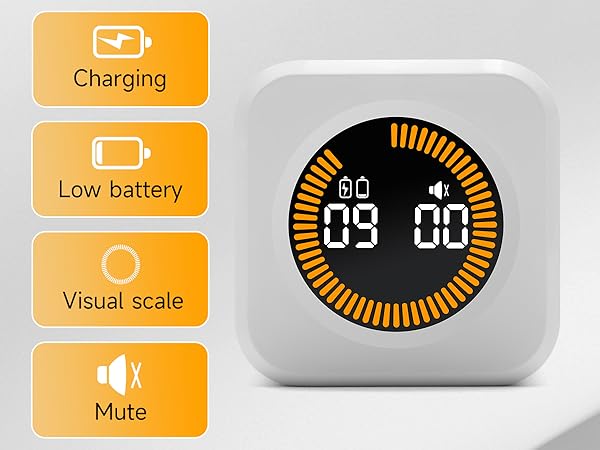
How to activate silent mode
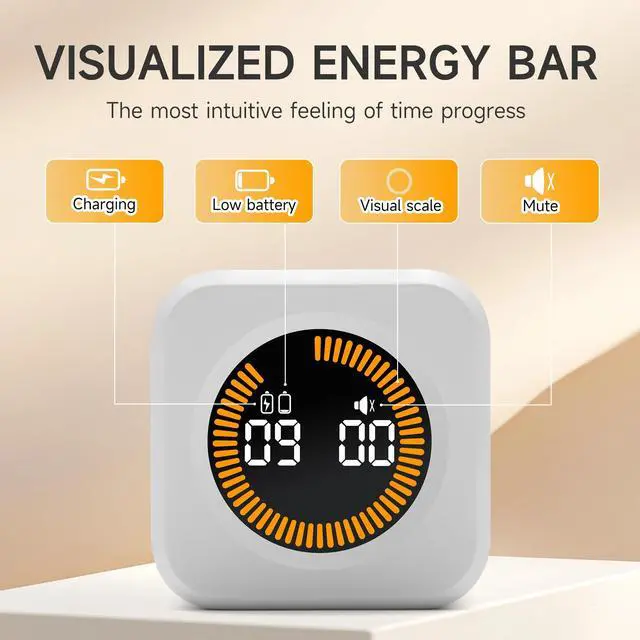
Long press the UP button
Similarly, to turn off silent mode, long press the UP button. In silent mode, when the task is complete, the screen will flash to indicate.
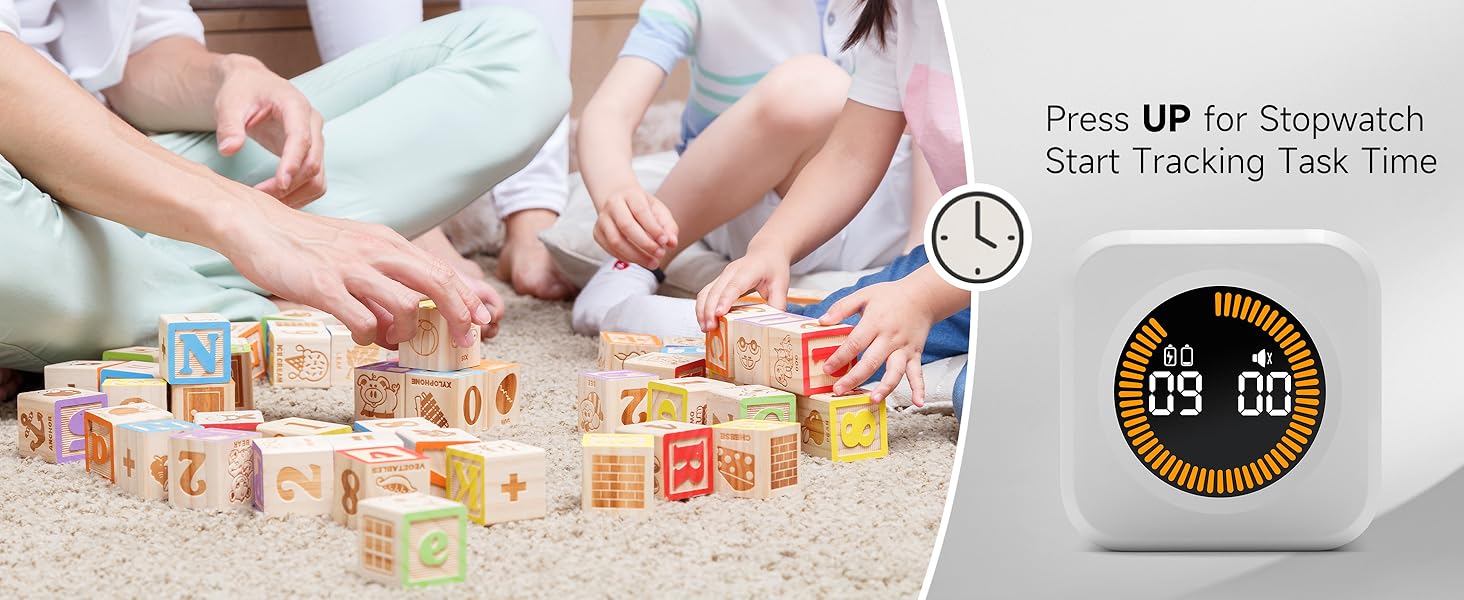
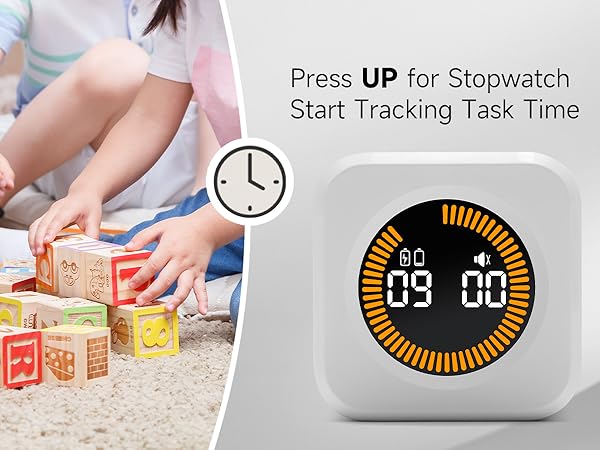
How to activate the stopwatch
Short press the UP button to enter stopwatch mode.
In stopwatch mode, the energy bar will gradually display to match the time, with a maximum of 99 minutes and 59 seconds. Stopwatch mode only supports pause functionality. To pause, short press the UP button or place the screen facing up. Other actions will activate the gravity-sensing timer. To return to stopwatch mode, press the UP button again.
Pause / Reset
Screen up to pause, screen down to reset.
Screen down to reset the timer, applicable only in gravity-sensing mode. In stopwatch mode, manual reset is required.
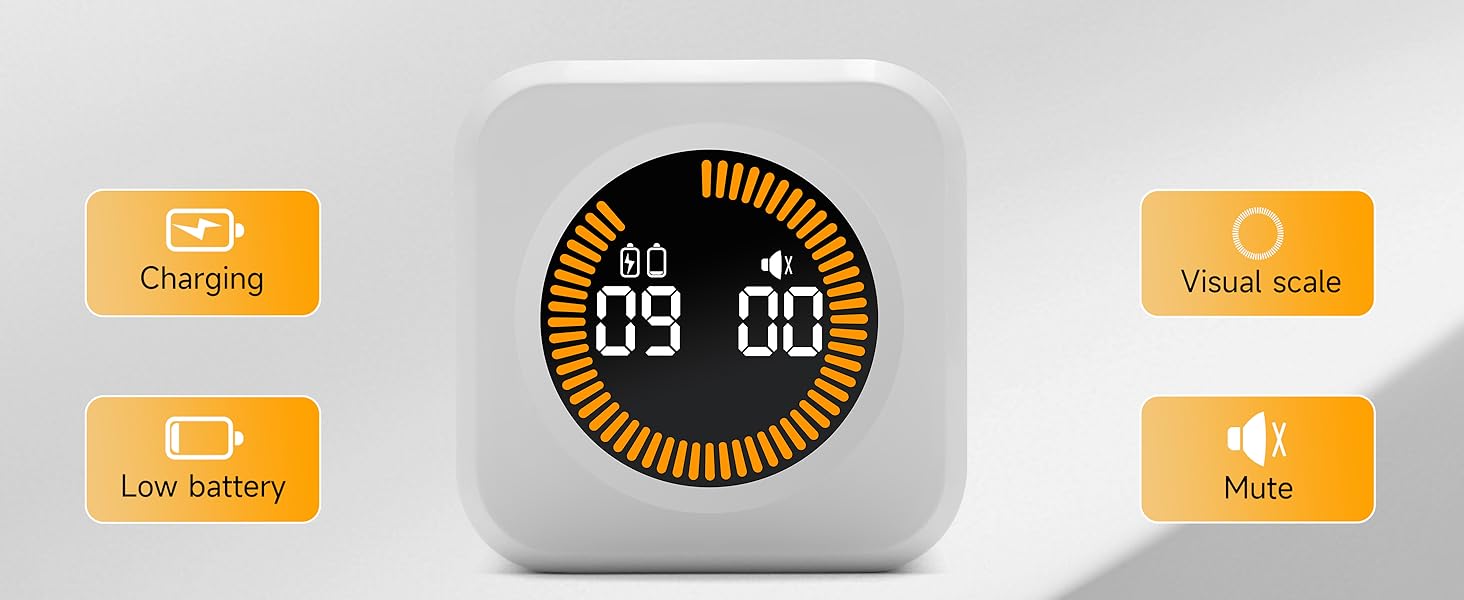
Low battery warning / Fully charged
Pay attention to the battery icon display status.
The battery icon will display when the battery is low. During charging, the battery icon will flash, and once fully charged, the battery icon will remain solid, indicating you can unplug the charging cable. While we have power protection built in, we recommend unplugging the device once it’s fully charged to help maintain battery health.
Product Specifications
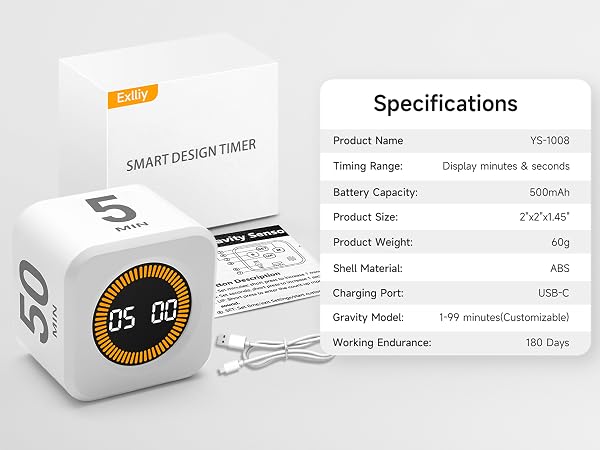
Rotate to any side to start the countdown, and the corresponding number will begin. It will beep with a "beep-beep-beep" sound when the countdown ends.
Screen facing up to pause / Screen facing down to reset to zero.
See more at Exlliy store.
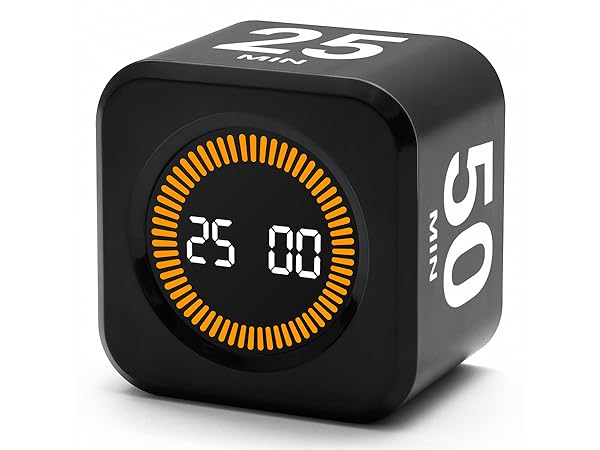
4 preset timers
Features
Custom presets
Power supply
Rechargeable
Size
2”×2”×1.45”
Gravity sensor
Model
YS-1008
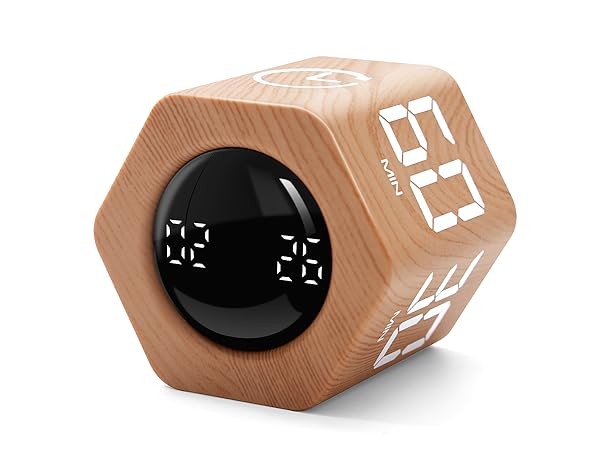
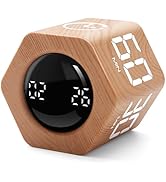
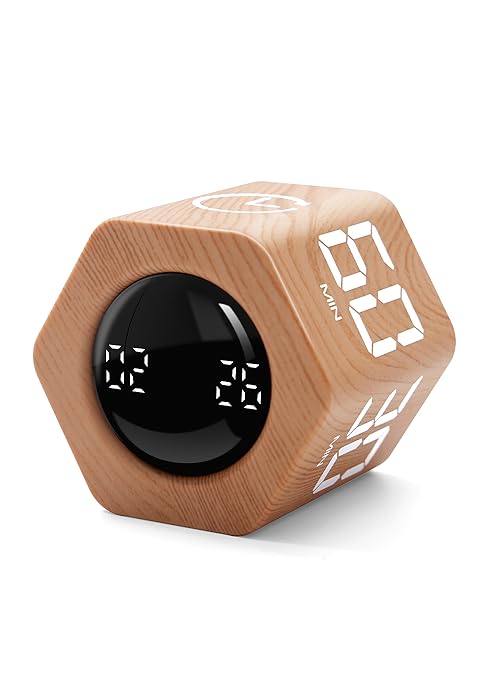
Woodgrain Special Edition
Features
Wood Grain
Power supply
Rechargeable
Size
2.1”×2.1”×1.9”
Gravity sensor
Model
F6
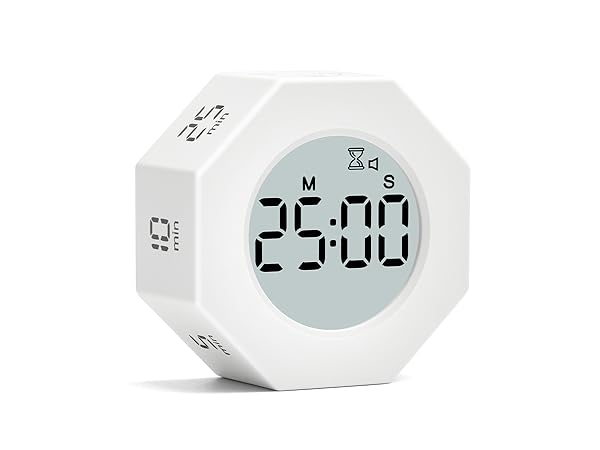
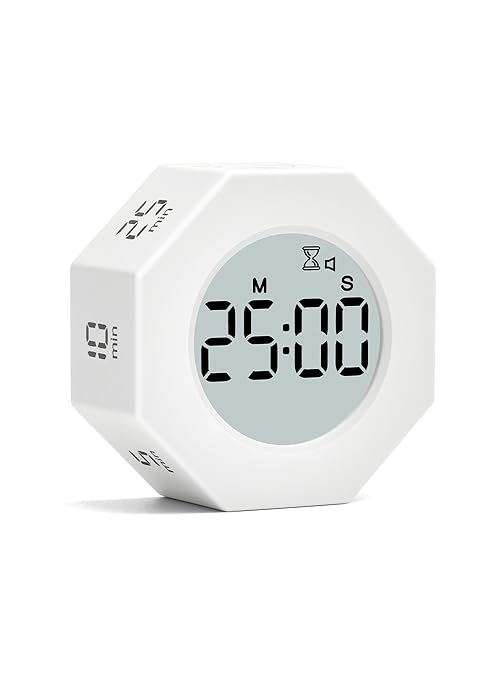
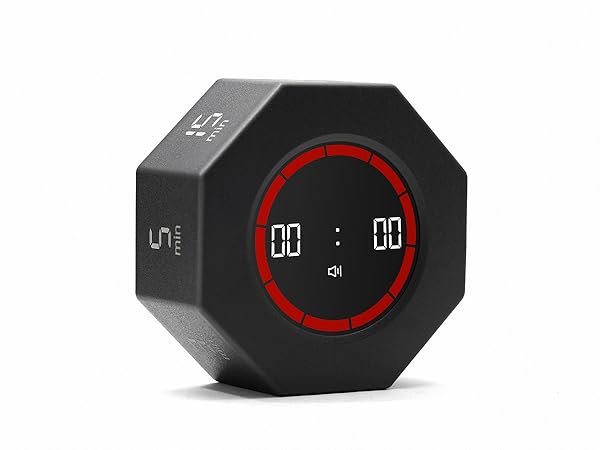
7 preset timers
Features
with Clock
Power supply
Rechargeable
Size
2.4”×2.4”×1.1”
Gravity sensor
Model
T22c
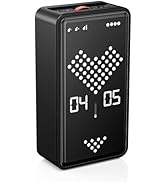
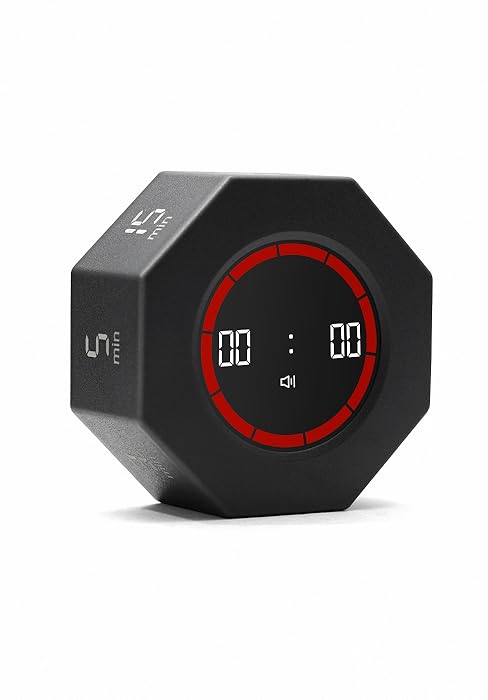
7 preset timers
Features
Visual energy bar
Power supply
Rechargeable
Size
2.4”×2.4”×1.1”
Gravity sensor
Model
T22va
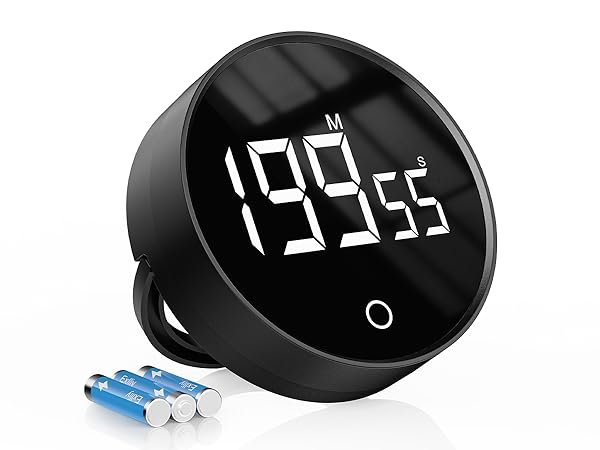
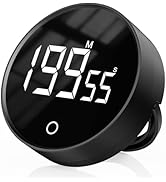
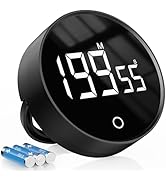
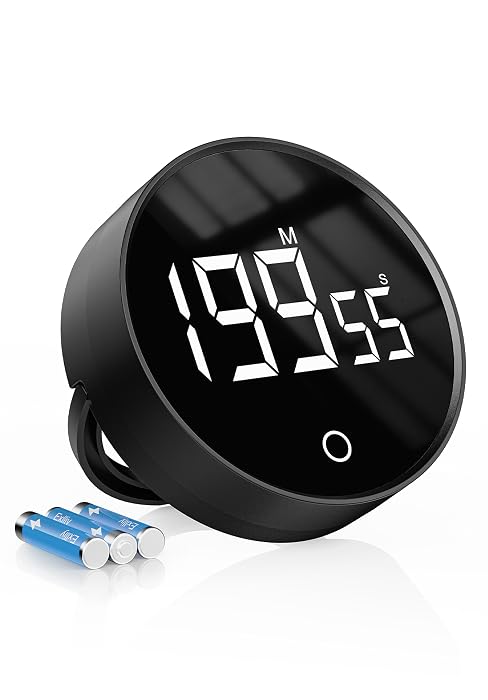
Digital Kitchen Timer
Features
Magnetic suction
Power supply
Battery (included)
Size
3”×3”×1”
Gravity sensor
Model
F5
