




VEWINGL
A humorous and adorable store, filling your shopping cart with joy.

- VEWINGL was established in 2020 and is a brand dedicated to bringing you high-quality products and exceptional experiences. Whether you are a fashion enthusiast pursuing the latest trends or a modern individual who appreciates minimalist style, our products are designed to meet your needs.
- We will continuously update with interesting and innovative products.
The latest products.
What products are we working on?
We're always working on something new and interesting
What are the core values of VEWINGL?
Innovation, quality, user experience, etc. are the mission and values that shape the VEWINGL brand, and are also its unique identity.
Welcome to VEWINGL flagship store
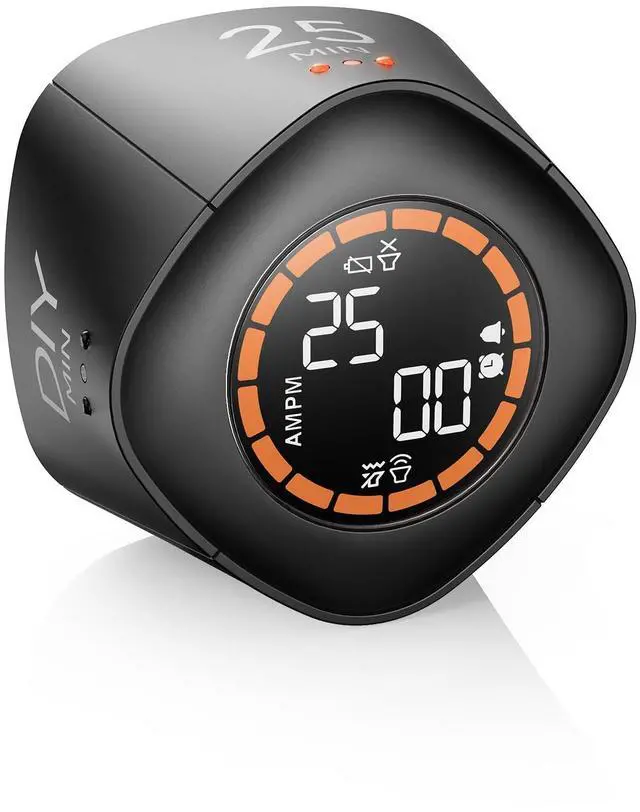
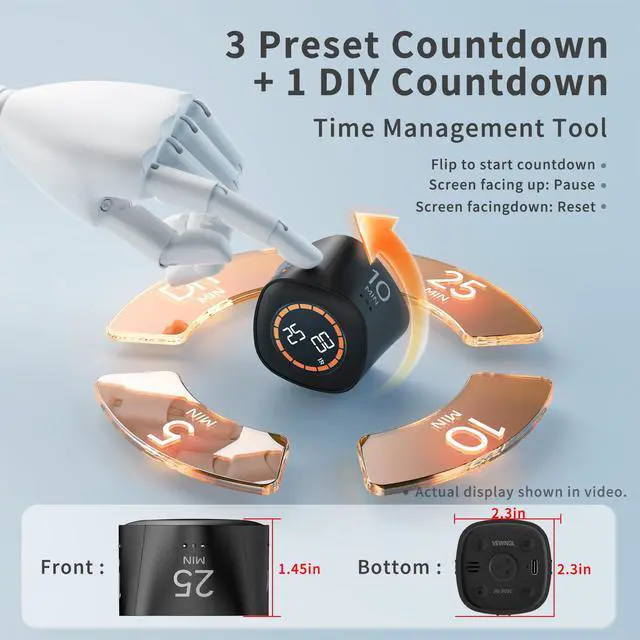
Cube Productivity Timer, 5/10/25/DIY Min Presets
Merchant Video


The eye-friendly luminous display can be clearly seen at night

Boost productivity with 25-minute focus sessions and 5-minute breaks, designed to help you stay focused and energized while managing your time effectively.

Every moment is precious, and VEWINGL helps you stay focused on the task at hand. As a cutting-edge efficiency timer, it serves as an exceptional time management tool to boost productivity.
Helpful Usage Tips
- Please fully charge the timer before first use.
- Place the timer on a flat surface to start countdown.
- DIY side supports customizable countdown settings.
- LCD visibility may vary slightly at different viewing angles.
Is it rechargeable?
Yes. Please fully charge the timer before first use.
How do I turn the timer on and off?
Short press the volume button to power on the timer, and long press the volume button to power it off. The screen automatically turns off after inactivity to help save power.
Does it support silent mode?
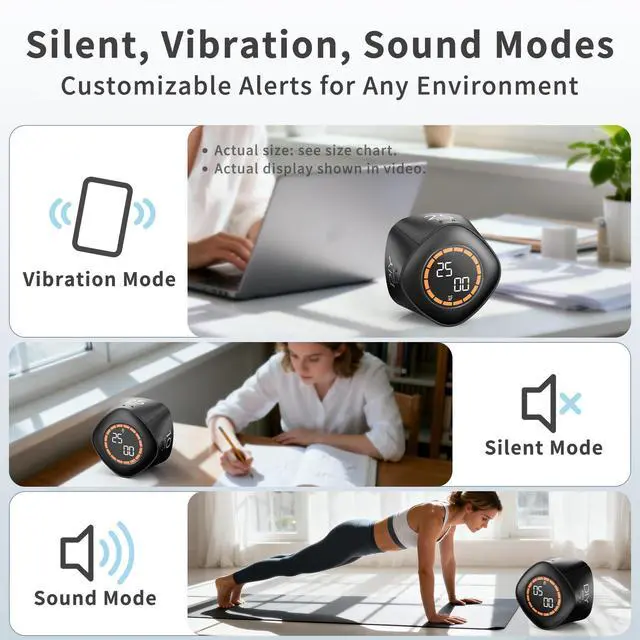
Yes. Sound, vibration, and silent alert modes are included for different environments.
Which side supports customizable countdown settings?
The DIY side supports customizable countdown settings up to 99 minutes and 59 seconds.
VEWINGL
A humorous and adorable store, filling your shopping cart with joy.
- VEWINGL was established in 2020 and is a brand dedicated to bringing you high-quality products and exceptional experiences. Whether you are a fashion enthusiast pursuing the latest trends or a modern individual who appreciates minimalist style, our products are designed to meet your needs.
- We will continuously update with interesting and innovative products.
The latest products.
What products are we working on?
We're always working on something new and interesting
What are the core values of VEWINGL?
Innovation, quality, user experience, etc. are the mission and values that shape the VEWINGL brand, and are also its unique identity.
Welcome to VEWINGL flagship store
Cube Productivity Timer, 5/10/25/DIY Min Presets
Merchant VideoAlways-On Display
Only available in DIY mode
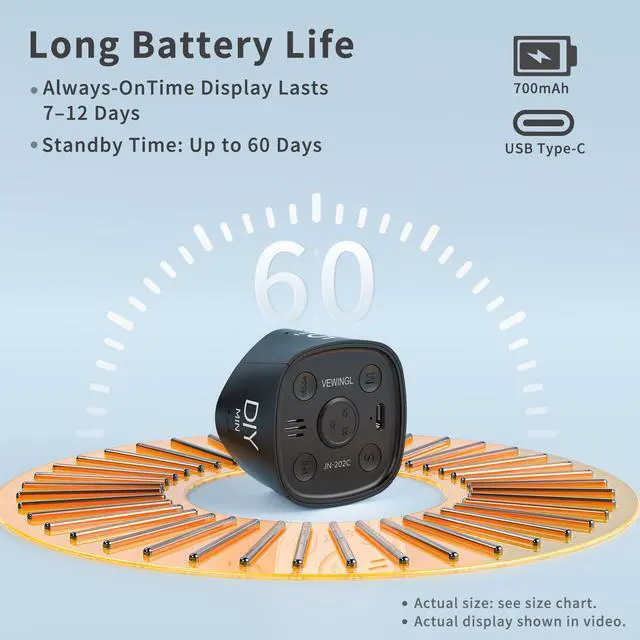
Time display lasts 7–12 days per charge; plug in for continuous use. with Memory Mode.


The eye-friendly luminous display can be clearly seen at night

Boost productivity with 25-minute focus sessions and 5-minute breaks, designed to help you stay focused and energized while managing your time effectively.

Every moment is precious, and VEWINGL helps you stay focused on the task at hand. As a cutting-edge efficiency timer, it serves as an exceptional time management tool to boost productivity.
Alarm Animation
Ambient Light Details
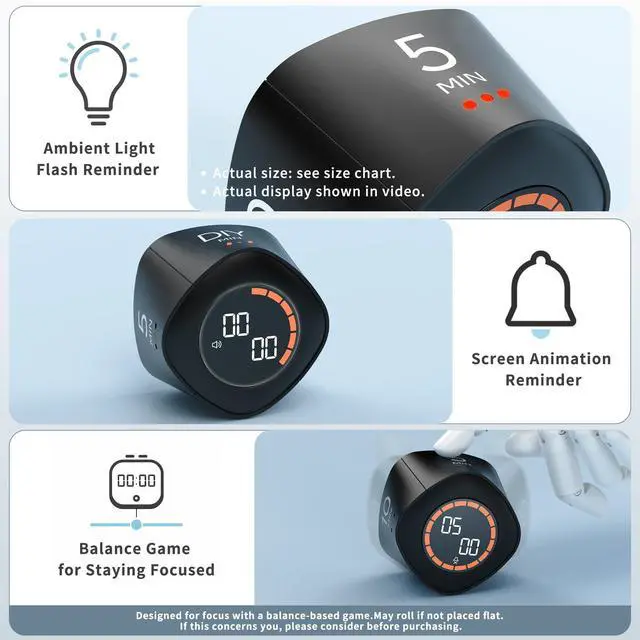
Screen flashes, the energy bar rotates, and the ambient light pulses—creating a dynamic, immersive countdown experience.
DIY Gravity Countdown
Custom Presets Available in DIY Mode
In DIY mode, use the M or S button to increase the value. The setting can only be increased and cannot be decreased. When the value reaches 99, it automatically resets to 00. If the current value is 10 and you want to set it to 5, you must increase it to 99 first, then continue from 00 to set the desired value.
Time Setting
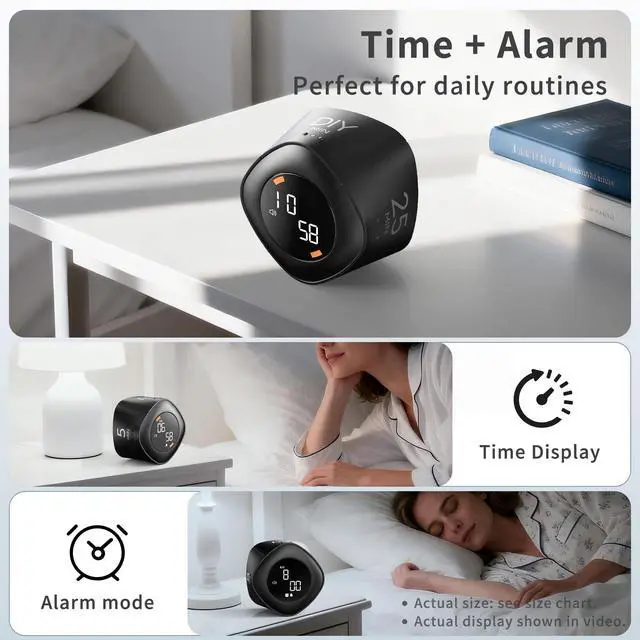
12H / 24H Time Format Adjustable
The time display is available only in the DIY interface.
In the DIY interface, short press the Mode button to enter Time Mode.
Press and hold the Mode button to enter time setting, then set hour, minute, and 12H/24H in sequence.Use the M button to increase values and the S button to decrease values. Settings are saved automatically.
Tip: In Time Mode, hold the volume button to power off, then hold again to enter the rotating time display.
Alarm Setting
Start/Pause button/Turn on/off in alarm mode
The alarm function can only be set in the DIY interface.
Short press (Mode) to switch to alarm mode, long press (Mode) to enter settings. Short press (Mode) to set hours and minutes sequentially, with (M) to increase and (S) to decrease. If the time mode is set to 12-hour format, there will be AM/PM distinction.
Sound / Mute / Vibration
The count-up timer can only be used in the DIY interface.
In DIY timer mode, press pause to stop the timer. Long press the Start button to switch to count-up mode, which supports up to 99 minutes and 59 seconds. Once in count-up mode, the DIY countdown is disabled and the count-up mode stays active. To re-enter the DIY gravity preset, press (M) and (S) to reset the preset, or the count-up mode will remain active. In count-up mode, press the Start button to pause, and long press the Start button to reset to 0.
Balance game
Stay more focused
This timer is designed to help maintain focus, featuring a unique balance game. To ensure accurate timing, it must be placed on a flat, horizontal surface. If placed incorrectly, it will roll, preventing the timer from functioning. Therefore, please ensure the timer is positioned level before starting the countdown. If this is a concern, please refrain from purchasing.
Helpful Usage Tips
- Please fully charge the timer before first use.
- Place the timer on a flat surface to start countdown.
- DIY side supports customizable countdown settings.
- LCD visibility may vary slightly at different viewing angles.
Is it rechargeable?
Yes. Please fully charge the timer before first use.
How do I turn the timer on and off?
Short press the volume button to power on the timer, and long press the volume button to power it off. The screen automatically turns off after inactivity to help save power.
Does it support silent mode?
Yes. Sound, vibration, and silent alert modes are included for different environments.
Which side supports customizable countdown settings?
The DIY side supports customizable countdown settings up to 99 minutes and 59 seconds.