




Live Energy Usage Data, Spend Less
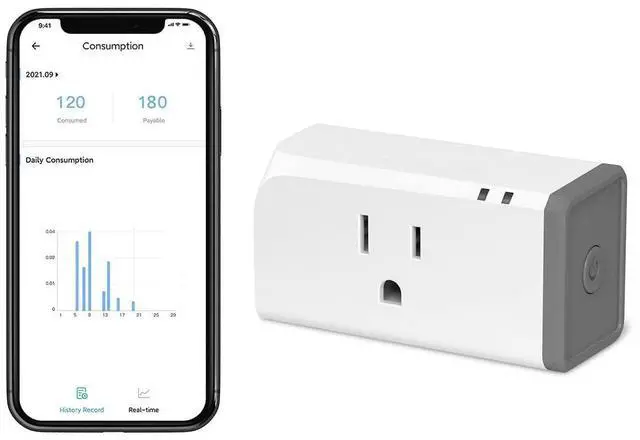
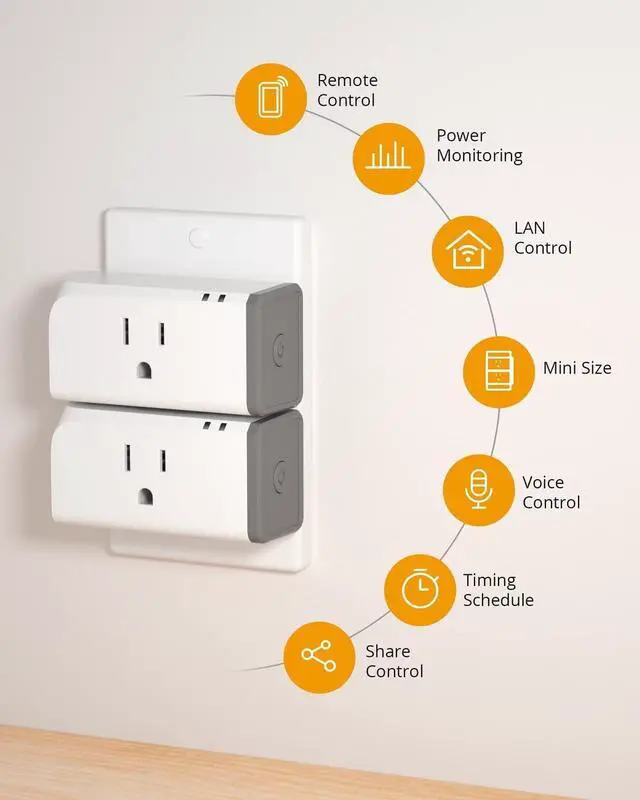
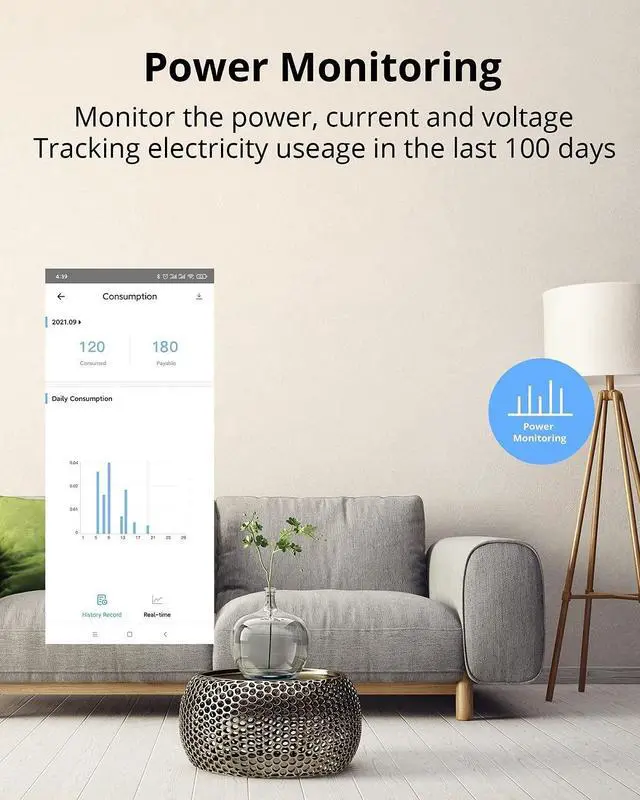
Monitor which devices are turned on and how much that is costing you from anywhere at any time. With eWeLink App, you can monitor live power, current, voltage. You can measure energy usage foi a period and check 100 days energy consumption history. Knowing how much energy your devices consuming,you can set up auto-off timers to save cost.

App Remote Control
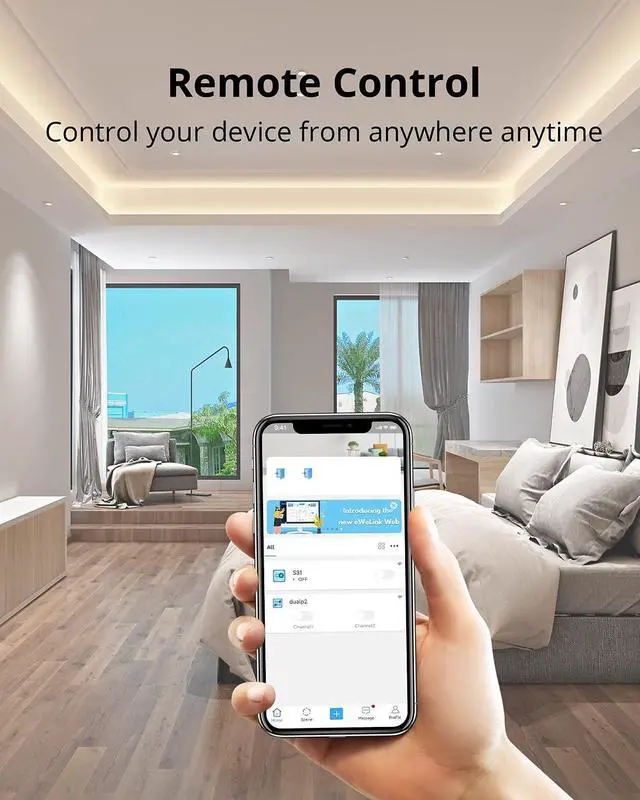
Want to remotely control those ordinary devices like heater, lamps and other devices? The smart plug is your ideal option. Plug and play, then you can turn ON/OFF them instantly just with a light touch on eWeLink App anytime and anywhere.

Smart Scene
You can create smart scenes in order that one SONOFF device can trigger on/off another one or gather multiple devices into one group and tap to run them together.

Timing Schedule
Schedule a time to devices and they will turn on or off automatically. Automate your home appliances via different timing schedules.

Sync Status
Real-time device status can be provided on eWeLink App so that you can have access to status change of your devices conveniently and quickly.

LAN Control
When the router is not connected to the Wi-Fi network, you can still control the device through the App under the LAN Control mode. Note: Your phone and device must be connected to the same router.

Share Control of Devices
You can simply share home appliances to your family via App so that they can also turn on/off the devices remotely. Its easy control feature also make the elders or children enjoy smart life without difficulty.

Power on State
You can set the power-on state to: ON/OFF/KEEP. When the device is powered back on, its state will be determined by the power-on state you set.

Compatible with IFTTT
By connecting with "eWeLink Smart Home" on IFTTT App, you own unlimited possibilities to control SONOFF devices with IFTTT supported App and services. (Only eWeLink advanced users have access to IFTTT.)


1. Download “eWeLink” on App Store for iOS or on Google Play for Android.
2. Cut off the power before installing the device. Then power it on after completing the installation.
3. After powering on, the device will enter the quick pairing mode during the first use.
4. Tap “+” to operate following the prompt on the App.
5. Input your WiFi SSID & password.
6. It will automatically search and connect the device. Name the device to complete.
Works with Alexa & Google Home
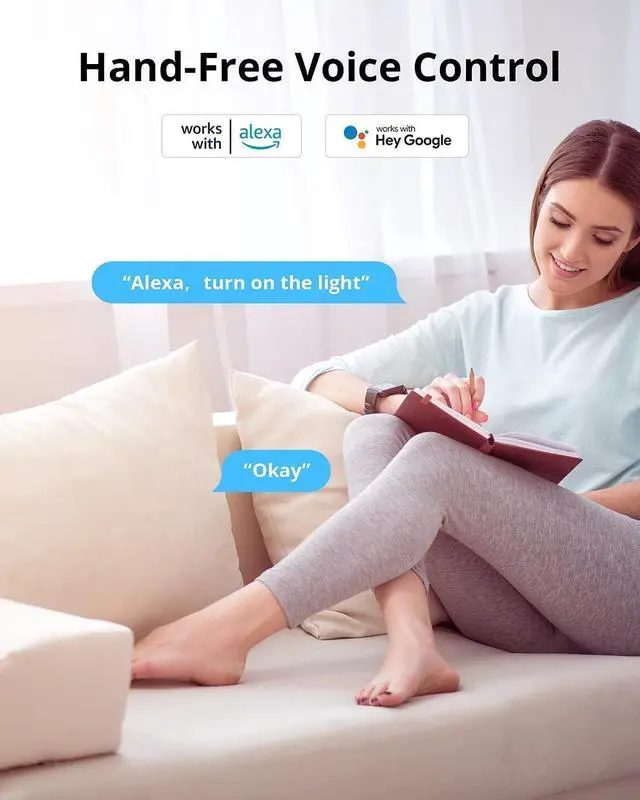
1. Tap "eWeLink Smart Home" on Alexa App, or "Smart We Link" on Google Home App.
2. Enter your eWeLink account and log in.
3. All the voice-controlled devices under your account display on Alexa App or Google Home App.
4. Name the devices to complete.
5. Now, control the connected devices with your voice.
“Alexa, turn on the light.”
“Hey Google, turn off the bedroom light.”
- Only eWeLink advanced users have access to IFTTT, Costs 9.9USD and you will enjoy a full year of the privilege.
 Sonoff S31 | Sonoff S31 Lite | Sonoff S31 Lite zb | |
|---|---|---|---|
| Customer Reviews | — | — | — |
| Price | — | — | — no data |
| LAN Control | ? | ? | ? |
| History Operation Record | ? | ? | ? |
| Power Monitory | ? | no data | no data |
| Power History Record | ? | no data | no data |
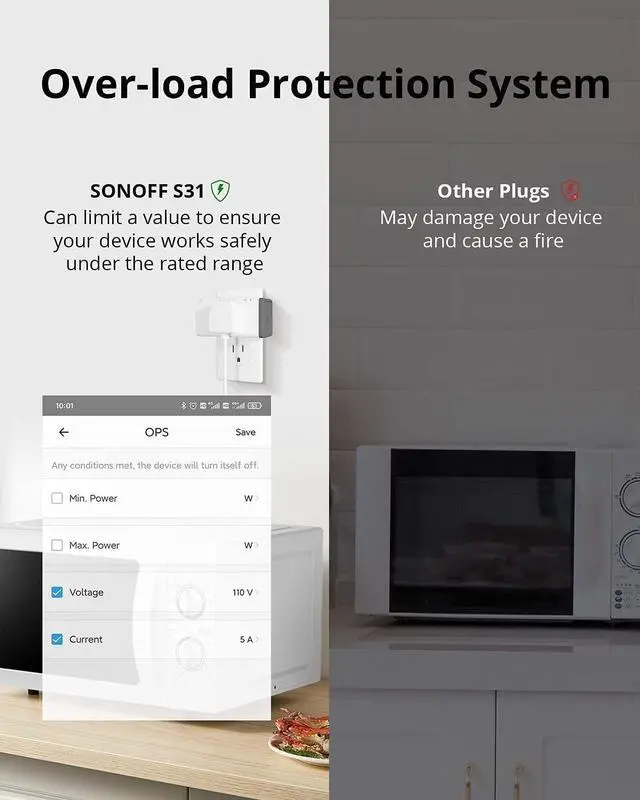
| Over-load Protection | ? | no data | no data |
| Installation | Plug-in | Plug-in | Plug-in |
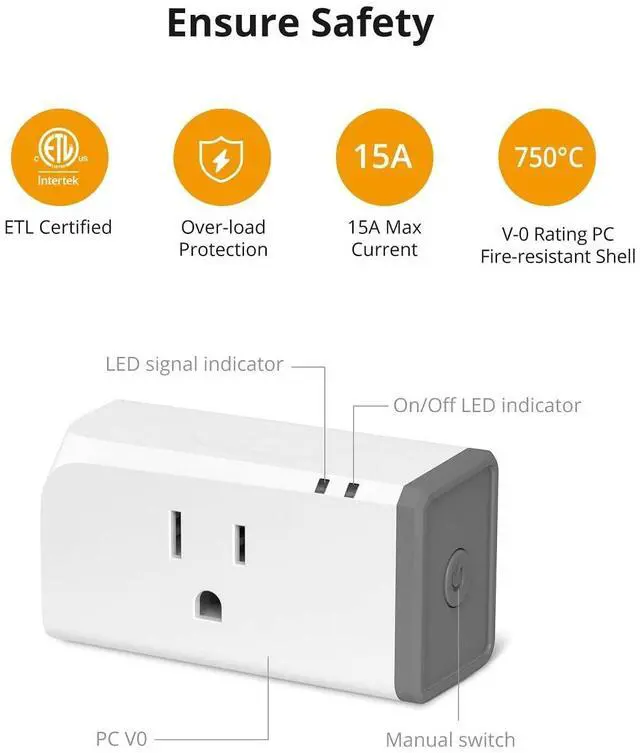
| Safety Certification | ETL, FCC | ETL, FCC | ETL, FCC |
| Dimension | 76*40*33mm | 76*40*33mm | 76*40*33mm |
Live Energy Usage Data, Spend Less
Monitor which devices are turned on and how much that is costing you from anywhere at any time. With eWeLink App, you can monitor live power, current, voltage. You can measure energy usage foi a period and check 100 days energy consumption history. Knowing how much energy your devices consuming,you can set up auto-off timers to save cost.
App Remote Control
Want to remotely control those ordinary devices like heater, lamps and other devices? The smart plug is your ideal option. Plug and play, then you can turn ON/OFF them instantly just with a light touch on eWeLink App anytime and anywhere.
Smart Scene
You can create smart scenes in order that one SONOFF device can trigger on/off another one or gather multiple devices into one group and tap to run them together.
Timing Schedule
Schedule a time to devices and they will turn on or off automatically. Automate your home appliances via different timing schedules.
Sync Status
Real-time device status can be provided on eWeLink App so that you can have access to status change of your devices conveniently and quickly.
LAN Control
When the router is not connected to the Wi-Fi network, you can still control the device through the App under the LAN Control mode. Note: Your phone and device must be connected to the same router.
Share Control of Devices
You can simply share home appliances to your family via App so that they can also turn on/off the devices remotely. Its easy control feature also make the elders or children enjoy smart life without difficulty.
Power on State
You can set the power-on state to: ON/OFF/KEEP. When the device is powered back on, its state will be determined by the power-on state you set.
Compatible with IFTTT
By connecting with "eWeLink Smart Home" on IFTTT App, you own unlimited possibilities to control SONOFF devices with IFTTT supported App and services. (Only eWeLink advanced users have access to IFTTT.)
Works with Alexa & Google Home
1. Download “eWeLink” on App Store for iOS or on Google Play for Android.
2. Cut off the power before installing the device. Then power it on after completing the installation.
3. After powering on, the device will enter the quick pairing mode during the first use.
4. Tap “+” to operate following the prompt on the App.
5. Input your WiFi SSID & password.
6. It will automatically search and connect the device. Name the device to complete.
1. Tap "eWeLink Smart Home" on Alexa App, or "Smart We Link" on Google Home App.
2. Enter your eWeLink account and log in.
3. All the voice-controlled devices under your account display on Alexa App or Google Home App.
4. Name the devices to complete.
5. Now, control the connected devices with your voice.
“Alexa, turn on the light.”
“Hey Google, turn off the bedroom light.”
- Only eWeLink advanced users have access to IFTTT, Costs 9.9USD and you will enjoy a full year of the privilege.
Sonoff S31 | Sonoff S31 Lite | Sonoff S31 Lite zb | |
|---|---|---|---|
| Customer Reviews | — | — | — |
| Price | — | — | — no data |
| LAN Control | ? | ? | ? |
| History Operation Record | ? | ? | ? |
| Power Monitory | ? | no data | no data |
| Power History Record | ? | no data | no data |
| Over-load Protection | ? | no data | no data |
| Installation | Plug-in | Plug-in | Plug-in |
| Safety Certification | ETL, FCC | ETL, FCC | ETL, FCC |
| Dimension | 76*40*33mm | 76*40*33mm | 76*40*33mm |