




Do you have to reconnect the dash cam to your phone every time i get in the car?
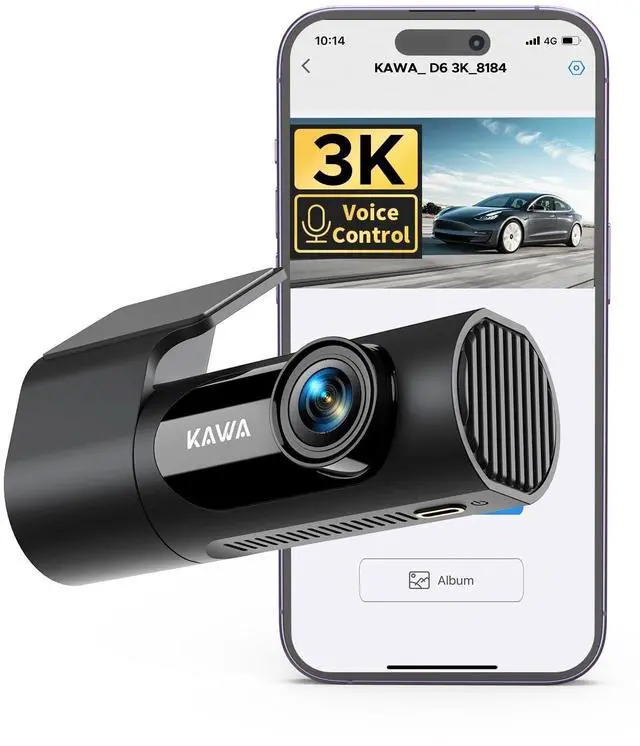
After you finished the first connection, the dash cam will continue to record just by turning on the car without connecting through the app every time. it will record on your sd card.
What if I keep getting low speed card alerts?
Our products detect a low-speed card and prompt you to replace the micro sd card to prevent video loss or reduced frame rate. We kindly recommend Kingston, Sandisk. You can buy it on . Or our KAWA micro sd card. ASIN: B0BNPKSJMX.
How to activate this dash cam's parking monitoring?
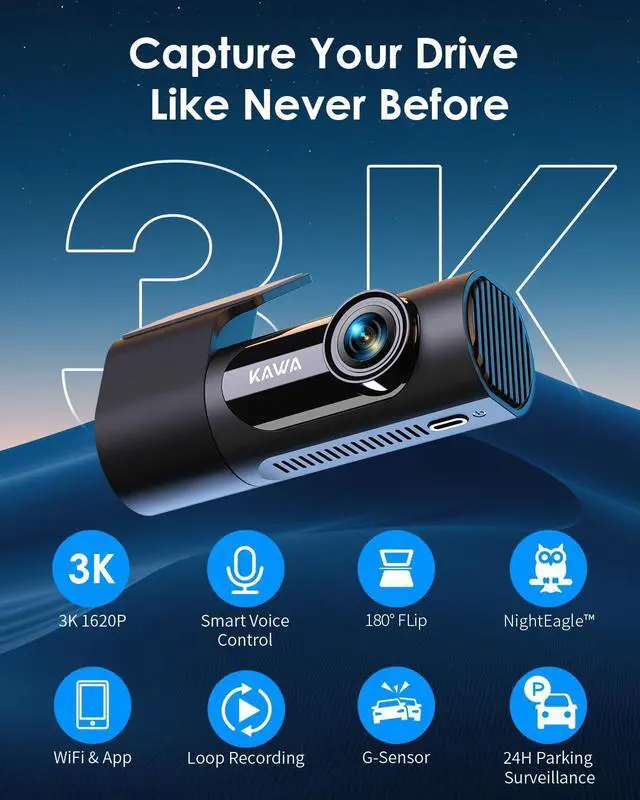
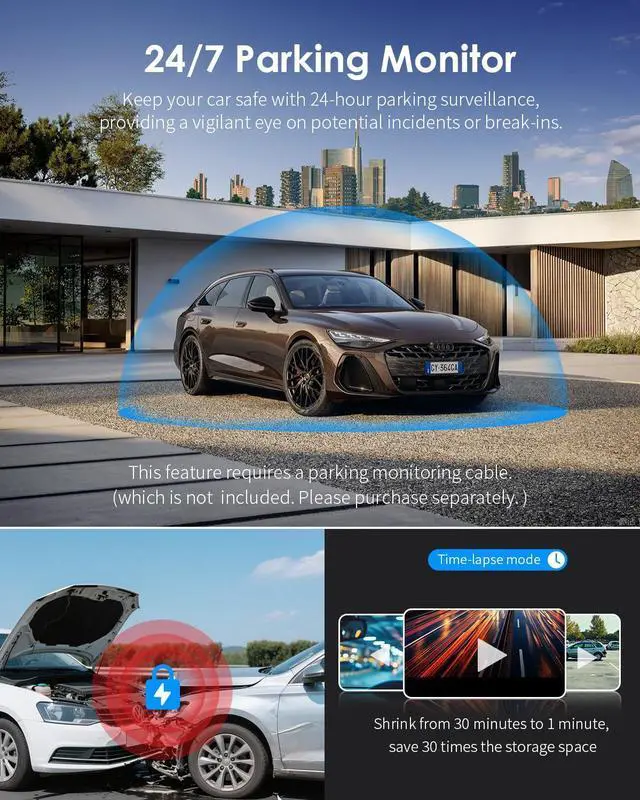
KAWA D6 supports 24-hour recording when connected to the parking monitoring cable (not included in the package). If parking monitoring function is required, please purchase another parking cable and connect the hardwire kit to your fuse box.
How does the dash cam format the memory card?
After the APP is successfully connected, enter the real-time interface, click the setting button in the upper right corner, select Micro SD Card Manage, and then select Formatting to format. Or, click the Power Key three times.
Why can't I see the recorded video in the album?
1. Go to the Home page in KAWA DVR
2. click into the dash cam and you will be the live video page
3. check the button below the video, you will see an Album and Take Photo button
4. Click into the Album, you will see the videos and photos.
KAWA Smart Car Trip
 Dash Cam 2K |  Dash Cam 1296P |  Dash Cam 1296P |  4K DashCam Front and Rear |  4K DashCam Front and Rear |  64GB Micro SD Card |  Dash Cam Hardwire Kit | |
|---|---|---|---|---|---|---|---|
Customer Reviews | — | — | — | — | — | — | — |
Price | — | — | — | — | — | — | — |
Video Resolution | 2K 1440P | 2K 1296P | 2K 1296P | 4K 2160P Front + 1080P Rear | 4K 2160P Front + 1080P Rear | / | / |
Camera Type | Front | Front | Front | 2 Channel Front and Rear | 2 Channel Front and Rear | / | / |
Display | / | / | / | 3.16 inch | 3.16 inch | / | / |
Smart Voice Control | ? | ? | ? | ? | ? | ? | ? |
Night Vision | — | — | — | — | Ture color Night Vision | — | — |
GPS | ? | ? | ? | ? | ? | ? | ? |
Include Micro SD Card | Not Include | Not Include | Not Include | Include a 64GB Micro SD Card | clude a 64GB Micro SD Card | / | / |
Storage | 256GB Max | 256GB Max | 256GB Max | 256GB Max | 256GB Max | / | / |
Wi-Fi(APP Control) | ? | ? | ? | ? | ? | ? | ? |
Battery & Charging | Supercapacitor | Supercapacitor | Supercapacitor | Supercapacitor | Supercapacitor | / | / |
Video Playback | App/PC(Win,Mac) | App/PC(Win,Mac) | App/PC(Win,Mac) | DashCam/App/PC(Win,Mac) | DashCam/App/PC(Win,Mac) | — | — |

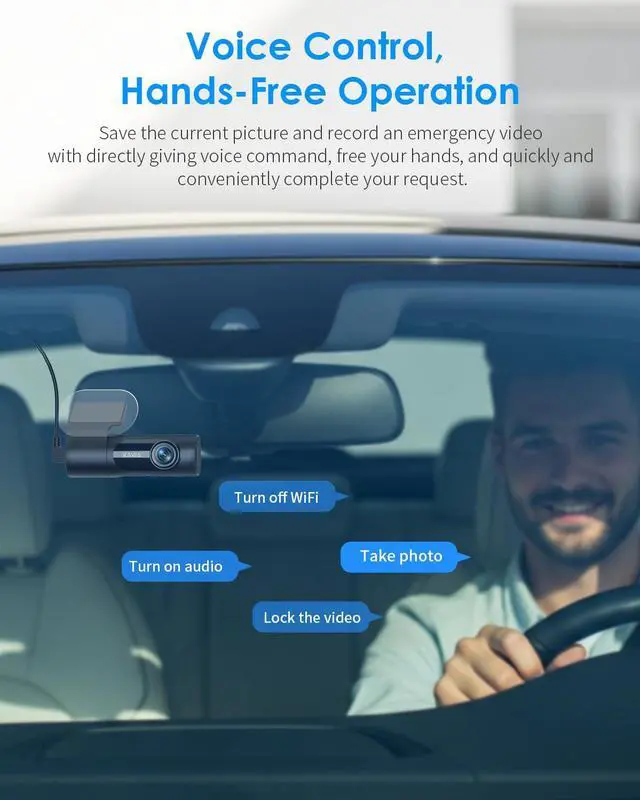
Unlike others voice broadcast, it can directly give voice commands.


Do you have to reconnect the dash cam to your phone every time i get in the car?
After you finished the first connection, the dash cam will continue to record just by turning on the car without connecting through the app every time. it will record on your sd card.
What if I keep getting low speed card alerts?
Our products detect a low-speed card and prompt you to replace the micro sd card to prevent video loss or reduced frame rate. We kindly recommend Kingston, Sandisk. You can buy it on . Or our KAWA micro sd card. ASIN: B0BNPKSJMX.
How to activate this dash cam's parking monitoring?
KAWA D6 supports 24-hour recording when connected to the parking monitoring cable (not included in the package). If parking monitoring function is required, please purchase another parking cable and connect the hardwire kit to your fuse box.
How does the dash cam format the memory card?
After the APP is successfully connected, enter the real-time interface, click the setting button in the upper right corner, select Micro SD Card Manage, and then select Formatting to format. Or, click the Power Key three times.
Why can't I see the recorded video in the album?
1. Go to the Home page in KAWA DVR
2. click into the dash cam and you will be the live video page
3. check the button below the video, you will see an Album and Take Photo button
4. Click into the Album, you will see the videos and photos.
KAWA Smart Car Trip
Dash Cam 2K | Dash Cam 1296P | Dash Cam 1296P | 4K DashCam Front and Rear | 4K DashCam Front and Rear | 64GB Micro SD Card | Dash Cam Hardwire Kit |
|---|---|---|---|---|---|---|
| Customer Reviews | ||||||
| — | — | — | — | — | — | — |
| Price | ||||||
| — | — | — | — | — | — | — |
| Video Resolution | ||||||
| 2K 1440P | 2K 1296P | 2K 1296P | 4K 2160P Front + 1080P Rear | 4K 2160P Front + 1080P Rear | / | / |
| Camera Type | ||||||
| Front | Front | Front | 2 Channel Front and Rear | 2 Channel Front and Rear | / | / |
| Display | ||||||
| / | / | / | 3.16 inch | 3.16 inch | / | / |
| Smart Voice Control | ||||||
| ? | ? | ? | ? | ? | ? | ? |
| Night Vision | ||||||
| — | — | — | — | Ture color Night Vision | — | — |
| GPS | ||||||
| ? | ? | ? | ? | ? | ? | ? |
| Include Micro SD Card | ||||||
| Not Include | Not Include | Not Include | Include a 64GB Micro SD Card | clude a 64GB Micro SD Card | / | / |
| Storage | ||||||
| 256GB Max | 256GB Max | 256GB Max | 256GB Max | 256GB Max | / | / |
| Wi-Fi(APP Control) | ||||||
| ? | ? | ? | ? | ? | ? | ? |
| Battery & Charging | ||||||
| Supercapacitor | Supercapacitor | Supercapacitor | Supercapacitor | Supercapacitor | / | / |
| Video Playback | ||||||
| App/PC(Win,Mac) | App/PC(Win,Mac) | App/PC(Win,Mac) | DashCam/App/PC(Win,Mac) | DashCam/App/PC(Win,Mac) | — | — |