• $19.99
  • Free 30-day Returns
  • Sold by BlissElectro

    Shipped by BlissElectro

    Price alert

    Best Sellers

    Newegg
    • + $11.20 Shipping
    Shop it at NeweggBusiness.

    Meet Your Seller

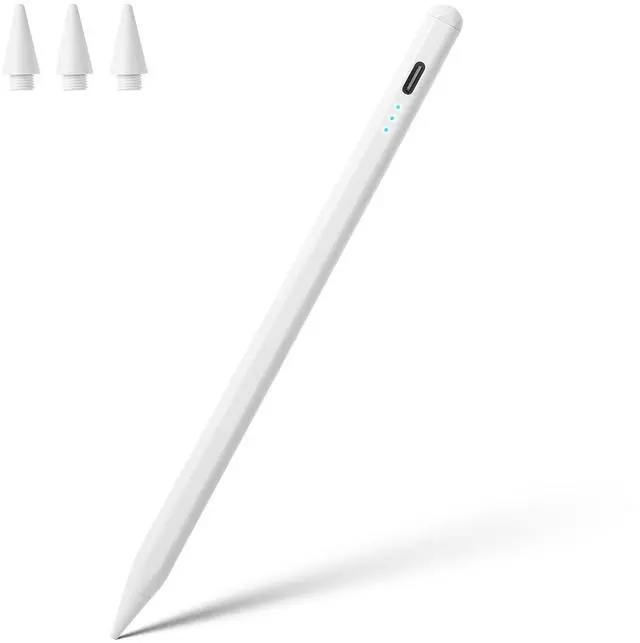
    Stylus Pen for iPad A16 11th 10th 9th 8th 7th 6th Generation, iPad Pro 12.9 11 13 inch M4, iPad Air M3 M2 5th 4th 3rd Gen, iPad Mini A17 Pro 7 6 5, for Apple Pencil Pro 1st 2nd Gen Alternative (White)

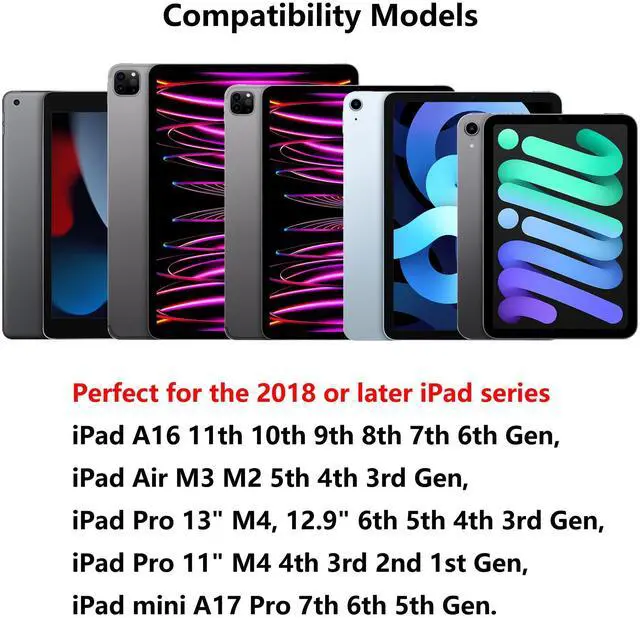
    • Compatibility: Perfect for the 2018 or later iPad series, including iPad A16 11th 10th 9th 8th 7th 6th Generation, iPad Air M3 M2 5th 4th 3rd Gen, iPad Pro 13" M4, 12.9" 6th 5th 4th 3rd Gen, iPad Pro 11" M4 4th 3rd 2nd 1st Gen, iPad mini A17 Pro 7th 6th 5th Gen. Open your iPad settings, Settings> General> About> Model Name, you can see your iPad model. You can also check the model number starting with "A" on the back of your iPad before purchasing. Not compatible with iPad before 2018
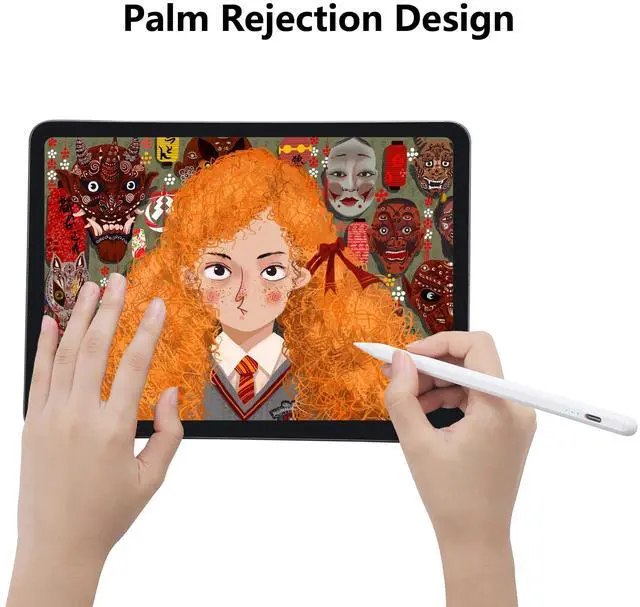
    • Palm Rejection Design: The ipencil (lapiz) comes with palm rejection technology, allowing you to comfortably rest your hand on the screen while writing or drawing without worrying about accidental touch, making writing and drawing more natural, just like on paper. Gently slide the stylus from the bottom left corner to the top right corner on the iPad screen to take a quick screenshot. Equipped with 3 replaceable tips, it's easy to remove and install
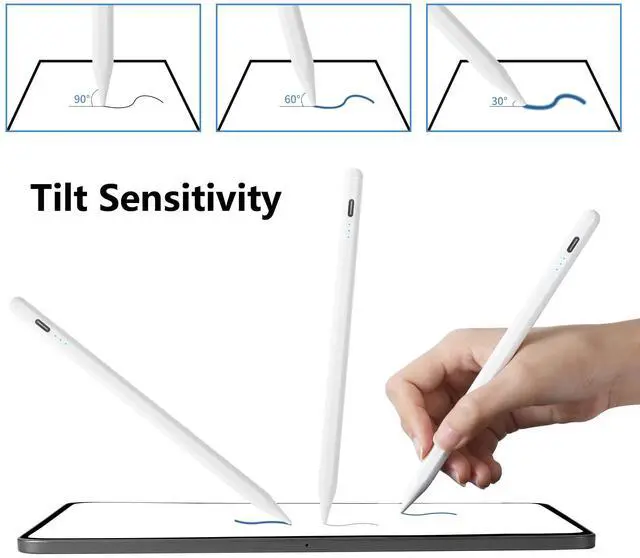
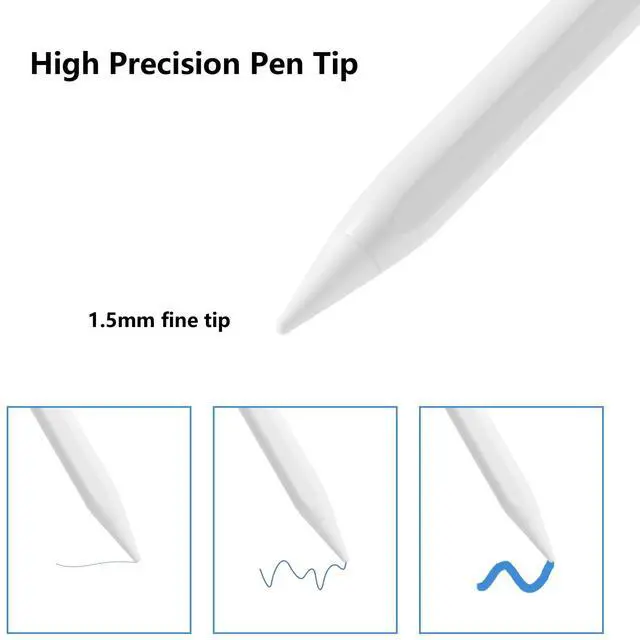
    • Tilt Sensitivity & High Precision: The tilt-sensing technology allows you to draw lines of different thicknesses on the screen based on the angle of the pencil, making drawing and writing more free and easy, perfect for writing, sketching, doodling, painting, marking documents and note-taking on the iPad. The 1.5mm fine tip can handle more precise instructions without delay, lag and skip, just like a conventional pencil. Note: The stylus doesn't support pressure sensitivity
    +
    +
    Overview
    Specs
    Reviews
    avatar

    Any questions? Our AI beta will help you find out quickly.

    Product information

    BrandWaiktyne
    ColorWhite
    Battery Weight2.9 grams
    Charging Time0.5 hours
    Battery DescriptionLithium-Ion Polymer
    Battery Cell Typelithium_polymer
    Battery Average Life Standby5 minutes
    Enclosure MaterialAluminum
    Unit Count TypeCount
    Unit Count1
    Item Weight14.3 grams
    ManufacturerWaiktyne
    Model NumberQA-XHBF-Z4B3
    Battery Typelithium_polymer
    Number of Batteries1
    Item Dimensions6.57 L x 0.35 W x 0.34 H inches
    Lithium-Battery Packagingbatteries_contained_in_equipment
    Lithium-Battery Energy Content0.48 watt_hours
    Number of Items1
    Hardware Platformnintendo 3ds
    Are Batteries Includedtrue
    Are Batteries Requiredtrue
    Compatible Devices / 0iPad (A16) 11th 10th 9th 8th 7th 6th Gen
    Compatible Devices / 1iPad Air M3 M2 5th 4th 3rd Gen
    Compatible Devices / 2iPad Pro 13-inch M4, 12.9-inch 6th 5th 4th 3rd Gen
    Compatible Devices / 3iPad Pro 11-inch M4 4th 3rd 2nd 1st Gen
    Compatible Devices / 4iPad mini A17 Pro 7th 6th 5th Gen
    Package Weight0.04 kilograms
    Package Quantity1
    Item Package Dimensions1.6 L x 5.2 W x 20.4 H centimeters
    Contains Battery or Cellbattery
    Number of Lithium-ion Cells1
    Battery Installation Device Typeinstalled_in_vehicle
    Has Multiple Battery Powered Componentsfalse
    Minimum Required Operating System Versioni_pad_os_16

    Additional Features

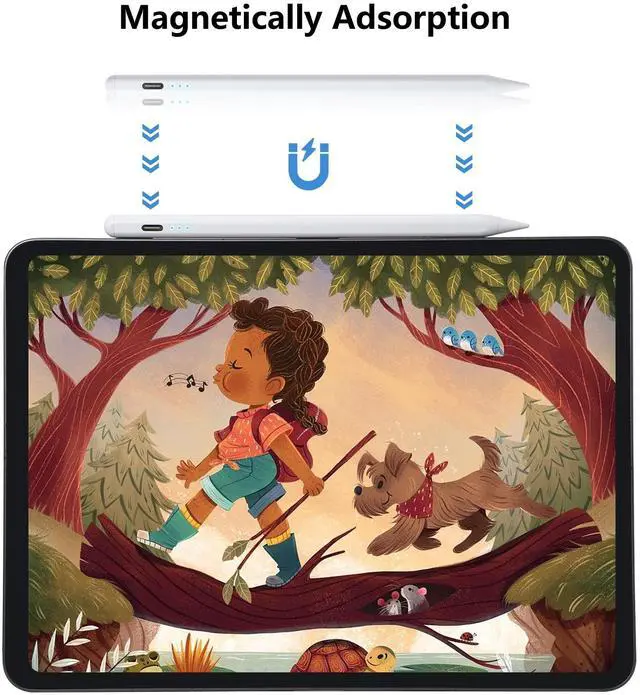
    • Double-Click Switch & Magnetically Adsorption: Just double-click the top of the pen to turn on/ off the stylus and start using it. No need to connect Bluetooth & APP. The magnetic design allows it to be attached to the side of the iPad, making it easy to use and carry. Please turn off the "Only Draw with Apple Pencil" on the iPad before use
    • Fast Charging & Long Battery Life: Built-in rechargeable battery, fully charged in 30 minutes, and then can be used for about 8-9 hours. Idle for 5 minutes will automatically shut down to save power. With 3 LED indicators to display remaining battery life and charging progress. If the stylus doesn't work after turning on, please turn off Bluetooth on the iPad or go to Settings > Bluetooth > Apple Pencil > i > Forget this device

    Warranty & Returns

    Warranty, Returns, And Additional Information

    Warranty

    • Please contact the Seller directly for warranty information. Warranty information may also be found on the Manufacturer's website.
    • CONTACT

    Return Policies

    Manufacturer Contact Info

    LOADING...
    LOADING...