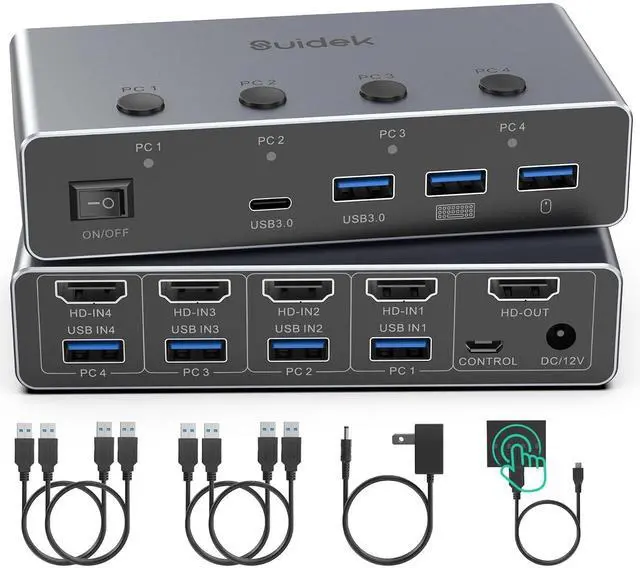
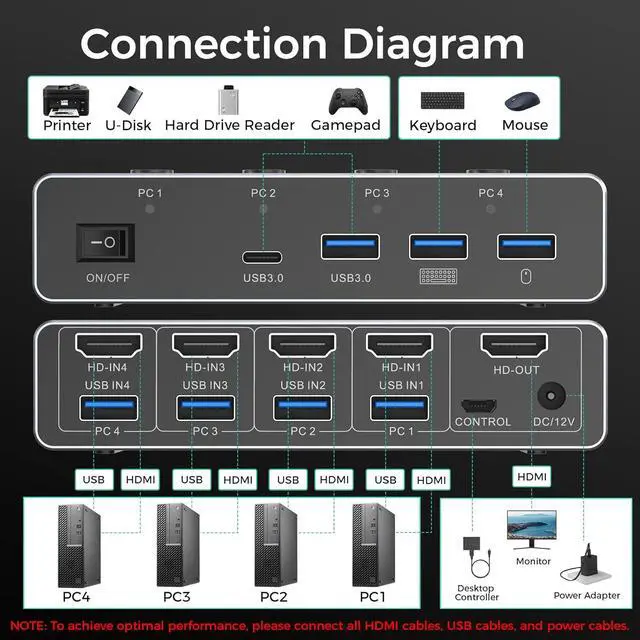
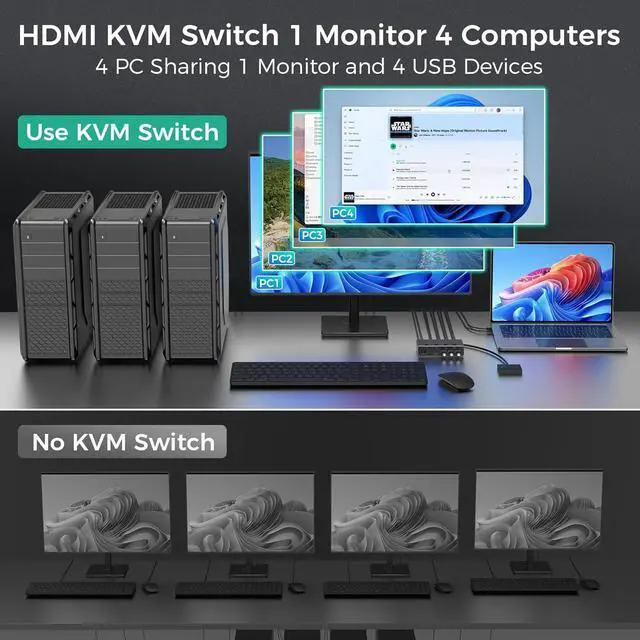
4 In 1 Out KVM Switch: This 4 port KVM switch lets 4 computers share 1 HDMI monitor and 4 USB 3.0 devices, including your keyboard, mouse, printer, external hard drive. It consolidates control of 4 computers onto one workspace, so you can switch between hosts smoothly with no complicated setup. By reducing extra monitors and cables, it keeps your desk clean and organized while greatly improving work efficiency for office, gaming, and multi-computer setups
8K@60Hz HDMI 2.1 KVM Switch: This 4-port KVM switch supports resolutions up to 8K@60Hz and is backward compatible with
[email protected] works with HDMI 2.1/1.4 and HDCP 2.3, while supporting VRR and HDR formats. This delivers sharper, more realistic imaging with vibrant, accurate colors for gaming, work, and multimedia use. Note: To achieve 8K@60Hz or 4K@120Hz, your computers, monitors, and cables must all support these resolutions
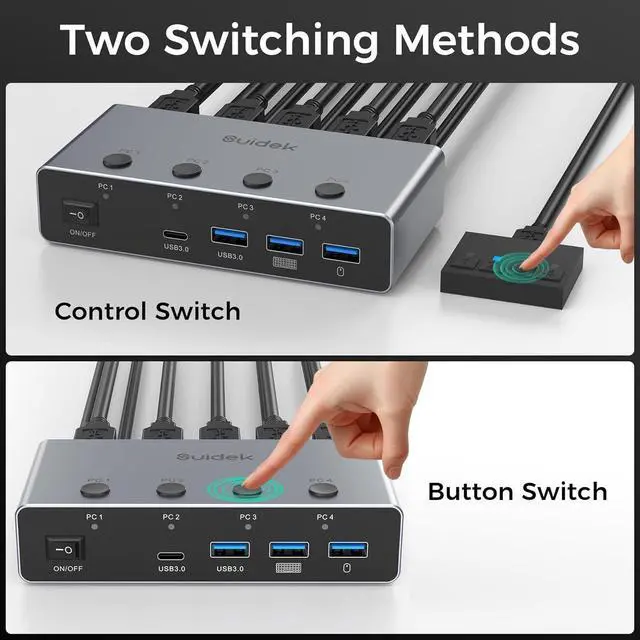
2 Button Switch: This KVM switch supports two button switching and a wired desktop controller, allowing you to freely switch between 4 computers. You can share one monitor, keyboard, and mouse across all devices while keeping your desk organized and space-efficient. The wired desktop controller lets you install the KVM switch outside your workspace for an even cleaner, clutter-free desk setup. Note: Hotkey switching is not supported
4 USB 3.0 Ports: This KVM switch features 4 USB 3.0 ports(3*USB-A 1*USB-C) with data transfer speeds up to 5Gbps for fast and stable transmission. It supports simultaneous connection of multiple devices, including keyboard, mouse, printer, and external hard drives. Large files transfer quickly, and printers operate efficiently, ensuring smooth and stable device interaction
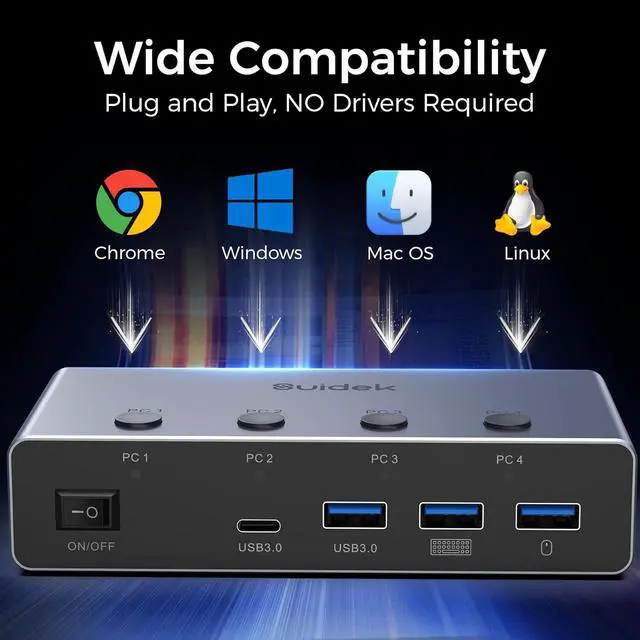
Plug and Play: This KVM switch is plug-and-play and requires no additional drivers. It supports Windows, MacOS, Linux, Chrome, and other mainstream operating systems, and is compatible with most HDMI devices. The KVM is suitable for enterprises, multimedia classrooms, conference rooms, gaming setups, and testing environments
NOTE: 1. This KVM switch does not support the EDID function. 2. Do not use this KVM switch with a docking station. 3. When your computers or monitor are in sleep mode, the KVM switch cannot switch between devices. 4. To ensure normal operation, you must connect both HDMI cables and USB A to A cables between the KVM switch and your computers/monitor. 5. Before using the KVM switch, please make sure that the 12V power adapter is properly connected and powered on