UPPAbaby Carry-All Parent Organizer / Fits on Vista, Cruz, Minu, Minu Duo, G-Series Strollers / Secure Zippered Pocket + Beverage Compartments
  •  
  • $39.59 
  • $88.99
  • Free 30-day Returns
  • Login to Make an Offer
    Price alert

    Best Sellers

    Newegg
    • + $11.20 Shipping
    Shop it at NeweggBusiness.

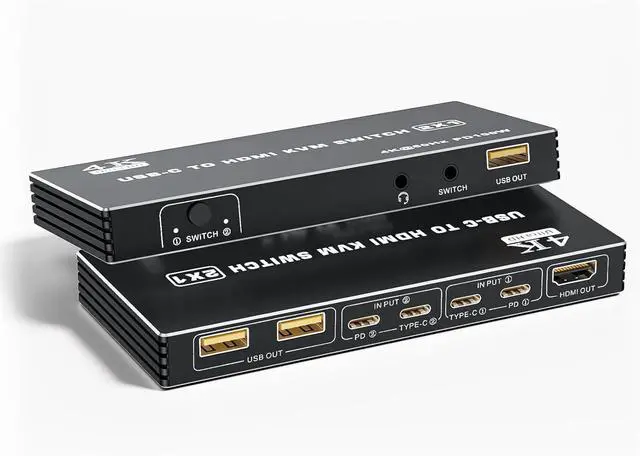
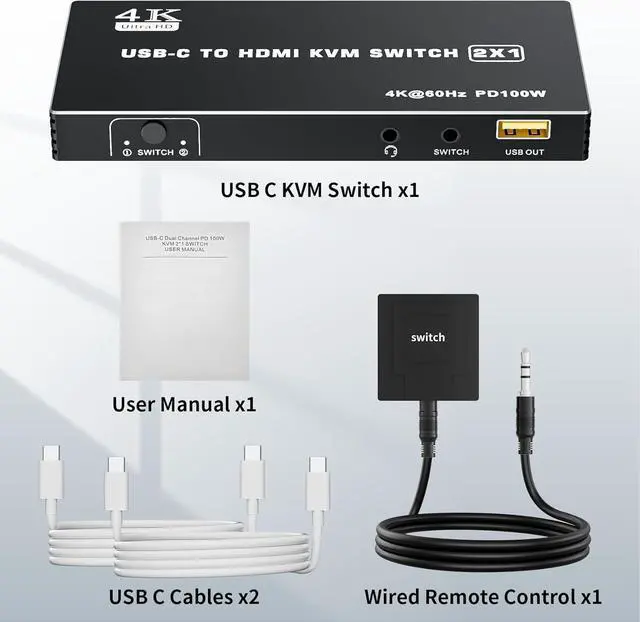
    USB C KVM Switch, 4K@60Hz 2 Type-C to HDMI 2.0 KVM Switcher for 2 Laptops Share 1 HDMI Monitor, with 3 USB Ports for Keyboard Mouse Printer, Supports 100W PD Charging, 2 Type-C Cables and Controller

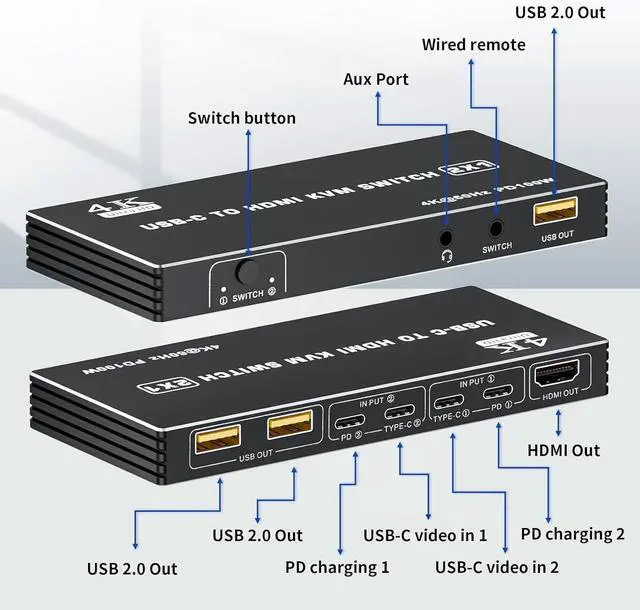
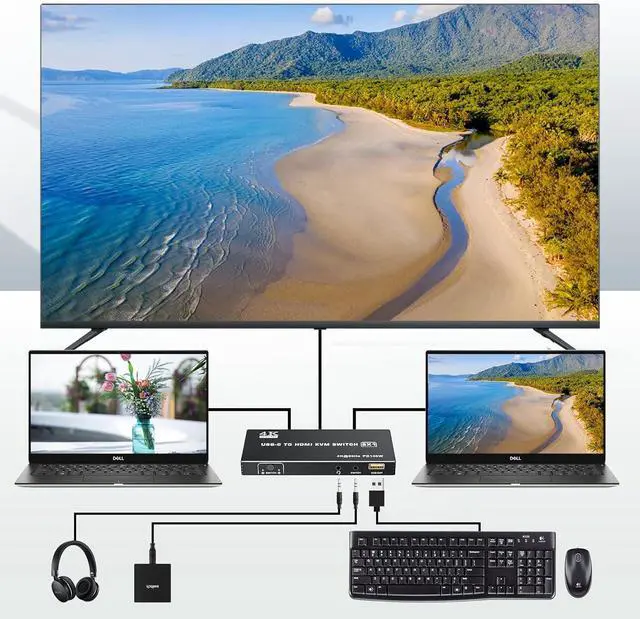
    • USB-C to HDMI Design: The dual ports USB-C to HDMI KVM switch lets you seamlessly control two Type-C computers using one HDMI monitor. Designed with 100W PD charging port to give enough power for your laptop during using. Also there is 3.5mm audio out port, be able to connect with headphone, etc
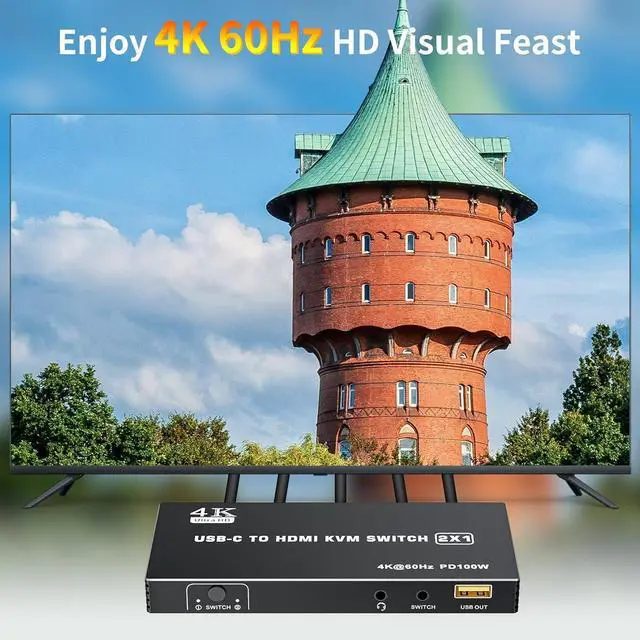
    • UHD 4K Visual: The alternative USB Type-C KVM Switch supports resolution up to 4K@60Hz (3840x2160@60Hz) can enjoy stunning images and smooth video playback. And the resolution compatible: 2560 x 1440@144Hz/120Hz/60Hz, 1920x1440@144Hz/120Hz/60Hz
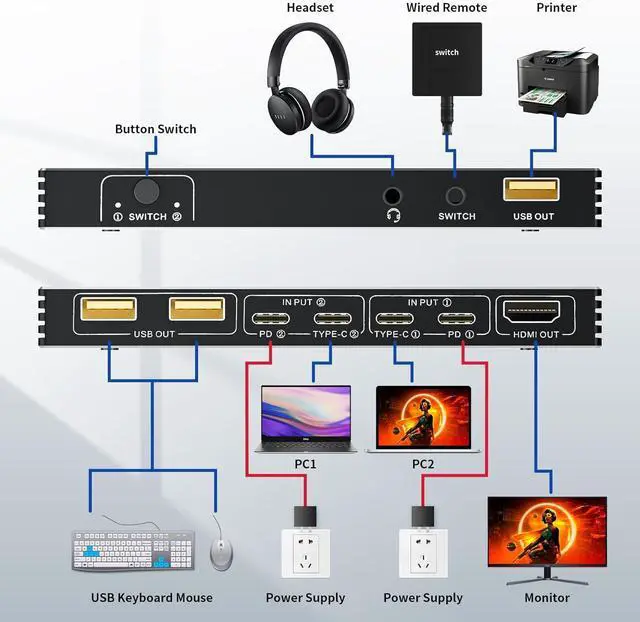
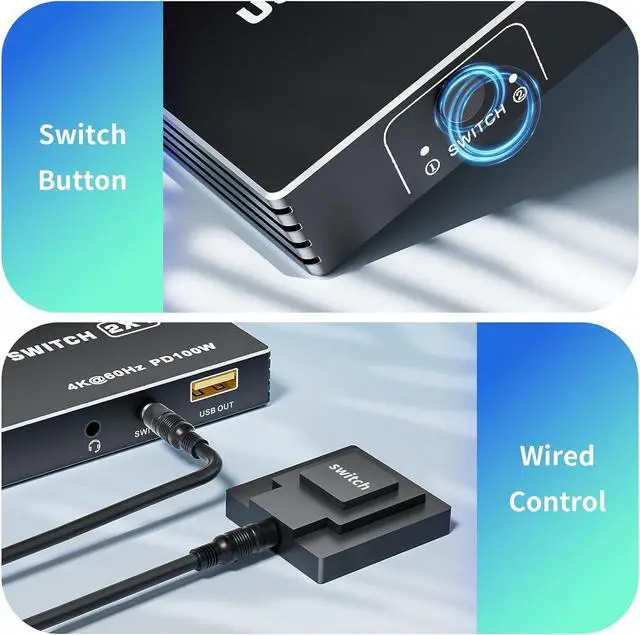
    • Connection Step: Step 1: Connect the power adapter to ensure stable operation; Step 2: Seperately connect the USB-C cable to the IN PUT1 and IN PUT2 IN port ( Note: The PD port is only to power the host PC ); Step 3: Connect the HDMI OUT to the display device; Step 4: Connect the mouse, keyboard, and flash disk to the USB OUT; Step 5: Connect desk wired contoller for quick switching; Step 6: Optionally connect with 3.5mm aux deivces, like headphon
    +
    +
    Overview
    Specs
    Reviews
    avatar

    Any questions? Our AI beta will help you find out quickly.

    - The Dual - Port Type C KVM Switch allows you to connect up to 2 PCs / laptops to a single HDMI monitor and control them via a single set of keyboard and mouse
    - The USB C to Video KVM Switch supports PD charging up to 100W. You must connect USB-C PD cable to the PD charging port of the KVM accordingly. The PD port is only to supply power to the 2 USB-C host devices
    !!! If the host device does not support PD charging via a USB-C port such as Mac Mini, then the PD charging function will not work
    - Features with 3.5mm AUX audio interface, allowing you to connect some peripherals like headphone and more
    1. Simply connect the laptop to the KVM using a USB-C to USB-C cable. If you need to power your PC, directly connect USB C PD cable to your laptop and KVM's PD port ( PD port is only for power supply, not for data transfer )
    2. Connect HDMI cable to your monitor and HDMI OUT port on KVM panel
    3. There are 3 USB ports for you to connect with many peripherals like keyboard, mouse, printer, scanner, etc...
    4. When you play game or watching movies, the USB-C KVM also provide a 3.5mm audio port for a more stunning experience
    KINDLY NOTE:
    Wireless mouse and keyboards are not supported
    Mechanical keyboards and mice are not supported, a standard 104-key USB keyboard and a standard 2- or 3-button wired mouse is recommended
    The short key switch above the keyboard is not supported

    No need to plug and unplug, the KVM is plug and play
    One-Botton switch or desktop controller,freely switch between 2 computers, saving space on your desk and sharing your display, keyboard and mouse between both computers
    4K USB-C to HDMI KVM Switch Space - Saving: 2 PCs Share 1 Monitor & 3 USB Devices Connect Steps Two Switching Modes


    Warranty & Returns

    Warranty, Returns, And Additional Information

    Warranty

    • Please contact the Seller directly for warranty information. Warranty information may also be found on the Manufacturer's website.
    • CONTACT

    Return Policies

    Manufacturer Contact Info

    LOADING...
    LOADING...