




Installation Guide
Step 1
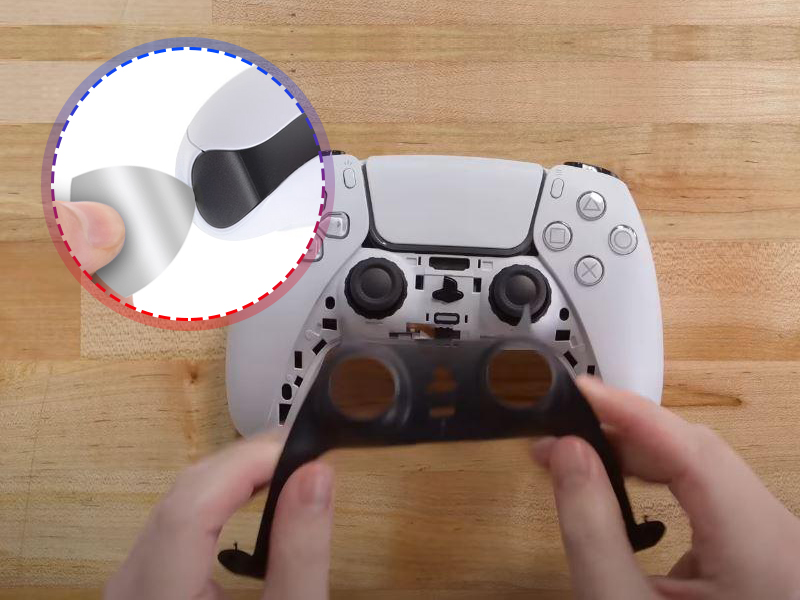
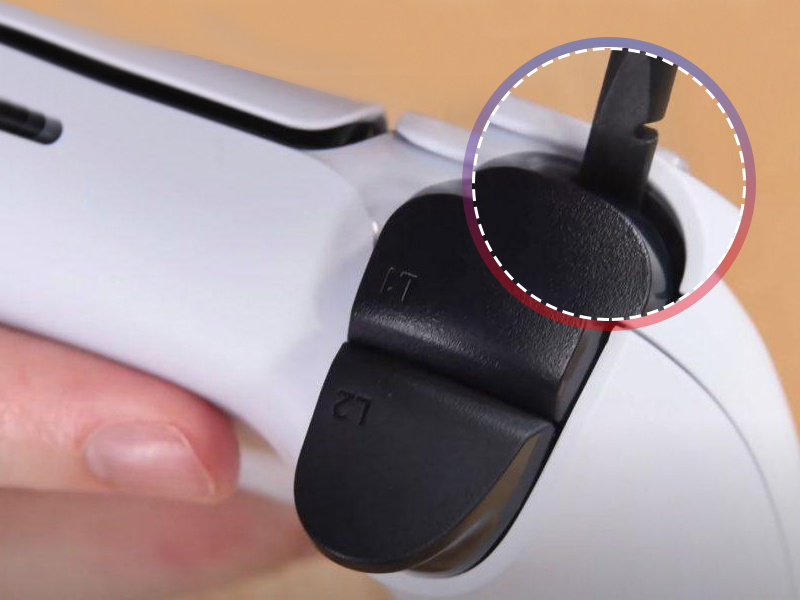
- Please remove the middle cover of the controller edge.
Installation Guide
Step 2
- Using opening tools to insert in the cover corner of the controller to release.
Installation Guide
Step3
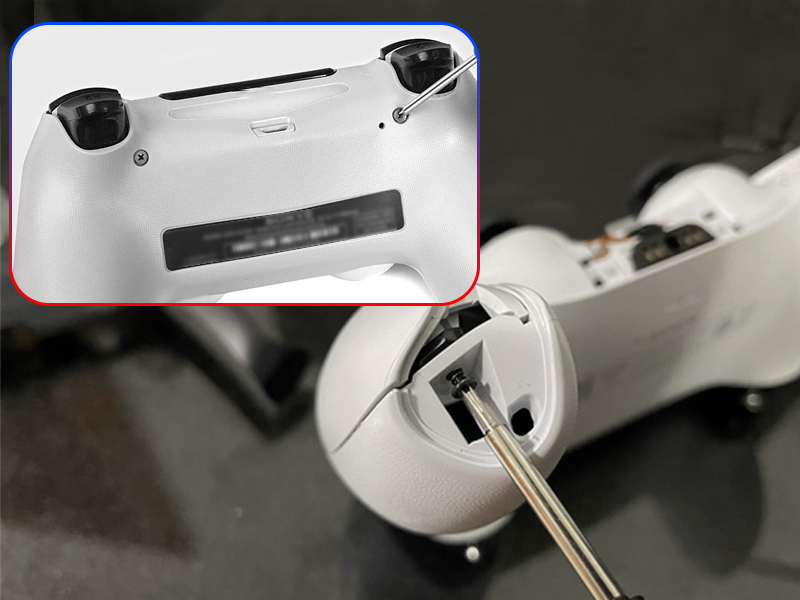
- Please Remove the controller screw of L1 and R1.
Installation Guide
Step 4
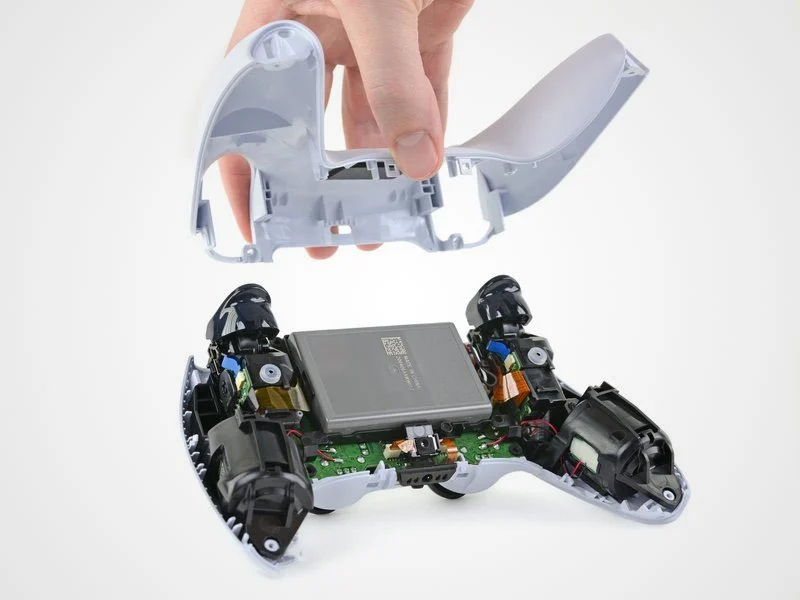
- Remove the rear cover of controller
Installation Guide
Step 5
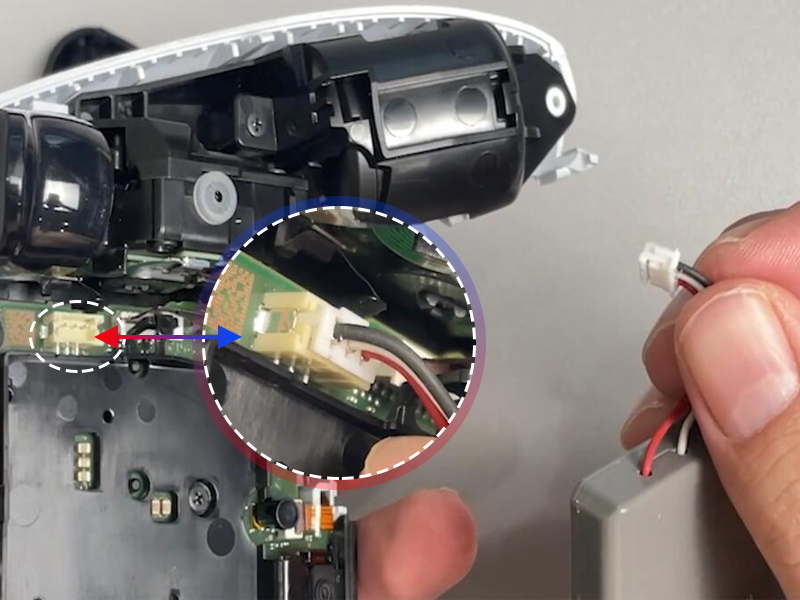
- Please disconnect the battery cable and remove battery.
Installation Guide
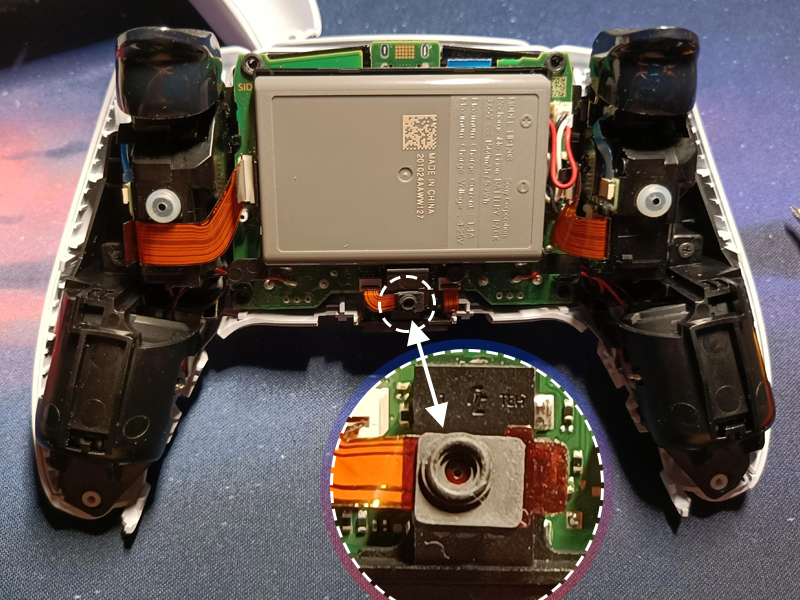
Step 6
- Remove the microphone ribbon cable and disconnect it from the motherboard.
Installation Guide
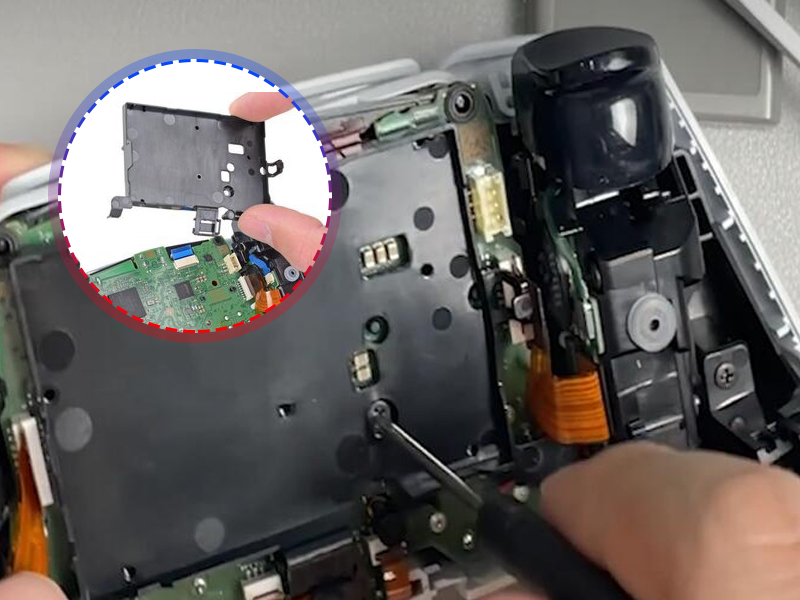
Step 7
- Remove the battery bracket out of the motherboard.
Installation Guide
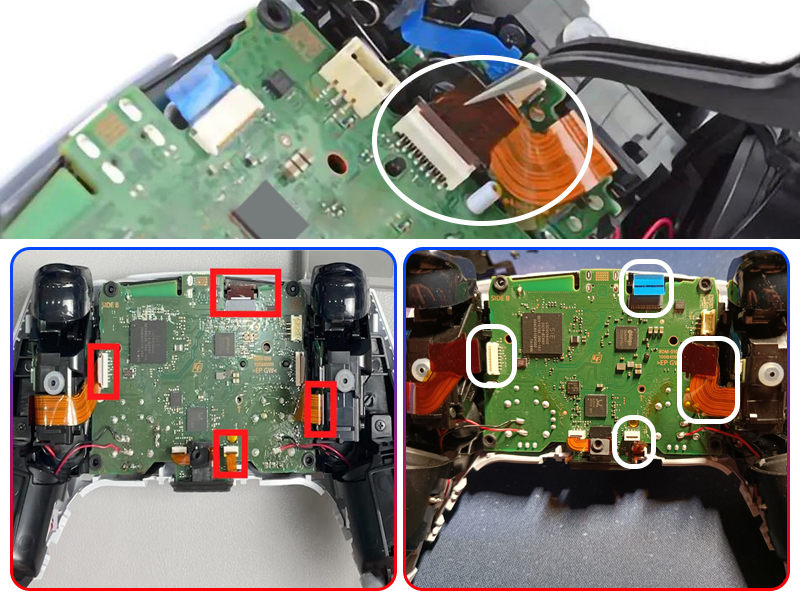
Step 8
- Disconnect the left and right trigger cable; Disconnect the upper microphone cable.
Installation Guide
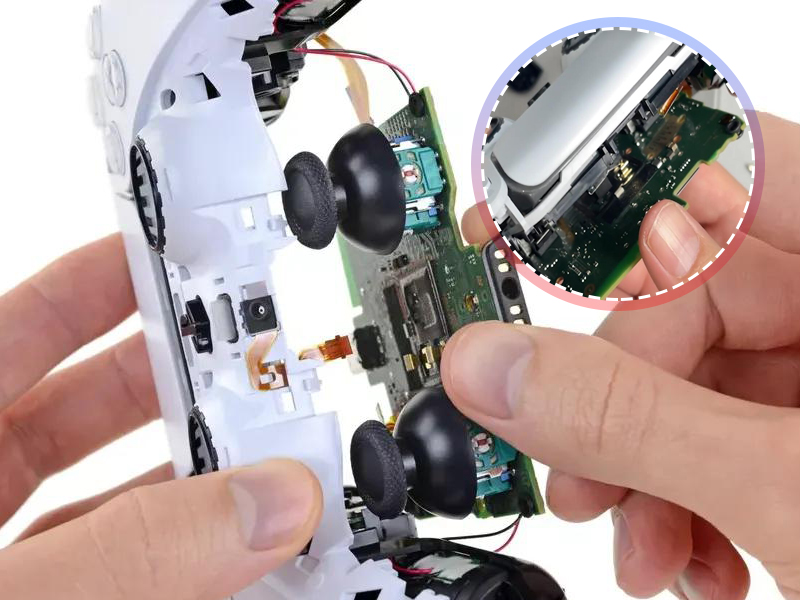
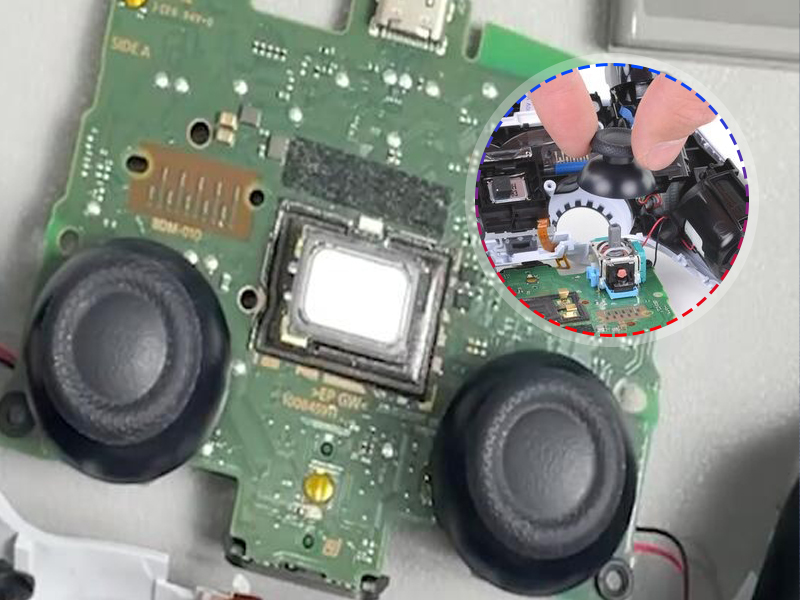
Step 9
- Carefully remove the joysticks through the front cover and lift the motherboard out.
Installation Guide
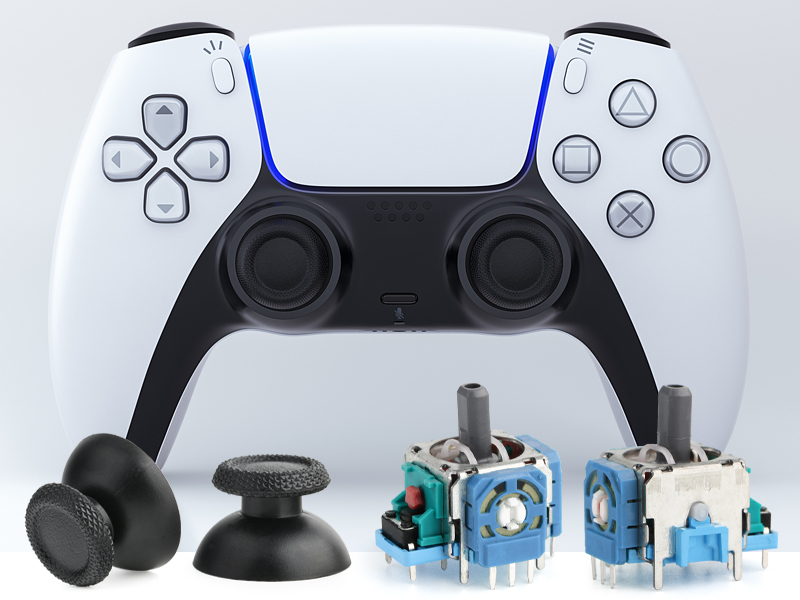
Step 10
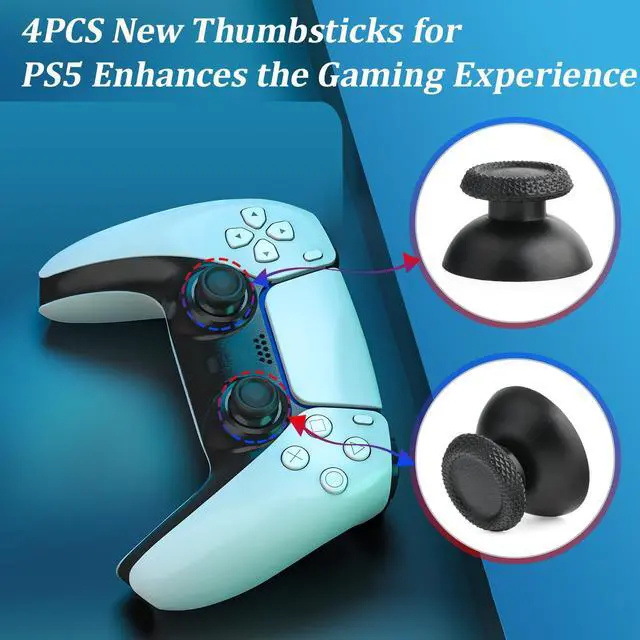
- Remove the joystick cap
Installation Guide
Step 11
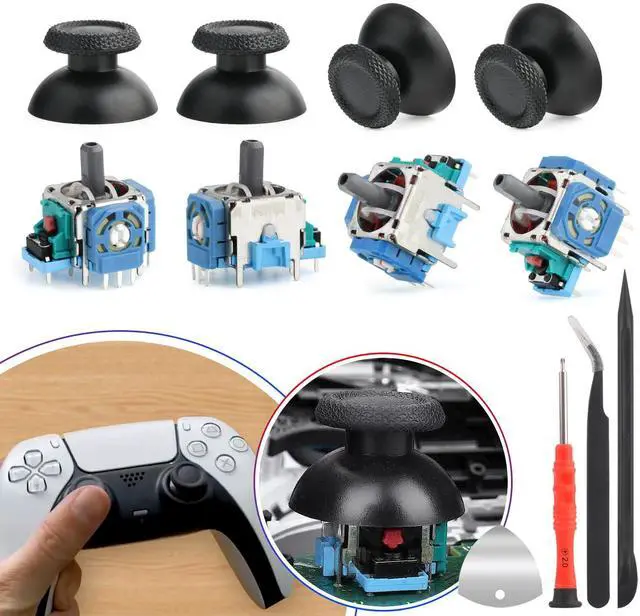
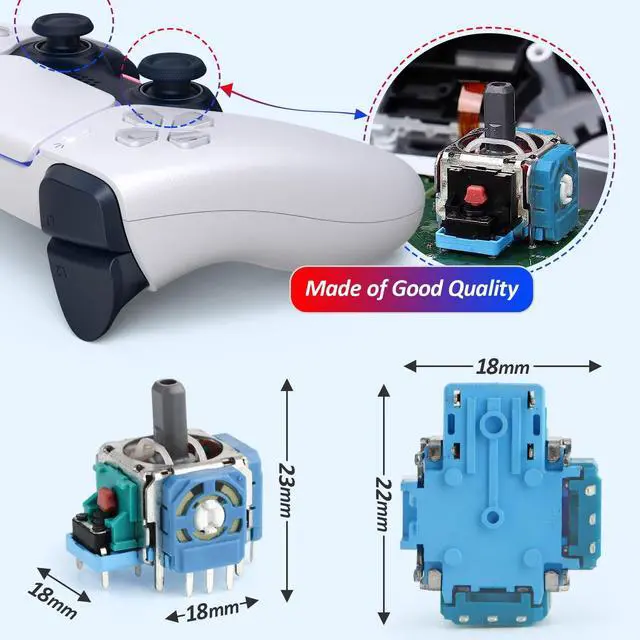
- Install the new joystick to the controller



YWLRONG
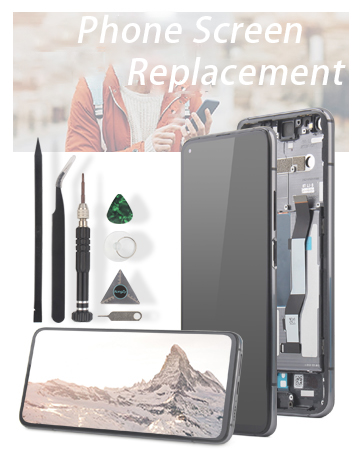
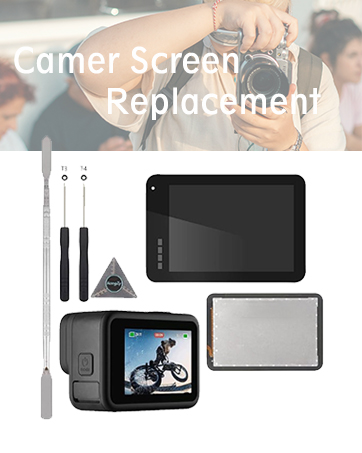
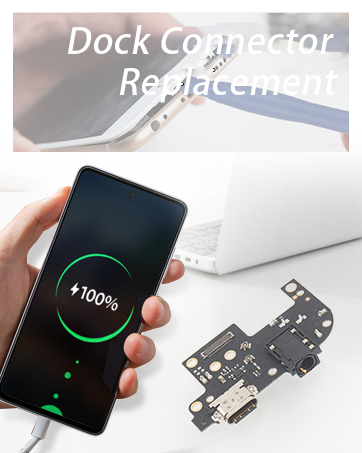
We are professionals focus on the replacement for phone accessories, game accessories and repair tools, like phone screen replacement, charging port replacement,camera glass replacement, fingerprint sensor cable replacement, game screw , cooling fan, charging cable, etc.
User-centered
We cherish user feedback, which is essential for product improvement and innovation. According to the user's suggestions, we continuously optimize accessories, and strive to bring unprecedented high -quality experiences to users every time. Users drive and pursue excellence is our goal.

YWLRONG
We are professionals focus on the replacement for phone accessories, game accessories and repair tools, like phone screen replacement, charging port replacement,camera glass replacement, fingerprint sensor cable replacement, game screw , cooling fan, charging cable, etc.
User-centered
We cherish user feedback, which is essential for product improvement and innovation. According to the user's suggestions, we continuously optimize accessories, and strive to bring unprecedented high -quality experiences to users every time. Users drive and pursue excellence is our goal.


Installation Guide
Step 1
- Please remove the middle cover of the controller edge.
Installation Guide
Step 2
- Using opening tools to insert in the cover corner of the controller to release.
Installation Guide
Step3
- Please Remove the controller screw of L1 and R1.
Installation Guide
Step 4
- Remove the rear cover of controller
Installation Guide
Step 5
- Please disconnect the battery cable and remove battery.
Installation Guide
Step 6
- Remove the microphone ribbon cable and disconnect it from the motherboard.


Installation Guide
Step 7
- Remove the battery bracket out of the motherboard.
Installation Guide
Step 8
- Disconnect the left and right trigger cable; Disconnect the upper microphone cable.
Installation Guide
Step 9
- Carefully remove the joysticks through the front cover and lift the motherboard out.
Installation Guide
Step 10
- Remove the joystick cap
Installation Guide
Step 11
- Install the new joystick to the controller


