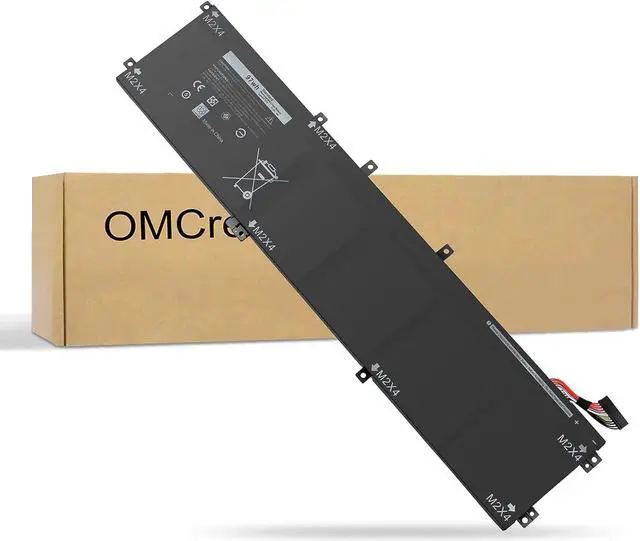
Dell Precision Series: Dell Precision 5510, 5520, M5520, 5530, 5540
Dell XPS 15 9550 Series: Dell XPS 15 9550 Series
Dell XPS 15 9560 Series: Dell XPS 15 2017 9560, Dell XPS 15-9560-D1745, Dell XPS 15-9560-D1845T, Dell XPS 15-9560-D1645
Dell XPS 15 9570 Series: Dell XPS 15-9570, Dell XPS 15 2018 9570, Dell XPS 15-9570-D1541, Dell XPS 15-9570-D1945T, Dell XPS 15-9570-D1841
Dell XPS 15 7590 Series: Dell XPS 15-7590, 7591, 7500 7501
Compatible with Part Number : 05041C 5041C 5D91C 5XJ28 6GTPY
OMCreate is a professional manufacturer for Laptop battery for more than 10 years and will keep growing, All of our products are put through rigorous quality control measures to ensure safe and reliable operation that makes us always stand behind our products to provide customers safe stuffs and good experiences. OMCreate 's business idea is Based on advanced technologies, satisfactory services and constant efforts for improvement as well as our absolute integrity.
Compatible with Laptop Models:
Part Number: 05041C 5041C 5D91C 5XJ28 6GTPY
Dell XPS 15 9550 Series
Dell XPS 15 9560 Series
Dell XPS 15 9570 Series
Dell XPS 15 7590 Series
Dell Precision 5510 5520 M5520 Workstation Series
Dell Precision 5530 Xeon E-2176M Workstation Series
1You need to turn off your laptop and disconnect the power.
2Disconnect the connection between the old battery and the motherboard to avoid unnecessary damage caused by disassembling the battery. Then unscrew the old battery screws one by one and carefully save each screw.
3 Remove the old battery, carefully install the new battery on the battery case, screw in the screw, and connect the wiring of the new battery.
4 If you don't understand the above steps, you can contact seller.
AAll the laptop batteries are lithium batteries. For lithium batteries, using photoelectric to fully charge for a long time has no effect or even harmful, because lithium batteries do not have a "caching effect", and the service life of laptop batteries is related to usage habits. Generally speaking, the more frequent the use, the shorter the life span, and it can be charged 600-800 times normally.
A:Try to avoid running out of battery power while charging, because this will put a lot of pressure on the battery and cause damage. A more feasible approach is to charge the battery when a warning (15%-20%) is issued. In fact, there is a limit to the number of times that the lithium battery of a laptop can be used up/charged. Recharging after all is used up will only shorten the battery life. At the same time, the battery should be charged in a relatively dry place. In addition, pay attention to the heat problem. This is a battery Natural enemy.
A:Should the laptop battery be stored under the light-emitting diode or should it be fully charged? Long-term storage of the light-emitting diode will cause the battery cell to lose activity and even lead to control.
The circuit protection is self-locking and cannot be used. The ideal storage method is to fully store the battery in a dry and cool environment (it is recommended to put the battery in a cell box) is an ideal storage environment at about 20°C. Of course, the power should be used once a month to ensure the good preservation of the battery and prevent the battery from completely draining and damaging the battery.
Compatible with Laptop Models: Giveitall Do all you can, just to spend more time with you How to install a New Battery: QThe laptop battery does not need to be charged after the battery is used up Q:How to charge the laptop battery correctly? Q:How to keep the laptop battery if you don't use it for a long time