• $85.99
  • Free 30-day Returns
  • Price alert

    Best Sellers

    Newegg
    • + $8.42 Shipping
    Shop it at NeweggBusiness.

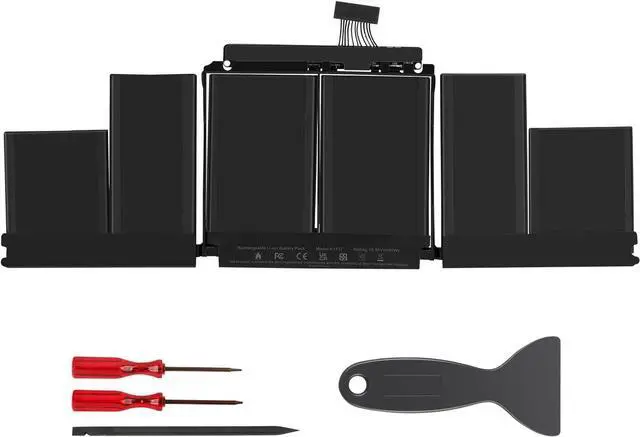
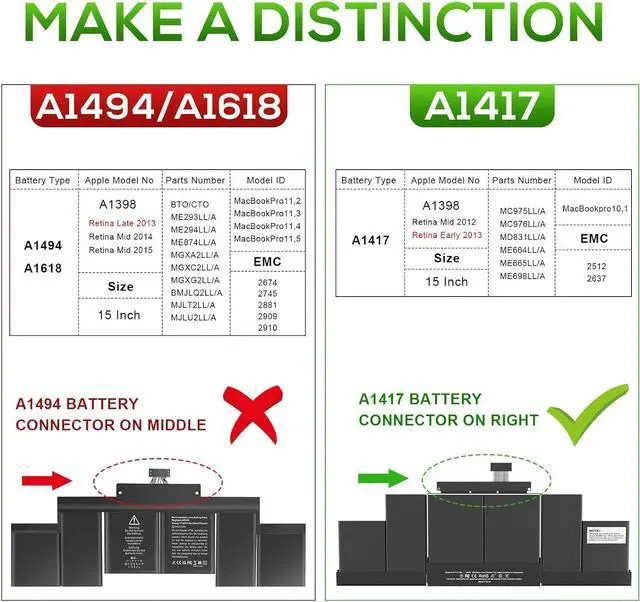
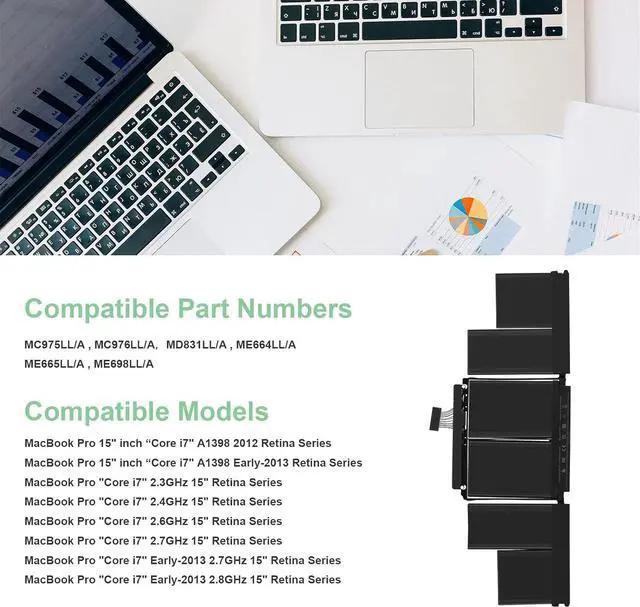
    Replacement A1417 Battery for MacBook Pro A1398 (Mid 2012 & Early 2013), Apply to MacBook Pro 15 inch Retina (Mid 2012, Early 2013 Version) - EMC 2512 or 2673

    • NOTE: This battery is NOT compatible with MacBook Pro 15" A1398 Late 2013 Mid 2014 Early 2015 version
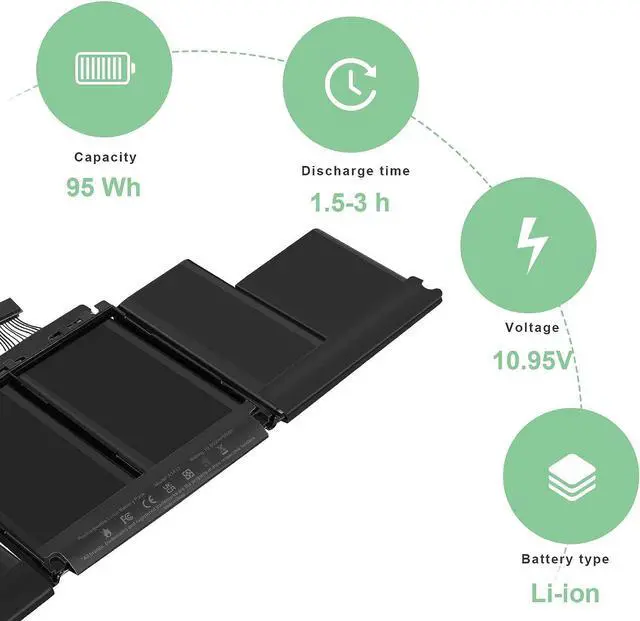
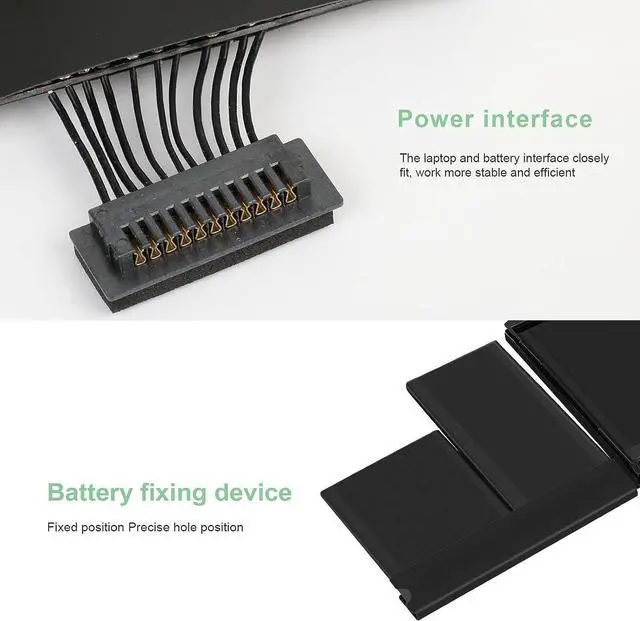
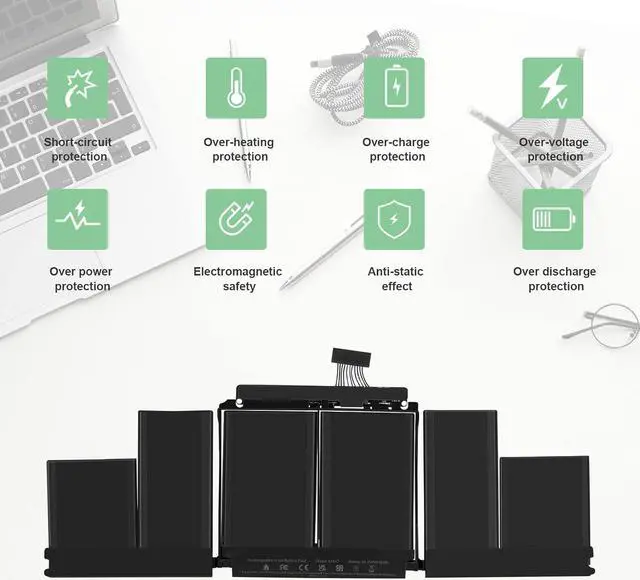
    • A1417 A1398 Battery Capacity: 95Wh, Voltage: 10.95V. The battery is durable and has overcurrent protection, anti-overcharge, anti-overdischarge and temperature control functions.
    • Suit for 15 inch A1398 MacBook Pro Battery Retina Mid 2012 Early 2013 (EMC 2512 or 2673) >[See more details on the Product Description]
    • 100% New Manufacturer,factory direct supply and best price, New replacement works perfectly, Grade A cells ensure fast charges and low power consumption;Built-in circuit protection ensures both safety and stability.
    • What you get: 1*A1417 / A1398 battery, 2*screwdrivers. To ensure your confidence and satisfaction,supports to return and exchange, any issue, submit an email, reply to you within 24 hours.24 x 7 Email Support,free exchange in 12 months, 30 days money back guarantee
    +
    +
    Overview
    Specs
    Reviews
    avatar

    Any questions? Our AI beta will help you find out quickly.

    Install A New Battery:
    1. You need to turn off your laptop and disconnect the power.
    2. Remove the old battery, carefully install the new battery on the battery case, and connect the wiring of the new battery.
    3. If you don't understand the above steps, you can search for the video about laptop battery installation on YouTube. Maybe it will help you.
    Laptop Maintenance Tips:
    1. New battery: For use a new battery, youd better try a few cycles of discharging to 5%. then charging up to 95%. So that it can be activated completely
    2. Overuse: Do not always run out of a battery to 0%, this would make it damaged or usage life shortened
    3. Charging sequence: when charging, first install the battery, then turn on the power, when fully charged, first cut off the power, then pull the power plug.
    4. Long-term storage:Please store the unused battery fully charged.(Charge it once a month) Do not store at low power to prevent reduce the lifespan of a battery
    5. Charger: Do not replace the laptop adapter casually. If the original adapter cannot be applied due to malfunction or damage, please replace the models, so as not to reduce the service life of the battery due to incompatibility.


    Warranty & Returns

    Warranty, Returns, And Additional Information

    Warranty

    • Please contact the Seller directly for warranty information. Warranty information may also be found on the Manufacturer's website.
    • CONTACT

    Return Policies

    Manufacturer Contact Info

    LOADING...
    LOADING...