


• $11.99
  • Free 30-day Returns
  • Ships from China.
    Price alert
    Add to wish list(Found on 1 wish list)

    Best Sellers

    Newegg
    • + $6.66 Shipping
    Shop it at NeweggBusiness.

    M.2 PCIe (M Key) NVMe SSD to PCIe x 4 Converter Card Support 2230, 2242, 2260 2280 mm M.2 NVMe SSD, NVMe PCIe Adapter

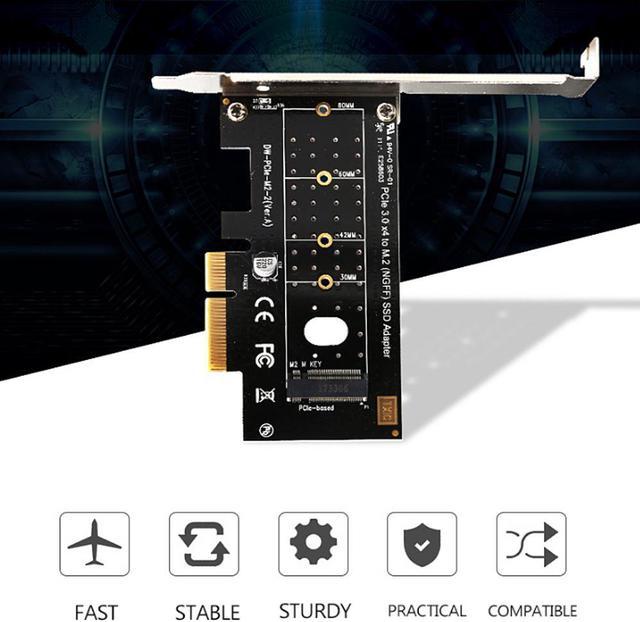
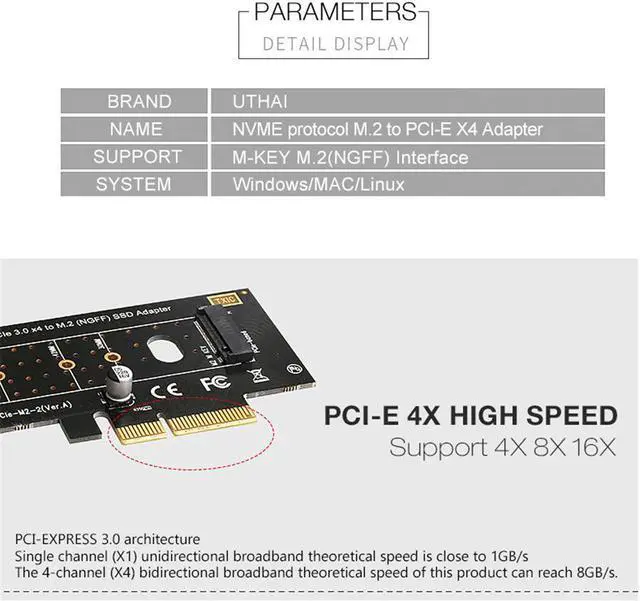
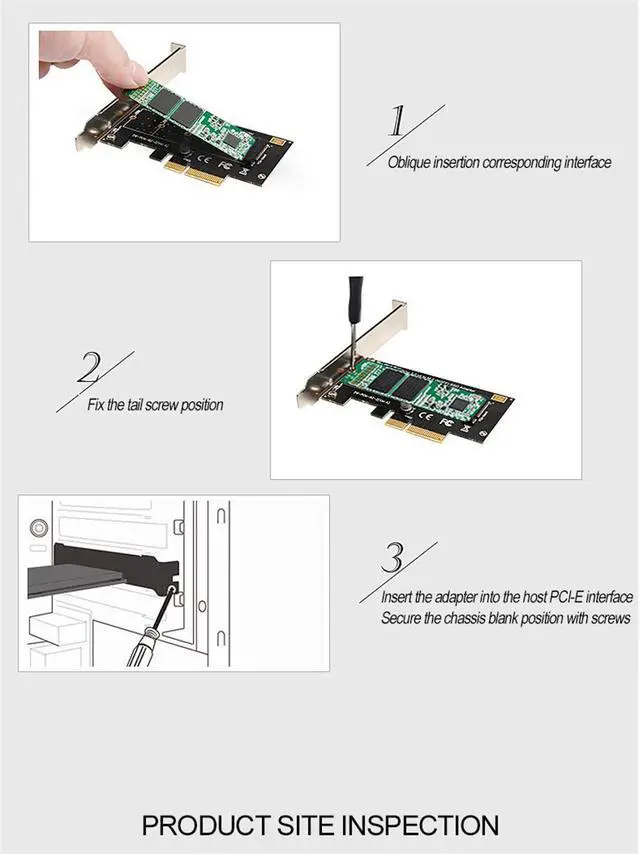
    • PCI-e NVMe Adapter allows you add M.2 NVMe SSD to your motherboard without M.2 slot
    • Compatible with M.2 (M Key)SSDs (NVMe): 80x22mm, 60x22mm and 42x22mm. Such as PM961, 970EVO, 961EVO, ect., Hardware Requirement: Available 4x/8x/16x Slot on Mainboard
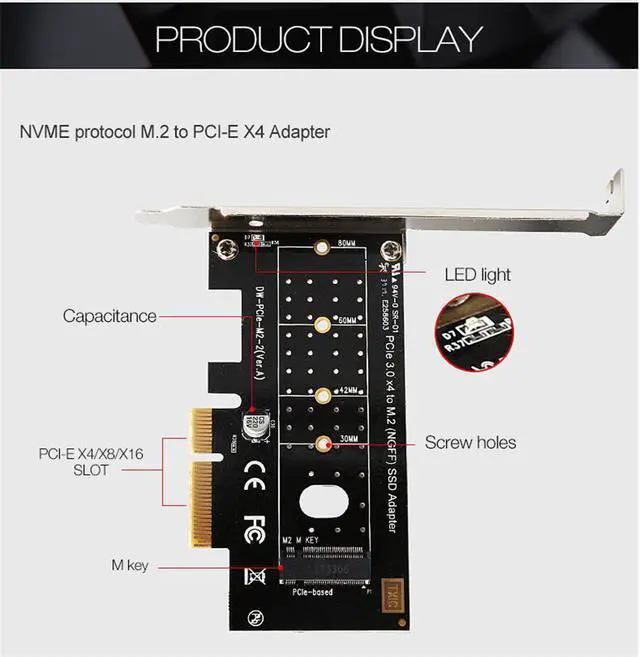
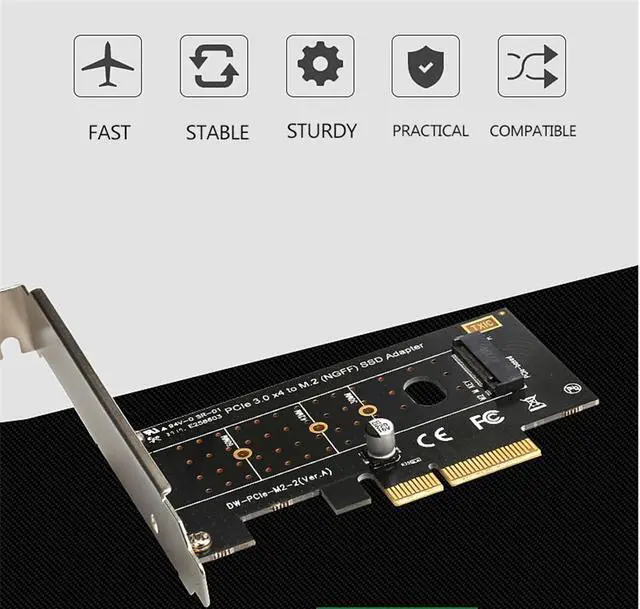
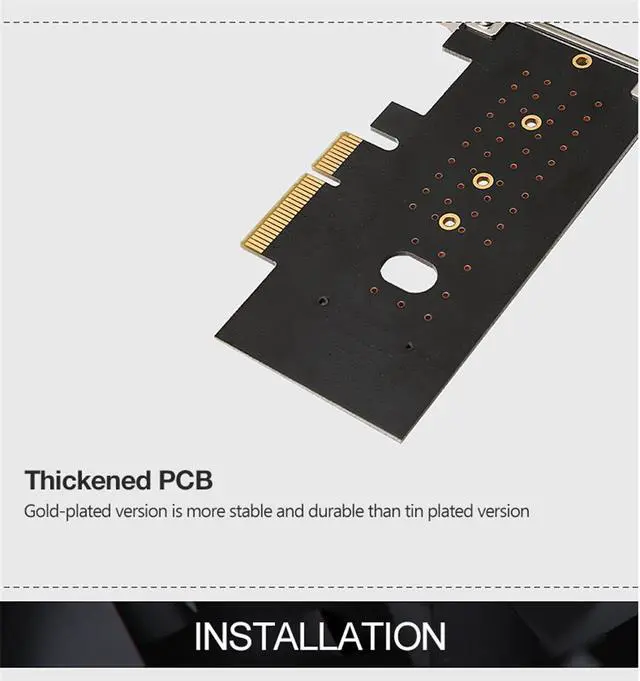
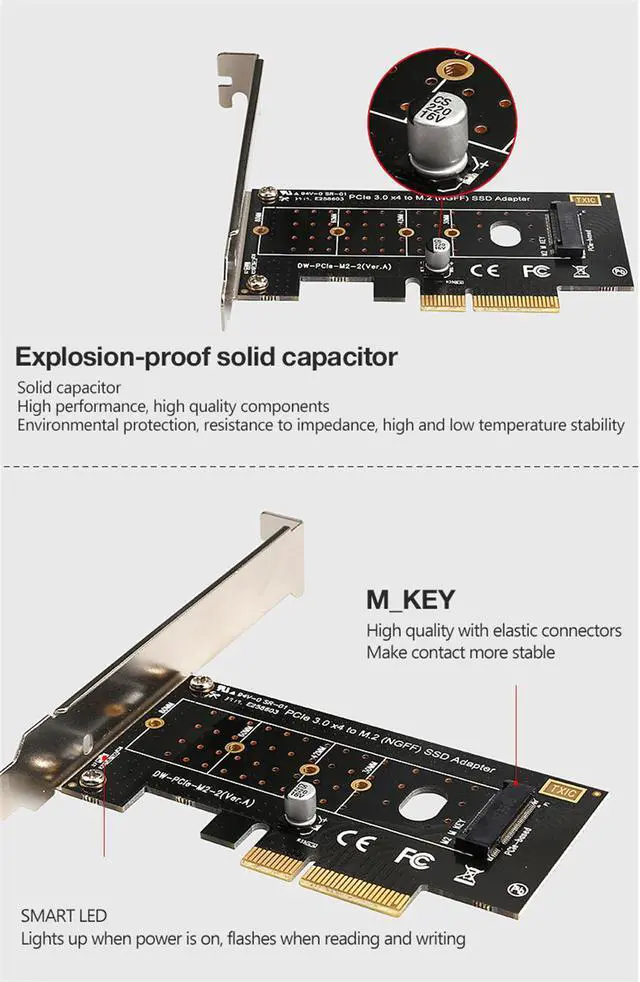
    • RIITOP PCIe M.2 NVMe Adapter Designed with LED Indicator, Easy to Know Power and Data Transfer Status. The vented design on immersion gold PCB enhance heat dissipation of SSD. low-profile and full-profile slot brackets included
    • Support Windows XP/7/8/10 /Linux, NO driver required. ( NOTE: Please visit the SSD's brand website and install the NVMe SSD's driver for Windows/Linux OS if no drives appear in the Device/Disk Management )
    • Note: This M2 SSD adapter can Only Support M.2 PCI-e Based M Key Nvme SSD, DO NOT support PCI-e M Key AHCI SSD, SATA based B+M key or B Key SSD
    +
    +
    Overview
    Specs
    Reviews
    avatar

    Any questions? Our AI beta will help you find out quickly.

    1
    • PCI-e NVMe Adapter allows you add M.2 NVMe SSD to your motherboard without M.2 slot
    • Compatible with M.2 (M Key)SSDs (NVMe): 80x22mm, 60x22mm and 42x22mm. Such as PM961, 970EVO, 961EVO, ect., Hardware Requirement: Available 4x/8x/16x Slot on Mainboard
    • RIITOP PCIe M.2 NVMe Adapter Designed with LED Indicator, Easy to Know Power and Data Transfer Status. The vented design on immersion gold PCB enhance heat dissipation of SSD. low-profile and full-profile slot brackets included
    • Support Windows XP/7/8/10 /Linux, NO driver required. ( NOTE: Please visit the SSD's brand website and install the NVMe SSD's driver for Windows/Linux OS if no drives appear in the Device/Disk Management )
    • Note: This M2 SSD adapter can Only Support M.2 PCI-e Based M Key Nvme SSD, DO NOT support PCI-e M Key AHCI SSD, SATA based B+M key or B Key SSD
    2

    Connector:

    • 1x M-key (type 2280-D5-M) M.2 socket for M. 2 NGFF PCIe based SSD.
      Convert M. 2 NGFF PCIe based SSD to work in main board PCIe x4 bus slot.
    • PCI Express 3.0 x4 Lane Host adapter Low Profile Form Factor board with both Regular size and Low Profile bracket included.
    • Supports PCIe 2.0 and PCIe 3.0 motherboard.
    • Movable M. 2 NGFF stand-off and multiple plated-holes supports type 2280, 2260 and 2242 M. 2.
    • Supports M. 2 NGFF PCIe 80mm, 60mm, 42mm SSDs.
      Supports dual-sided M. 2 SSD module with 1.5 mm component height on the top and bottom side.
       
    3
    • Compatibility (Incomplete List): 
      Samsung XP941, SM951 (AHCI or NVMe), 950 Pro Series SSDs. Kingston HyperX Predator M. 2. Plextor M6e Series M. 2 SSD.
    2

    Package Contents: 

    • 1x M. 2 PCIe SSD to PCIe3.0 x4 Host Adapter Card.
    • 1x Low Profile Bracket..
    1
    • Hardware Requirement: 
      1x Empty PCIe 2.0(or 3.0) x4, x8, or x16 slot. 
    4
    • M-Key M. 2 NGFF PCIe to PCI-e x4 Slot Converter Adapter Allow you to install an M. 2 NGFF PCIe (AHCI or NVMe) SSD through a Low Profile PCIe 3.0 x4 card to your PC System
    1
    • Supports industrial operating temperature range: -40 - 85 ºC.
      M. 2 PCIe SSD gets power from motherboard PCIe bus slot 3.3V.
       
    2
    • Note: Mac Pro 2009, 2010 and 2012 models support PCIe-AHCI SSD only.
    4
    • Software: No driver installation required. Windows 10/8, Windows Server 2012 R2, Linux series, Fedora, SUSE, Ubuntu, Red Hat native drivers support both PCIe-NVMe and PCIe-AHCI.
    3
    • Note: NVMe native driver for Windows 7 and Windows Server 2008 R2 is available from Microsoft Knowledge Base.

    Note:

    • 1. Not compatible with a 'B' key M. 2 PCIe x2 SSD or 'B' key M. 2 SATA SSD.
    • 2. Need mainboard with a freedom PCI-e x4 or above slot (PCIe v 3.0 will be faster in transfering).
    • 3. Mac Pro 2009, 2010 and 2012 models support PCIe-AHCI SSD only, Win7 and Windows Server 2008 R2 are NOT compatible with NVME SSD.
    • 4. If you wish to boot off using M. 2 SSD, your motherboard needs to support it. Due to BIOS limitations, not all motherboards support booting off M. 2 SSD so please consult your motherboard manual or vendor for more details on how to enable this function.
    • 5. M. 2 PCIe-NVMe mode SSD requires the use of Intel 9 series (Z97 H97 Z170 X99) or higher version chipset motherboard with Windows 8 or higher version operating system.
    • 6. If add in PCI-e 2.0 slot, the transfer speed will be 16Gbps, please note that!
    M. 2 PCIe (M Key) NVMe SSD to PCIe x4 Converter Card Support 2230, 2242, 2260 2280 mm M. 2 NVMe SSD, NVMe PCIe Adapter PCI-e NVMe Adapter allows you add M. 2 NVMe SSD to your motherboard without M. 2 slot Compatible with M.
    2 (M Key) SSDs (NVMe): 80x22mm, 60x22mm and 42x22mm. Such as PM961, 970EVO, 961EVO, ect.,
    Hardware Requirement: Available 4x/8x/16x Slot on Mainboard RIITOP PCIe M. 2 NVMe Adapter Designed with LED Indicator, Easy to Know Power and Data Transfer Status. The vented design on immersion gold PCB enhance heat dissipation of SSD. low-profile and full-profile slot brackets included Support Windows XP/7/8/10 /Linux, NO driver required.
    ( NOTE: Please visit the SSD's brand website and install the NVMe SSD's driver for Windows/Linux OS if no drives appear in the Device/Disk
    Management ) Note: This M2 SSD adapter can Only Support M. 2 PCI-e Based M Key Nvme SSD, DO NOT support PCI-e M Key AHCI SSD, SATA based B+M key or B
    Key SSD Note:
    1. Not compatible with a 'B' key M. 2 PCIe x2 SSD or 'B' key M. 2 SATA SSD.
    2. Need mainboard with a freedom PCI-e x4 or above slot (PCIe v 3.0 will be faster in transfering).
    3. Mac Pro 2009, 2010 and 2012 models support PCIe-AHCI SSD only, Win7 and Windows Server 2008 R2 are NOT compatible with NVME SSD.
    4. If you wish to boot off using M. 2 SSD, your motherboard needs to support it. Due to BIOS limitations, not all motherboards support booting off M. 2 SSD so please consult your motherboard manual or vendor for more details on how to enable this function. 5. M. 2 PCIe-NVMe mode SSD requires the use of Intel 9 series (Z97 H97 Z170 X99) or higher version chipset motherboard with Windows 8 or higher version operating system.
    6. If add in PCI-e 2.0 slot, the transfer speed will be 16Gbps, please note that! ?M-Key M. 2 NGFF PCIe to PCI-e x4 Slot Converter Adapter Allow you to install an M. 2 NGFF PCIe (AHCI or NVMe) SSD through a Low Profile PCIe 3.0 x4 card to your PC
    System Features:
    Connector: 1x M-key (type 2280-D5-M) M. 2 socket for M. 2 NGFF PCIe based SSD. Convert M. 2 NGFF PCIe based SSD to work in main board PCIe x4 bus slot. PCI Express 3.0 x4 Lane Host adapter Low Profile Form Factor board with both Regular size and Low Profile bracket included. Supports PCIe 2.0 and PCIe 3.0 motherboard. Movable M. 2 NGFF stand-off and multiple plated-holes supports type 2280, 2260 and 2242 M.
    2. Supports M. 2 NGFF PCIe 80mm, 60mm, 42mm SSDs. Supports dual-sided M. 2 SSD module with 1.5 mm component height on the top and bottom side.
    Supports industrial operating temperature range: -40 - 85 ºC. M. 2 PCIe SSD gets power from motherboard PCIe bus slot 3.3V.
    Software: No driver installation required. Windows 10/8, Windows Server 2012 R2, Linux series, Fedora, SUSE, Ubuntu, Red Hat native drivers support both PCIe-NVMe and PCIe-AHCI.
    Note: NVMe native driver for Windows 7 and Windows Server 2008 R2 is available from Microsoft Knowledge Base.
    Note: Mac Pro 2009, 2010 and 2012 models support PCIe-AHCI SSD only.
    Hardware Requirement: 1x Empty PCIe 2.0 (or 3.0 ) x4, x8, or x16 slot.
    Compatibility (Incomplete List): Samsung XP941, SM951 (AHCI or NVMe), 950 Pro Series SSDs. Kingston HyperX Predator M.
    2. Plextor M6e Series M. 2 SSD.
    Package Contents: 1x M. 2 PCIe SSD to PCIe 3.0 x4 Host Adapter Card. 1x Low Profile Bracket..

    Warranty & Returns

    Warranty, Returns, And Additional Information

    Warranty

    • Please contact the Seller directly for warranty information. Warranty information may also be found on the Manufacturer's website.
    • CONTACT

    Return Policies

    Manufacturer Contact Info

    LOADING...
    LOADING...