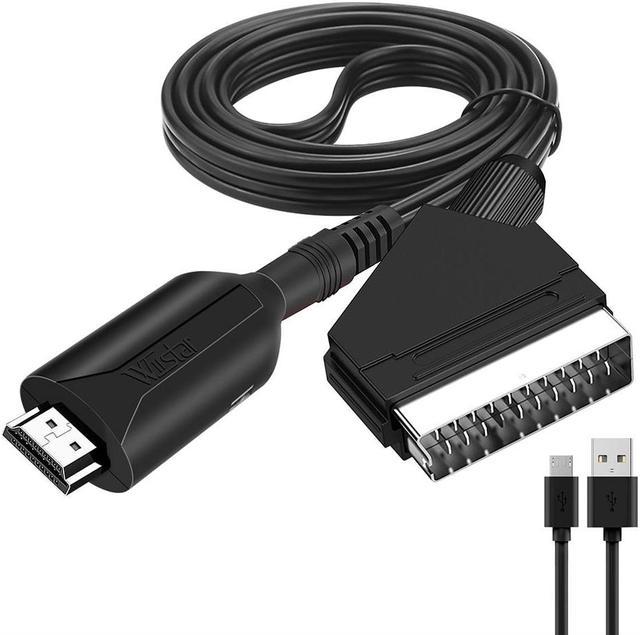
Product description
Feature:
No drive, light and flexible, plug and play
Adopt advanced signal processing technology to ensure excellent accuracy, color, resolution and detail
Support PAL, NTSC 3.58. NTSC 4.43, SECAM, PAL / M, PAL / N standard TV format input
Support HDMI 1080p / 720p output
Specification:
SCART input.............. PAL, NTSC 3.58. NTSC 4.43, SECAM, PAL / M, PAL / N
HDMI output.............. 1080p / 720p
HDMI Output Cable Length. 7m AWG26 HDMI Standard Cable
SCART Input Cable Length. 8m AWG26 SCART Standard Cable
Maximum operating current. 350mA
Power Adapter
Specifications
... AC 100V-240V 50 / 60HZ, DC 5V / 1A
Operating temperature..... - 10 ~ + 55
Storage temperature...... - 20 ~ + 60
Working humidity......... 10 ~ 90% RH (No condensation)
Storage humidity......... 5 ~ 95 % RH (non-condensing)
Package Contents:
1x Scart to HDMI Converter
1x USB power cable
Note:
Due to the different monitor and light effect, the actual color of the item might be slightly different from the color showed on the pictures. Thank you!
Please allow 1-2cm measuring deviation due to manual measurement.
it can not use for sony and blackmagic brand name, if you device brand name belong sony and blackmagic, please do not buy it.
it must cooonect the micro cable to supply power, the package has not the power adapter, it only has micro cable ( has not the power adapter)
: Can not work?
please check 5 things:
1. have you connect the micro cable use for supply power?
2. have you connect right? scart ( dvd ) to hdmi ( tv ).
3. have you switch 720p or 1080p on our device?
4. have you set hdmi signal on your tv?
5. Whether the power light on the HDMI end is on normally. If it is not on, please reinsert the USB mirco cable or replace the USB Miro cablecheck the
: Only blue screen is displayed on the screen
1: Reseat one end of the SCART Port
2: Rotate the HDMI body and the cable connection, and unplug it again
3: Set the output resolution of the SCART source device to 480i/576i
: The screen is silent or the sound is noisy
1: Reseat one end of the SCART port
2: Rotate the HDMI body and the cable connection, and unplug it again
: No picture and sound on the screen
1: Reseat one end of the SCART Port
2: Rotate the HDMI body and cable connection
3: You can toggle the 720p/1080p switch on the product to set it to 720p output mode, which can improve the compatibility of the product
if it still not work, please do not open a dispute or bad feedback, please contact us. we will slove it