





Since our foundation in 2014, we've been dedicated to building consumer electronic devices and accessories with leading technological innovations.
We focus on HD Video& Audio accessories, Hub, Data Storage and Ethernet connection. We has steadily grown into a brand trusted by over 20 million users in more than 60 countries.
BENFEI is committed to providing high-quality products, friendly design and premium service to our customers.
![BENFEI DisplayPort to DisplayPort 6 Feet Cable [8K@30Hz, Aluminum Shell, Nylon Braided], DP to DP...](//c1.neweggimages.com/sellingpilot/modules/product/a-plus/8a301b74308e17ebb78363d4e8ffac36e2e0f42806bcf9f0c74b7325f1e1a998.jpg)
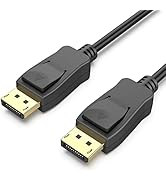
HD Video & Audio Accessories
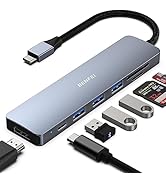
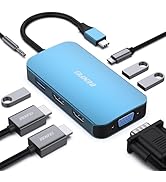
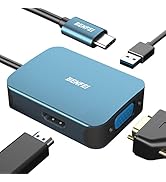
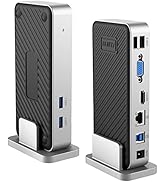
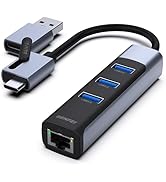
HUB & Dock Station
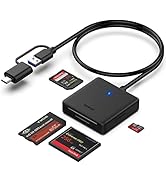
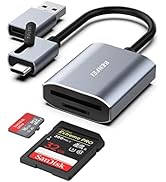
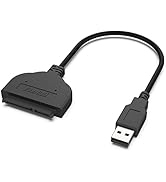
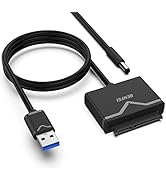
Data Storage
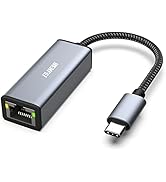
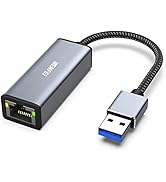
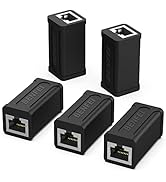
Ethernet Connecttion
![BENFEI DisplayPort to DisplayPort 6 Feet Cable [8K@30Hz, Aluminum Shell, Nylon Braided], DP to DP...](http://c1.neweggimages.com/sellingpilot/modules/product/a-plus/8a301b74308e17ebb78363d4e8ffac36e2e0f42806bcf9f0c74b7325f1e1a998.jpg)

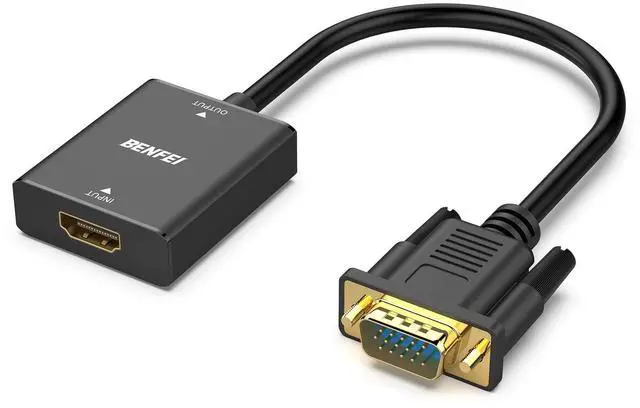
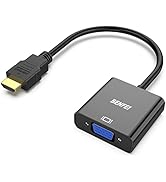
BENFEI Uni-directional HDMI Source to VGA Monitor Adapter(Female HDMI to Male VGA Cord)
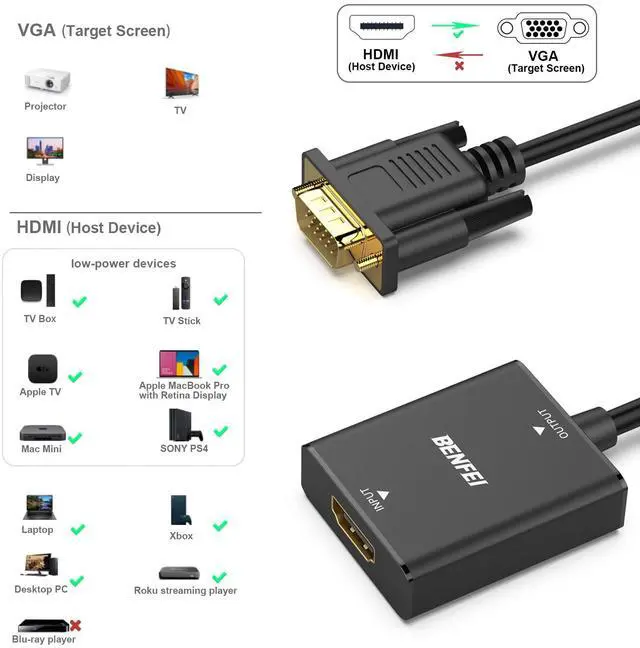
- The BENFEI HDMI to VGA Adapter is designed for connecting HDMI equipped computer or device to VGA equipped monitors, providing optimal video quality up to 1080p HDTV or 1920 x 1200 PC graphics. It is a cost-effective solution to allow your HDMI computer/device to work with the VGA display for business, home entertainment, conference rooms, and more.
Specifications
- - Input: HDMI Female
- - Output: VGA Male
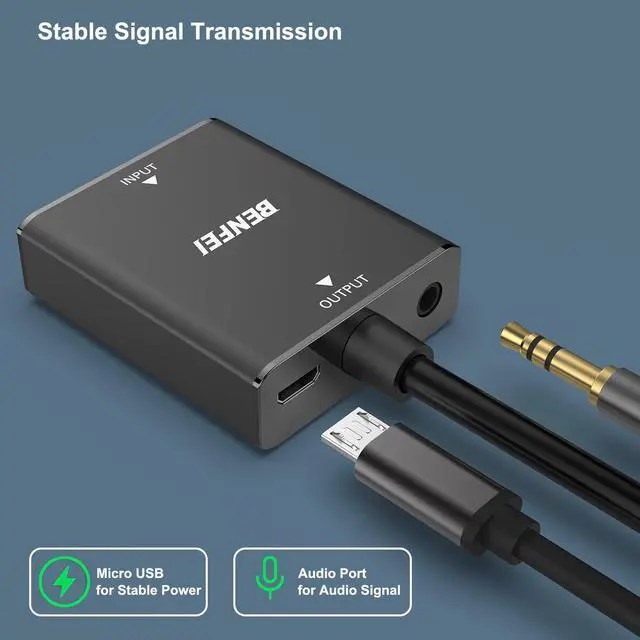
- - Audio Support: Yes
- - Installation: Plug and Play
- - Micro USB port:Support for low-power devices.
Note:
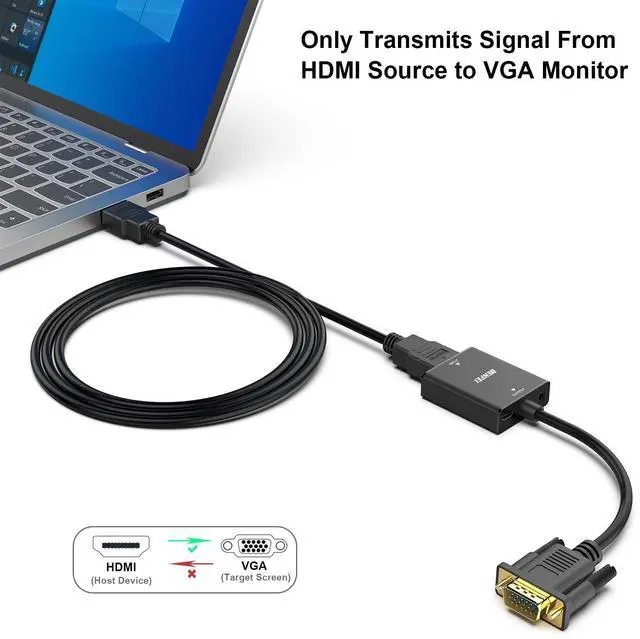
- It is not bidirectional.
- It can't convert VGA of Computer/Laptop to HDMI of Monitor/TV/Projector.

Important Note:
1)Uni-directional, Not Bidirectional
- This adpater is used to connect the HDMI source to the VGA Display, it could not work in the opposite direction.
- For the VGA source to HDMI Monitor solution, please see the table in the following.
2)Compatible with low voltage HDMI Devices
- Compatible with devices with low-power HDMI ports such as SONY PS4, Apple MacBook Pro with Retina Display, Mac mini, and Apple TV
- Please do hoop up the usb power cable to 5V power source before use,otherwise, the converter may not work properly.
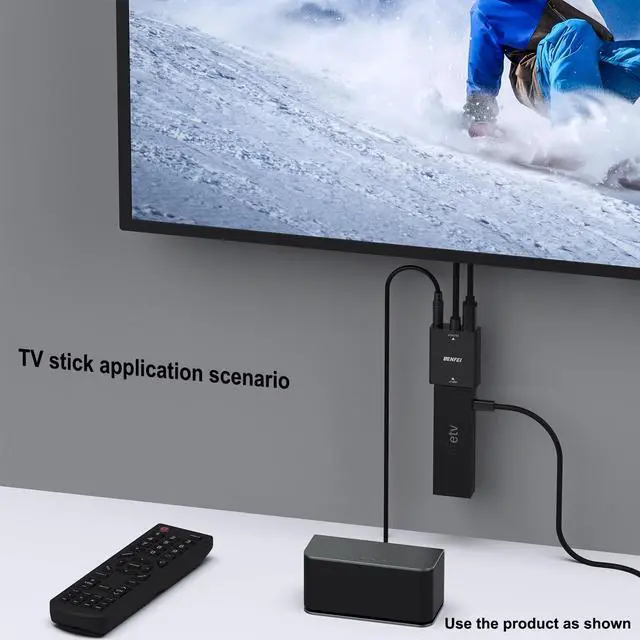
3) How to USE With FireTV stick:
- Connect the USB Charging cable to the external power supply or the usb port of comuputer/laptop.
- Plug the VGA cord to the monitor or TV's VGA slot.
- Plug the Firestick into the HDMI port of this adpater.
- Connect the 3.5mm audio cable with the speaker. And then it will work flawless.
- Note: PLEASE DO HOOP UP THE USB POWER CABLE TO 5V POWER SOURCE BEFORE USE, OTHERWISE, THE CONVERTER MAY NOT WORK PROPERLY.
4) Please use HDMI version 1.4 cable within 8 meters to ensure the high performance of this item.
5) Package include: 1 x HDMI to VGA Adapter 1 x Micro USB Cable 1 x 3.5mm Aux Cable
If the screen does not display after correct connection, please check the following:
- Connection direction: Ensure HDMI is unidirectionally outputting to VGA.
- Low-power output device: Check by plugging into the Micro USB port.
- Default resolution on your computer: Change from 4:3 aspect ratio to 16:9 and adjust resolution to default 1080p.
If audio does not play after correct connection, please check:
- Is there an audio port connected to the product (VGA itself does not transmit audio).
- Whether the output device is correctly selected in the audio settings of the device.

Crystal Clear Image and Audio
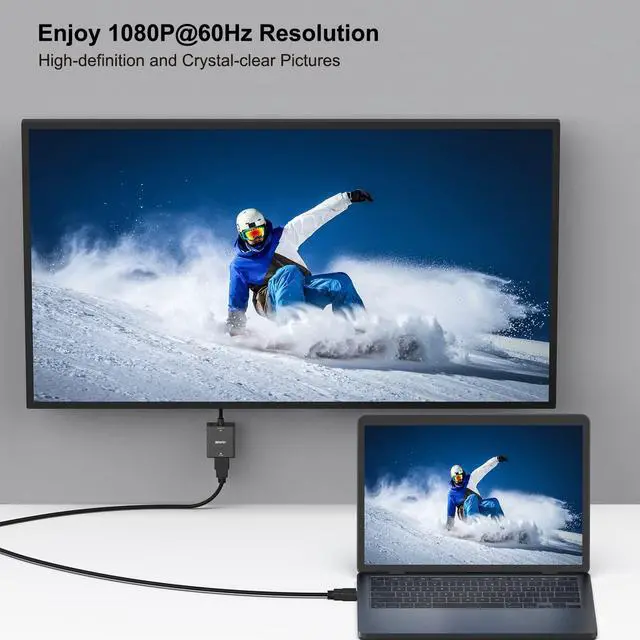
- Supports resolutions up to 1920 x 1080 @ 60Hz (1080p Full HD), including 720p and 1600x1200 for HD monitors or projectors.
- Integrated audio port in the adapter connects to speakers on the VGA display with the stereo cable(included in the package);

Widely Usage
- Compatible with computer, pc, desktop, laptop, ultrabook, notebook, Chromebook, Raspberry Pi, Intel Nuc, Roku, PS3, Xbox One, Xbox 360, Wii U, Set Top Box, TV BOX, or other devices with HDMI port;
- Compatible with Blu-ray player and devices with low-power HDMI ports such as SONY PS4/PS5, Apple MacBook Pro with Retina Display, Mac mini, and Apple TV;

Ultra Durable
- Gold-plated connectors resist corrosion, provide rigidity, and improve the signal performance
- Reinforced joint to ensure the durability

Enhanced Solution Design
- Adopt high performace chipset to achieve the better compatibility and avoid signal inteference
- Adopt Advanced PCBA solution(4 layers PCB Board) to gurrante the solution durability

Compact Design
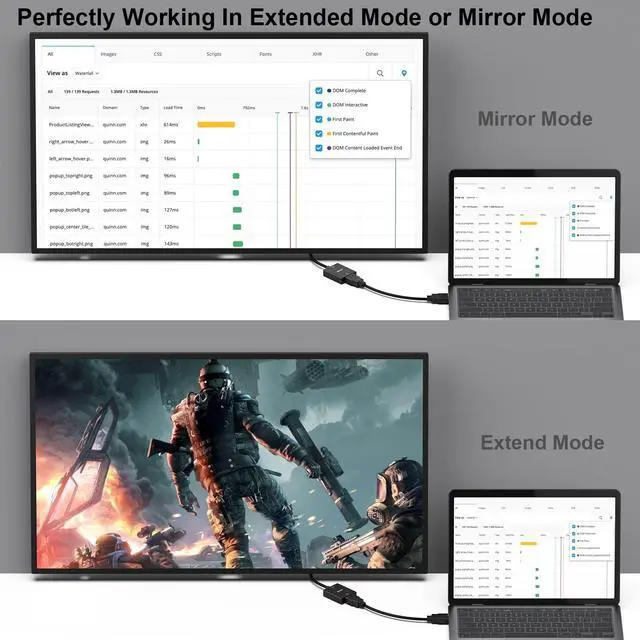
- Tuck this lightweight gadget into your bag or pocket to do a business presentation with your laptop and projector, or extend your desktop screen to a monitor or TV
 HDMI Source to VGA Display |  8K@60Hz 4K@144Hz HDMI Cable |  HDMI Source to VGA Display |  HDMI Source to VGA Display |  VGA Source to HDMI Display |  VGA Source to HDMI Display | |
|---|---|---|---|---|---|---|
| Customer Reviews | — | — | — | — | — | — |
| Price | — | — | — no data | — no data | — | — |
| Video Mirror Direction | HDMI Source to VGA Display | HDMI to HDMI | HDMI Source to VGA Display | HDMI Source to VGA Display | VGA Source to HDMI Display | VGA Source to HDMI Display |
| Audio Output | Yes | Yes | No | Yes | Yes | Yes |
| Whether supports Blu-ray, PS4, Apple MacBook Pro with Retina Display, Mac mini, and Apple TV | Support | Support | Support | Support | Not Related | Not Related |
| Resolution | 1080P@60Hz | 8K@60Hz 4K@144Hz | 1080P@60Hz | 1080P@60Hz | 1080P@60Hz | 1080P@60Hz |
| HDMI | HDMI Female | HDMI Male | HDMI Male | HDMI Male | VGA Male | VGA Male |
| Analog Cord | VGA Male | HDMI Male | VGA Female | VGA Male | HDMI Female | HDMI Male |
| Bi-directional | No | Yes | No | No | No | No |
| Product Length | 23 cm | 6 Feet | All in one Design | 1.8 Meter | 25 cm | 1.8 Meter |
BENFEI Uni-directional HDMI Source to VGA Monitor Adapter(Female HDMI to Male VGA Cord)
- The BENFEI HDMI to VGA Adapter is designed for connecting HDMI equipped computer or device to VGA equipped monitors, providing optimal video quality up to 1080p HDTV or 1920 x 1200 PC graphics. It is a cost-effective solution to allow your HDMI computer/device to work with the VGA display for business, home entertainment, conference rooms, and more.
Specifications
- - Input: HDMI Female
- - Output: VGA Male
- - Audio Support: Yes
- - Installation: Plug and Play
- - Micro USB port:Support for low-power devices.
Note:
- It is not bidirectional.
- It can't convert VGA of Computer/Laptop to HDMI of Monitor/TV/Projector.
Important Note:
1)Uni-directional, Not Bidirectional
- This adpater is used to connect the HDMI source to the VGA Display, it could not work in the opposite direction.
- For the VGA source to HDMI Monitor solution, please see the table in the following.
2)Compatible with low voltage HDMI Devices
- Compatible with devices with low-power HDMI ports such as SONY PS4, Apple MacBook Pro with Retina Display, Mac mini, and Apple TV
- Please do hoop up the usb power cable to 5V power source before use,otherwise, the converter may not work properly.
3) How to USE With FireTV stick:
- Connect the USB Charging cable to the external power supply or the usb port of comuputer/laptop.
- Plug the VGA cord to the monitor or TV's VGA slot.
- Plug the Firestick into the HDMI port of this adpater.
- Connect the 3.5mm audio cable with the speaker. And then it will work flawless.
- Note: PLEASE DO HOOP UP THE USB POWER CABLE TO 5V POWER SOURCE BEFORE USE, OTHERWISE, THE CONVERTER MAY NOT WORK PROPERLY.
4) Please use HDMI version 1.4 cable within 8 meters to ensure the high performance of this item.
5) Package include: 1 x HDMI to VGA Adapter 1 x Micro USB Cable 1 x 3.5mm Aux Cable
If the screen does not display after correct connection, please check the following:
- Connection direction: Ensure HDMI is unidirectionally outputting to VGA.
- Low-power output device: Check by plugging into the Micro USB port.
- Default resolution on your computer: Change from 4:3 aspect ratio to 16:9 and adjust resolution to default 1080p.
If audio does not play after correct connection, please check:
- Is there an audio port connected to the product (VGA itself does not transmit audio).
- Whether the output device is correctly selected in the audio settings of the device.
Crystal Clear Image and Audio
- Supports resolutions up to 1920 x 1080 @ 60Hz (1080p Full HD), including 720p and 1600x1200 for HD monitors or projectors.
- Integrated audio port in the adapter connects to speakers on the VGA display with the stereo cable(included in the package);
Widely Usage
- Compatible with computer, pc, desktop, laptop, ultrabook, notebook, Chromebook, Raspberry Pi, Intel Nuc, Roku, PS3, Xbox One, Xbox 360, Wii U, Set Top Box, TV BOX, or other devices with HDMI port;
- Compatible with Blu-ray player and devices with low-power HDMI ports such as SONY PS4/PS5, Apple MacBook Pro with Retina Display, Mac mini, and Apple TV;
Ultra Durable
- Gold-plated connectors resist corrosion, provide rigidity, and improve the signal performance
- Reinforced joint to ensure the durability
Enhanced Solution Design
- Adopt high performace chipset to achieve the better compatibility and avoid signal inteference
- Adopt Advanced PCBA solution(4 layers PCB Board) to gurrante the solution durability
Compact Design
- Tuck this lightweight gadget into your bag or pocket to do a business presentation with your laptop and projector, or extend your desktop screen to a monitor or TV
HDMI Source to VGA Display | 8K@60Hz 4K@144Hz HDMI Cable | HDMI Source to VGA Display | HDMI Source to VGA Display | VGA Source to HDMI Display | VGA Source to HDMI Display | |
|---|---|---|---|---|---|---|
| Customer Reviews | — | — | — | — | — | — |
| Price | — | — | — no data | — no data | — | — |
| Video Mirror Direction | HDMI Source to VGA Display | HDMI to HDMI | HDMI Source to VGA Display | HDMI Source to VGA Display | VGA Source to HDMI Display | VGA Source to HDMI Display |
| Audio Output | Yes | Yes | No | Yes | Yes | Yes |
| Whether supports Blu-ray, PS4, Apple MacBook Pro with Retina Display, Mac mini, and Apple TV | Support | Support | Support | Support | Not Related | Not Related |
| Resolution | 1080P@60Hz | 8K@60Hz 4K@144Hz | 1080P@60Hz | 1080P@60Hz | 1080P@60Hz | 1080P@60Hz |
| HDMI | HDMI Female | HDMI Male | HDMI Male | HDMI Male | VGA Male | VGA Male |
| Analog Cord | VGA Male | HDMI Male | VGA Female | VGA Male | HDMI Female | HDMI Male |
| Bi-directional | No | Yes | No | No | No | No |
| Product Length | 23 cm | 6 Feet | All in one Design | 1.8 Meter | 25 cm | 1.8 Meter |
Since our foundation in 2014, we've been dedicated to building consumer electronic devices and accessories with leading technological innovations.
We focus on HD Video& Audio accessories, Hub, Data Storage and Ethernet connection. We has steadily grown into a brand trusted by over 20 million users in more than 60 countries.
BENFEI is committed to providing high-quality products, friendly design and premium service to our customers.
HD Video & Audio Accessories
HUB & Dock Station
Data Storage
Ethernet Connecttion