

Out of stock
This item is currently out of stock and it may or may not be restocked.
Sold by Newegg

Shipped by Newegg

Shop it at NeweggBusiness.

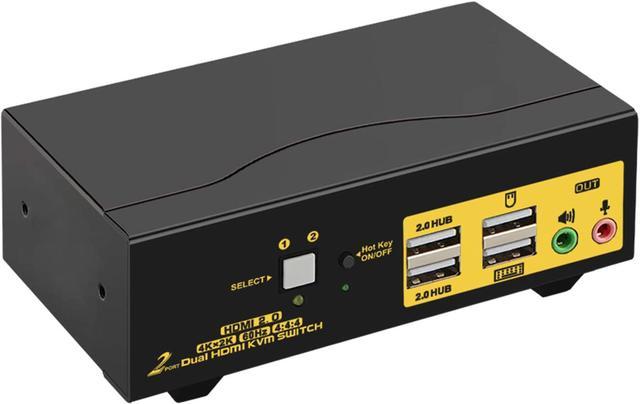
HDMI KVM Switch 2 Port Dual Monitor 4K 60Hz, 2x2 PC Monitor Keyboard Mouse Selector with Audio and 2 USB 2.0 HUB

  • DUAL MONITOR HDMI KVM SWITCH 2 PORT: Controls 2 computers or laptops with one set of keyboard, mouse and 2 monitors which supports extended or mirrored display; Ideal for working from home, designing, editing and gaming purposes etc
  • KVM SWITCH DUAL MONITOR HDMI 20 4K 60HZ: Conforms to HDMI 20 standard and supports 4096x2160@60Hz, 3840x2160@60Hz, 2560x1440@144Hz, 1920x1080@144Hz and downwards; Support HDCP and auto EDID
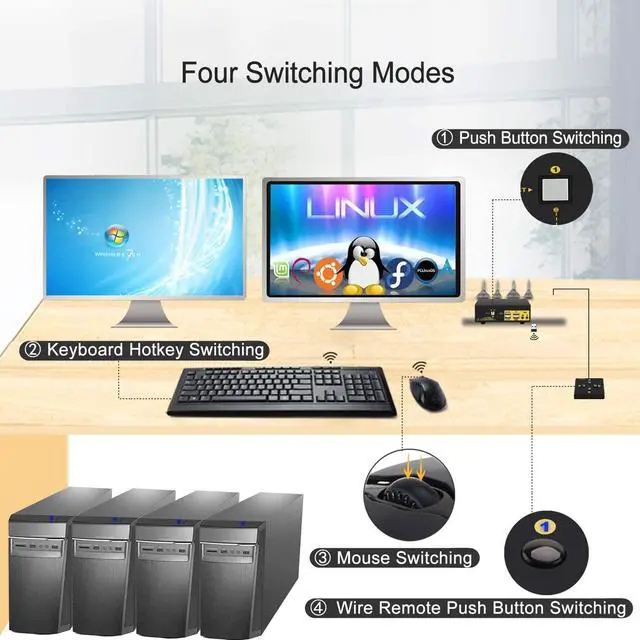
  • 2x2 KVM SWITCH 2 MONITORS WITH EASY SWITCHING MODES: 1 Button switch on front Panel; 2 Keyboard hotkey switch; 3 Mouse click switch; 4 Wired remote switch; 5 Auto scan switch with adjustable interval for monitoring or testing purposes
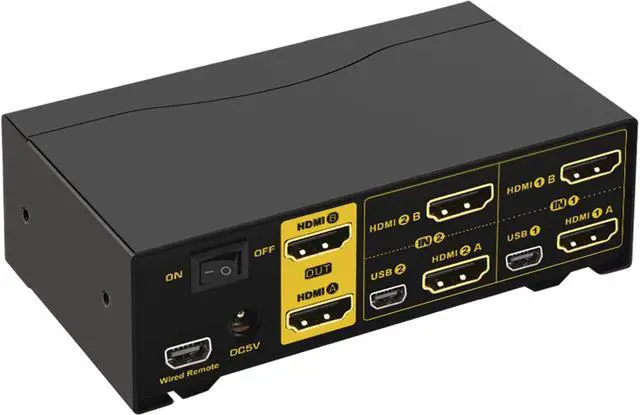
  • USB KVM WITH DUAL HDMI INPUT AND OUTPUTS: This dual monitor KVM is designed with 2 HDMI input for each computer and 2 HDMI output for monitors, reliable adapters will be needed for VGA / DVI / USB C / DP outputs, Please be aware of this before order
Overview
Specs
Reviews (11)
See all Q & A
avatar

Any questions? Our AI beta will help you find out quickly.

huakan

HDMI KVM Switch 2 Port Dual Monitor 4K 60Hz

Does Everything You Need!

image for this item

Product Benefits You Might be Looking for:

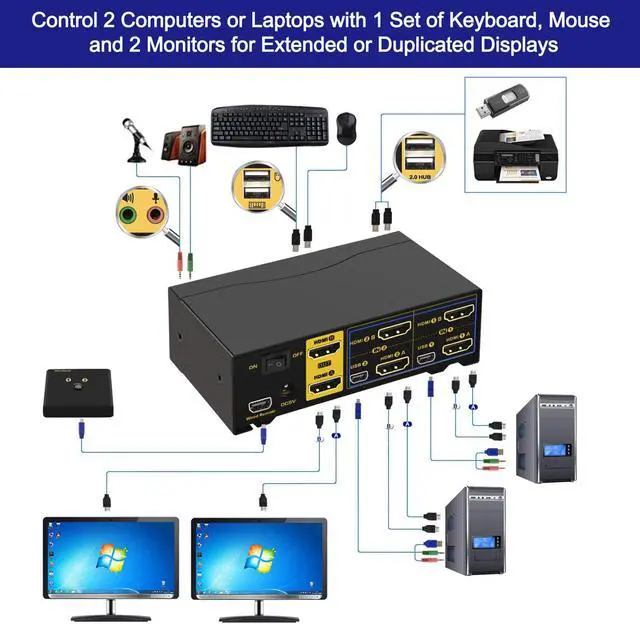
1. Control 2 computers or laptops with one set of keyboard, mouse and 2 monitors.

2. With 2 monitors output for extended, duplicated and spliced display purposes.

3. HDMI 2.0 support up to 4K@60Hz (4096*2160 or 3840*2160 4:4:4).

4. Multiple Switching Modes: 1. keyboard hotkey 2. mouse click 3. manual button 4. wired remote 5. auto scan.

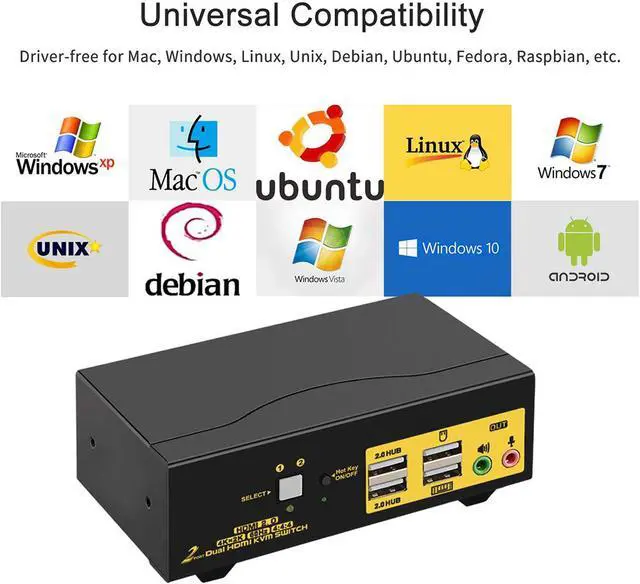
5. Cross support multi platforms inlcuding Windows 10/7/2000/XP/Vista, Linux, Mac and More.

6. Support most wired and wireless keyboard and mouse with USB pass-through technology

7. WIth extra 2 USB 2.0 HUB ports and audio support

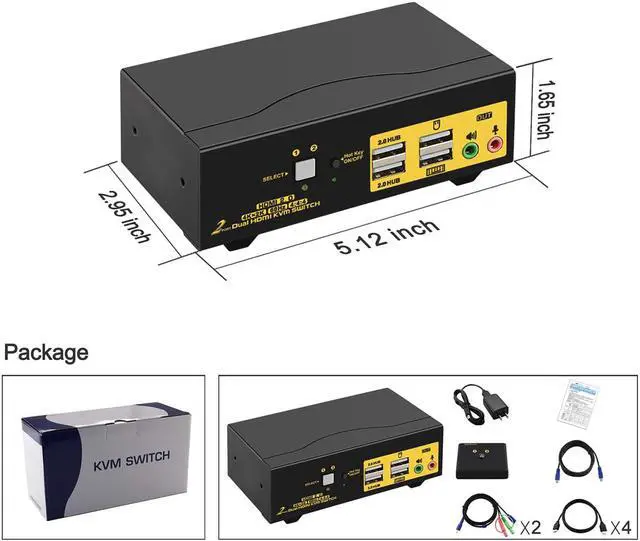
8. With all cables except cable for monitors

Easy Hookup, Plug and Play without any Software Needed

Support 4096*2160@60Hz with HDMI2.0 Protocol

image for this item

Switching Freely between Home, Work and Gaming PCs

Installation Guide :

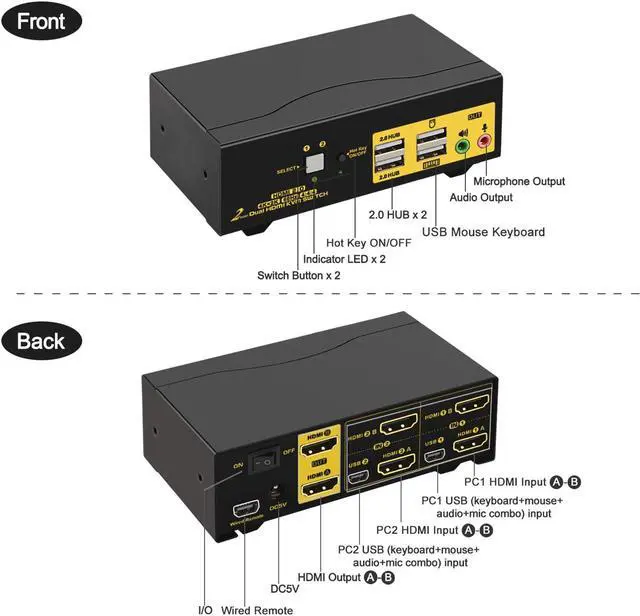
  1. PC 1 : Connect 2 Video outputs on PC 1 to HDMI IN 1A & 1B on the kvm, and connect USB 2.0 port and audio on PC 1 to USB 1 using USB + Audio cable.
  2. PC 2 : Connect 2 Video outputs on PC 2 to HDMI IN 2A & 2B on the kvm, and connect USB 2.0 port and audio on PC 2 to USB 2 using USB + Audio cable.
  3. Monitors: Connect Monitor A to HDMI A Out, Monitor B to HDMI B Out.
  4. Wired or Wireless Keyboard & Mouse: Connect keyboard and mouse to USB ports with Keyboard and mouse icon (hotkeys supported); or connect them to USB 2.0 HUB ports (hotkeys not supported).
  5. Audio Devices: Connect speaker or microphone output on KVM (optional), make sure the audio jacks are also plugged into your computers if needed.
  6. Power Adapter: connect the power adapter to DC input.
  7. Power on the KVM and computers.
Color: Dual HDMI KVM 2 Port 4K 60Hz Dual Monitor HDMI KVM Switch 2 Port Extended Display 4K 60Hz

Warranty & Returns

Warranty, Returns, And Additional Information

Return Policies

Manufacturer Contact Info

LOADING...