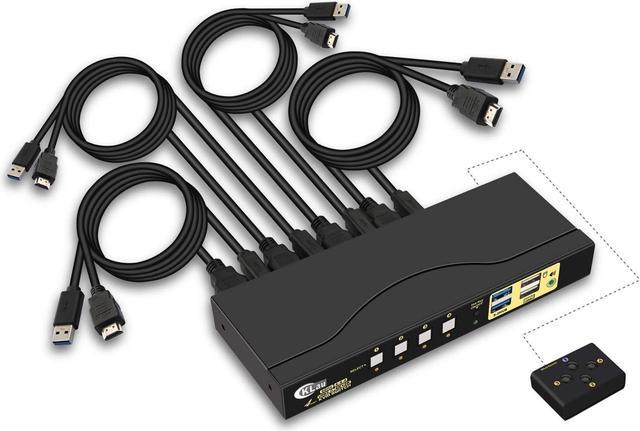
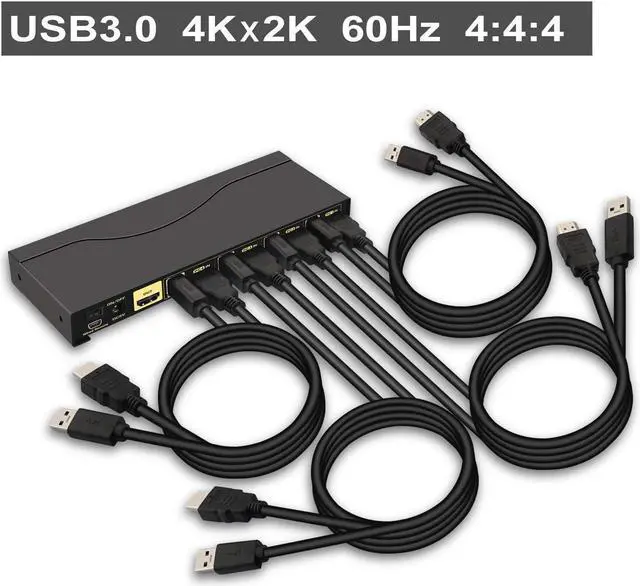
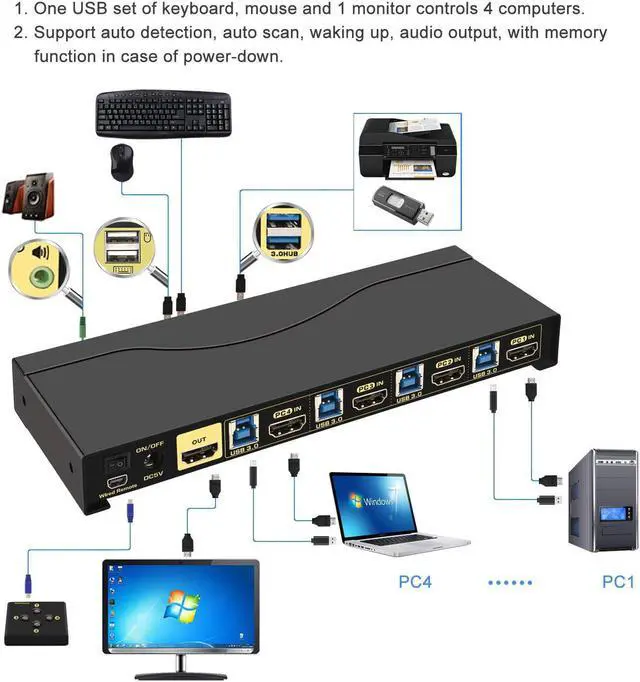
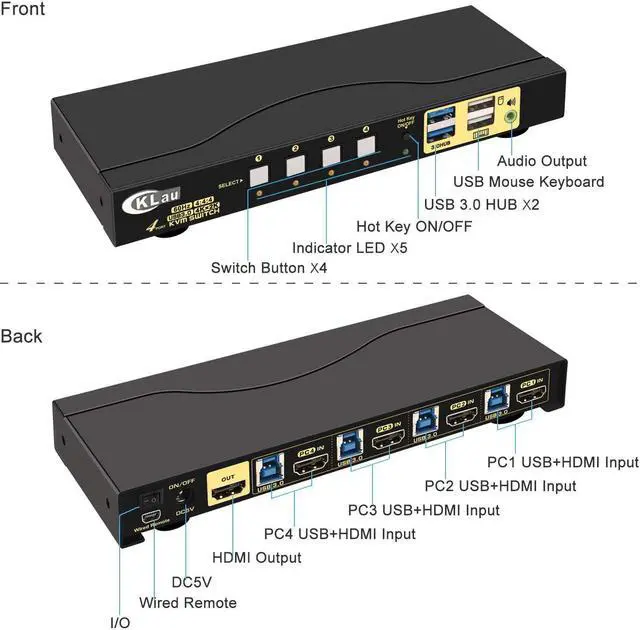
1. Connect the KVM switch and computers by USB 3.0 cables, HDMI cables which come with the KVM switch;
2. Connect the KVM switch and monitor by HDMI cable;
3. Plug the mouse into the mouse slot of the KVM switch, plug the keyboard into the keyboard slot of the KVM switch, plug the wired remote controller into the KVM switch, plug the DC5V 2A power adapter which comes with the KVM switch into the KVM switch and AC socket; plug other USB devices into USB Hub port of the KVM switch;
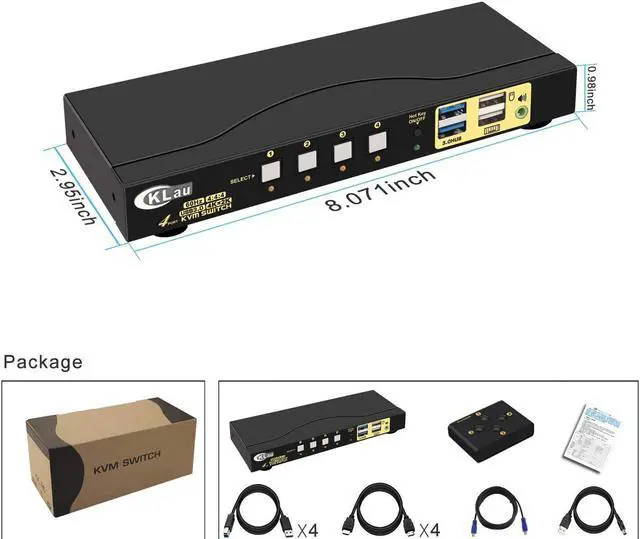
Package include:
1 x HDMI KVM switch
1 x USB power adapter
4 x USB 3.0 cable
4 x HDMI cables
1 x manual
1 x wire remote push button switch
Warm Tips:
The KVM switch comes with a DC5V 2A power dapter, we suggest you plug it into the KVM switch and AC socket, to keep power stable to avoid damage your devices cause the power supply is not stable.
1. How to reset the KVM switch? (You can reset the KVM switch when you meet USB disconnect or monitor flicker issue during use)
Step 1. Turn off the KVM switch and all of your computers/laptops, then unplug all the cables;
Step 2. Plug the DC5V 2A power adapter/power cable into the KVM switch and AC socket/wall charger, and turn on the KVM switch (There is an o/f button on the back);
Step 3. Plug the keyboard into the keyboard slot of the KVM switch;
Step 4. Click right [CTRL] on the keyboard 2 times, then click [ESC] 3 times, at last click [ENTER]. (The whole operation time should not be over 2s after you hear a beep sound, that shows operated successfully);
Step 5. Plug USB 3.0 cables, and HDMI cables into the KVM switch and computers, plug HDMI cables into the KVM switch and your monitors; plug the mouse into the mouse slot of the KVM switch; plug wired remote controller into the KVM switch; plug other USB devices into the USB 3.0 Hub of the KVM switch if needed;
Step 6. Turn on your computers.
2. How to turn off the Beep sound? (Beep sound default turn on, you can turn it on or turn it off by the step)
You need to keep the HOTKEY ON/OFF key turned on(when it turns on, its LED light), plug the keyboard into the keyboard slot, and make this operate: click right [CTRL] on the keyboard 2 times, then click [B], at last click [ENTER]. (The whole time should not be over 2s, that shows operated successfully when you hear a beep sound.)
3. My gaming keyboard and mouse can't work properly.
The hotkey function default turns on.
For gaming/mechanical/unified keyboard/mouse, that may have a compatible issue, if they can't work properly, we suggest you turn off the HOTKEY ON/OFF key(when it turns off, its LED light turns off). Or you can plug your keyboard/mouse into USB 3.0 Hub port, and then solve the issue.
We have been certified HDMI adopters for over 10 years.
With audio output, can sharing headset during use between two computers.
With 2 pcs USB 3.0 Hub port, USB 3.0 data transferring rate up to 5Gbps/s (10 times faster than USB 2.0).
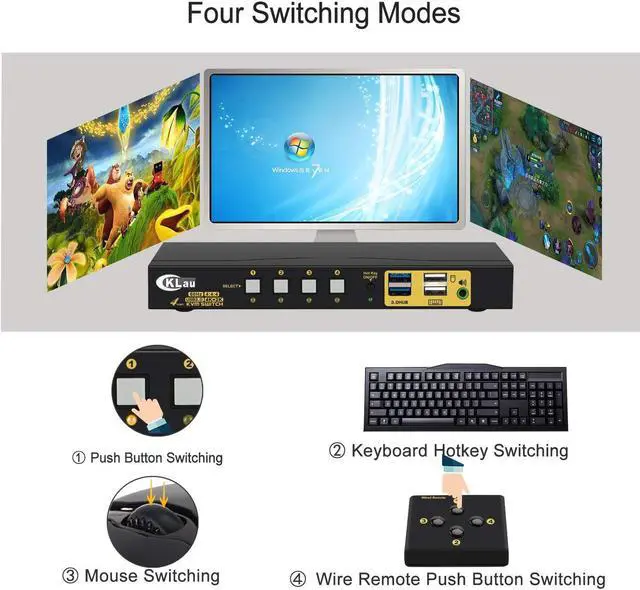
Switching operates:
Num Lock + Num Lock + 1 / 2 + Enter,
or Ctrl + Ctrl + 1 / 2 + Enter,
or Scroll Lock+ Scroll Lock+1 / 2 + Enter
Only need to click the mouse wheel 2 times + left/right button, and then it will switch to another computer.
Only press the button one time, then it will switch to another computer.
Only press the button of the wired remote one time, it will switch to another computer.
CKLau 4K60Hz 2K@144Hz 4 Port KVM Switch with USB Installation Step CKLau 4x1 KVM Switches 4K Connect Diagram Questions & Answers CKLau 4K@60Hz 2K@144Hz KVM switch support emulation EDID CKLau 4 In 1 Out 4K KVM Switch Advantage CKLau 4 Port HDMI 2.0 KVM Switch has 4 switching way optional Keyboard switching Mouse switching Manual button switching Wire remote push-button switching