• $121.20
  • Free 30-day Returns
  • Price alert
    Shop it at NeweggBusiness.

    Meet Your Seller

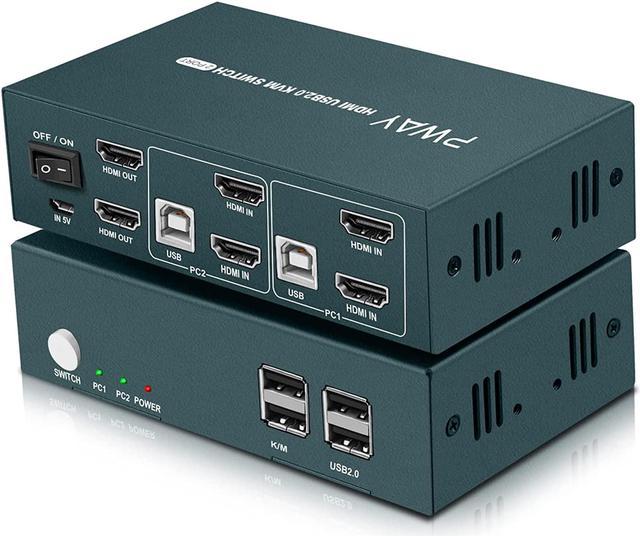
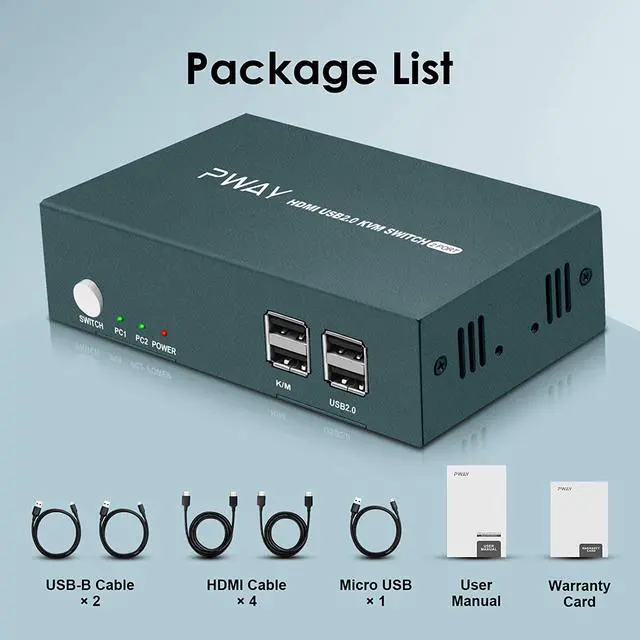
    KVM Switch Dual Monitor HDMI 2 Port, 4K@30Hz, Extended Display for KVM Switch 2 computers 2 monitors, Hotkey Switch, 2 USB 2.0 Hub Support Printer and USB 2.0 Devices, with 4 Video Cables(2x2 4k@30Hz)

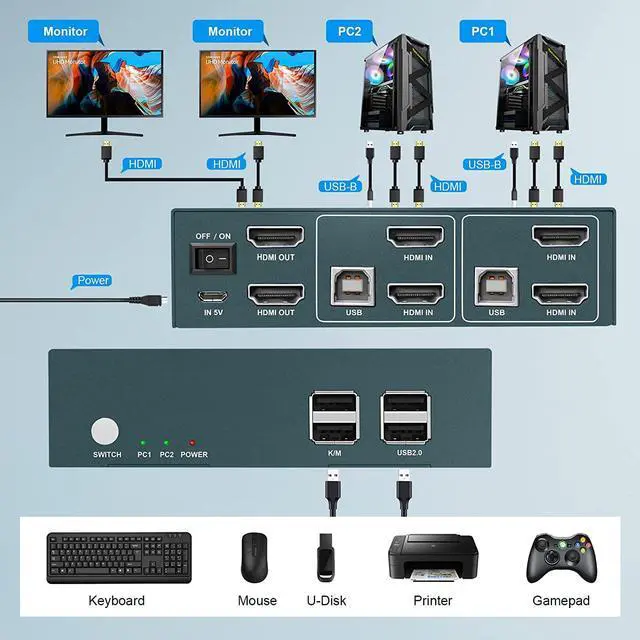
    • KVM Switch Dual Monitor 2 PortThis HDMI Dual Monitor KVM switch 2 monitors 2 computers allow you to control 2 PC/Laptop by only 1 set of keyboard and mouse, share 2 USB 2.0 devices and 2 monitors(Extend display mode or copy display mode).
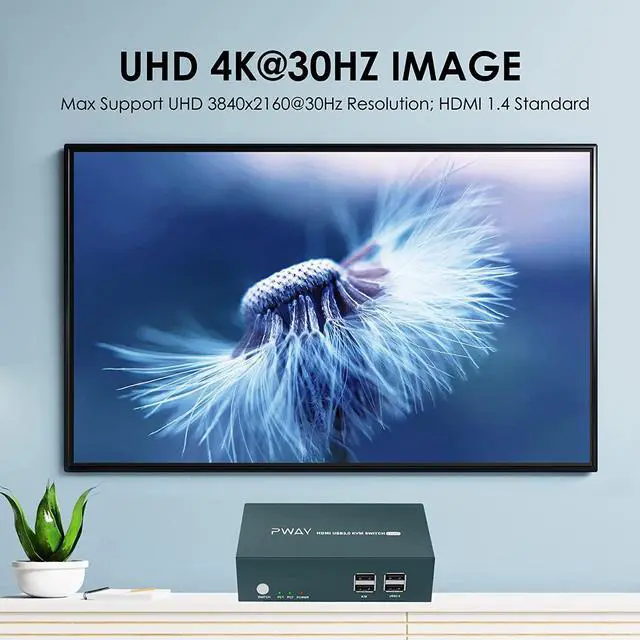
    • 4K@30Hz KVM2 Port HDMI KVM switch dual monitor support input of different resolutions, such as 4K@30Hz, and Backward compatible with lower resolutions. Note please: In order to let you get perfect video, our products do not recommend using docking station, video port adapter/conversion cable to convert the signal.
    • USB 2.0 Device and Hotkey Switch SupportedThis Dual Monitor KVM has 2 USB 2.0 ports for sharing scanners/ USB driver/3D Printer, etc. About switching way, you can choose hotkey switch (Press "scroll lock" or "Ctrl" 2 times and then click 1 or 2), you also can switch the two signal sources by the panel buttons, the status light tells you which port is active.
    +
    +
    Overview
    Specs
    Reviews
    avatar

    Any questions? Our AI beta will help you find out quickly.

    KVM Switch Dual Monitor 2 PortThis HDMI Dual Monitor KVM switch 2 monitors 2 computers allow you to control 2 PC/Laptop by only 1 set of keyboard and mouse, share 2 USB 2.0 devices and 2 monitors (Extend display mode or copy display mode).
    4K@30Hz KVM2 Port HDMI KVM switch dual monitor support input of different resolutions, such as 4K@30Hz, and Backward compatible with lower resolutions.
    Note please: In order to let you get perfect video, our products do not recommend using docking station, video port adapter/conversion cable to convert the signal.
    USB 2.0 Device and Hotkey Switch SupportedThis Dual Monitor KVM has 2 USB 2.0 ports for sharing scanners/ USB driver/3D Printer, etc. About switching way, you can choose hotkey switch (Press "scroll lock" or "Ctrl" 2 times and then click 1 or 2), you also can switch the two signal sources by the panel buttons, the status light tells you which port is active.
    Special Note: Hotkey switching is not supported wn the keyboard and mouse use the USB 2.0 port.
    PLEASE NOTEPlease note that in the premise that the supports dual display or multi-screen display, the extended mode can output two different screens, and the copy mode can output two identical screens; If your computer only supports single display, then this product cannot help you get dual display function. Please make sure that all cables are connected tightly. If you have any questions about the product, please contact us; Store homepage->The second module-> Ask a question.


    Warranty & Returns

    Warranty, Returns, And Additional Information

    Warranty

    • Please contact the Seller directly for warranty information. Warranty information may also be found on the Manufacturer's website.
    • CONTACT

    Return Policies

    • Return for refund within: 30 days
    • Return for replacement within: 30 days
    • This item is covered by restar Return Policy

    Manufacturer Contact Info

    LOADING...