Out of stock
This item is currently out of stock and it may or may not be restocked.
Sold by Newegg

Shipped by Newegg

Shop it at NeweggBusiness.

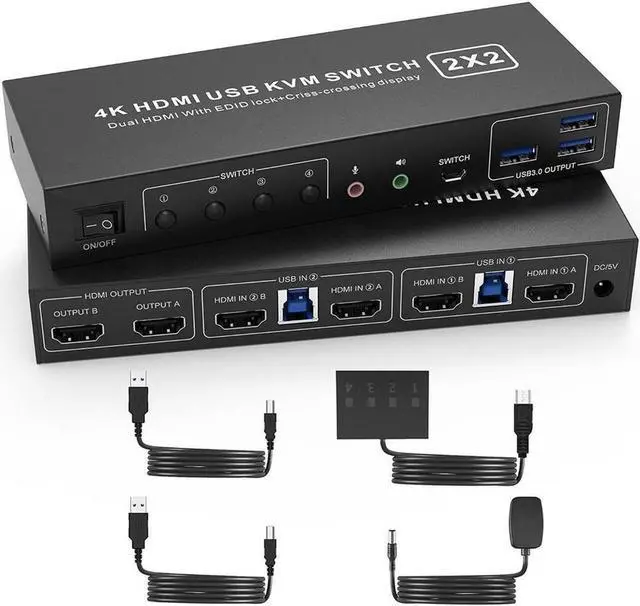
USB 3.0 HDMI KVM Switch 2 Montiors 2 Computers, 4K@60Hz Dual Monitor KVM Switch with 3 USB 3.0 Ports and Audio, 2 Port KVM Switch with Dual Monitor Cross Display for 2 Computers

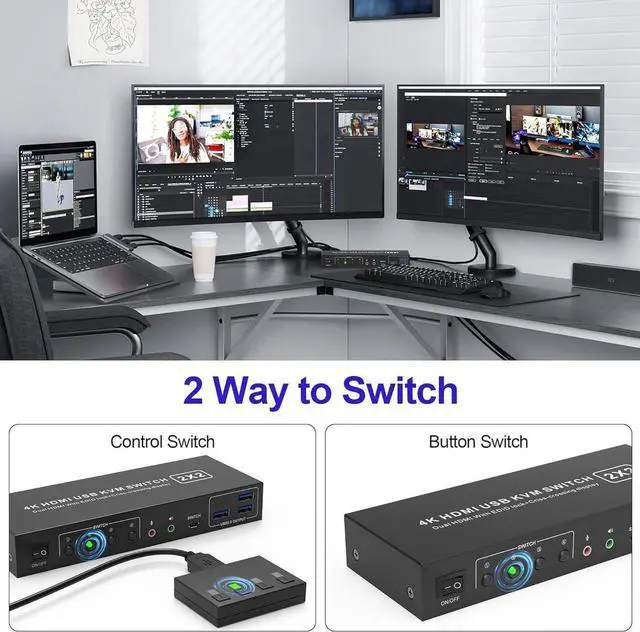
  • Dual Monitor KVM Switch: Ideal for access 2 PC with 2 monitors and 1 set of keyboard mouse. You can easily have a dual monitor setup per system or switch it to a single monitor system showing both systems.
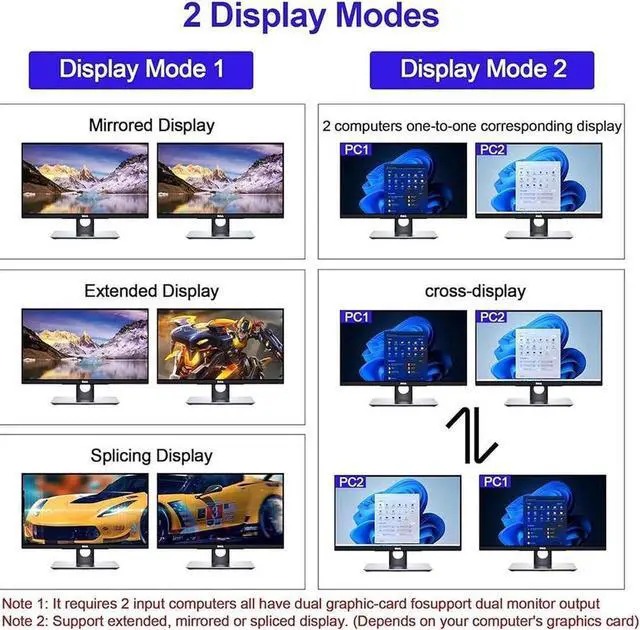
  • Multiple Display Methods: Dual monitors offer more than just output expansion, mirroring, and splicing modes; they also enable cross-display functionality between 2 PCs.
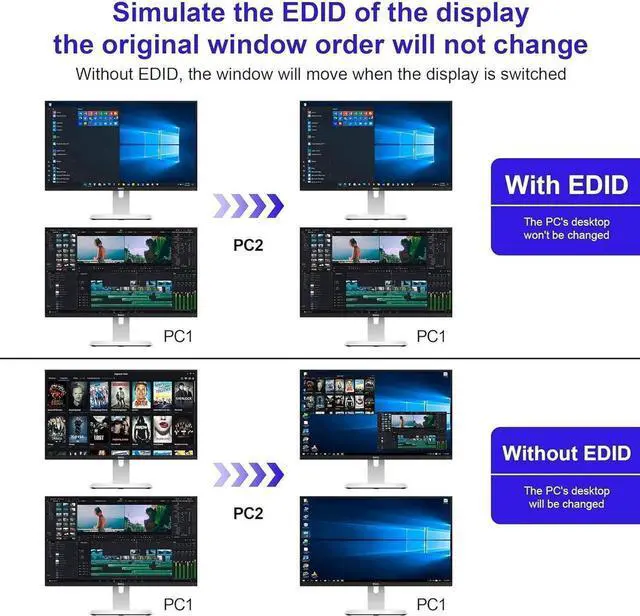
  • Support Simulation EDID: This kvm switches can simulate the EDID of the display, store the resolution and refresh rate of the display.
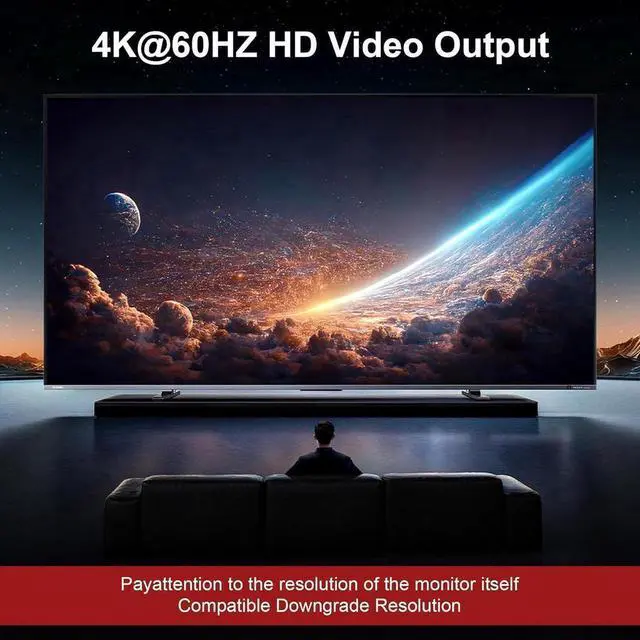
  • 4K 60Hz: Supporting up to 4K@60Hz, and also supports 3D and 1080P@60Hz or other lower resolution (Downward Compatible).
  • with 3 USB 3.0 Ports: with 3 USB 3.0 ports for sharing keyboard,mouse,printer and other USB devices. USB3.0 data transfer up to 5Gbps; Also supports separate audio and microphone output.
  • Convenient Switching modes and Wide Compatibility: 1. Toggle selection on front panel; 2. Wired remote switch. Compatible with Windows, Linux, Mac, Unix, Ubuntu, Raspberry etc..
Overview
Specs
Reviews
avatar

Any questions? Our AI beta will help you find out quickly.

installation steps:


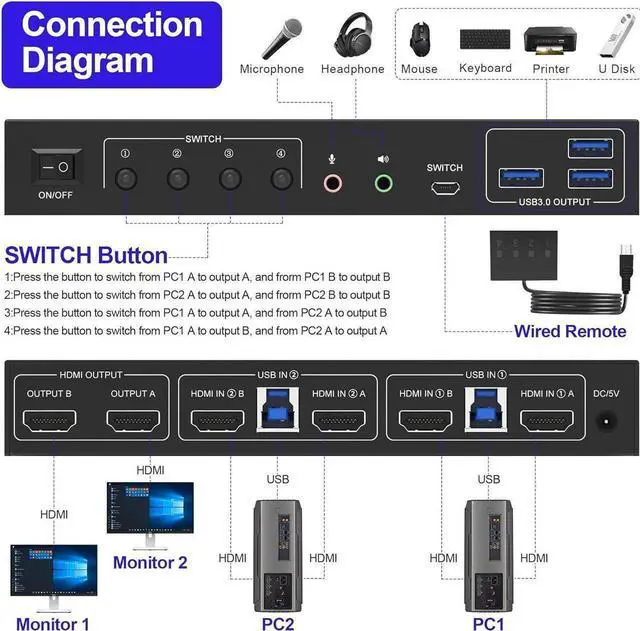
1. Insert the DC/5V adapter into the KVM;

2. Plug the HDMI cable into the KVM and monitor; (HDMI Output)

3. Plug the HDMI cable and USB cable into the KVM and your computer/laptop (HDMI cables are not included) (Input)

HDMI IN1 A + HDMI IN1 B + USB IN1=PC1

HDMI IN2 A + HDMI IN2 B + USB IN2=PC2

4. Insert the mouse and keyboard into the KVM switch

5. If needed, you can connect a microphone and audio port


Note:

1. Most of the reasons why only onevideo output works is because of incorrect connection. Please make sure eachcomputer have 2 HDMI cables connect to the KVM.

2. If the KVM switch does not work, you can turn off the switch on the panel and turn it on again after 2-3 seconds, and it will return to normal.


Warranty & Returns

Warranty, Returns, And Additional Information

Return Policies

LOADING...