USB 3.0 DP KVM Switch 2 Monitors 3 Computers 8K@30Hz/4K@144Hz
Dual Monitor KVM Switch 3 In 2 Out for 3 Computer and 2 Monitors
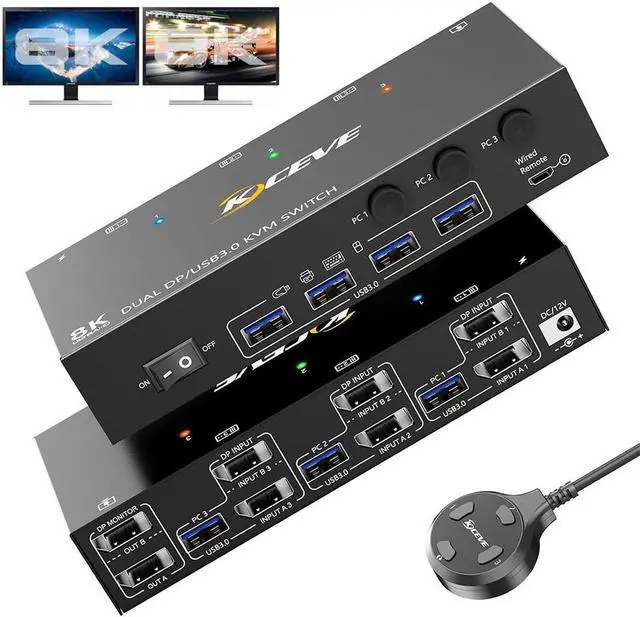
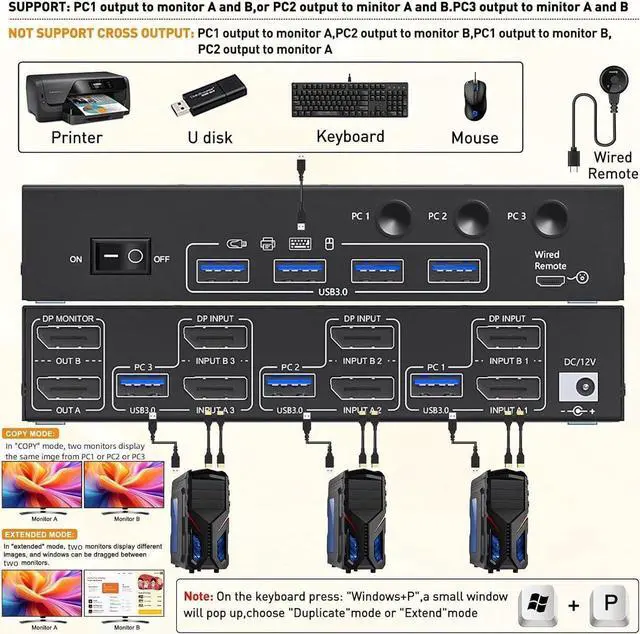
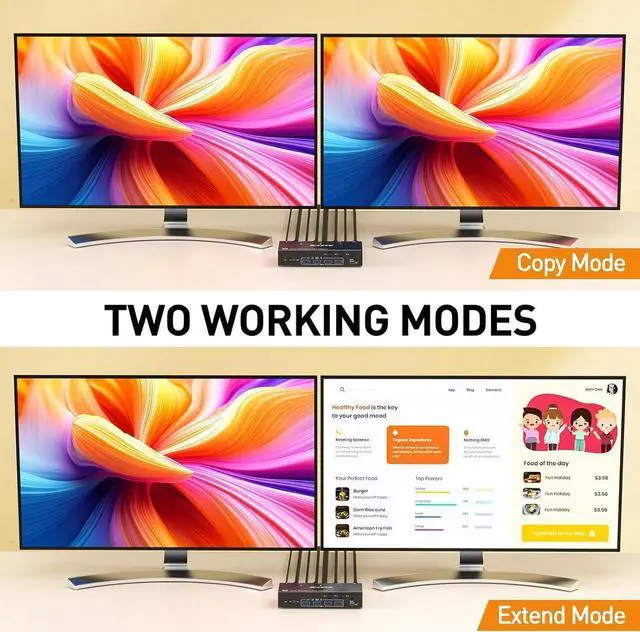
This Dual Monitor KVM Switch allows to control 3 computers/latops by 1 set of keyboard & mouse and 2 monitors (Extend display mode or Duplicate display mode)
Note: Press "Window+P", a small window will pop up, in which to choose "Duplicate" Mode or "Extend" Mode.
Connection diagram of Dual monitor KVM switch
Each computer requires 2*Displayport +1* USB cable to connect the 2 monitor KVM switch, OUT A, OUT B connect to 2 monitors.
Supports USB-C to DP converter and USB-C docking station.
Please check your computer configuration before placing an order.
Copy Mode Display
In copy mode, both monitors will display the same picture
Extend Mode Display
In extended mode, the two monitors will display different images, and the working window can be dragged between the two monitors.
Detailed explanation of common non-2*Displayport configurations
Laptop/Desktop (2*DP Port) Just use 1*USB + 2*DP cables to connect each PC and KVM.
Laptop/Desktop (2*HDMI Port) Requires 1*USB cable+2*HDMI to DP cable or (2*HDMI to DP converter with USB powerd + DP cable) Not recommended.
Desktop (1*HDMI +1 DP Port) Requires 1*USB cable+1*DP cable + 1*HDMI to DP cable with USB powerd or (HDMI to DP converter with USB powerd + DP cable) Not recommended.
Laptop(only 1*DP+USB-C Port) Requires 1*USB cable+1*DP cable + 1*USB-C to DP cable or (USB-C to DP converter + DP cable)
Laptop(only 1*HDMI+USB-C Port) Requires 1*USB cable+1*HDMI to DP cable with USB powerd + 1*USB-C to DP cable or (USB-C to DP converter + DP cable)
Note: HDMI to DP cable is Not recommended
Laptop(only USB-C Port) Requires 1*USB cable+ USB C docking station with 2 DP ports and supports expansion capabilities
PC with VGA or DVI Port VGA or DVI to DP cables are Not recommended
Monitor (DP Port) Just use 1*DP cable to connect the KVM and Monitor.
Monitor (HDMI Port) Requires 1*DP to HDMI cable or ( DP to HDMI converter + HDMI cable) to connect the KVM and Monitor.
Monitor (only DVI Port) 1*DP to DVI cable or (DP to DVI converter + DVI cable)
Monitor (only VGA Port) 1*DP to VGA cable or (DP to VGA converter + VGA cable)
Monitor(only USB-C Port) Not support
About resolution Using conversion cables or converters may cause monitor resolution to drop, flicker, or the monitor to not work (depending on their quality and compatibility). It is recommended to use 8K DP 1.4 cables with a length within 1.5 meters.