Out of stock
This item is currently out of stock and it may or may not be restocked.
Sold by Newegg

Shipped by Newegg

Shop it at NeweggBusiness.

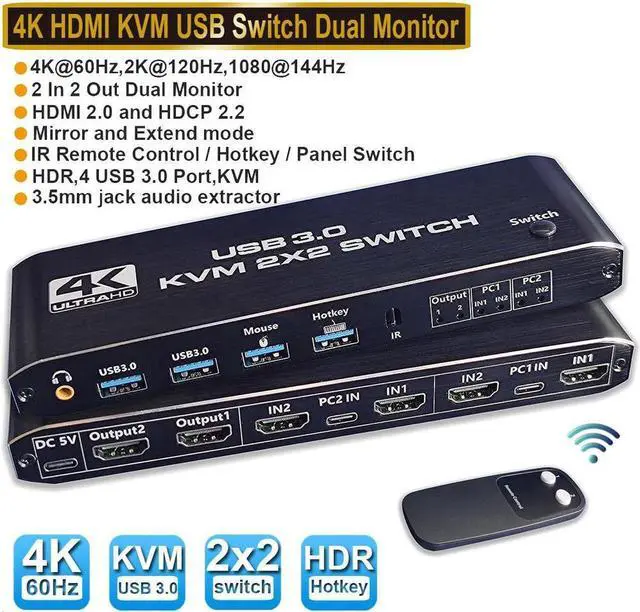
Dual Monitor HDMI KVM Switch 2 PCs 2 Monitors, 4K @60Hz HDMI KVM Switch 2 Port Extended Display, HDMI KVM Switch 2 in 2 Out with 3.5mm Audio, Support 4 USB 3.0 Share Keyboard Mouse Printer with Hotkey

  • [USB3.0 HDMI2.0 KVM Switch 2 PC 2 Monitors] This dual monitor KVM switch allows you to control them with a keyboard, mouse, and 1 or 2 monitors to keep your workspace tidy and efficient. With separate jack audio output.
  • [Support Ultra HD 4K60Hz] Support 4K@60Hz, YUV4:4:4, 3D, 2K/1080P@144Hz backward compatibility. Also works with Ultra Wide Monitor. KVM Switch supports input terminal for connecting 2 PCs with different resolutions.
  • [with USB3.0 Port] Plug and Play No Driver Required, 2 USB2.0 Port for Wireless or Gaming Keyboard Mouse, and 2 USB3.0 Port for Sharing USB Drives, Scanners, Webcams, etc. The USB 3.0 supports ultra-fast data transfer of up to 5 Gbps and is backward compatible with USB 2.0/1.1 devices.
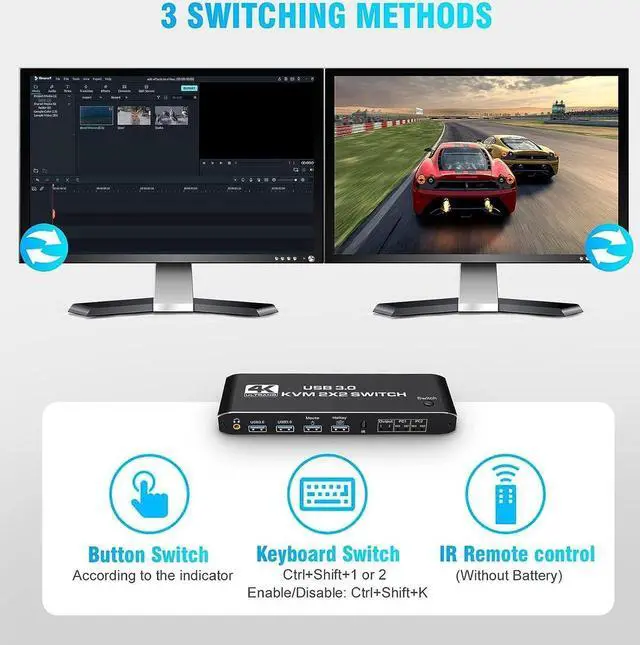
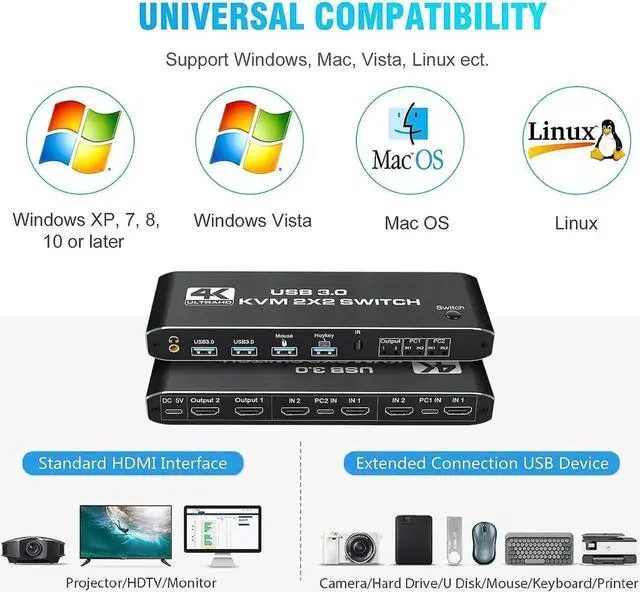
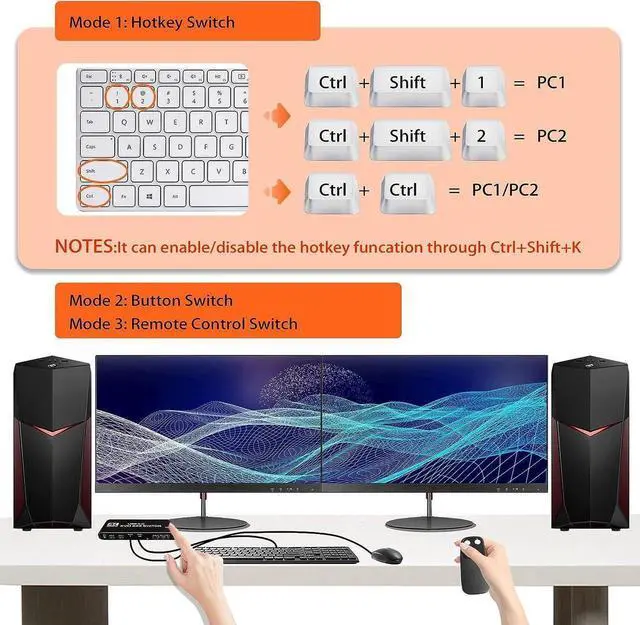
  • [Convenient Switching Modes & Wide Compatibility]1. Toggle switch on the top; 2. IR remote control; 3. Hotkey switch: Ctrl+Shift+1/2 or double click Ctrl (Can be disabled with Ctrl+Shift+K). Compatible with Windows 10/8/8.1/7/Vista/XP, Mac OS X, Linux, Chrome OS etc..
Overview
Specs
Reviews
avatar

Any questions? Our AI beta will help you find out quickly.

HDMI KVM Switch 2 In 2 Out USB 3.0 4K@60Hz

Support 2 Monitors 2 Computers Dual Display Ports With Remote Control HotKey and Audio


Warm Tips:

1. The remote control is not equipped with batteries and must be purchased separately. If the remote control is not going to be used for a long time, it is recommended to remove the batteries.

2. Please use a high-quality 19+1 26AWG HDM1 cable, no longer than 5 meters.

3. Please connect the keyboard to the designated USB port, not other USB ports, otherwise the keyboard's hotkey switching function will be lost.
Features:


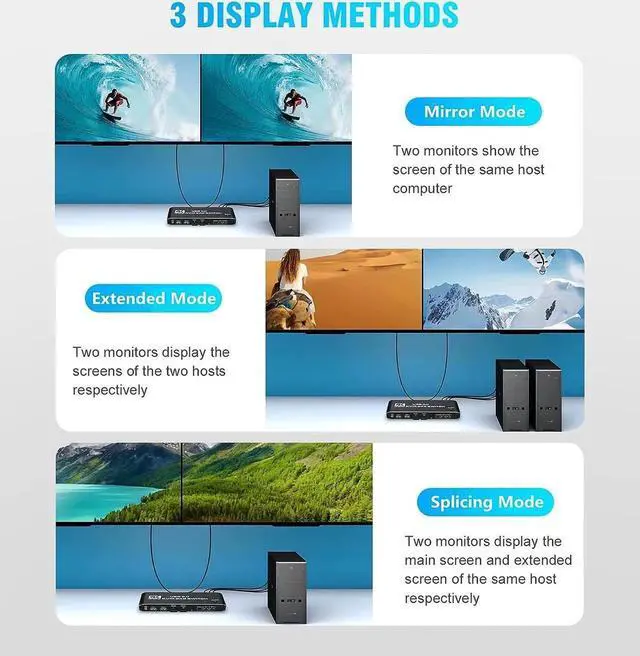
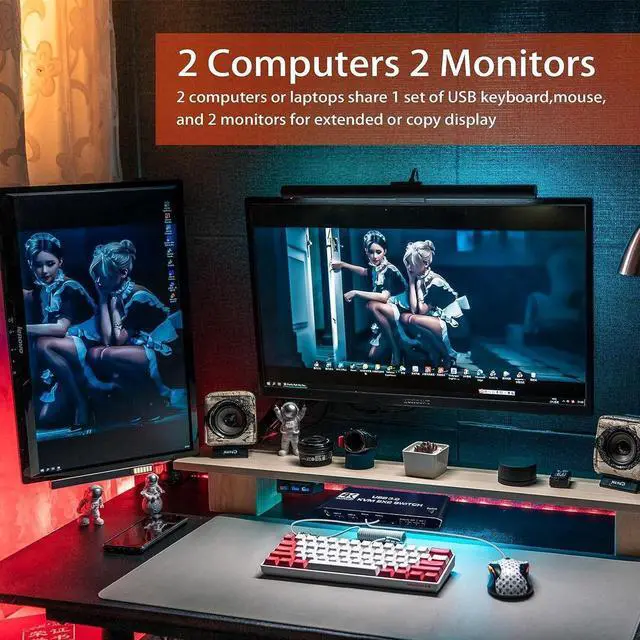
Share a set of keyboard, mouse and two HDMI monitors between 2 computers or laptops;
Dual monitor output supports up to 4K@60Hz;
Dual monitor output supports extended and mirrored display;
Compatible with Windows 10/7/2000/XP/Vista, Linux, UNIX, Ubuntu, Fedora, and other systems;
Switching modes: push-button switches, remote controls and hotkeys;
The ports to which HDMI/USB cables need to be connected are all hidden behind the KVM, so the desk doesn't get cluttered;
With additional 2 USB 3.0 and 3.5 mm audio output.
How to use:

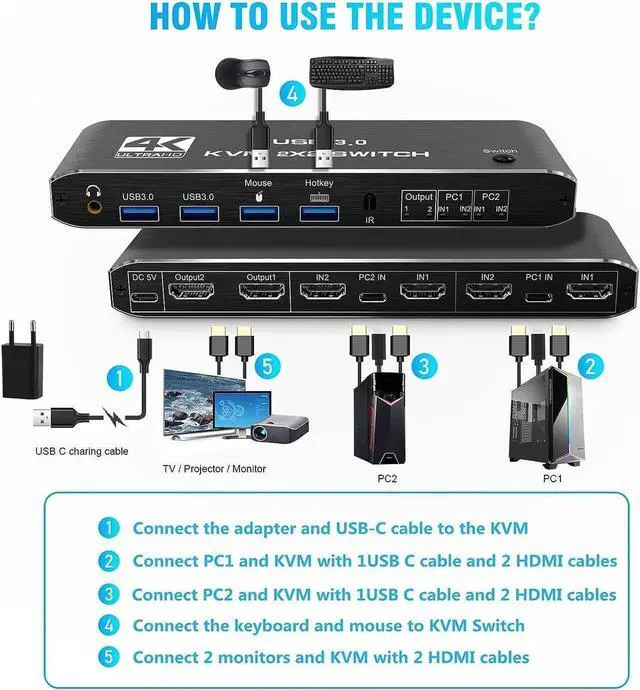
1. Plug in the USB to Type-C cable to power it.

2. Connect PC1 and KVM with 1 USB to Type-C cable and 2 HDM1 cables.

3. Connect PC2 and KVM with a USB to Type-C cable and two HDM1 cables.

4. Connect the keyboard and mouse to the HDMI KVM SWITCH.

5. Connect two monitors and the HDMI KVM SWTCH with two HDM1 cables

Warranty & Returns

Warranty, Returns, And Additional Information

Return Policies

LOADING...