Out of stock
This item is currently out of stock and it may or may not be restocked.
Sold by Newegg

Shipped by Newegg

Shop it at NeweggBusiness.

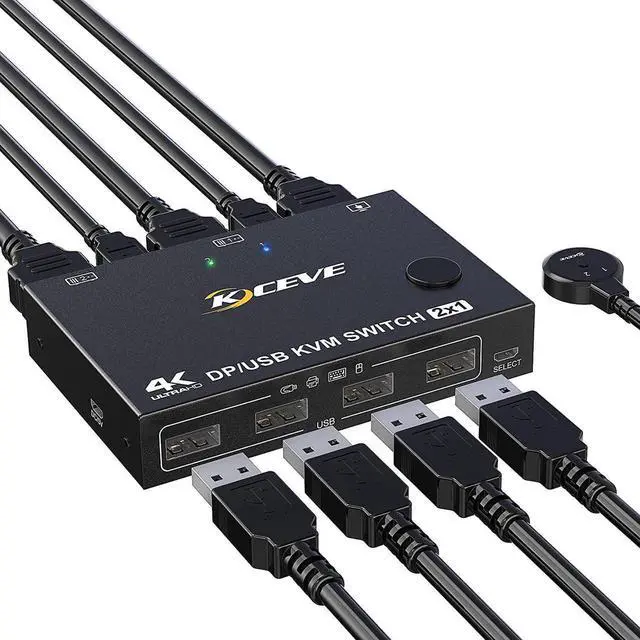
2-Port DisplayPort KVM Switch, 2 Port DP1.2 KVM Switch Two Computers One Monitor to Share Mouse,Keyboard,Printer,Scanner Support 4K @60Hz, 2 USB Cables and Wired Controller Included

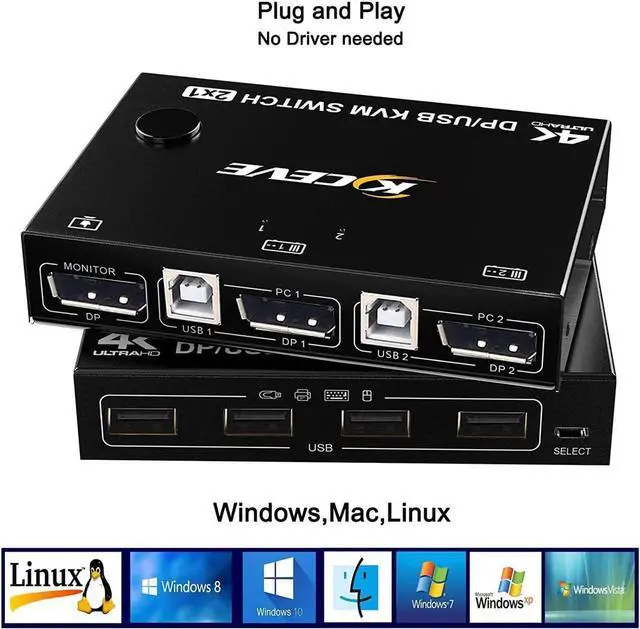
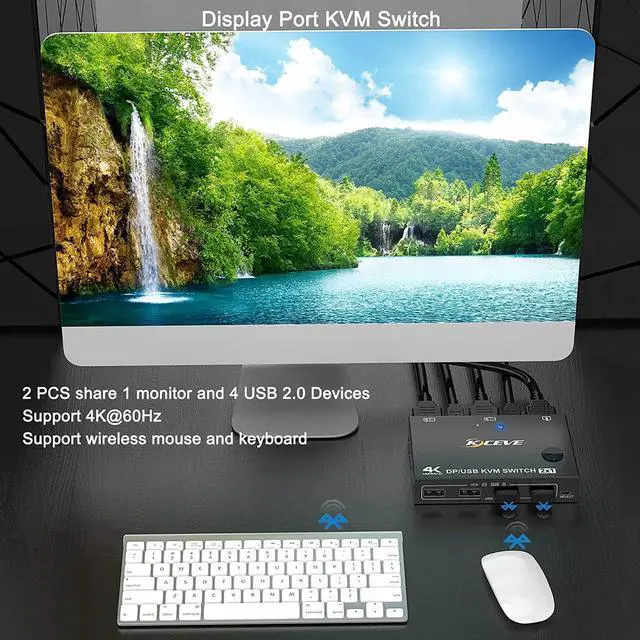
  • [2 Port DisplayPort KVM Switch]- DP KVM Switcher is a displayport switch that allow you sharing one monitor and 4 USB 2.0 devices such as scanner, printer, mouse, keyboard between two PCs.
  • [Ultra HD 4K Visual Enjoyment]- This displayport kvm switch for 2 computers supports resolution up to 4k@60Hz(3840×2160 @ 60Hz )and 2K@120Hz,backward compatible with lower resolution.
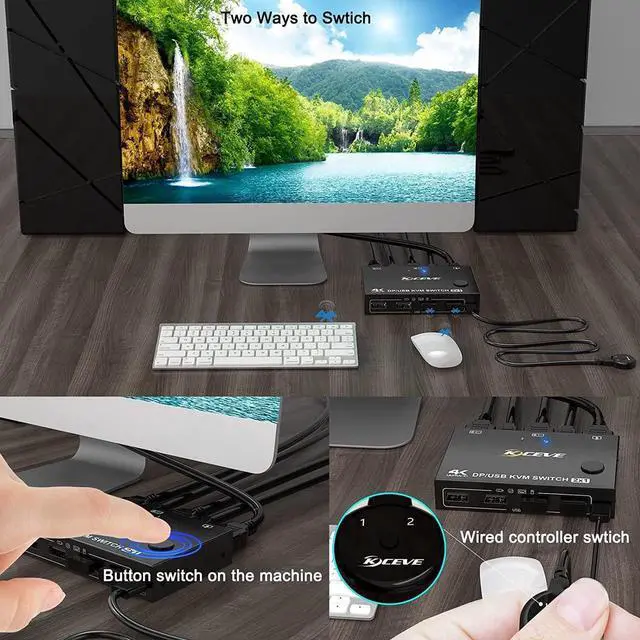
  • [Two Switching Modes]- This DP KVM Switcher has 2 ways to switch between 2 PCs, panel button and external remote controller. The remote button is easier to click to toggle two Pcs. This will improve your efficiency on multi tasking. (This switch does not support keyboard hotkey switching)
  • [Easy to install]- Plug and play, 2 USB cables are in the package, what you need to do just connect it between the KVM Displayport Switch and your computers and enjoy your work and life getting easier and simpler
  • [Strong compatibility]- Works with great compatibility, suit for Windows, Linux, Vista,MacOS. For a business, office etc..
Overview
Specs
Reviews
avatar

Any questions? Our AI beta will help you find out quickly.

2 in 1 out DisplayPort KVM Switch

This DP KVM Switcher is a displayport switch that allow you to share one monitor and 4 USB 2.0 devices such as scanner, printer, mouse, keyboard between two computers

Dual DP KVM Switch Support 4K @60Hz
This displayport kvm switch for 2 computers supports resolution up to 4K @60Hz (3840×2160 @60Hz) and 2K@120Hz, backward compatible with lower resolution.

Displayport KVM Switch's detail images
Two methods switch
1, Button switch on the machine

2, Wired controller switch ( 1.5 m)
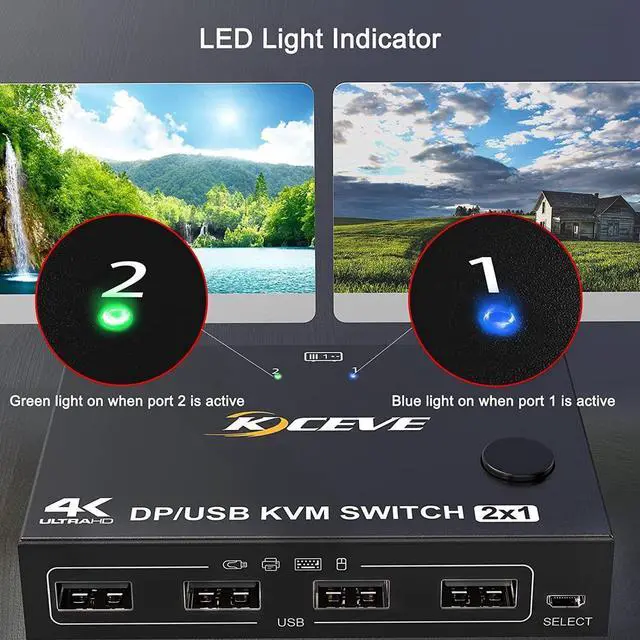
LED Light Indicator
There are two kind of colors to distinguish which computer is shown on the display.

When the blue LED lights up, it means switch to PC1

When the green LED lights up, it means switch to PC2
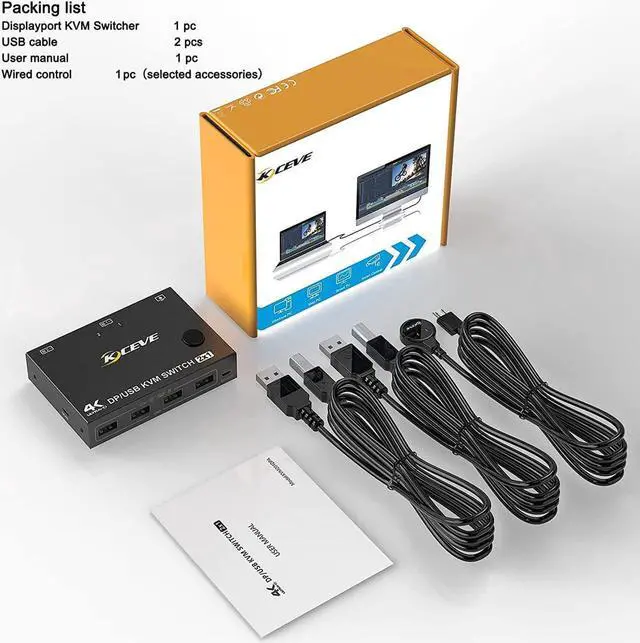
Packing list
1 Display KVM Switch

2 USB A-B Cables

1 Wired Controller

1 User's Manual

Note: power supply cable is not included in the package.
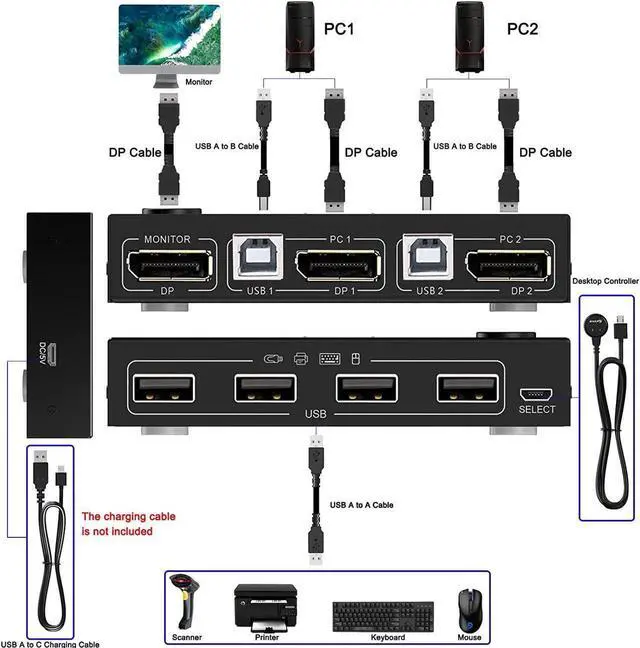
Displayport KVM Switch's Connection Diagram


This Displayport KVM Switch's USB input port not only has the function of data transmission, but also has the function of power supply, so in the case of normal connection does not need extra power can normally use it. DC5V power supply is additional, can enhance the stability and strengthen the identification function, power supply cable is not included in the package, need to provide it own.


Warranty & Returns

Warranty, Returns, And Additional Information

Return Policies

LOADING...