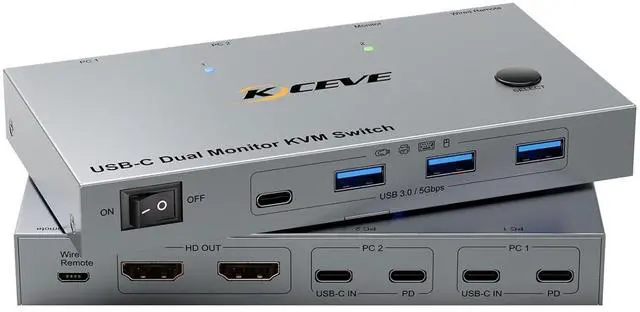
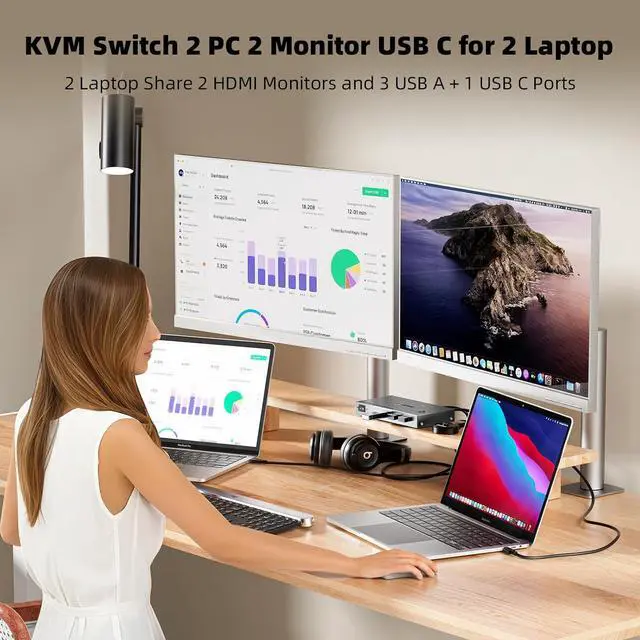
KVM Switch 2 Monitor 2 Laptops USB CKCEVE KVM Switch 2 monitors 2 computers enables 2 USB C laptops to be controlled with 1 set of mouse and keyboard, compatible with printers and scanners, and displayed on 2 HDMI monitors. Press "Windows+P" to select mirror mode or extended screen mode, splicing wall mode
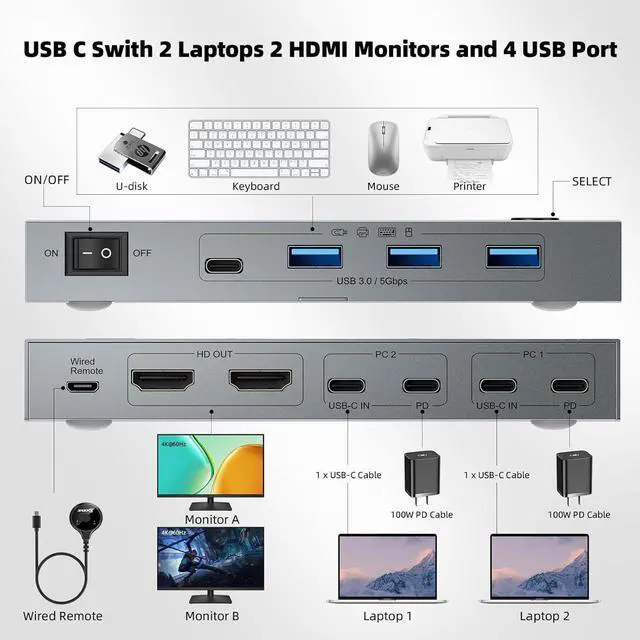
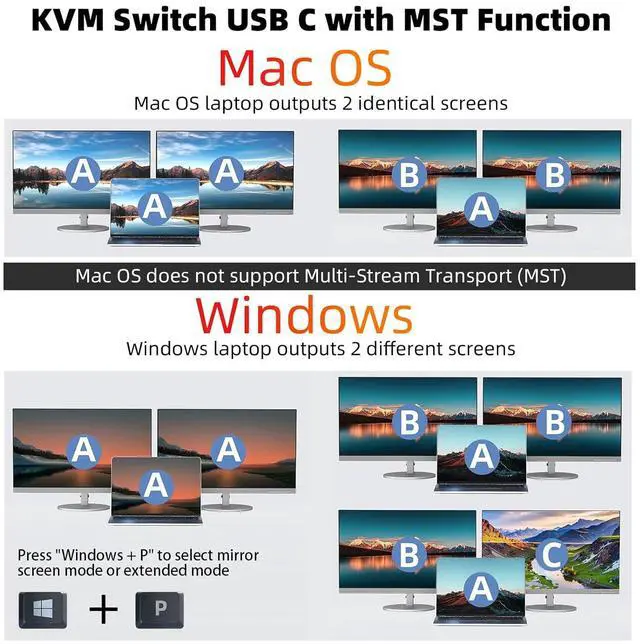
KVM Switch USB C Dock with MSTEach laptop needs to connect 1 Type-C full-function cable to the USB-C KVM switch docking station to display 2 different screens on 2 HDMI monitors. Window laptops support the expansion of 2 different screens. Mac OS laptops can only expand 2 identical screens. KVM Switch 2 PC 2 Monitor USB C supports HDMI 2.0, USB Type-C 3.1 gen 2 standards
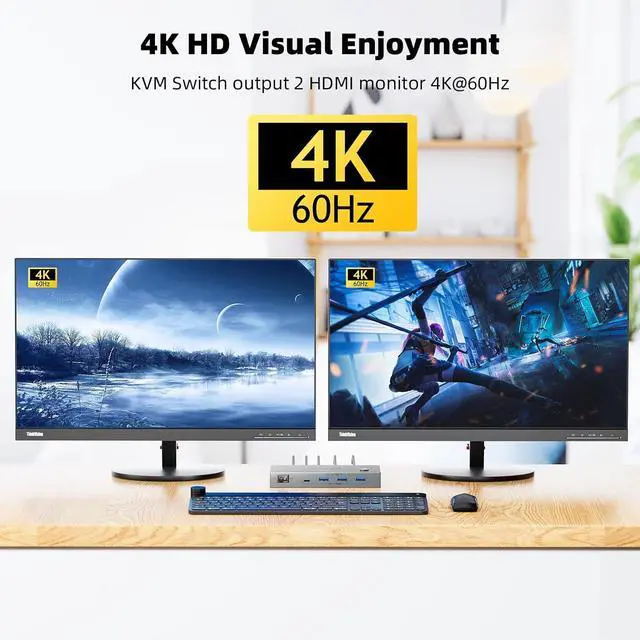
Dual Monitor KVM Switch HDMI supports 4K@60HzUSB C KVM Switch 2 PC connects 2 HDMI monitors with different resolutions, USB C Switch 2 PC 2 Monitor HDMI supports 4K@60Hz. Dual Monitor KVM Supports deep color 4:4:4. Using a short 8K cable will solve the problem of flickering and black screen, the more stable and clear the transmission is
5Gbps KVM Switch USB C MST Thunderbolt KVM Switch with 3 USB A + 1 USB-C ports securely identifies keyboard, mouse, printer, scanner and other USB devices. USB C KVM Switch 2 Laptops 2 monitors supports ultra-fast data transfer up to 5Gbps, backward compatible with USB 3.0/2.0/1.1. Dual monitor KVM switch USB C will not damage USB devices such as hard drives
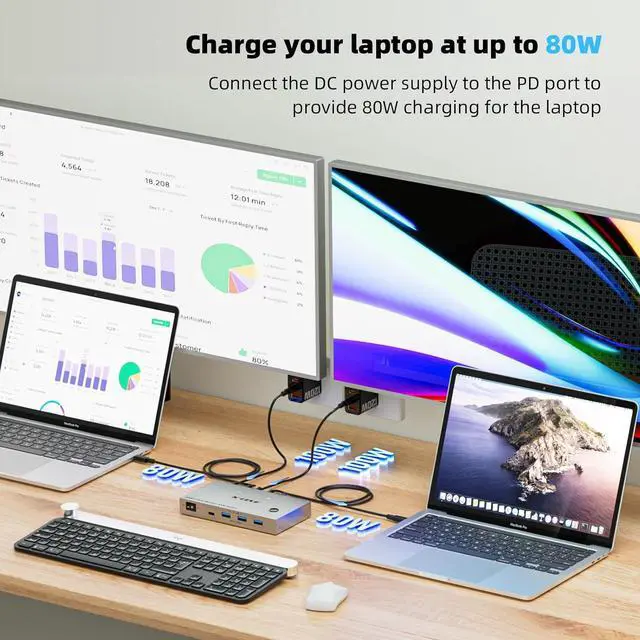
80W PD Charging for LaptopsKVM Switch HDMI USB C has the function of charging laptops, please insert the Typ
Overview
Specs
Reviews
Any questions? Our AI beta will help you find out quickly.
Try me now
KVM Switch 2 Monitor 2 Laptops USB CKCEVE KVM Switch 2 monitors 2 computers enables 2 USB C laptops to be controlled with 1 set of mouse and keyboard, compatible with printers and scanners, and displayed on 2 HDMI monitors. Press "Windows+P" to select mirror mode or extended screen mode, splicing wall mode
KVM Switch USB C Dock with MSTEach laptop needs to connect 1 Type-C full-function cable to the USB-C KVM switch docking station to display 2 different screens on 2 HDMI monitors. Window laptops support the expansion of 2 different screens. Mac OS laptops can only expand 2 identical screens. KVM Switch 2 PC 2 Monitor USB C supports HDMI 2.0, USB Type-C 3.1 gen 2 standards
Dual Monitor KVM Switch HDMI supports 4K@60HzUSB C KVM Switch 2 PC connects 2 HDMI monitors with different resolutions, USB C Switch 2 PC 2 Monitor HDMI supports 4K@60Hz. Dual Monitor KVM Supports deep color 4:4:4. Using a short 8K cable will solve the problem of flickering and black screen, the more stable and clear the transmission is
5Gbps KVM Switch USB C MST Thunderbolt KVM Switch with 3 USB A + 1 USB-C ports securely identifies keyboard, mouse, printer, scanner and other USB devices. USB C KVM Switch 2 Laptops 2 monitors supports ultra-fast data transfer up to 5Gbps, backward compatible with USB 3.0/2.0/1.1. Dual monitor KVM switch USB C will not damage USB devices such as hard drives
80W PD Charging for LaptopsKVM Switch HDMI USB C has the function of charging laptops, please insert the Type-C charging cable to the PD port, KCEVE dual monitor KVM Switch USB C to 2 HDMI Monitor provides 80W charging efficiency for your laptop. The PD port can be unconnected when the laptop does not need to be charged
Learn more about the Detailed Specifications
Additional Information
First Listed on Newegg
September 25, 2025
There are no reviews yet.
Do you own this product?
Warranty & Returns
Warranty, Returns, And Additional Information
Return Policies
Return for refund within: 30 days
Return for replacement within: 30 days
This item is covered by Newegg.com's 30-Day Return Policy.