Out of stock
This item is currently out of stock and it may or may not be restocked.
Sold by Newegg

Shipped by Newegg

Shop it at NeweggBusiness.

8K@60Hz Dual Monitor Displayport KVM Switch 2 Monitors 2 Computers,4K@120Hz USB3.0 KVM Switch Displayport with Audio Microphone Output and 4 USB Ports, SD/TF Slots, Support Extended & Copy Mode

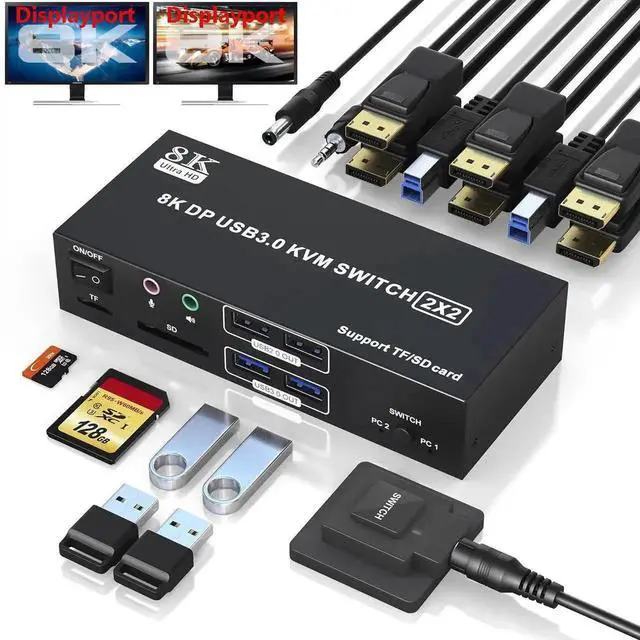
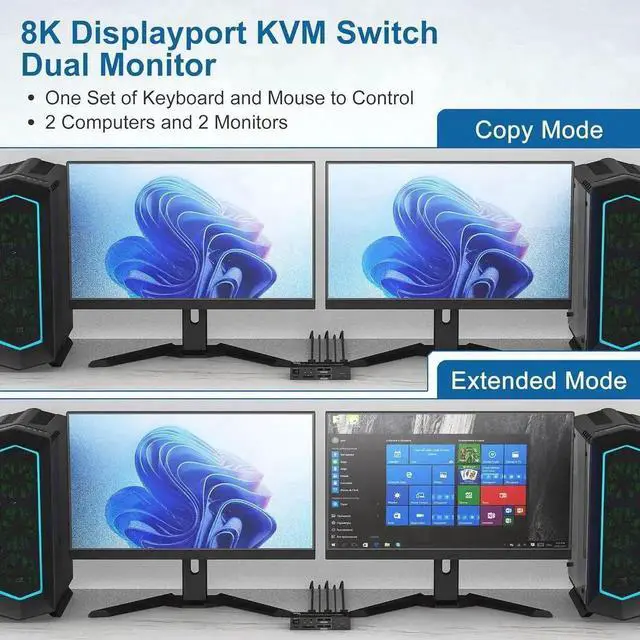
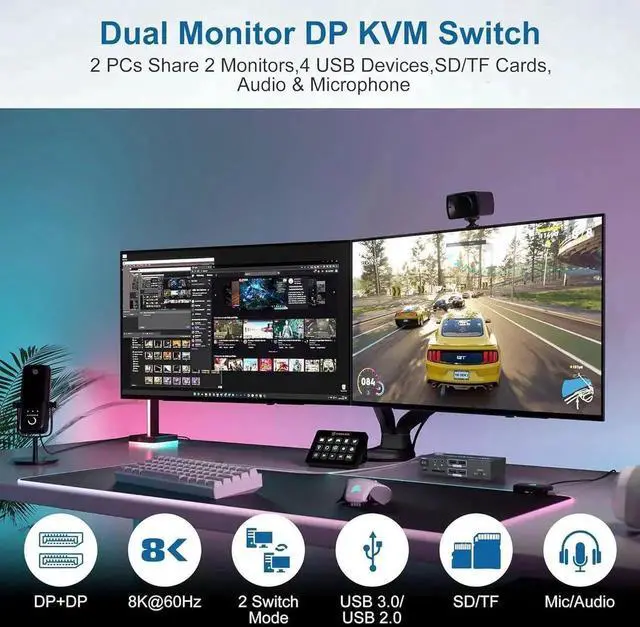
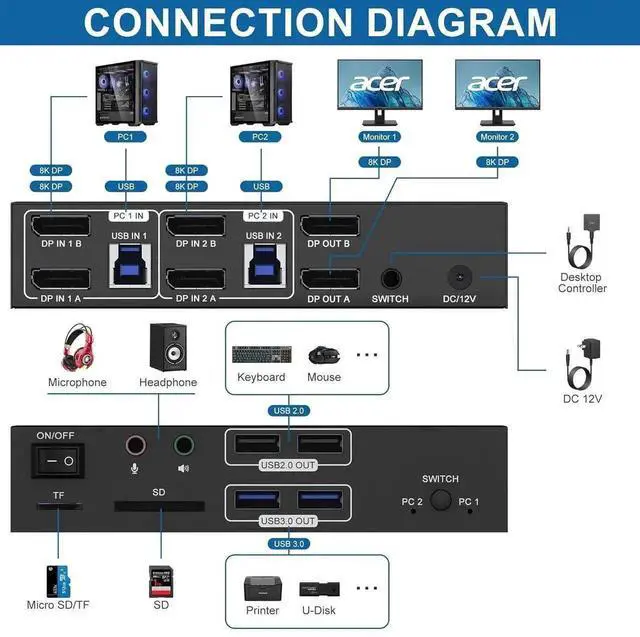
  • [KVM Switch 2 Monitors 2 Computers DisplayPort]: This DP KVM switch enables two computers or laptops to share 2 monitors along with 4 USB devices. Pls note: Each computer must have 2 DP ports for optimal functionality, and using conversion cables may result in failure to transfer images.
  • [Ultra HD 8K@60Hz]: DP 1.4 KVM Switch supports max resolution of 8K@60Hz and downward compatible DP 1.2.
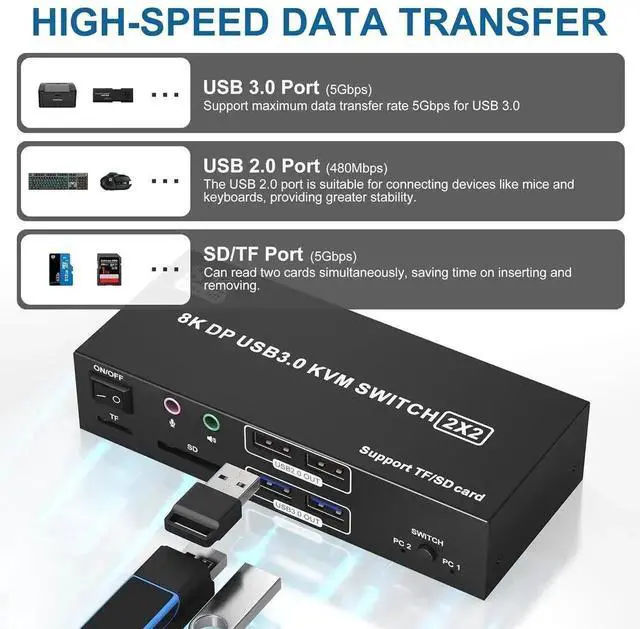
  • [USB 3.0 KVM Switch] Maximize your data transfer speeds with our KVM switch, featuring USB 3.0 ports that support up to 5Gbps and USB 2.0 ports at 480Mbps.The inclusion of SD/TF ports with 5Gbps reading speed.
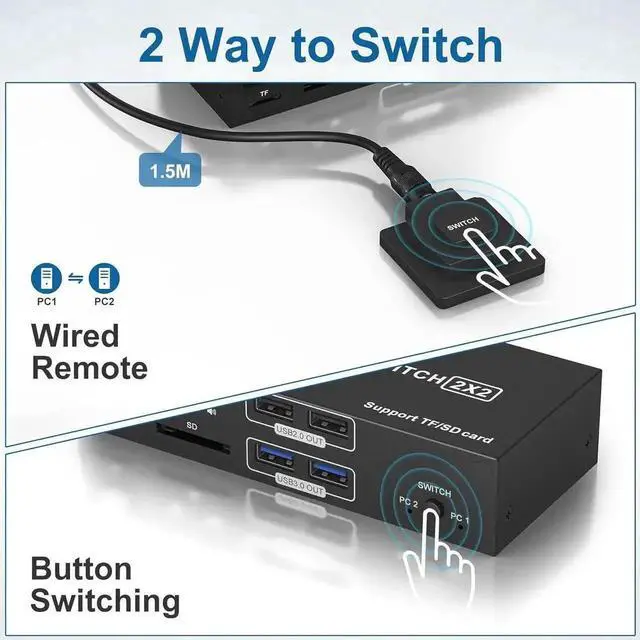
  • [Two Switching Mode] The indicator light shows the active channel, allowing you to effortlessly switch between two computers with the push of a button. In addition to the panel button on the device, a separate wired extension button enables flexible placement.
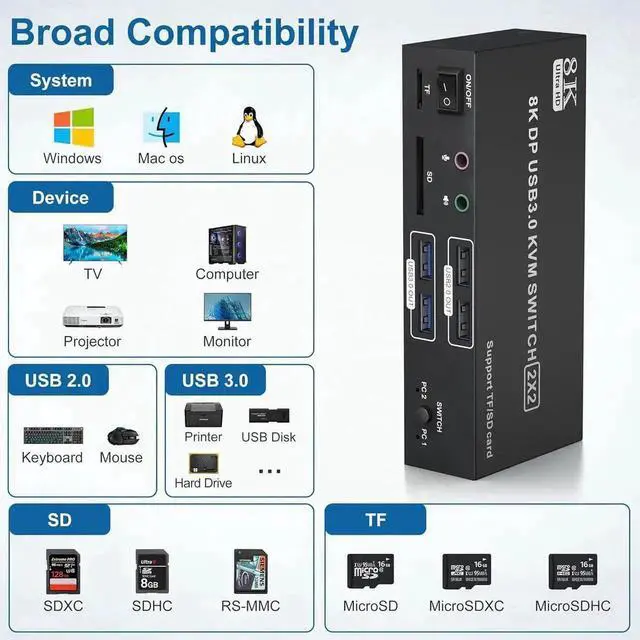
  • [Wide Compatibility] Compatible with Windows/Vista/XP and Mac OS,Linux, Unix. Supports multiple input devices such as PC, laptop etc..
Overview
Specs
Reviews
avatar

Any questions? Our AI beta will help you find out quickly.

8K DP 1.4 Dual Monitor KVM Switch DisplayPort 2 computers share 2 monitor

Does Everything You Need!


2 computers/laptops share 4 USB devices and 2 monitors, and with extra Audio Microphone output and SD/Micro SD card slot;

Supoort DP 1.4 and downward compatible. Dual monitors output support up to 8K@60Hz for extended, mirrored or spliced display(Depends on your computer's graphics card. );

Switching mode: push-button switch and wired remote control;

Support for most major operating systems, including Windows, Linux, and Mac.


Connection Steps & Notes

1. Insert the 12V adapter into the KVM;

2. Plug DP cable into the KVM and monitor; (Output)

3. 1)Connect PC1 Firstly (Input)

Use 1 DP cable to connect the "DPIN 1 A" input interface and PC1 DP A output interface,

Use 1 DP cable to connect the "DPIN 1 B" input interface and PC1 DP B output interface,

Use 1 "USB-a to USB-b" USB 3.0 cable to connect the "USB IN 1" input interface and PC1 USB 3.0 interface.

2)Then, Connect PC2 according to the connection steps of PC1.

4. Insert the mouse and keyboard into the KVM switch

5. If needed, you can connect a microphone/audio port/SD/TF card

Note:


1. Please make sure both of your computer has 2 DP Ports + USB A Port.

2. Please make sure both of your monitors have an DP Port.

3. HDMI to DP or DP to DVI/VGA cable are not recommended.

4.

Note: DP cables are not included

Warranty & Returns

Warranty, Returns, And Additional Information

Return Policies

Manufacturer Contact Info

LOADING...