

Your Browsing History




Any questions? Our AI beta will help you find out quickly.
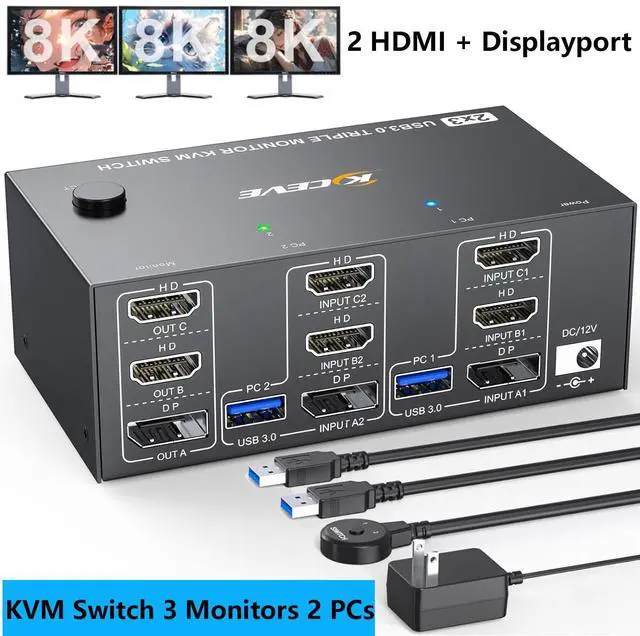
8K@60Hz KVM Switch DP+HDMI 2 Computers Share 3 Monitors and 4 USB Devices
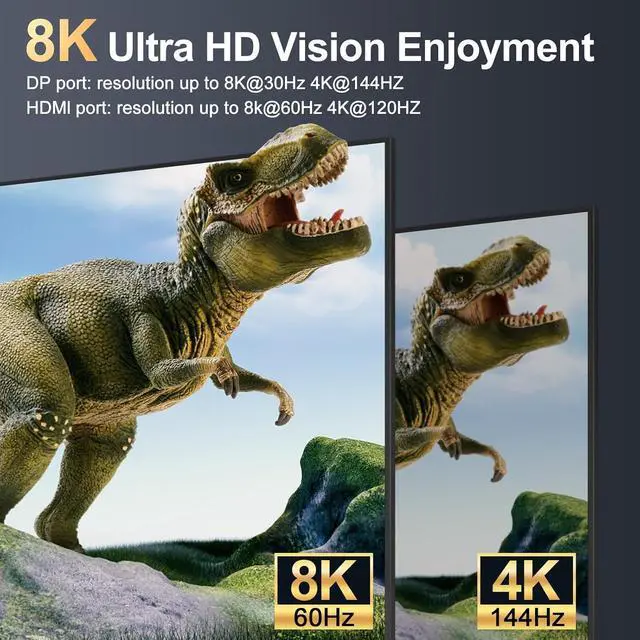
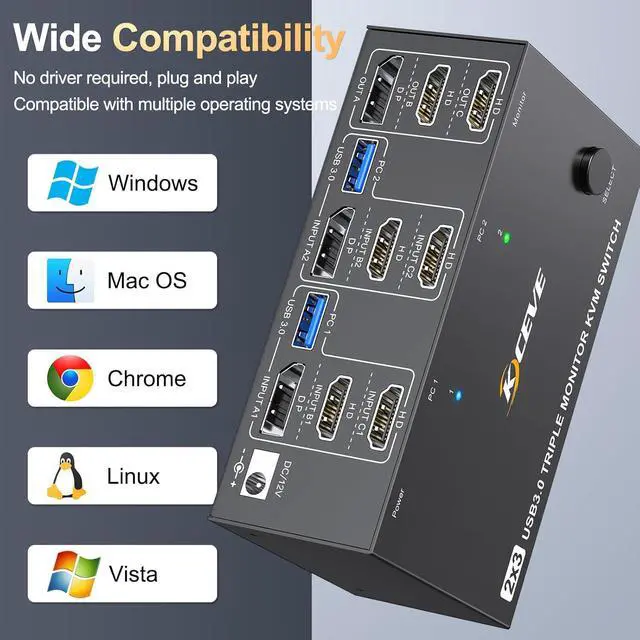
The Triple monitor KVM switch has 2 x HDMI 2.1 + 1 x DP 1.4 ports supports 8K Ultra HD resolution and refresh rate; KVM switch
DisplayPort: supports resolutions up to 8K@30Hz/4K@144Hz; KVM switch
HDMI: supports resolutions up to 8K@60Hz/4K@144Hz; KVM switch
HDMI: supports resolutions up to 8K@60Hz/4K@144Hz; 20Hz 20Hz and with low higher resolutions. Please use DP 1.4 and HDMI 2.1 cable to connect the KVM switch to three monitors. Otherwise, you will not enjoy the best resolution or there is no display at all.
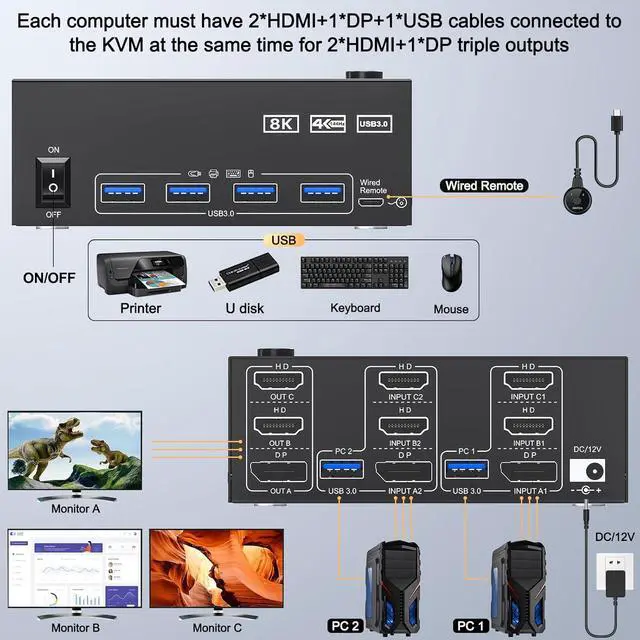
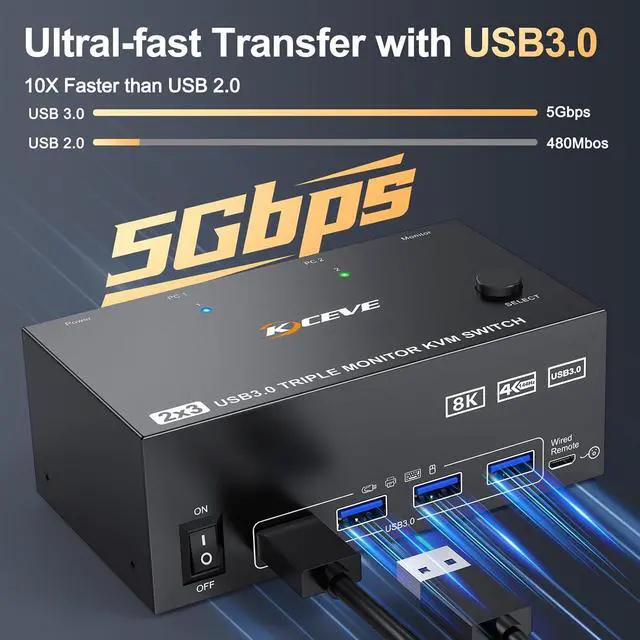
2HDMI + DisplayPort KVM switch 3 monitors with 4 USB 3.0 ports, supports ultra-fast 5Gbps data transfer, 10 times faster than USB 2.0, for connecting RGB keyboard, mouse, printer, hard drives, webcams etc. Backwards compatible with USB 2.0 / 1.1 devices.
Important note: Please check if you are using a USB cable to connect the KVM switch to the USB port of the computer, otherwise the USB port may not be recognized.
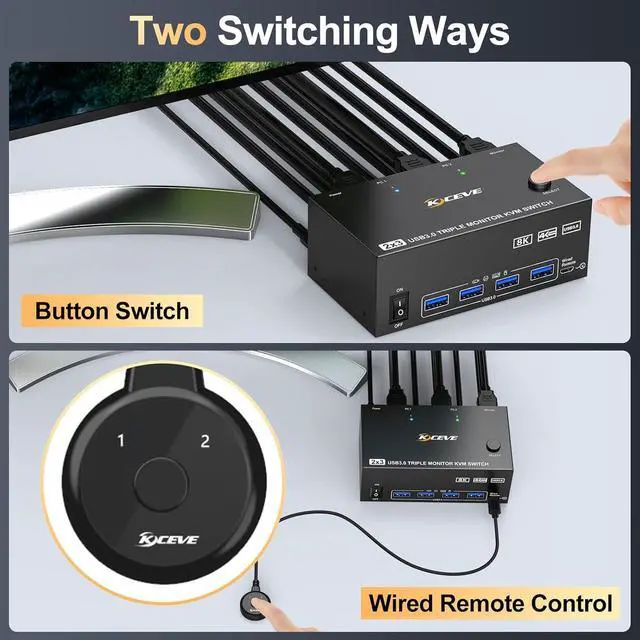
KVM switch 2 PC 3 monitors has two switching options, you can use panel button or wired remote control to switch freely between two computers. LED indicators indicate which computer is running and solve the problem of frequent plugging and unplugging
Note: Hotkey switching is not supported.
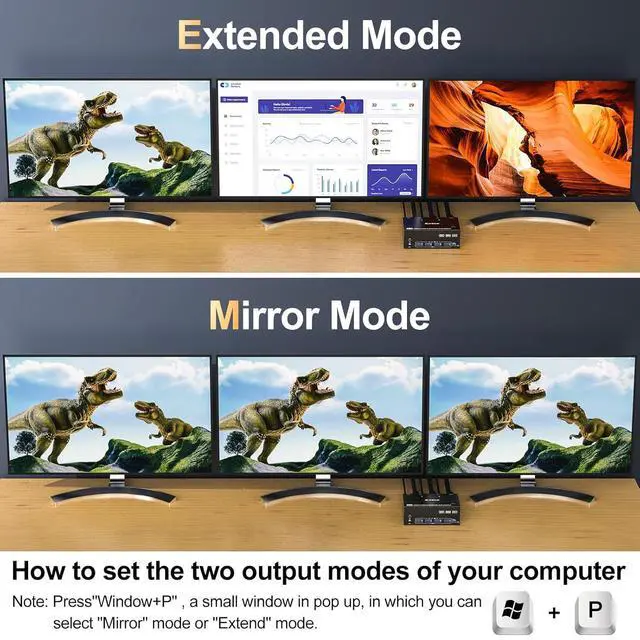
Advanced display: 2HD + DP KVM switch supports mirror, extended and splicing display modes (click on "Windows + P" to select the display mode).
Please note: Make sure your computer supports 3 or more screens and that each computer is connected to the KVM with 2HDMI+DP.