You’re seeing this ad based on the product’s relevance to your search query. If you are a seller and want to participate in this program click here to learn more.
12 in 1 USB C Docking Station 3 Monitors for MacBook/Dell/HP/Lenovo/Steam Deck/Portable Monitor, Laptop Docking Station with 4K DP, 4K HDMI*2, 100W PD, USB 3.0, 1000Mbps Ethernet, SD/TF
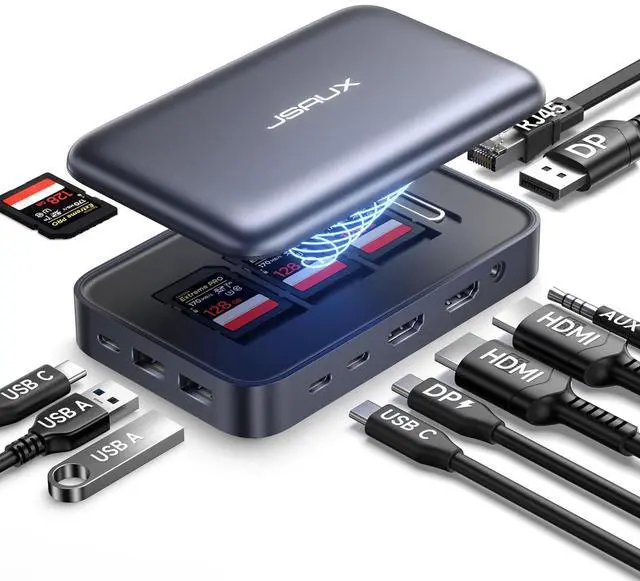
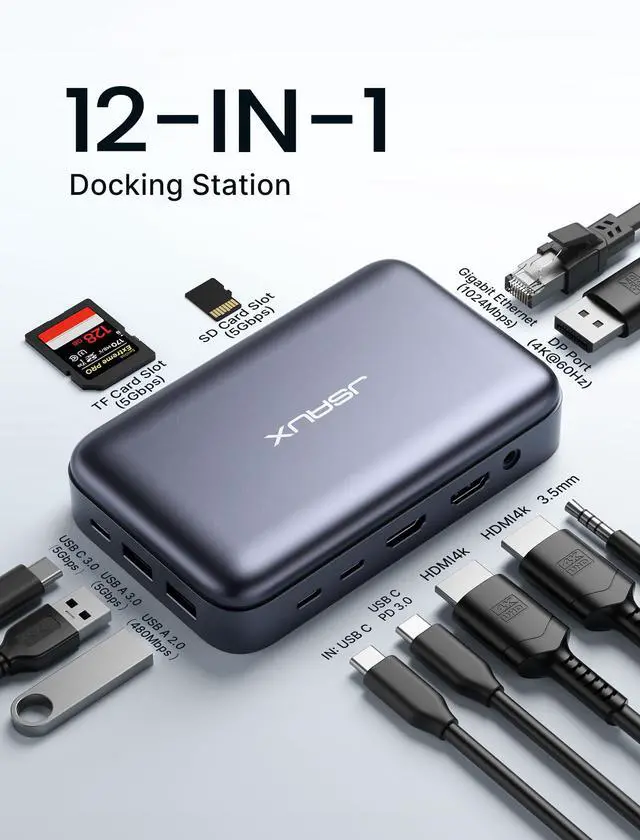
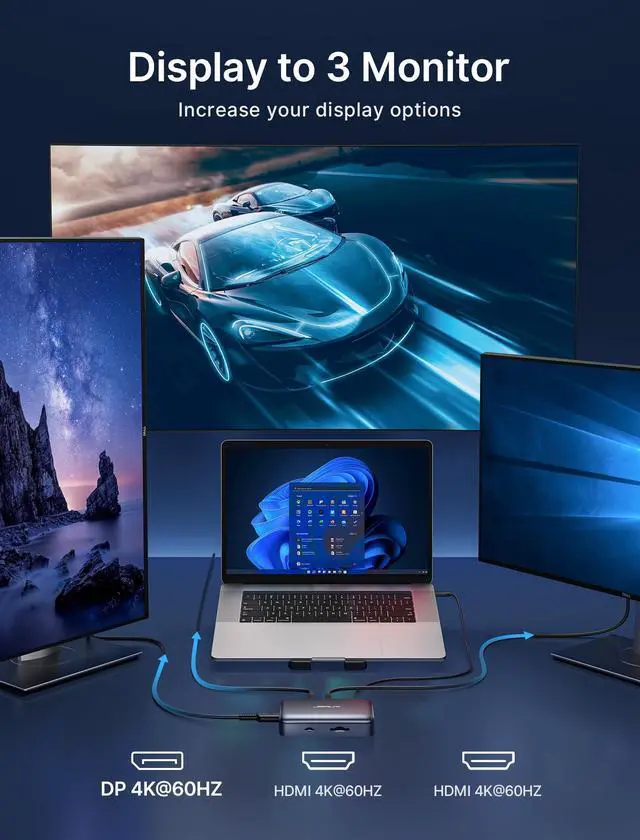
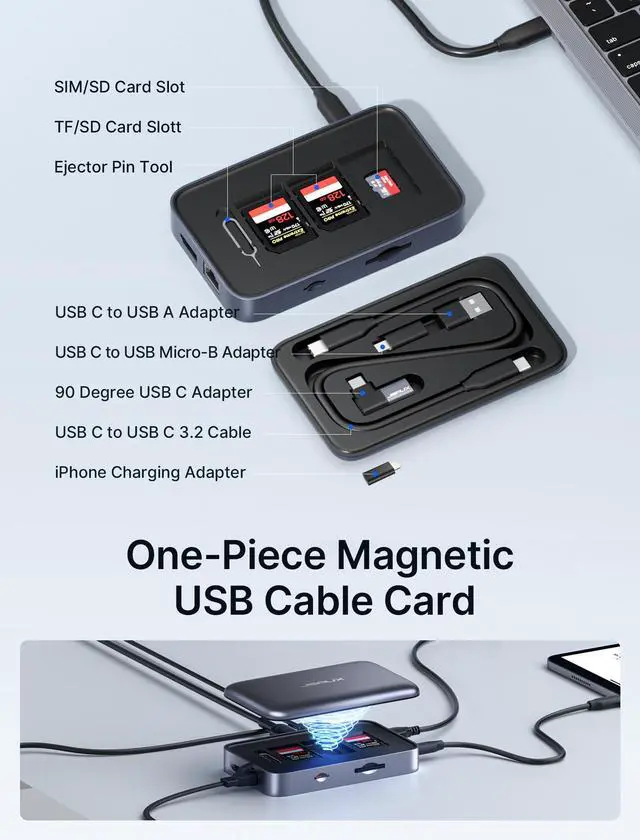
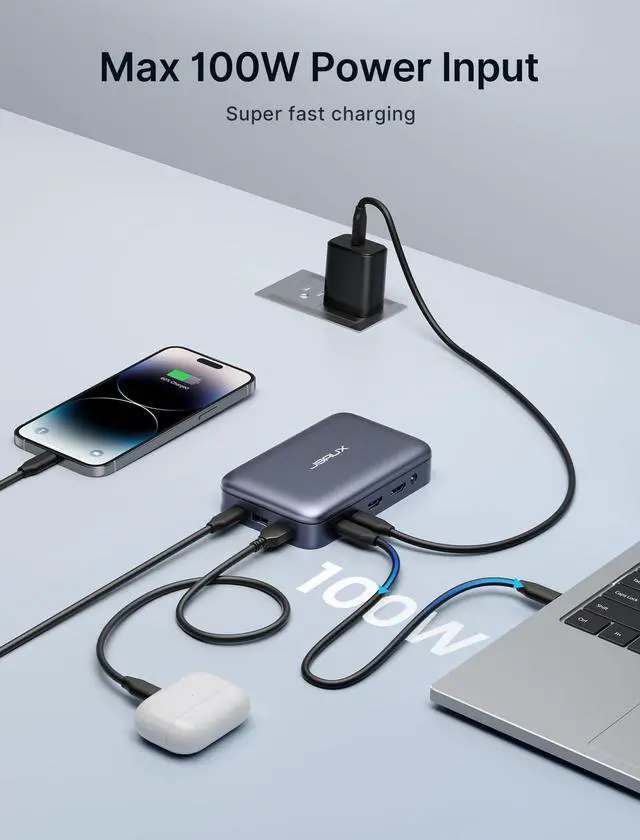
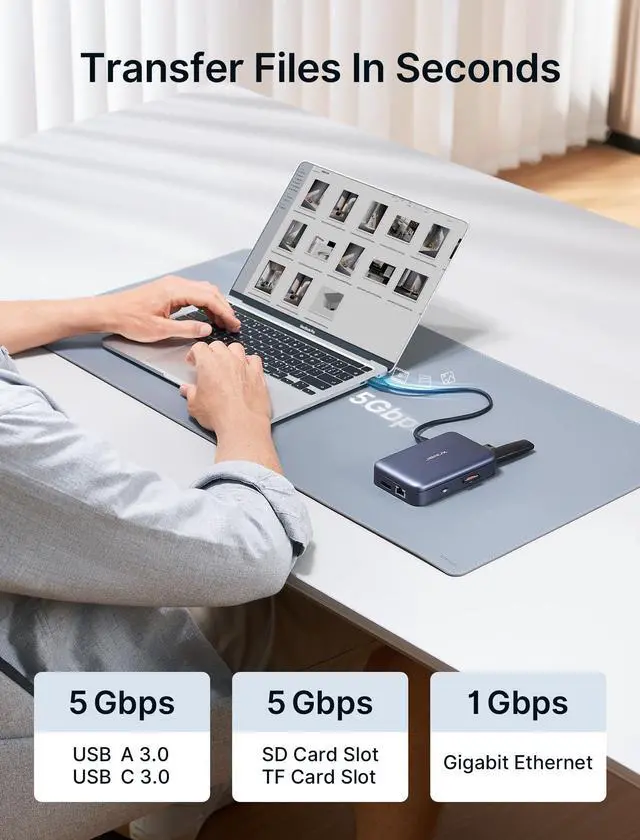
Experience unparalleled versatility with this 12-in-1 docking station, featuring dual 4K HDMI ports, a 4K DP port, a USB C 3.0 PD (100W) port, a USB C 3.0 port, a USB C Input port, a USB A 3.0 port, a USB A 2.0 port, a 3.5mm audio jack, an SD/TF card reader (5Gbps), and a Gigabit Ethernet port (1024Mbps). Create stunning four-monitor panoramas effortlessly with your laptop using the dual 4K@60Hz HDMI ports and the 4K@60Hz DP port. Please note: For Mac users, due to MacOS constraints, MST is not supported; only two different display contents are available in extended mode. The package includes a magnetic USB hub with a USB C to USB C 3.2 Cable, a USB C to USB micro B Adapter, a USB C to USB A Adapter, a 90 Degree USB C Adapter, an iPhone Charging Adapter, an Ejector Pin Tool, a TF/SD Card Slot, and a SIM/SD Card Slot for comprehensive on-the-go connectivity. The USB C PD port supports a maximum of 100W pass-through charging. Please connect your device to the port marked "USB C PD". Maximum charging for Steam Deck is 45W. For optimal performance of the ROG Ally's 30W turbo mode, a charger over 65W may be necessary. High-speed data transfer is ensured with a 1024Mbps Gigabit Ethernet port, dual 5Gbps USB C 3.0 ports, a 5Gbps USB A 3.0 port, a 480Mbps USB A 2.0 port, and 5Gbps SD/TF slots. Important notes: Use the included USB C cable or another USB C 3.2 cable and connect it to the 'IN USB C' port. For 4K@60Hz output, ensure your device supports 4K@60Hz and use an HDMI 2.0 cable
+
+
Specs
Reviews
Any questions? Our AI beta will help you find out quickly.
Try me now
Learn more about the Detailed Specifications
Additional Information
First Listed on Newegg
June 13, 2026
There are no reviews yet.
Do you own this product?
Warranty & Returns
Warranty, Returns, And Additional Information
Warranty
Please contact the Seller directly for warranty information. Warranty information may also be found on the Manufacturer's website.