



Features:
1. Connects your Wii Remote to your PC by Bluetooth.
2. Compatible with Wii Remote, Nunchuk Controller and Wii Classic Controller.
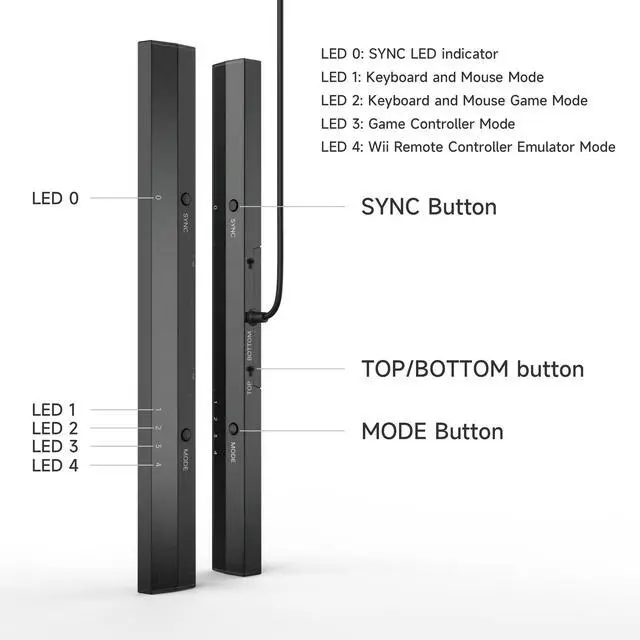
3. Supports four working modes: Keyboard and Mouse Mode (LED 1), Keyboard and Mouse Game Mode(LED 2), Game Controller Mode (LED 3)and Wii Remote Controller Emulator Mode (LED 4).
4. Easy and simple operation, no need extra Bluetooth dongle.
5. Supports Cursor Anti-Shake function.
6. AlIows you to pIay more quicky and precisely with your Game Controller, Light Gun or Racing Wheel.
7. Works as a PC Remote Controller. You can return or skip to the beginning of the current, previous or next chapter and supports Fast reverse, Fast forward, Pause playing, etc
8. Works as a Game Light Gun. You can play all kinds of PC Shooting Games. PC or Wii Light Gun is well supported.
9. Supports the G-sensor function that is the best choice for the Racing Games.
10. Supports the Vibration Feedback.
11. Compatible with the newest Wii Emulator Dolphin.
12. Supports up to 4 of the Wii Remote Controllers.

4 Modes
- Mouse Mode (LED1)
- Keyboard and Mouse Game Mode(LED2)
- Game Controller Mode (LED3)
- Wii Remote Controller Emulator Mode (LED4).

Switches
- Swtich to "TOP" if you put the dolphinbar on the top of the monitor; switch to "BOTTOM" if you put the dolphinbar on the desk.
- Power "OFF" or "ON" the dolphinbar

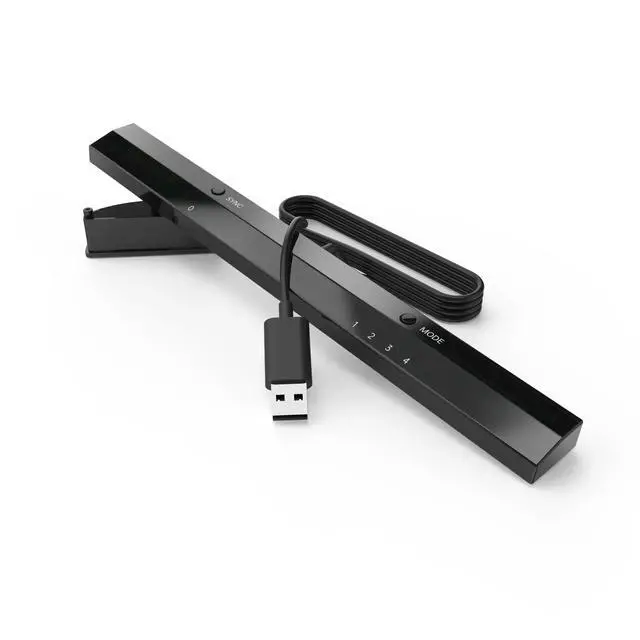
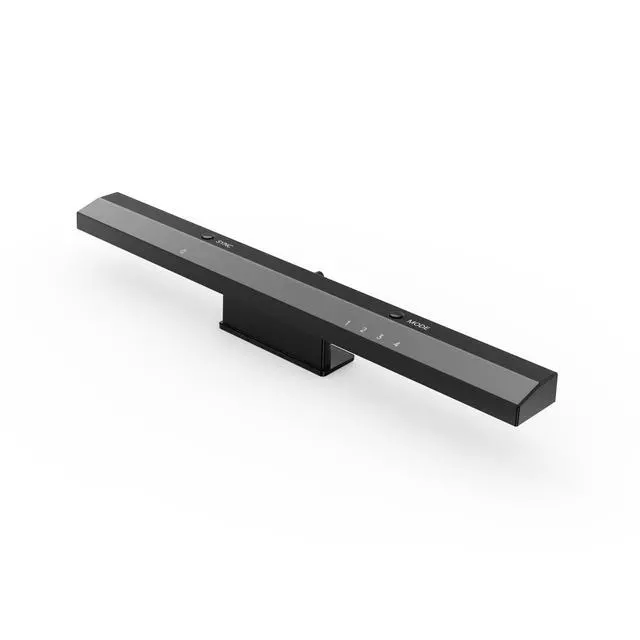
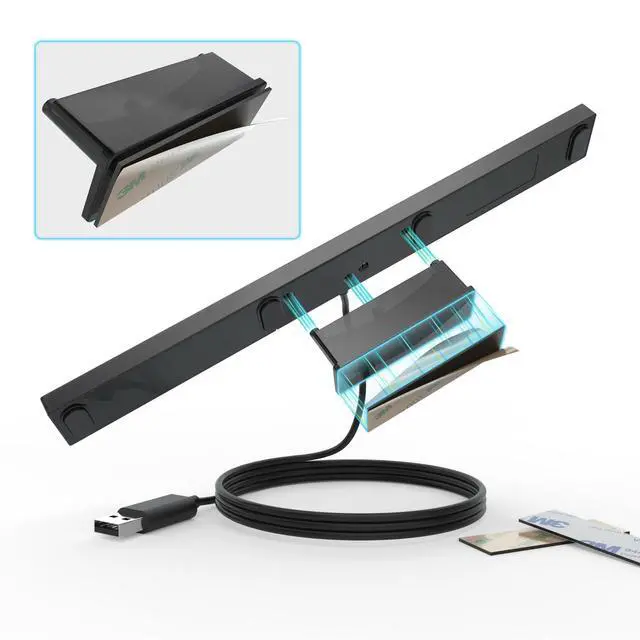
Bracket
- Fix the bracket to the top of the monitor or to the desktop.
- Put the dolphinbar on the bracket.
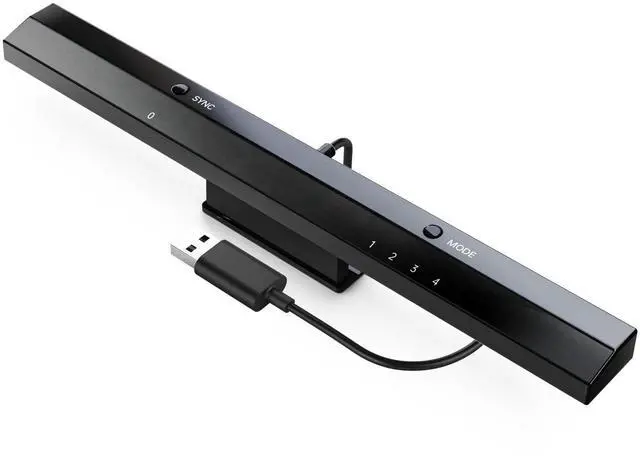
Wireless Sensor DolphinBar Wiimote to PC USB Adapter

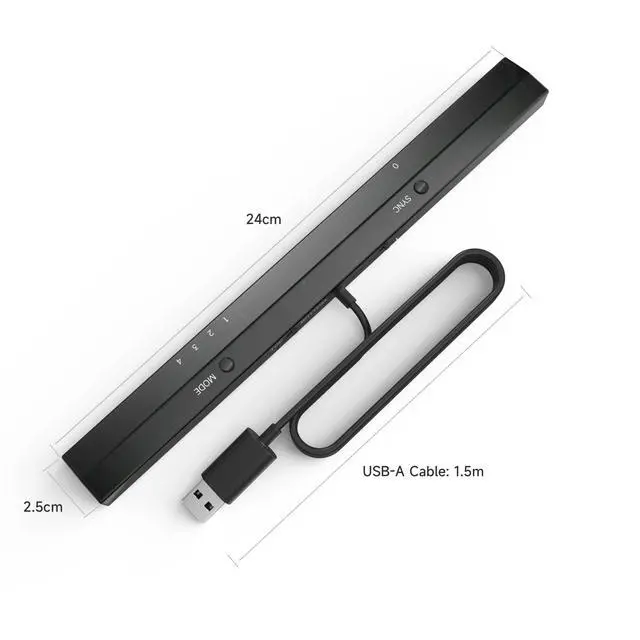
1.SYNC Button and LED 0
Used for pairing the Dolphinbar and your controllers.
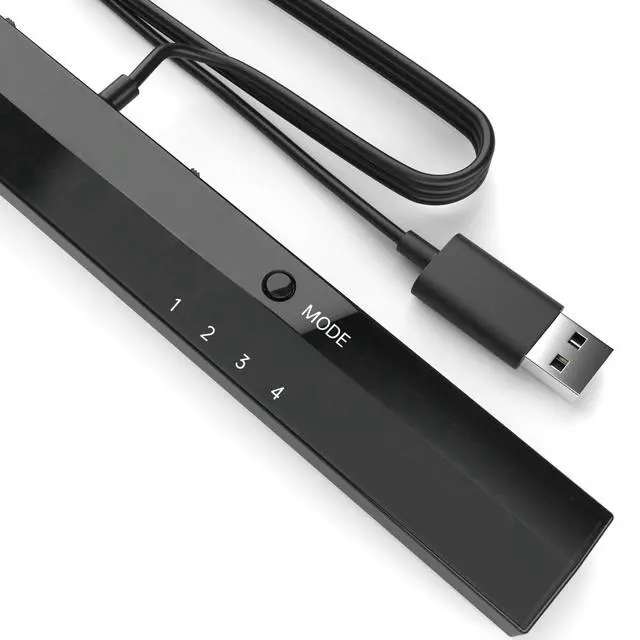
2. MODE Button and LED 1, 2, 3, 4
Switch to four different modes, Keyboard and Mouse Mode (LED1), Keyboard and Mouse Game Mode (LED2), Game Controller Mode (LED3) and WiiRemote Controller Emulator Mode (LED4) by pressing the MODE button on the DolphinBar.
3. See more details about LED Indicator 0, 1, 2, 3, 4 on the user manual.
Supports Four Controllers

Supports up to 4 of the Wii Remotes at the same time!
Enjoy your party with your friends!
Wireless Sensor DolphinBar Wiimote to PC USB Adapter

High sensitivity!
Enjoy the distraction-free gaming experience with no lag!

Plug and Play

- It's a perfect choice for you to take exercises and relax after hard-working or studying for a long time.
- Update to the latest firmware at MAYFLASH.COM
Features:
1. Connects your Wii Remote to your PC by Bluetooth.
2. Compatible with Wii Remote, Nunchuk Controller and Wii Classic Controller.
3. Supports four working modes: Keyboard and Mouse Mode (LED 1), Keyboard and Mouse Game Mode(LED 2), Game Controller Mode (LED 3)and Wii Remote Controller Emulator Mode (LED 4).
4. Easy and simple operation, no need extra Bluetooth dongle.
5. Supports Cursor Anti-Shake function.
6. AlIows you to pIay more quicky and precisely with your Game Controller, Light Gun or Racing Wheel.
7. Works as a PC Remote Controller. You can return or skip to the beginning of the current, previous or next chapter and supports Fast reverse, Fast forward, Pause playing, etc
8. Works as a Game Light Gun. You can play all kinds of PC Shooting Games. PC or Wii Light Gun is well supported.
9. Supports the G-sensor function that is the best choice for the Racing Games.
10. Supports the Vibration Feedback.
11. Compatible with the newest Wii Emulator Dolphin.
12. Supports up to 4 of the Wii Remote Controllers.
4 Modes
- Mouse Mode (LED1)
- Keyboard and Mouse Game Mode(LED2)
- Game Controller Mode (LED3)
- Wii Remote Controller Emulator Mode (LED4).
Switches
- Swtich to "TOP" if you put the dolphinbar on the top of the monitor; switch to "BOTTOM" if you put the dolphinbar on the desk.
- Power "OFF" or "ON" the dolphinbar
Bracket
- Fix the bracket to the top of the monitor or to the desktop.
- Put the dolphinbar on the bracket.
Wireless Sensor DolphinBar Wiimote to PC USB Adapter
1.SYNC Button and LED 0
Used for pairing the Dolphinbar and your controllers.
2. MODE Button and LED 1, 2, 3, 4
Switch to four different modes, Keyboard and Mouse Mode (LED1), Keyboard and Mouse Game Mode (LED2), Game Controller Mode (LED3) and WiiRemote Controller Emulator Mode (LED4) by pressing the MODE button on the DolphinBar.
3. See more details about LED Indicator 0, 1, 2, 3, 4 on the user manual.
Supports Four Controllers
Supports up to 4 of the Wii Remotes at the same time!
Enjoy your party with your friends!
Wireless Sensor DolphinBar Wiimote to PC USB Adapter
High sensitivity!
Enjoy the distraction-free gaming experience with no lag!
Plug and Play
- It's a perfect choice for you to take exercises and relax after hard-working or studying for a long time.
- Update to the latest firmware at MAYFLASH.COM