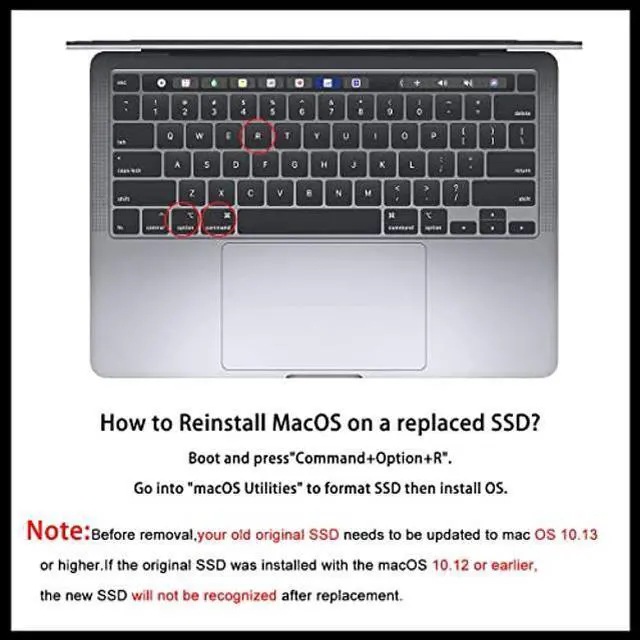
[IMPORTANT NOTE] Before removal, Back up your original data to USB drive; and Updated your old original SSD to mac OS 10.13 High Sierra or Later version. If not, the new SSD will not be recognized after replacement.If your mac does not recognize the drive, then back to the step.
[Reinstall MacOS] 3 ways to install macOS: From Time Machine Backup; Make USB Installer;From Internet Recovery. You can check some video on , or check our installation manual in listing documents, or there are simple steps in the product description below. Remember to Reformat(Erase) the new SSD before Restore the MacOS.
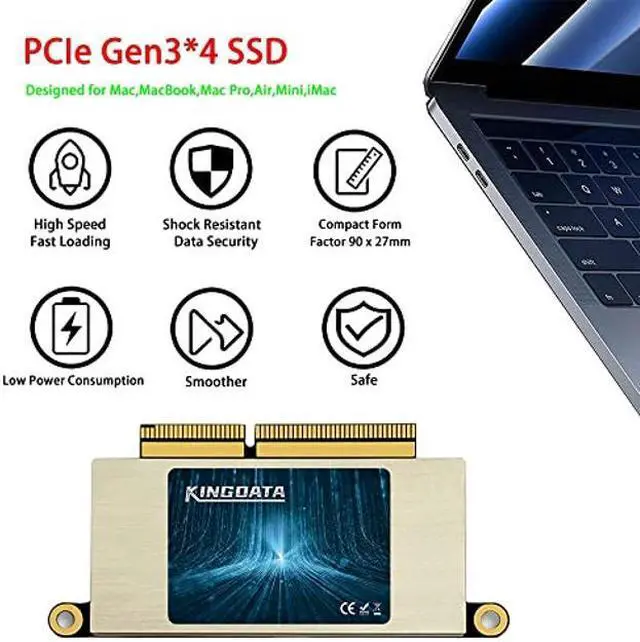
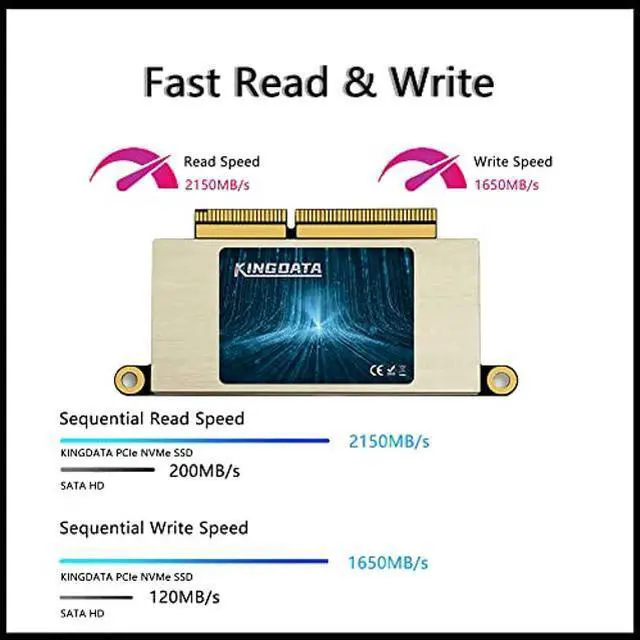
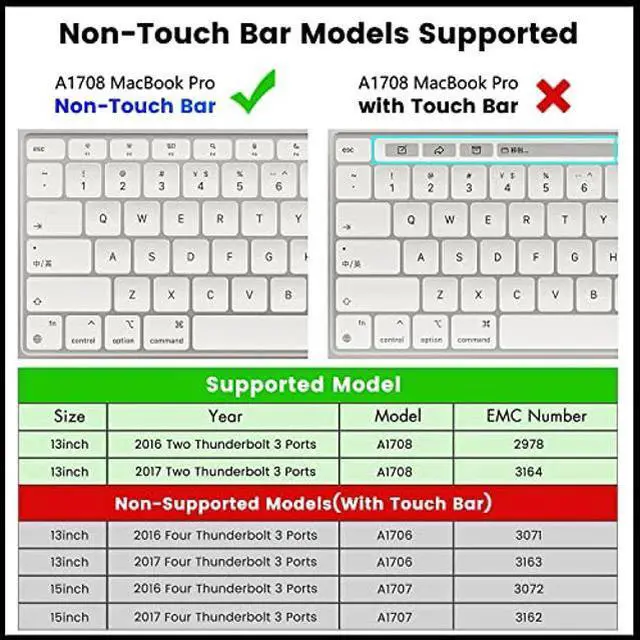
[SSD for MacBook Update]: Speed up to 2150MB/s, For your MacBook Pro A1708 (2016-2017). Note,Just Non-Touch Bar Models Supported. Recently we send some A1708 SSD with MacOS, if you receive this version, the Power-on password is 1234 or 123, or space + enter, or just enter. It is brand new ssd, just because many customers don't know how to reinstall MacOS, so we install the MacOS
Overview
Specs
Reviews
Any questions? Our AI beta will help you find out quickly.
Try me now
KINGDATA SSD for MacBook 1TB NVMe PCIe Gen3x4 M. 2, Internal Solid State Drive Upgrade for MacBook Pro A1708 (2016-2017)
Learn more about the Detailed Specifications
Additional Information
First Listed on Newegg
February 15, 2024
There are no reviews yet.
Do you own this product?
Warranty & Returns
Warranty, Returns, And Additional Information
Return Policies
Return for refund within: 30 days
Return for replacement within: 30 days
This item is covered by Newegg.com's 30-Day Return Policy.