




One Button. Works with Everything. No App. No Menus. Just Wireless Audio.

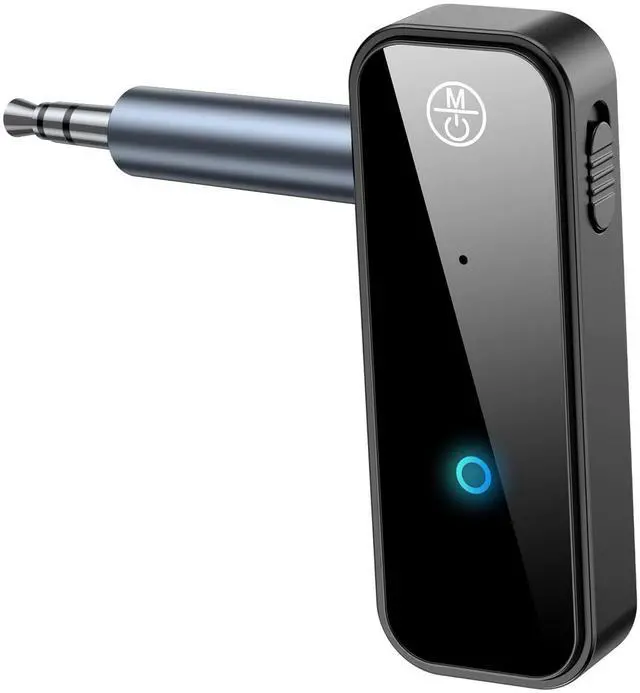
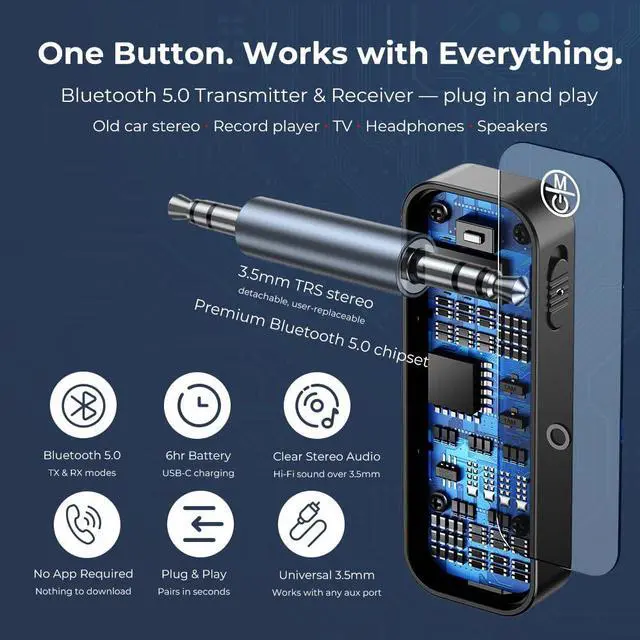
Bluetooth 5.0 transmitter and receiver for any 3.5mm aux port. Old car stereo, turntable, TV, wired speakers — plug C28 in and your headphones or speakers connect wirelessly in seconds. No setup. No complexity. Just press once.
TX Mode & RX Mode — One Device, Two Ways

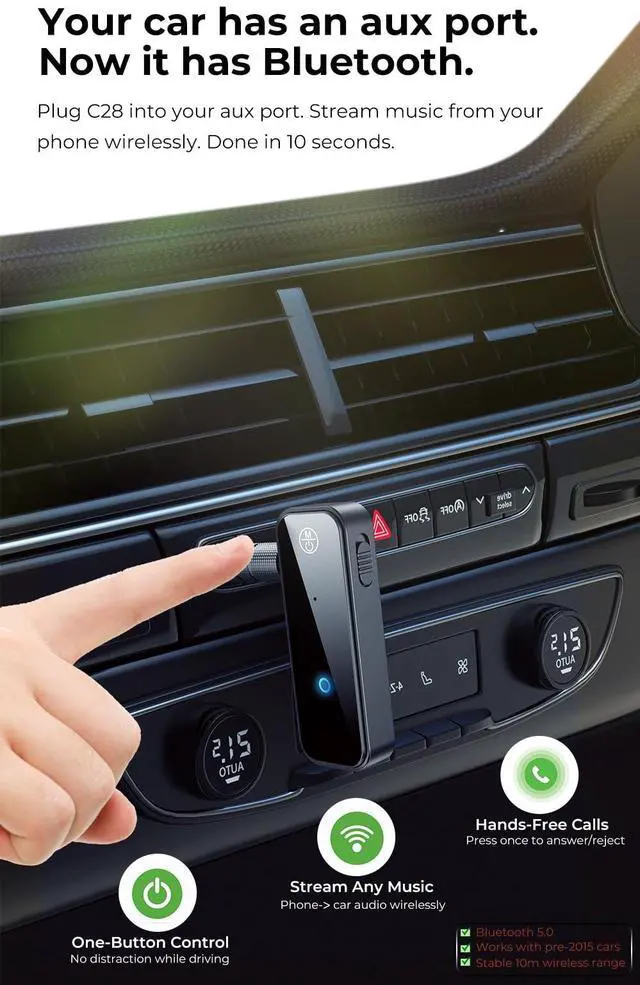
RX Mode: Stream Your Phone to Car Stereo
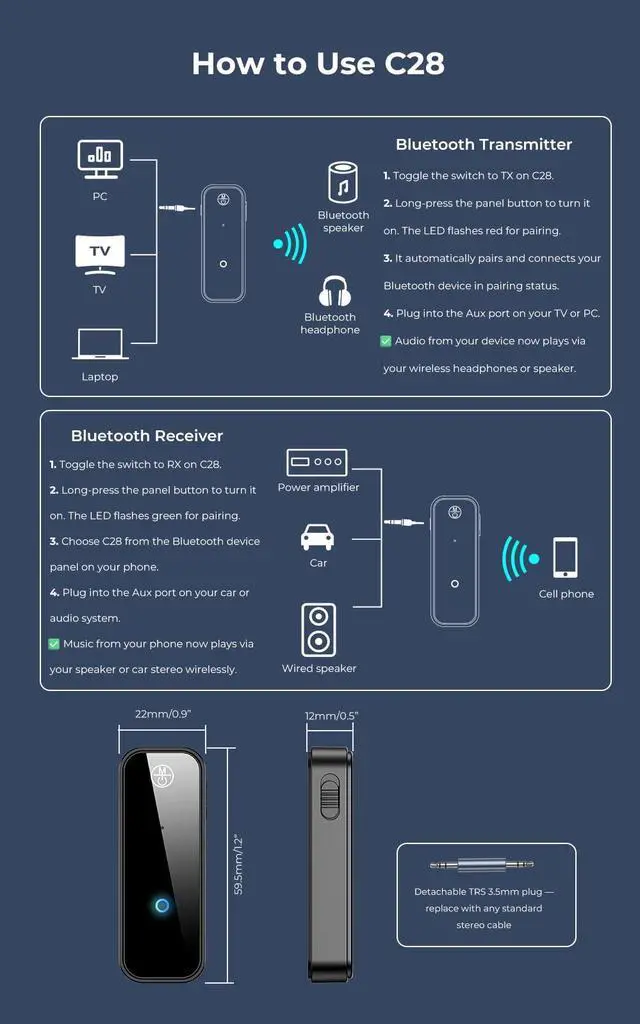
Plug C28 into your car's aux port. Set to RX mode. Your phone pairs over Bluetooth — stream music, answer calls, or follow navigation through your car stereo. Perfect for pre-2015 vehicles with an aux input but no built-in Bluetooth. One press, done.

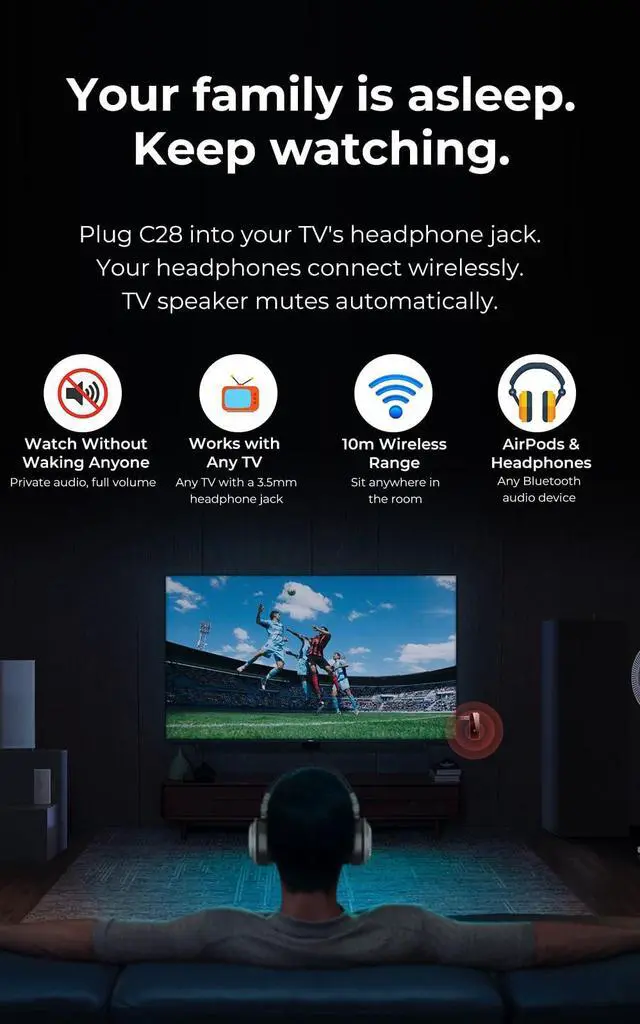
TX Mode: Send Audio to Your Headphones
Plug C28 into your TV's, projector's, or turntable's 3.5mm headphone jack. Set to TX mode. Your AirPods, Bose, or Sony headphones connect wirelessly in seconds. Watch late at night without disturbing anyone. Works with any device that has a 3.5mm audio output.
Whatever You Own. Wherever You Are. C28 Makes It Wireless.

Your Car, Now with Bluetooth
Plug C28 into your aux port (RX mode). Stream music, calls, and navigation from your phone — no built-in Bluetooth needed.

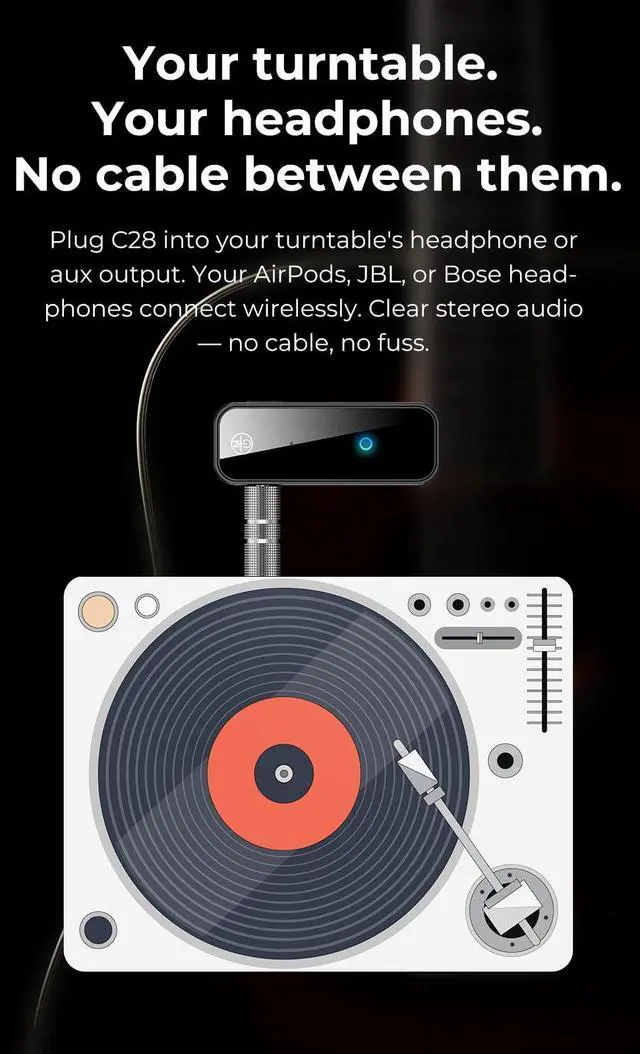
Turntable. No Cable Needed.
Plug C28 into your Victrola or turntable's headphone jack (TX mode). Your wireless headphones connect instantly — no cable across the room.

Watch Without Waking Anyone.
Plug C28 into your TV's headphone jack (TX mode). AirPods and wireless headphones connect in seconds. TV speaker mutes automatically.

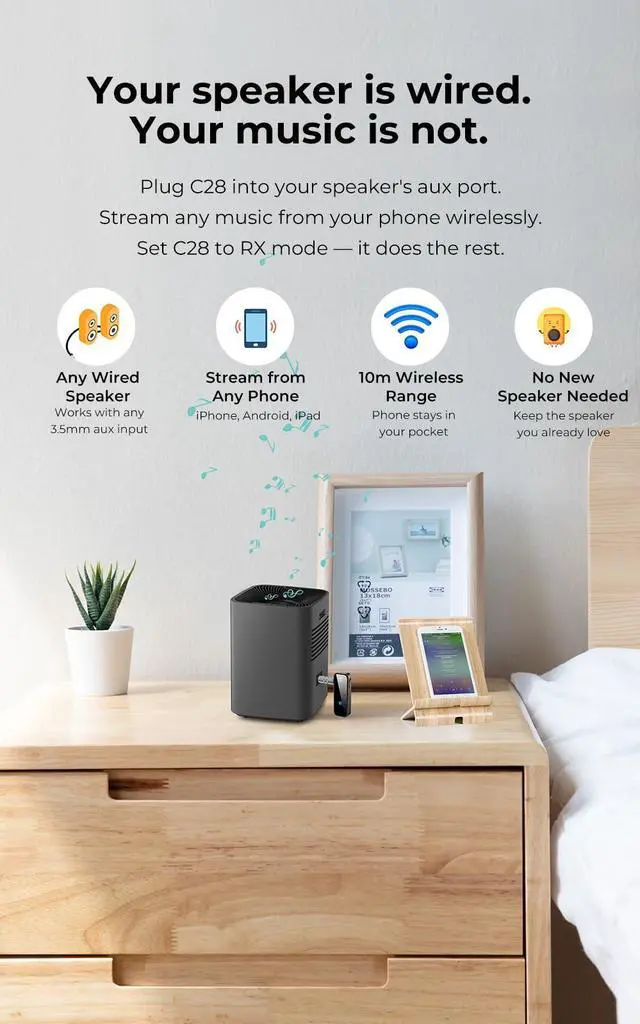
Your Speaker. Now Wireless.
Plug C28 into your wired speaker's aux input (RX mode). Stream any music from your phone wirelessly — no new speaker required.
Does this work with my car if it only has an aux port and no Bluetooth?
Yes — this is exactly what C28 is designed for. Plug it into your car's 3.5mm aux port and set it to RX mode. Your phone connects to C28 over Bluetooth, and audio streams wirelessly through your car stereo. Works with any car with a 3.5mm aux input.
Will it work with my Victrola or turntable record player?
Yes. Plug C28 into your turntable's headphone or aux output jack and set it to TX mode. C28 transmits the audio wirelessly to your Bluetooth headphones or speaker. Works with Victrola, Crosley, Audio-Technica, and any turntable with a 3.5mm output.
Can I use this to connect my AirPods to an older TV that doesn't have Bluetooth?
Yes. Plug C28 into your TV's 3.5mm headphone jack and set it to TX mode. C28 transmits the audio wirelessly to your AirPods. The TV's internal speaker mutes automatically when the headphone jack is in use. Works with all AirPods models.
Can I stream music from my phone wirelessly to a wired speaker using this?
Yes — this is C28's RX mode. Plug it into your wired speaker's aux input and set to RX. Then pair your phone to C28 via Bluetooth. Works with any wired speaker, home stereo, or amplifier with a 3.5mm aux input.
What devices can I plug C28 into as a source or output?
Any device with a 3.5mm headphone or aux port: older TVs, car stereos, turntables, CD players, wired speakers, home stereo, soundbars, gym treadmills, PCs, laptops, projectors, Nintendo Switch, PlayStation controllers, and airplane seat audio jacks.
Everything you need to know about C28.
How long does the battery last and how do I charge it?
Up to 6 hours per charge under typical use. Charges fully in approximately 2 hours via the included USB-C cable. The LED indicates charging status. C28 can also be used while charging if needed — useful for long car journeys or desktop setups.
C28 won't connect or keeps disconnecting — how do I fix it?
Hold the button for 5s until the LED flashes rapidly. This clears C28's memory and puts it into fresh pairing mode. It will pair with the next Bluetooth device that enters pairing mode within range. This reset resolves almost all connection issues.
Is there an audio delay when watching video on TV?
C28 uses SBC Bluetooth with typical latency of 150–200ms. For music, podcasts, and calls that is imperceptible. For video on TV, slight audio-video sync gap may be noticed. For music listening and casual TV audio, most find performance excellent.
What does "detachable connector" mean — can I replace it if it breaks?
Yes. The 3.5mm TRS plug separates from the C28 body. If it ever wears out, or if you need a different cable length for your car aux port, simply plug in any standard 3.5mm TRS stereo cable in its place.
What is the wireless range and will it work through walls?
Up to 10 metres (33 feet) in open space. In typical home or car use, stable audio is maintained throughout a room or vehicle. Walls and obstructions reduce the effective range — in most standard room sizes the connection remains clear throughout.
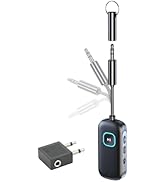
Know Your C28: Components, LED Indicators, and the Right Way to Connect

Blue LED = RX mode (receive audio from your phone). Red LED = TX mode (send audio to headphones).
Use the Rx/Tx toggle switch to change modes.
Press the Action Button to power on, pair, or reset.
Insert the 3.5mm TRS plug fully to avoid noise or silence. The plug is detachable and replaceable.
One Button. Works with Everything. No App. No Menus. Just Wireless Audio.

Bluetooth 5.0 transmitter and receiver for any 3.5mm aux port. Old car stereo, turntable, TV, wired speakers — plug C28 in and your headphones or speakers connect wirelessly in seconds. No setup. No complexity. Just press once.
TX Mode & RX Mode — One Device, Two Ways
RX Mode: Stream Your Phone to Car Stereo
Plug C28 into your car's aux port. Set to RX mode. Your phone pairs over Bluetooth — stream music, answer calls, or follow navigation through your car stereo. Perfect for pre-2015 vehicles with an aux input but no built-in Bluetooth. One press, done.
TX Mode: Send Audio to Your Headphones
Plug C28 into your TV's, projector's, or turntable's 3.5mm headphone jack. Set to TX mode. Your AirPods, Bose, or Sony headphones connect wirelessly in seconds. Watch late at night without disturbing anyone. Works with any device that has a 3.5mm audio output.
Whatever You Own. Wherever You Are. C28 Makes It Wireless.
Your Car, Now with Bluetooth
Plug C28 into your aux port (RX mode). Stream music, calls, and navigation from your phone — no built-in Bluetooth needed.
Turntable. No Cable Needed.
Plug C28 into your Victrola or turntable's headphone jack (TX mode). Your wireless headphones connect instantly — no cable across the room.
Watch Without Waking Anyone.
Plug C28 into your TV's headphone jack (TX mode). AirPods and wireless headphones connect in seconds. TV speaker mutes automatically.
Your Speaker. Now Wireless.
Plug C28 into your wired speaker's aux input (RX mode). Stream any music from your phone wirelessly — no new speaker required.
Does this work with my car if it only has an aux port and no Bluetooth?
Yes — this is exactly what C28 is designed for. Plug it into your car's 3.5mm aux port and set it to RX mode. Your phone connects to C28 over Bluetooth, and audio streams wirelessly through your car stereo. Works with any car with a 3.5mm aux input.
Will it work with my Victrola or turntable record player?
Yes. Plug C28 into your turntable's headphone or aux output jack and set it to TX mode. C28 transmits the audio wirelessly to your Bluetooth headphones or speaker. Works with Victrola, Crosley, Audio-Technica, and any turntable with a 3.5mm output.
Can I use this to connect my AirPods to an older TV that doesn't have Bluetooth?
Yes. Plug C28 into your TV's 3.5mm headphone jack and set it to TX mode. C28 transmits the audio wirelessly to your AirPods. The TV's internal speaker mutes automatically when the headphone jack is in use. Works with all AirPods models.
Can I stream music from my phone wirelessly to a wired speaker using this?
Yes — this is C28's RX mode. Plug it into your wired speaker's aux input and set to RX. Then pair your phone to C28 via Bluetooth. Works with any wired speaker, home stereo, or amplifier with a 3.5mm aux input.
What devices can I plug C28 into as a source or output?
Any device with a 3.5mm headphone or aux port: older TVs, car stereos, turntables, CD players, wired speakers, home stereo, soundbars, gym treadmills, PCs, laptops, projectors, Nintendo Switch, PlayStation controllers, and airplane seat audio jacks.
Everything you need to know about C28.
| Model | C28 |
|---|---|
| Bluetooth version | 5.0 |
| Modes | TX (transmitter) · RX (receiver) |
| Wireless range | Up to 10m / 33ft (open space) |
| Battery life | 6 hours |
| Charge time | 1 hour |
| Charging port | USB-C |
| Audio | Stereo (2-channel) |
| Connector | Detachable 3.5mm TRS stereo — replaceable with any standard 3.5mm stereo cable |
| Working frequency | 2.4GHz |
| Dimensions | 59.5 × 22 × 12mm |
| Weight | 50g |
| Installation | Plug & play — no app, no drivers required |
| In the box | C28 unit · Detachable 3.5mm TRS plug · USB-C charging cable |
How long does the battery last and how do I charge it?
Up to 6 hours per charge under typical use. Charges fully in approximately 2 hours via the included USB-C cable. The LED indicates charging status. C28 can also be used while charging if needed — useful for long car journeys or desktop setups.
C28 won't connect or keeps disconnecting — how do I fix it?
Hold the button for 5s until the LED flashes rapidly. This clears C28's memory and puts it into fresh pairing mode. It will pair with the next Bluetooth device that enters pairing mode within range. This reset resolves almost all connection issues.
Is there an audio delay when watching video on TV?
C28 uses SBC Bluetooth with typical latency of 150–200ms. For music, podcasts, and calls that is imperceptible. For video on TV, slight audio-video sync gap may be noticed. For music listening and casual TV audio, most find performance excellent.
What does "detachable connector" mean — can I replace it if it breaks?
Yes. The 3.5mm TRS plug separates from the C28 body. If it ever wears out, or if you need a different cable length for your car aux port, simply plug in any standard 3.5mm TRS stereo cable in its place.
What is the wireless range and will it work through walls?
Up to 10 metres (33 feet) in open space. In typical home or car use, stable audio is maintained throughout a room or vehicle. Walls and obstructions reduce the effective range — in most standard room sizes the connection remains clear throughout.
Know Your C28: Components, LED Indicators, and the Right Way to Connect

Blue LED = RX mode (receive audio from your phone). Red LED = TX mode (send audio to headphones).
Use the Rx/Tx toggle switch to change modes.
Press the Action Button to power on, pair, or reset.
Insert the 3.5mm TRS plug fully to avoid noise or silence. The plug is detachable and replaceable.
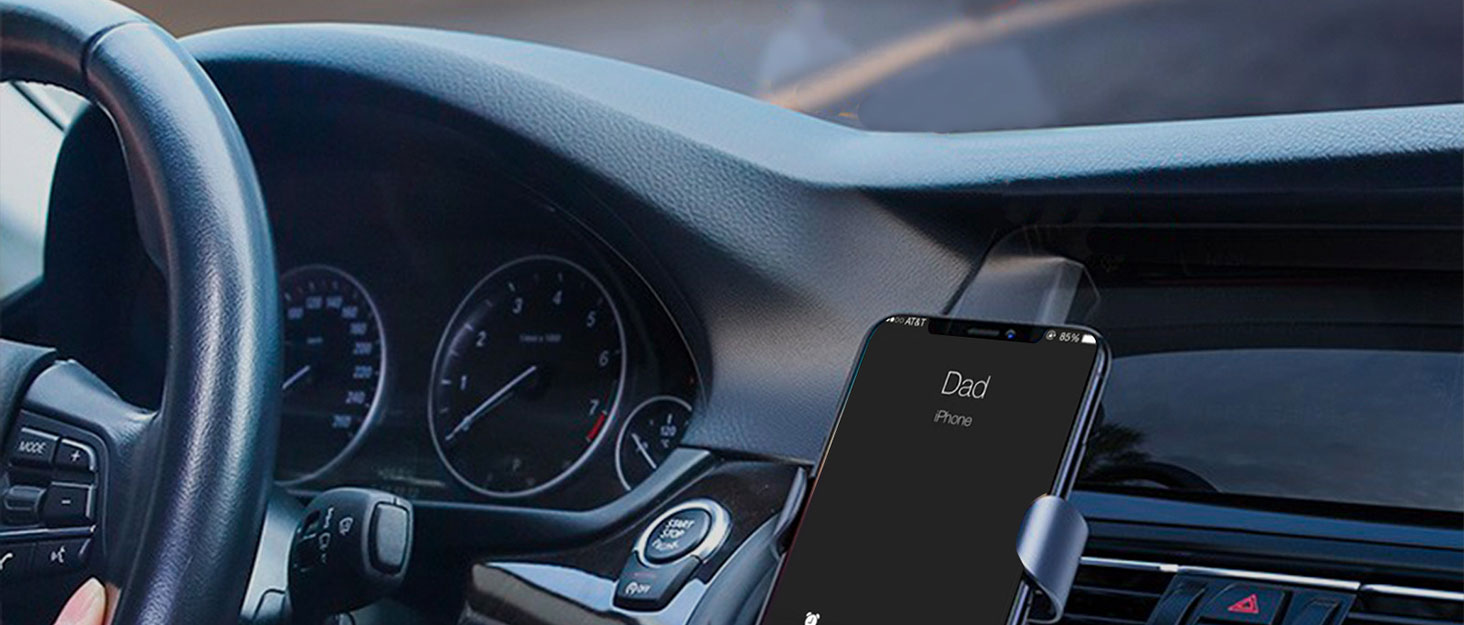
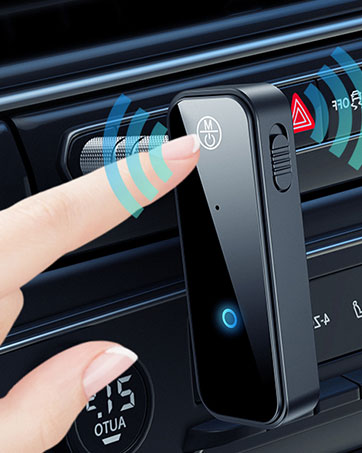
Call wirelessly and safely
Concentration is important in driving a car. Free your hands and sight simply by a press on the Bluetooth receiver.
Enjoy wireless freedom