









Will the COROS Heart Rate Monitor support ANT+?
No, There will be no ANT+ support as we are using a newer Bluetooth chip which does not provide ANT+ support but has far better computing power and lower power consumption than chips with ANT+ support.
Can I pair the COROS HR Monitor with My Phone?
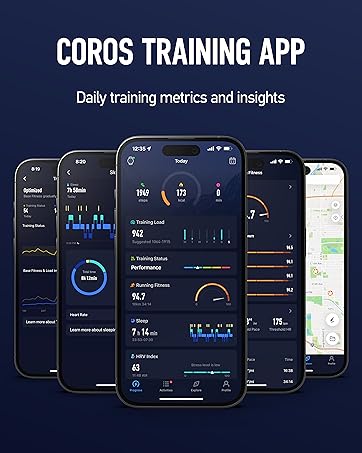
To record a workout with the COROS Heart Rate Monitor directly from your phone, we recommend using a free activity tracking app like Strava, MyFitnessPal, RunTracker, or others available on the iOS and Google Play stores.
Can I pair the COROS HR Monitor with My Phone?
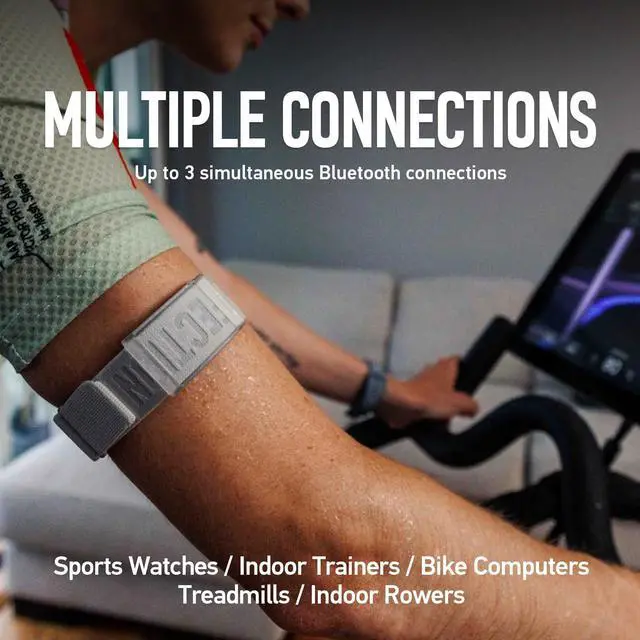
*The COROS app currently does not support recording activities on the app itself. The COROS HR Monitor can also pair with any fitness tracking watch, gym equipment, cycling computers, and more.**
Does the COROS Heart Rate Monitor work over tattoos?
Depending on the density of the tattoo, the heart rate monitor may be able to get a reading but it's not guaranteed. If you have tattoos, we recommend adjusting the placement (bicep, forearm, opposite arm).
How do I charge the COROS Heart Rate Monitor?
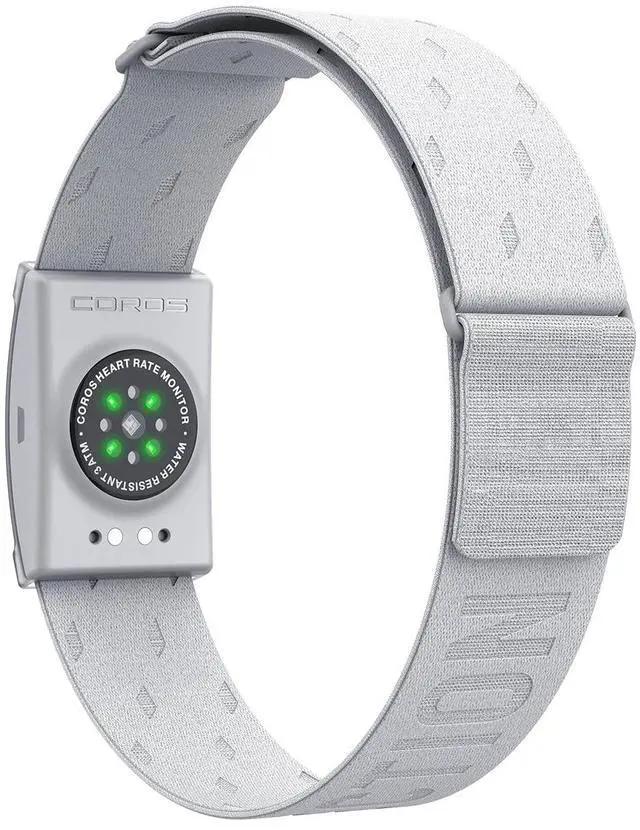
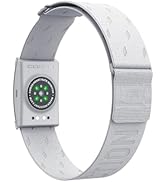
Connect the charging cable to the backside of the heart rate monitor. An orange light will appear while the monitor is charging. The light will turn green once it's fully charged.


COROS Heart Rate Monitor
Merchant Video
COROS Products Comparison Table
 COROS Heart Rate Monitot |  COROS PACE 4 |  COROS NOMAD |  COROS DURA Bike Computer |  COROS PACE Pro GPS WATCH |  COROS APEX 2 Pro Outdoor |  COROS VERTIX 2S | |
|---|---|---|---|---|---|---|---|
Customer Reviews | — | — | — | — | — | — | — |
Price | — | — | — | — | — | — | — |
Dimensions | 42.5 x 28.4 x 9.1mm | 43.4 x 43.4 x 11.8 mm | 47.8 x 47.8 x 14.8mm | 99.5 x 60.8 x 15.7mm | 46 x 46 x 12.25mm | 46.1 x 46.5 x 14mm | 50.3 x 50.3 x 16mm |
Weight | 19g | 32-40g | 49g-61g | 102 g | 37g-49g | 53-66g | 70-87g |
Display Size & Resolution | No Display | 1.2 Inch, 390 x 390 | 1.3 inch, 260 x 260 | 2.7 Inch, 400 x 240 | 1.3 Inch, 416 x 416 | 1.3 Inch, 260 x 260 | 1.4 Inch, 280 x 280 |
Display Type | No Display | Touch Screen Always-On LCD | Touch Screen Always-On LCD | Touch Screen Always-On LCD | Touch Screen Always-On LCD | Touch Screen Always-On LCD | Touch Screen Always-On LCD |
Screen Material | Plastic, Polyester fiber | Mineral Glass | Hardened Mineral Glass | Durable Composite Glass | Mineral Glass | Sapphire Glass | Sapphire Glass |
Connectivity | Bluetooth | Bluetooth | Bluetooth | Bluetooth | Bluetooth | Bluetooth | — |
Water Resistance | 3 ATM | 5 ATM | 5 ATM | IP67 | 5 ATM | 5 ATM | 10 ATM |
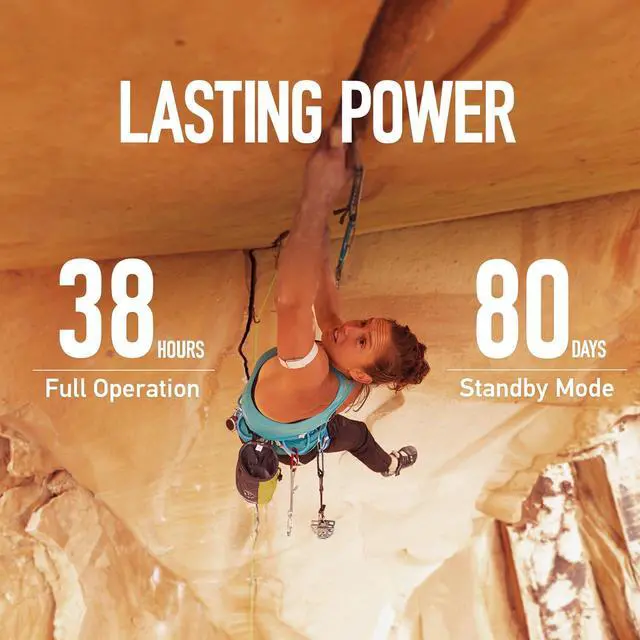
Battery - Daily Use/Full GPS | 80 days /38 hours | 19 Days / 41 Hours | 22 Days / 50 Hours | 120 Hours / 70 Hours | 20 Days / 38 Hours | 24 Days / 66 Hours | 40 Days / 118 Hours |
Route Navigation Type | Not Included | Breadcrumb | Landscape (with street names) | Landscape | Landscape and Topo | Landscape and Topo | Landscape and Topo |
GNSS Chipset | × | All-Satellite Dual-Frequency | All-Satellite Dual-Frequency | All-Satellite Dual-Frequency | All-Satellite Dual-Frequency | All-Satellite Dual-Frequency | All-Satellite Dual-Frequency |
HRV Index | ? | ? | ? | ? | ? | ? | ? |
SpO2 | ? | ? | ? | ? | ? | ? | ? |

Will the COROS Heart Rate Monitor support ANT+?
No, There will be no ANT+ support as we are using a newer Bluetooth chip which does not provide ANT+ support but has far better computing power and lower power consumption than chips with ANT+ support.
Can I pair the COROS HR Monitor with My Phone?
To record a workout with the COROS Heart Rate Monitor directly from your phone, we recommend using a free activity tracking app like Strava, MyFitnessPal, RunTracker, or others available on the iOS and Google Play stores.
Can I pair the COROS HR Monitor with My Phone?
*The COROS app currently does not support recording activities on the app itself. The COROS HR Monitor can also pair with any fitness tracking watch, gym equipment, cycling computers, and more.**
Does the COROS Heart Rate Monitor work over tattoos?
Depending on the density of the tattoo, the heart rate monitor may be able to get a reading but it's not guaranteed. If you have tattoos, we recommend adjusting the placement (bicep, forearm, opposite arm).
How do I charge the COROS Heart Rate Monitor?
Connect the charging cable to the backside of the heart rate monitor. An orange light will appear while the monitor is charging. The light will turn green once it's fully charged.


COROS Heart Rate Monitor
Merchant Video
COROS Products Comparison Table
COROS Heart Rate Monitot | COROS PACE 4 | COROS NOMAD | COROS DURA Bike Computer | COROS PACE Pro GPS WATCH | COROS APEX 2 Pro Outdoor | COROS VERTIX 2S |
|---|---|---|---|---|---|---|
| Customer Reviews | ||||||
| — | — | — | — | — | — | — |
| Price | ||||||
| — | — | — | — | — | — | — |
| Dimensions | ||||||
| 42.5 x 28.4 x 9.1mm | 43.4 x 43.4 x 11.8 mm | 47.8 x 47.8 x 14.8mm | 99.5 x 60.8 x 15.7mm | 46 x 46 x 12.25mm | 46.1 x 46.5 x 14mm | 50.3 x 50.3 x 16mm |
| Weight | ||||||
| 19g | 32-40g | 49g-61g | 102 g | 37g-49g | 53-66g | 70-87g |
| Display Size & Resolution | ||||||
| No Display | 1.2 Inch, 390 x 390 | 1.3 inch, 260 x 260 | 2.7 Inch, 400 x 240 | 1.3 Inch, 416 x 416 | 1.3 Inch, 260 x 260 | 1.4 Inch, 280 x 280 |
| Display Type | ||||||
| No Display | Touch Screen Always-On LCD | Touch Screen Always-On LCD | Touch Screen Always-On LCD | Touch Screen Always-On LCD | Touch Screen Always-On LCD | Touch Screen Always-On LCD |
| Screen Material | ||||||
| Plastic, Polyester fiber | Mineral Glass | Hardened Mineral Glass | Durable Composite Glass | Mineral Glass | Sapphire Glass | Sapphire Glass |
| Connectivity | ||||||
| Bluetooth | Bluetooth | Bluetooth | Bluetooth | Bluetooth | Bluetooth | — |
| Water Resistance | ||||||
| 3 ATM | 5 ATM | 5 ATM | IP67 | 5 ATM | 5 ATM | 10 ATM |
| Battery - Daily Use/Full GPS | ||||||
| 80 days /38 hours | 19 Days / 41 Hours | 22 Days / 50 Hours | 120 Hours / 70 Hours | 20 Days / 38 Hours | 24 Days / 66 Hours | 40 Days / 118 Hours |
| Route Navigation Type | ||||||
| Not Included | Breadcrumb | Landscape (with street names) | Landscape | Landscape and Topo | Landscape and Topo | Landscape and Topo |
| GNSS Chipset | ||||||
| × | All-Satellite Dual-Frequency | All-Satellite Dual-Frequency | All-Satellite Dual-Frequency | All-Satellite Dual-Frequency | All-Satellite Dual-Frequency | All-Satellite Dual-Frequency |
| HRV Index | ||||||
| ? | ? | ? | ? | ? | ? | ? |
| SpO2 | ||||||
| ? | ? | ? | ? | ? | ? | ? |

COROS Watches
COROS Accessories