





PRIMARY WARNING: MUST-READ BEFORE PURCHASE
Immediately confirm your use case:
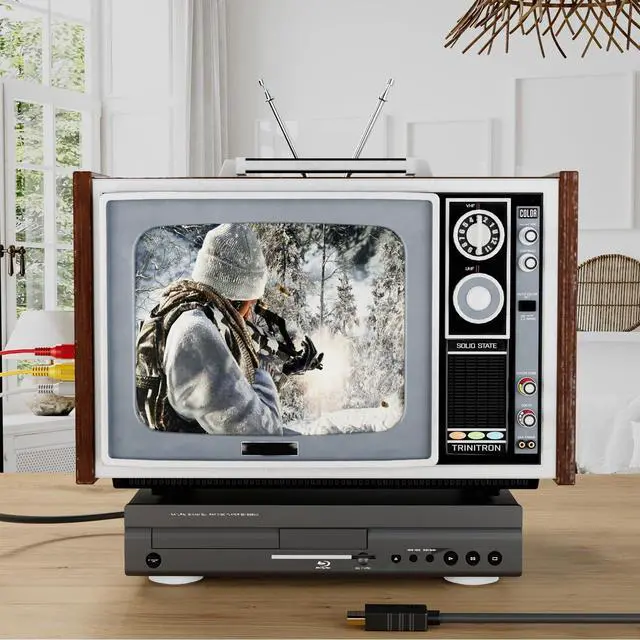
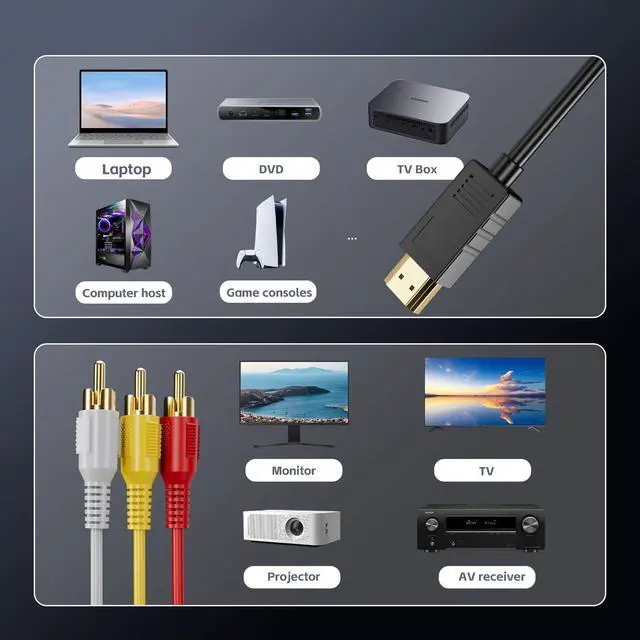
- CORRECT USE (This Product Works): Your SOURCE device (e.g., old laptop, old DVD player with HDMI OUT, Mister/Raspberry Pi emulator) has an HDMI OUTPUT port. Your DISPLAY device (e.g., CRT tube TV, old projector, vintage sound system) has ONLY the Red/White/Yellow RCA INPUT jacks.
- WRONG USE (This Product WILL NOT WORK, DO NOT BUY): Your source is a VHS VCR, old camcorder, PS2/Wii (RCA output only) and your display is a modern smart TV with HDMI ports. This direction is completely wrong and will 100% fail.
If you are a CORRECT user, please continue reading. If you are a WRONG user, thank you for stopping. Please search for an "RCA to HDMI Converter".
Product Essence: This is Not a "Cable," It's a "Converter"
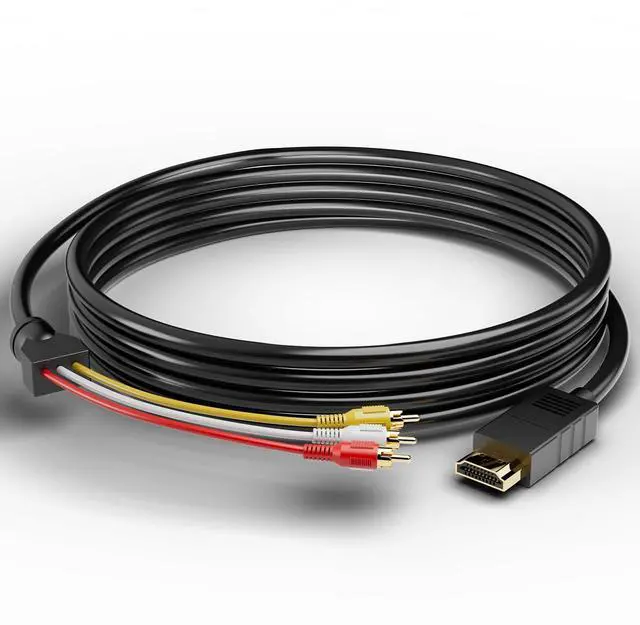
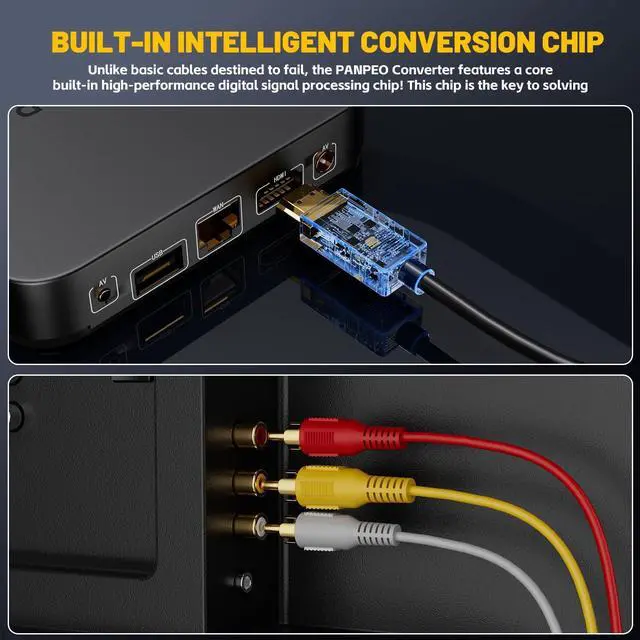
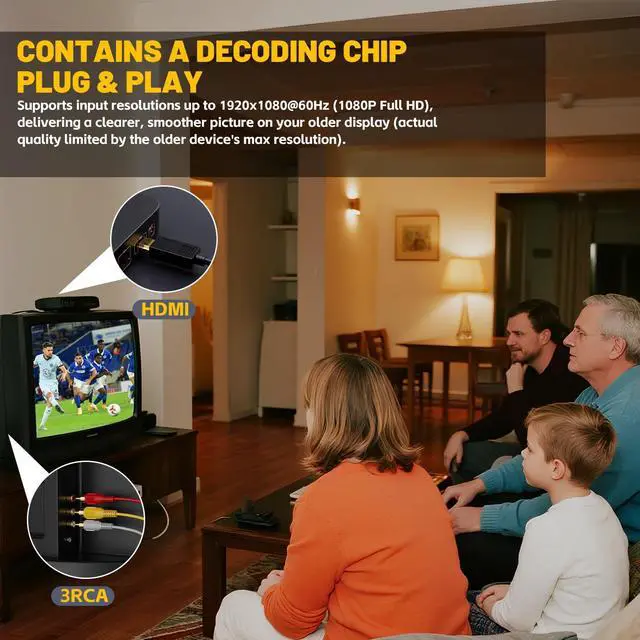
This is a specialized cable with a built-in active digital-to-analog signal conversion chip. It decodes the HDMI digital signal from modern devices and converts it into an RCA composite video and stereo audio signal that legacy equipment can understand. Its core value is providing an ultra-low-cost bridge for specific retro scenarios.

Who is Our Target User? (Revealed by Real Positive Reviews)
Our product is highly praised by users in the following scenarios:
- Retro Gamers: Connecting a MiSTer FPGA or Raspberry Pi emulator to a small CRT monitor for an authentic, low-latency gaming experience.
- Nostalgic A/V Enthusiasts: Playing home movies or DVD rips from an old laptop or specific player on an old tube TV to relive the past.
- Specific Equipment Users: Adding an HDMI-equipped backup source (like an old laptop) to an old projector or sound system that only has RCA inputs.
How to Set Up for Best Results? (Successful User Experience)
To replicate the successful experiences in our positive reviews, it is crucial to configure your SOURCE DEVICE after connection as follows:
- Display Settings: Go to your system's display settings and manually set the output resolution to 720p or 1024x768@60Hz. Do not use 4K or 1080p output, as it may cause conversion failure or abnormal picture quality.
- Audio Settings: Set the audio output format to PCM (2-channel stereo).
- Display Device: Switch your old TV or projector's input source to the "AV" or "VIDEO" channel.


Package Contents
1× HDMI to 3RCA Converter Cable (5 Feet/1.5m)

Critical Compatibility Notes & Limitations
· Definitely NOT Compatible: Due to strict HDCP digital copyright protection, Nintendo Switch, PlayStation 5, Xbox Series X/S, Fire TV Stick, Roku, and similar streaming devices will most likely NOT output video through this product (black screen).
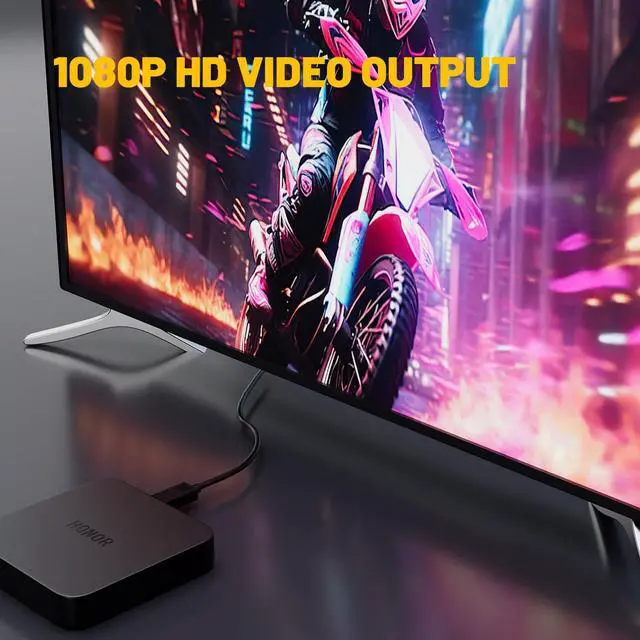
· Picture Quality Limit: Output is a 480i/576i standard-definition signal. The soft, analog picture on an old TV is normal and not a defect.
· Power Dependency: The conversion chip is powered via the HDMI port. If you experience signal instability, try connecting your source device to mains power or use a powered HDMI splitter.

Technical Specifications
· Input Interface: HDMI Male (Type A)
· Output Interface: 3 RCA (Yellow: Video, Red: Right Audio, White: Left Audio)
· Supported Input Resolutions: 1080p@60Hz, 720p@60Hz, 480p
· Output Signal: SD Composite Video (480i/576i) + LPCM Stereo
· Cable Length: 5 Feet / 1.5 Meters
· Power: Self-powered (via HDMI port)

Quick FAQ (Critical Pre-Purchase Info)
- Q: Can I connect my old VCR/DVD player to a new TV?
- A: NO. This is a one-way HDMI?RCA converter. You need an "RCA to HDMI" converter for that.
- Q: Will it work with Nintendo Switch/PS5/Fire Stick?
- A: Most likely NO. Modern devices use HDCP copyright protection which blocks the signal, causing a black screen.
- Q: Why is the picture blurry or have black bars?
- A: This is normal. It outputs a standard-definition (480i) signal for old CRT TVs. Set your source device to 720p for best results.
- Q: I have picture but no sound.
- A: 1) Ensure the Red/White audio plugs are fully inserted. 2) Switch your old TV to "AV" mode. 3) Set your source audio to PCM Stereo.
- Q: Which devices work best with it?
- A: Old laptops, PCs with HDMI, or retro emulators (like Raspberry Pi) connecting to CRT TVs/projectors with RCA inputs.
- Q: Does it need external power or drivers?
- A: No drivers needed. It is powered via HDMI. If unstable, plug your source device (e.g., laptop) into wall power.
PRIMARY WARNING: MUST-READ BEFORE PURCHASE
Immediately confirm your use case:
- CORRECT USE (This Product Works): Your SOURCE device (e.g., old laptop, old DVD player with HDMI OUT, Mister/Raspberry Pi emulator) has an HDMI OUTPUT port. Your DISPLAY device (e.g., CRT tube TV, old projector, vintage sound system) has ONLY the Red/White/Yellow RCA INPUT jacks.
- WRONG USE (This Product WILL NOT WORK, DO NOT BUY): Your source is a VHS VCR, old camcorder, PS2/Wii (RCA output only) and your display is a modern smart TV with HDMI ports. This direction is completely wrong and will 100% fail.
If you are a CORRECT user, please continue reading. If you are a WRONG user, thank you for stopping. Please search for an "RCA to HDMI Converter".
Product Essence: This is Not a "Cable," It's a "Converter"
This is a specialized cable with a built-in active digital-to-analog signal conversion chip. It decodes the HDMI digital signal from modern devices and converts it into an RCA composite video and stereo audio signal that legacy equipment can understand. Its core value is providing an ultra-low-cost bridge for specific retro scenarios.
Who is Our Target User? (Revealed by Real Positive Reviews)
Our product is highly praised by users in the following scenarios:
- Retro Gamers: Connecting a MiSTer FPGA or Raspberry Pi emulator to a small CRT monitor for an authentic, low-latency gaming experience.
- Nostalgic A/V Enthusiasts: Playing home movies or DVD rips from an old laptop or specific player on an old tube TV to relive the past.
- Specific Equipment Users: Adding an HDMI-equipped backup source (like an old laptop) to an old projector or sound system that only has RCA inputs.
How to Set Up for Best Results? (Successful User Experience)
To replicate the successful experiences in our positive reviews, it is crucial to configure your SOURCE DEVICE after connection as follows:
- Display Settings: Go to your system's display settings and manually set the output resolution to 720p or 1024x768@60Hz. Do not use 4K or 1080p output, as it may cause conversion failure or abnormal picture quality.
- Audio Settings: Set the audio output format to PCM (2-channel stereo).
- Display Device: Switch your old TV or projector's input source to the "AV" or "VIDEO" channel.
Package Contents
1× HDMI to 3RCA Converter Cable (5 Feet/1.5m)
Critical Compatibility Notes & Limitations
· Definitely NOT Compatible: Due to strict HDCP digital copyright protection, Nintendo Switch, PlayStation 5, Xbox Series X/S, Fire TV Stick, Roku, and similar streaming devices will most likely NOT output video through this product (black screen).
· Picture Quality Limit: Output is a 480i/576i standard-definition signal. The soft, analog picture on an old TV is normal and not a defect.
· Power Dependency: The conversion chip is powered via the HDMI port. If you experience signal instability, try connecting your source device to mains power or use a powered HDMI splitter.
Technical Specifications
· Input Interface: HDMI Male (Type A)
· Output Interface: 3 RCA (Yellow: Video, Red: Right Audio, White: Left Audio)
· Supported Input Resolutions: 1080p@60Hz, 720p@60Hz, 480p
· Output Signal: SD Composite Video (480i/576i) + LPCM Stereo
· Cable Length: 5 Feet / 1.5 Meters
· Power: Self-powered (via HDMI port)
Quick FAQ (Critical Pre-Purchase Info)
- Q: Can I connect my old VCR/DVD player to a new TV?
- A: NO. This is a one-way HDMI?RCA converter. You need an "RCA to HDMI" converter for that.
- Q: Will it work with Nintendo Switch/PS5/Fire Stick?
- A: Most likely NO. Modern devices use HDCP copyright protection which blocks the signal, causing a black screen.
- Q: Why is the picture blurry or have black bars?
- A: This is normal. It outputs a standard-definition (480i) signal for old CRT TVs. Set your source device to 720p for best results.
- Q: I have picture but no sound.
- A: 1) Ensure the Red/White audio plugs are fully inserted. 2) Switch your old TV to "AV" mode. 3) Set your source audio to PCM Stereo.
- Q: Which devices work best with it?
- A: Old laptops, PCs with HDMI, or retro emulators (like Raspberry Pi) connecting to CRT TVs/projectors with RCA inputs.
- Q: Does it need external power or drivers?
- A: No drivers needed. It is powered via HDMI. If unstable, plug your source device (e.g., laptop) into wall power.