






How to Connect this retro game console stick to the TV?
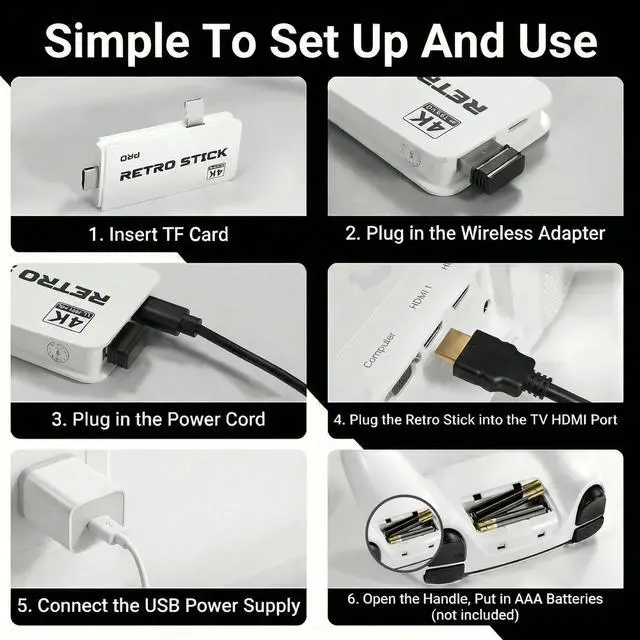
1. Connect the HD output of the TV first 2. Insert the TF Card 3.Plug in the Wireless Adapter 4. Plug in the Power Cord. 5.Plug the retro stick into the TV HDMI port.6.Open the Handle, put in AAA batteries(Not Inclueded).
If the video game console does not work, please follow these steps to check that the device is properly connected.
When connected correctly:Player 1-Red light,Player 2-Green light.If both lights flash at the same time, it may indicate:Low battery, or Receiver not properly connected.Replace batteries or turn off the device unplug receiver, reinsert and restart.
How to do if some games show "insert coin"?
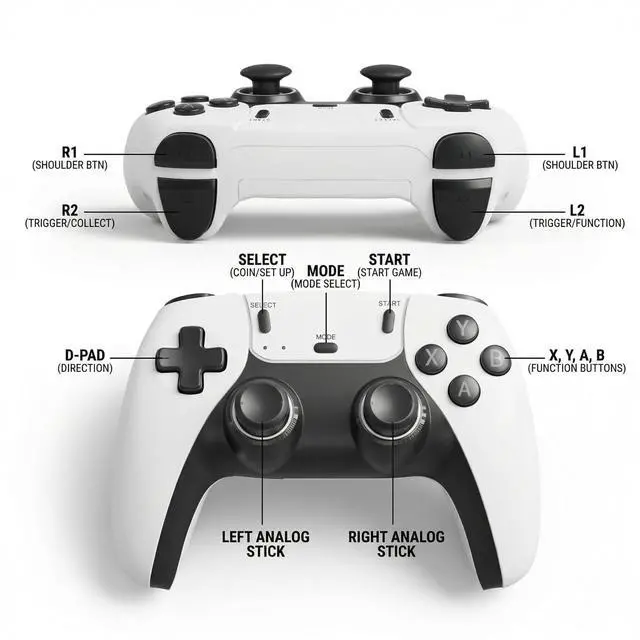
Just press the "Select" button to continue playing.
What functions does this retro gaming console have? And how to operate it?
Pause/Save/Load/Exit. Holding down the SELECT/START key at the same time in the game brings up a game menu that allows the user to Pause/Save/Load/Exit the game.
What is included in the product packaging?
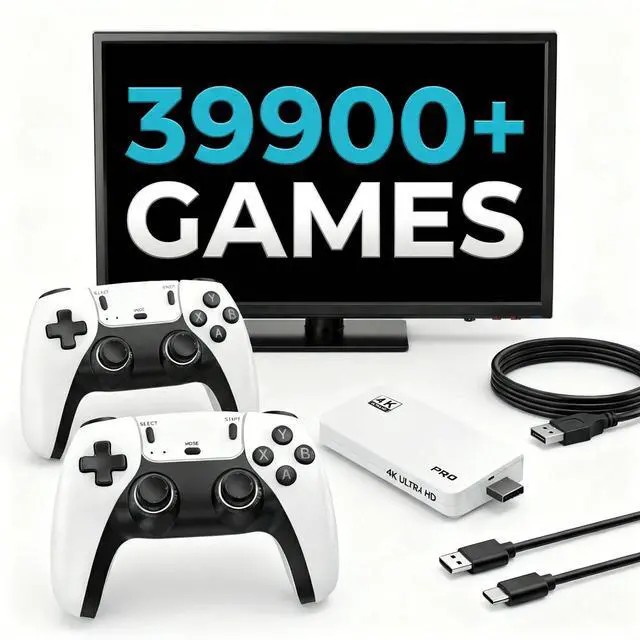
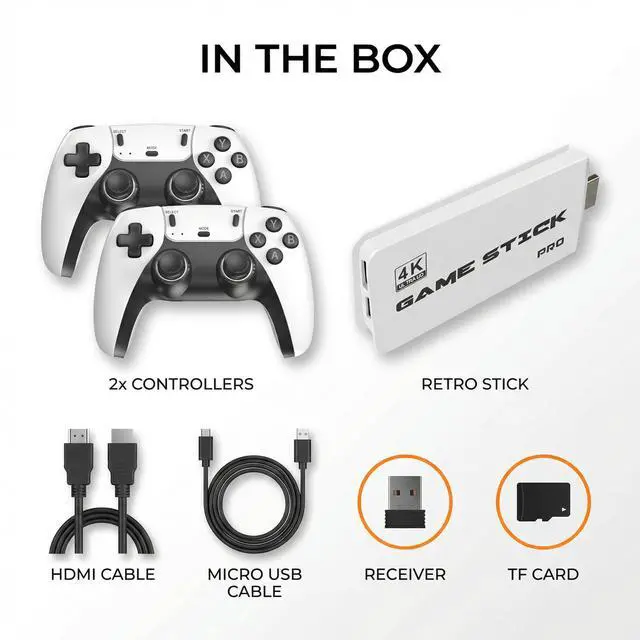
2 X Wireless Game Console, 1 X Retro Stick, 1 X HDMI Cable, 1 X Micro USB Cable, 1 X TF Card, 1 X Receiver.


How to Connect this retro game console stick to the TV?
1. Connect the HD output of the TV first 2. Insert the TF Card 3.Plug in the Wireless Adapter 4. Plug in the Power Cord. 5.Plug the retro stick into the TV HDMI port.6.Open the Handle, put in AAA batteries(Not Inclueded).
If the video game console does not work, please follow these steps to check that the device is properly connected.
When connected correctly:Player 1-Red light,Player 2-Green light.If both lights flash at the same time, it may indicate:Low battery, or Receiver not properly connected.Replace batteries or turn off the device unplug receiver, reinsert and restart.
How to do if some games show "insert coin"?
Just press the "Select" button to continue playing.
What functions does this retro gaming console have? And how to operate it?
Pause/Save/Load/Exit. Holding down the SELECT/START key at the same time in the game brings up a game menu that allows the user to Pause/Save/Load/Exit the game.
What is included in the product packaging?
2 X Wireless Game Console, 1 X Retro Stick, 1 X HDMI Cable, 1 X Micro USB Cable, 1 X TF Card, 1 X Receiver.