






Optimal Balance: 98-Key Layout Unleashes Compact Efficiency and Maximum Functionality.

KEMOVE K98SE Software (Currently only supports Windows)


How to turn off and on the K98SE keyboard backlight and side lights?
Press Fn+Backspace to turn off/on the backlighting
Press Fn+Tab to turn off/on the side lights
Does the K98SE keyboard support hot-swapping?
The switches on the K98SE mechanical keyboard are soldered in place and cannot be hot-swapped.
Can the lighting color of the K98SE keyboard be changed?
The K98SE keyboard has a fixed backlight color, but you can switch the lighting effects by pressing FN+\|
Some keys aren't working. Here’s how to fix it:
1. Press Fn + Spacebar to unlock the Fn key.
When the Fn key is locked, keys like J, K, L, M & the arrow keys won’t work.
2. Press Fn + B for 5 seconds to reset the keyboard.
3. If none of these solutions work, please feel free to contoct us anytime.
KEMOVE
 KEMOVE K98SE |  KEMOVE K61SE |  KEMOVE K61SE |  KEMOVE K61SE | |
|---|---|---|---|---|
Customer Reviews | — | — | — | — |
Price | — | — | — | — |
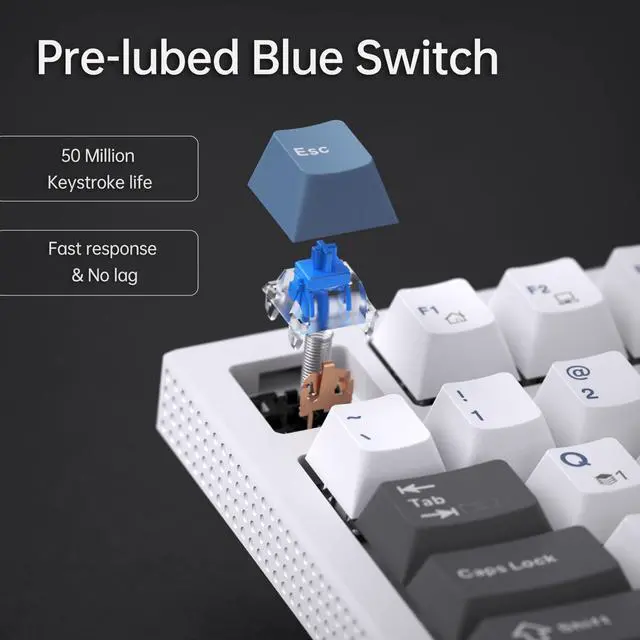
Switch | Red/Brown/Blue Switch | Red/Blue Switch | Red/Blue Switch | Red/Blue Switch |
Number of Keys | 98 | 61 | 61 | 61 |
Connectivity Tech | Wired | Wired | Wired | Wired |
Backlit | Single Color | RGB | RGB | Single Color |
Software Support | ? | ? | ? | ? |

Optimal Balance: 98-Key Layout Unleashes Compact Efficiency and Maximum Functionality.

KEMOVE K98SE Software (Currently only supports Windows)


More details
Detachable Power Cable


Plug and play, widely compatible with PC devices. Easily store away, simplifying your workspace.

How to turn off and on the K98SE keyboard backlight and side lights?
Press Fn+Backspace to turn off/on the backlighting
Press Fn+Tab to turn off/on the side lights
Does the K98SE keyboard support hot-swapping?
The switches on the K98SE mechanical keyboard are soldered in place and cannot be hot-swapped.
Can the lighting color of the K98SE keyboard be changed?
The K98SE keyboard has a fixed backlight color, but you can switch the lighting effects by pressing FN+\|
Some keys aren't working. Here’s how to fix it:
1. Press Fn + Spacebar to unlock the Fn key.
When the Fn key is locked, keys like J, K, L, M & the arrow keys won’t work.
2. Press Fn + B for 5 seconds to reset the keyboard.
3. If none of these solutions work, please feel free to contoct us anytime.
KEMOVE
KEMOVE K98SE | KEMOVE K61SE | KEMOVE K61SE | KEMOVE K61SE |
|---|---|---|---|
| Customer Reviews | |||
| — | — | — | — |
| Price | |||
| — | — | — | — |
| Switch | |||
| Red/Brown/Blue Switch | Red/Blue Switch | Red/Blue Switch | Red/Blue Switch |
| Number of Keys | |||
| 98 | 61 | 61 | 61 |
| Connectivity Tech | |||
| Wired | Wired | Wired | Wired |
| Backlit | |||
| Single Color | RGB | RGB | Single Color |
| Software Support | |||
| ? | ? | ? | ? |