


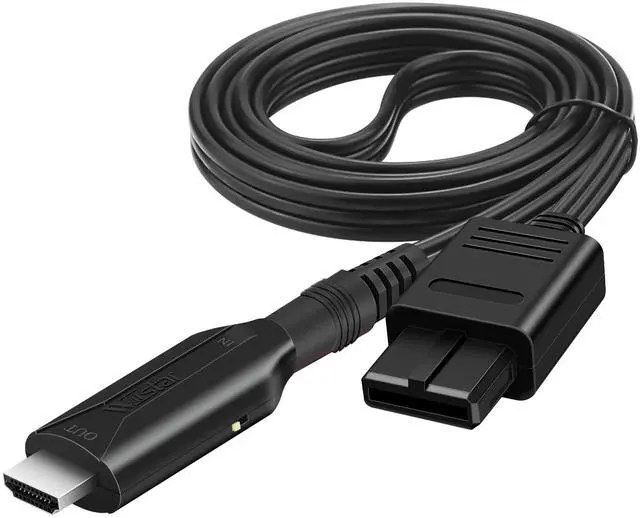


HDMI Cable for N64 ( Japan GAME version support ,do not support america/ Europe GAME version)
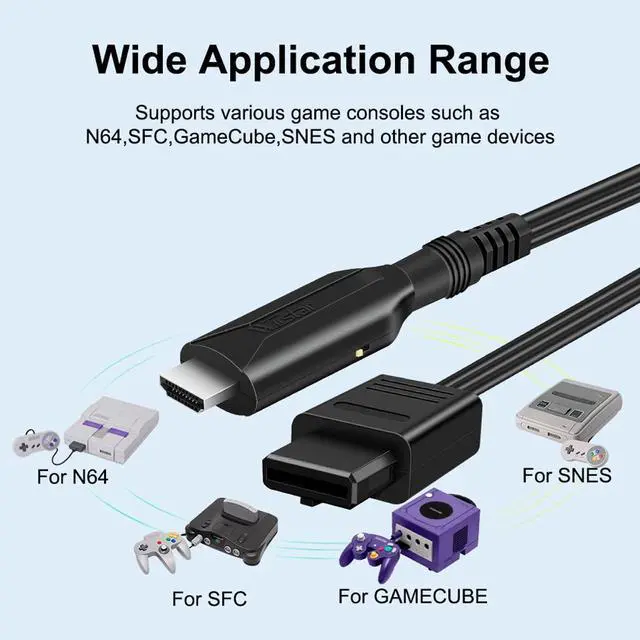
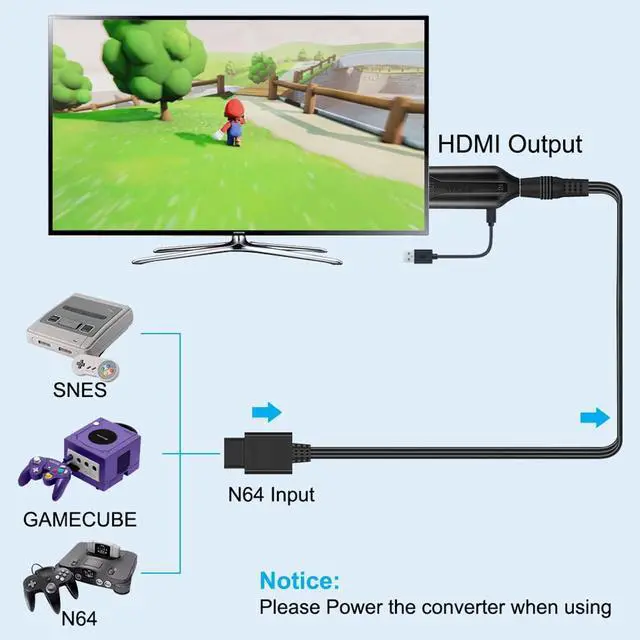
Convert and Upgrade Analog RGB Signals From N64 / GameCube / Super NES Game ( Japan GAME version support ,do not support america /Europe GAME version) to Digital HDMI Signals to Modern HDTV/ Monitors/ Projectors.
Fault check:
1. Check if the game console is working properly.
2. Check if the TV selects HDMI input.
3. Check if the connection is stable.
4. Replace with a new micro cable and reconnect it.it must connect the micro cable for supply power
5.the N64 game version only support japan version ,do not support eu or us version
Attention:The blue screen may due to no video input, please check your connection method again. If there is no sound, please reconnect.

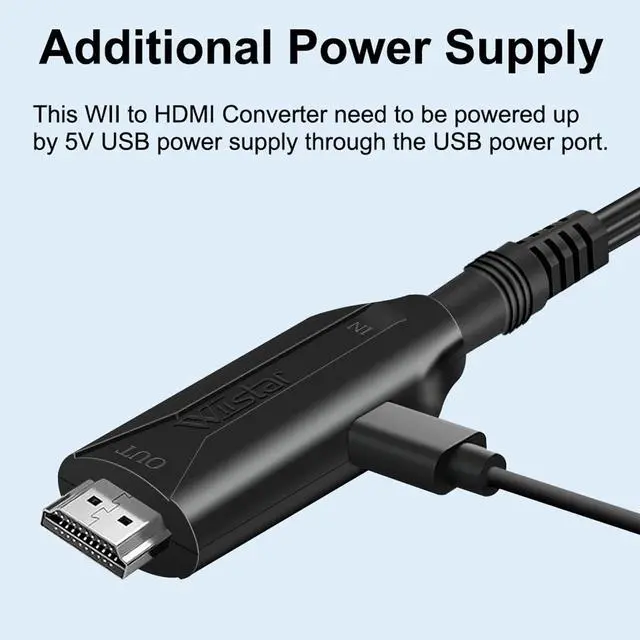
Plug and play, power supply is required.
Plug and play, power supply is required.
You can use the USB cable and power adapter to power the N64 converter, or you can directly plug the USB cable into the USB socket of the game console or the USB socket of the TV to power the converter.

Feather
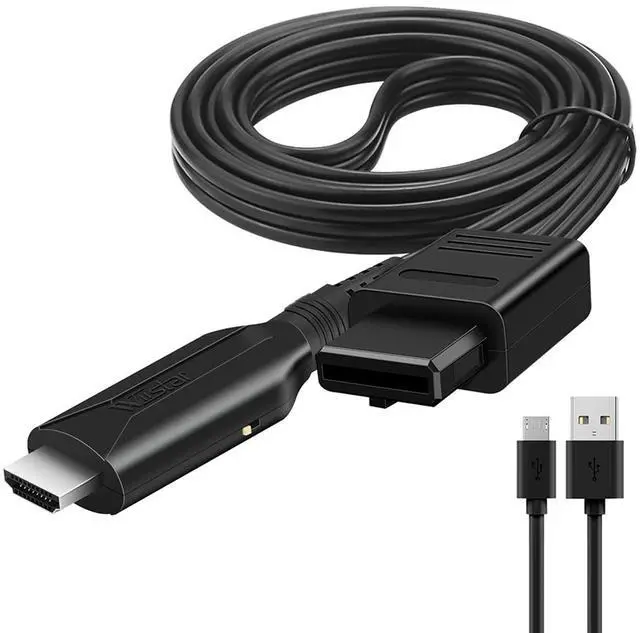
Input:Male n63
Output:Male HDMI
length:1 meter(39.3 inch),As for Different measurement methods, allow 0.01 to 0.03 meter error)

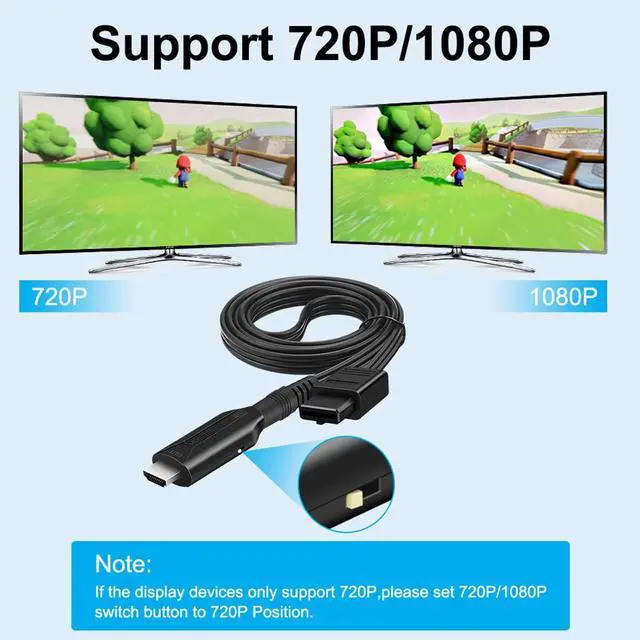
Switch Buttom:
Switch HDMI 720P/1080P (60HZ),displayed on HDTV/Monitor.

Package list:
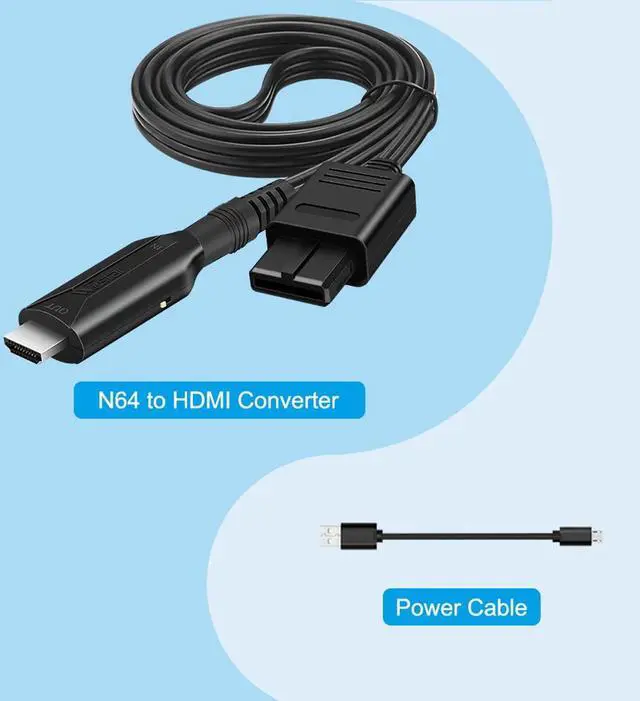
1 x N64 to HDMI Converter
1 x USB Cable

NOTE
1. Video signal transfer only, can't improve the video quality.
2. Only for converting N64 ( Japan version support ,do not support america /Europe version) to HDMI, HDMI to AV is not supported.
3. NOT Support 4K and 3D.
4..Select the corresponding hdmi interface on the TV.
5.Our cable is 1m(3.2ft)
Issues Blue screen no signal
There are 4 ways to fix it:
(1) Unplug the power adapter and power cord, HDMI cable then replug it into console.
(2) Turn TV on after running the N64. If your N64 is on already, just turn off TV first then back on.
(3) Replace other power adapters and power cords to power the converter.
(4) Dip a cotton swab with alcohol and gently wipe the inside of the video port of the N64 game console.
(Note: Please turn off the power of the game console before operation)
Question and answer
Why does it can not work ?
1.check that your n64 game version whether Japan version
2.it must connect the micro cable to supply power (5v1a)
3.please make sure that your tv support (720p/1080p)
Why you can not get the picture clear?
1.please switch the device's mode key (720p/1080p)
Why you can not get the picture or audio ?
1.it is the resolution problem .please switch the device's mode key (720p/1080p)
2.Poor product contact, please reconnect the device
How to use this cable ?
1.HDMI port connect the TV (do not support for sony device name, do not support for blackmagic device name)
2.n64 port connect the n64 game( it must japan game version ,it can not use for eu or us game version )
3.Micro power cable connect the power port(it has not the us power adapter)
4. Set hdmi signal on the TV
HDMI Cable for N64 ( Japan GAME version support ,do not support america/ Europe GAME version)
Convert and Upgrade Analog RGB Signals From N64 / GameCube / Super NES Game ( Japan GAME version support ,do not support america /Europe GAME version) to Digital HDMI Signals to Modern HDTV/ Monitors/ Projectors.
Fault check:
1. Check if the game console is working properly.
2. Check if the TV selects HDMI input.
3. Check if the connection is stable.
4. Replace with a new micro cable and reconnect it.it must connect the micro cable for supply power
5.the N64 game version only support japan version ,do not support eu or us version
Attention:The blue screen may due to no video input, please check your connection method again. If there is no sound, please reconnect.
Plug and play, power supply is required.
Plug and play, power supply is required.
You can use the USB cable and power adapter to power the N64 converter, or you can directly plug the USB cable into the USB socket of the game console or the USB socket of the TV to power the converter.
Feather
Input:Male n63
Output:Male HDMI
length:1 meter(39.3 inch),As for Different measurement methods, allow 0.01 to 0.03 meter error)
Switch Buttom:
Switch HDMI 720P/1080P (60HZ),displayed on HDTV/Monitor.
Package list:
1 x N64 to HDMI Converter
1 x USB Cable
NOTE
1. Video signal transfer only, can't improve the video quality.
2. Only for converting N64 ( Japan version support ,do not support america /Europe version) to HDMI, HDMI to AV is not supported.
3. NOT Support 4K and 3D.
4..Select the corresponding hdmi interface on the TV.
5.Our cable is 1m(3.2ft)
Issues Blue screen no signal
There are 4 ways to fix it:
(1) Unplug the power adapter and power cord, HDMI cable then replug it into console.
(2) Turn TV on after running the N64. If your N64 is on already, just turn off TV first then back on.
(3) Replace other power adapters and power cords to power the converter.
(4) Dip a cotton swab with alcohol and gently wipe the inside of the video port of the N64 game console.
(Note: Please turn off the power of the game console before operation)
Question and answer
Why does it can not work ?
1.check that your n64 game version whether Japan version
2.it must connect the micro cable to supply power (5v1a)
3.please make sure that your tv support (720p/1080p)
Why you can not get the picture clear?
1.please switch the device's mode key (720p/1080p)
Why you can not get the picture or audio ?
1.it is the resolution problem .please switch the device's mode key (720p/1080p)
2.Poor product contact, please reconnect the device
How to use this cable ?
1.HDMI port connect the TV (do not support for sony device name, do not support for blackmagic device name)
2.n64 port connect the n64 game( it must japan game version ,it can not use for eu or us game version )
3.Micro power cable connect the power port(it has not the us power adapter)
4. Set hdmi signal on the TV